1
6-4
Symbol LS7808 Horizontal Slot Scanner Product Reference Guide
RS-232 Default Parameters
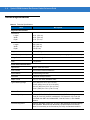
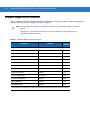
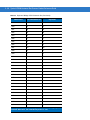
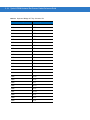
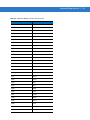
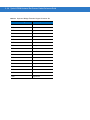
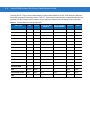
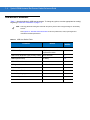
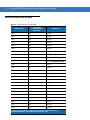
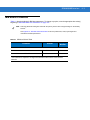
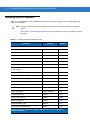
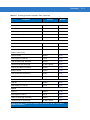
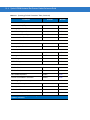
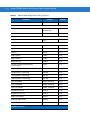
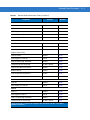
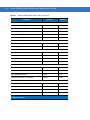
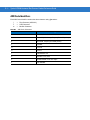
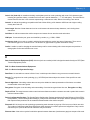
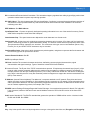
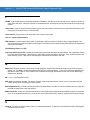
Table 6-1 lists the defaults for RS-232 host parameters. To change any option, scan the appropriate bar code(s)
beginning in RS-232 Host Parameters on page 6-5.
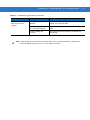
NOTE
Scanning parameter setting bar codes with the primary scanner also changes settings on the auxiliary
scanner.
See Appendix A, Standard Default Parameters for all user preferences, hosts, symbologies and
miscellaneous default parameters.
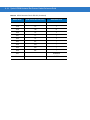
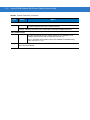
Table 6-1 RS-232 Host Default Table
Parameter
Default
Page
Number
RS-232 Host Parameters
RS-232 Host Types
Standard1
6-7
Baud Rate
9600
6-11
Parity
None
6-15
Check Receive Errors
Enable
6-18
Hardware Handshaking
None
6-19
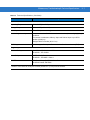
Software Handshaking
None
6-22
Host Serial Response Time-out
2 Sec
6-26
RTS Line State
Low RTS
6-29
Stop Bit Select
1
6-30
Data Bits
8-Bit
6-31
Beep on <BEL>
Disable
6-32
Intercharacter Delay
0 msec
6-33
Nixdorf Beep/LED Option
Normal Operation
6-35
Ignore Unknown Characters
Send Bar Codes
6-37
1
User selection is required to configure this interface and this is the most common
selection.