1
Using the
Emulation
Menu
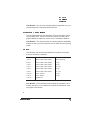
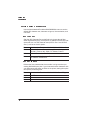
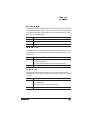
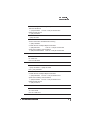
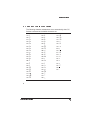
Administration/Emulations/MAGNUM/Default Font
Choices
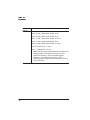
Font 4—Size 0 (Look-up characters)
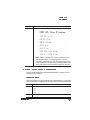
Font 5—Code V Near Letter Quality 10 cpi
Font 6—Code V Near Letter Quality 12 cpi
Font 7—Code V Near Letter Quality 13.33 cpi
Font 8—Code V Near Letter Quality 15 cpi
Font 9—Code V Near Letter Quality 17.14 cpi
Font 10—OCR-A Size 1 10 cpi
Font 11—OCR-B Size 1 10 cpi
»
2-10
Note: The OCR fonts included with the emulation have
a slightly different cell height compared to earlier
versions of the fonts. They may appear slightly
different on your QMS Crown printer, if you’re
executing Code V programs that use earlier versions
of the OCR fonts.
QMS MAGNUM Emulation User's Guide