1
EasyMP.net Operation Guide
25
Projecting PC Images (Network Screen)
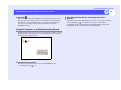
If you click "Yes", the process continues but the display speed drops. If the
PC uses a special screen size such as 1280 × 600 pixels, the resolution that
matches the number of pixels in the horizontal direction is selected for
projection. Blank areas in the vertical direction will be projected in black.
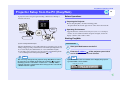
Connecting to the Projector
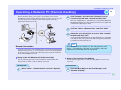
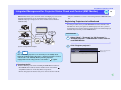
Start EMP NS Connection in Windows and connect the PC to the projector.
TIP
Display colours
The PC screen can project in the following colour modes.
• 8-bit colour (256 colours)
• 16-bit colour
• 24-bit colour
• 32-bit colour
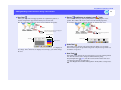
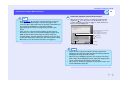
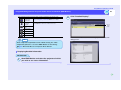
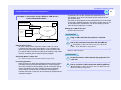
If 24-bit or higher colour mode is selected, the following message appears
during projection.
Image transfer slows down if the screen colour exceeds 24 bits. NS connection
converts it to 16 bits. Do you want to continue?
If you click "Yes", the process continues but the display speed drops.
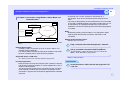
Number of Projectors that can be Connected
Up to four projectors can be connected to a single PC, and images can be
projected by all four projectors simultaneously.
However, multiple PCs cannot be connected to a single projector.
Other Restrictions
• No sounds are transmitted.
• When motion pictures are projected, the playback will not be as smooth
as when they are played on a PC.
• Applications that use partial DirectX functions may not be projected
correctly.
• The DOS prompt cannot be projected in full-screen mode.
Mount the wireless LAN card on the PC before starting EMP NS
Connection. The card will not be recognized if it is mounted after
EMP NS Connection has been started.
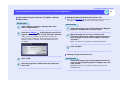
PROCEDURE
1
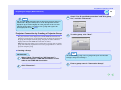
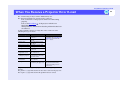
Select "Start" - "Program" (or "All Programs") "EPSON Projector" - "EMP NS Connection" in this
order to start the EMP NS Connection software.
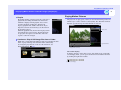
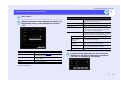
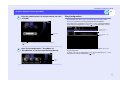
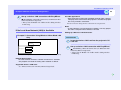
When you are using EMP NS Connection for the first time after
its installation, the Network selection screen appears. Select the
network interface you will use for connection and click "OK".