1
5
Using the Parental Controls
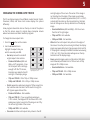
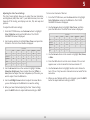
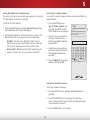
Enabling or Disabling Program Ratings
The TV’s parental controls allow you to prevent the TV from
displaying certain channels or programs without a password.
To manage program content according to its rating, you must
enable the Program Rating feature.
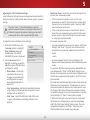
The Parental Controls menu only appears when:
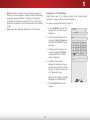
To enable or disable the Program Rating feature:
•
You are using an the tuner receive your TV signals, such as
when you are using an antenna for Over-the-Air signals or
when connected to cable TV directly from the wall (no cable
box).
•
You have a device connected using a composite video cable
or a coaxial cable, such as a VCR, satellite or cable box, or
DVR.
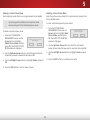
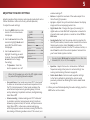
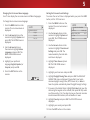
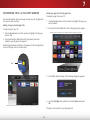
1. From the PARENTAL CONTROLS menu, highlight Locks and
press OK. Type the parental passcode. The LOCKS menu is
displayed.
2. Select On or Off and press OK.
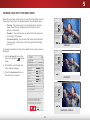
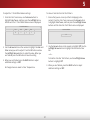
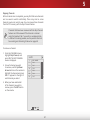
Locking and Unlocking Channels
When a channel is locked, it will be inaccessible. Locking a channel
is a good way to prevent children from viewing inappropriate
material.
Other devices have their own parental control settings.
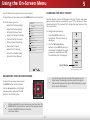
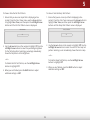
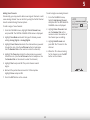
Accessing the Parental Controls Menu
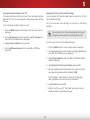
To lock or unlock a channel:
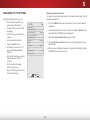
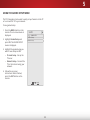
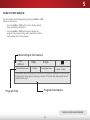
To access the Parental Controls menu:
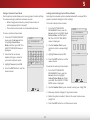
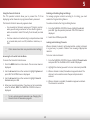
1. From the PARENTAL CONTROLS menu, highlight Channel Locks
and press OK. The CHANNEL LOCKS menu is displayed.
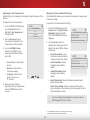
1. Press the MENU button on the remote. The on-screen menu is
displayed.
2. Highlight the channel you want to lock or unlock and press OK.
2. Use the Arrow buttons on the remote to highlight System and
press OK. The SYSTEM menu is displayed.
3. When a channel is locked, the Lock icon appears locked. The
channel is not accessible unless the parental passcode is
entered.
3. Use the Arrow buttons on the remote to highlight Parental
Controls and press OK.
4. When a channel is unlocked, the Lock icon appears unlocked.
The channel is accessible.
4. Enter your parental passcode. If you have not set a passcode,
enter the default, 0000. The PARENTAL CONTROLS menu is
displayed.
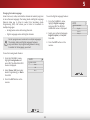
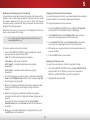
To set a custom parental passcode, see Changing the
Parental Control Passcode on page 49.
48