1
Chapter 3: Working with Windows® 8.1
Starting for the first time..........................................................................................40
Windows® 8.1 lock screen.........................................................................................40
Windows® UI.................................................................................................................41
Start screen........................................................................................................................ 41
Hotspots.............................................................................................................................. 42
Start button....................................................................................................................... 45
Customizing your Start screen.................................................................................... 47
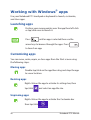
Working with Windows® apps................................................................................48
Launching apps................................................................................................................ 48
Customizing apps............................................................................................................ 48
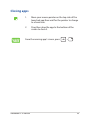
Closing apps...................................................................................................................... 49
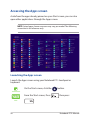
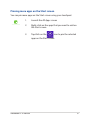
Accessing the Apps screen........................................................................................... 50
Charms bar......................................................................................................................... 52
Snap feature...................................................................................................................... 54
Other keyboard shortcuts.......................................................................................56
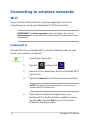
Connecting to wireless networks.........................................................................58
Wi-Fi...................................................................................................................................... 58
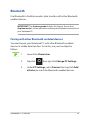
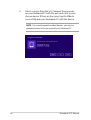
Bluetooth ........................................................................................................................... 59
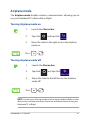
Airplane mode.................................................................................................................. 61
Connecting to wired networks..............................................................................62
Configuring a dynamic IP/PPPoE network connection..................................... 62
Configuring a static IP network connection.......................................................... 63
Turning your Notebook PC off...............................................................................64
Putting your Notebook PC to sleep.......................................................................... 65
Chapter 4: Power-on Self Test (POST)
The Power-on Self Test (POST)...............................................................................68
Using POST to access BIOS and Troubleshoot...................................................... 68
BIOS.................................................................................................................................68
Accessing BIOS................................................................................................................. 68
BIOS Settings..................................................................................................................... 69
4
Notebook PC E-Manual