1
Parent Control (V-CHIP Operation Continued)
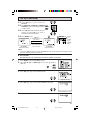
L HOW TO SET V-CHIP
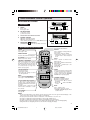
REMOTE
KEYPAD
VOLUME
(+)/(–)
CHANNEL
UP (8)/
DOWN (9)
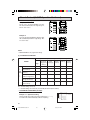
[1] MPAA RATING
1
MENU
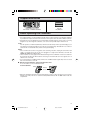
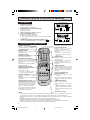
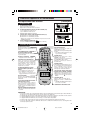
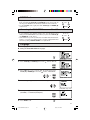
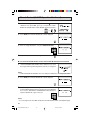
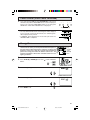
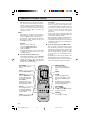
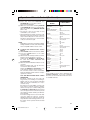
Press MENU to access MAIN MENU screen.
T I ME R
V I D EO A D J U S T
AUD I O S E L EC T
C L O S E D C A P T I ON
P A R E N T CON T RO L
E N E RG Y S A V E
SE T UP
(MAIN MENU screen)
2
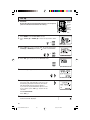
Press CH UP (8) or DOWN (9) to move the “
CONTROL”.
3
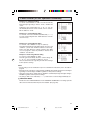
Press VOL (+) or (–) to access PARENT CONTROL mode, then
press VOL (+) or (–) to access V-CHIP select mode.
” mark to “PARENT
(PARENT CONTROL mode)
4
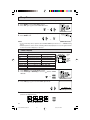
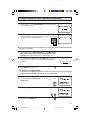
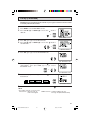
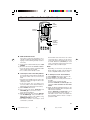
Press VOL (+) or (–) to access “MPAA RATING”.
MP A A
T V GU I D E L I N E S
DOWN L O A D : O F F
S T A TUS
: OF F
(V-CHIP select mode)
5
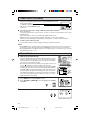
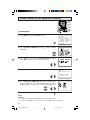
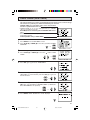
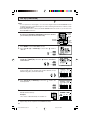
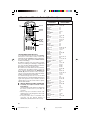
Press CH UP (8) or DOWN (9) to move the “ ” mark to "PG",
then press VOL (+) or (–) to select BLOCK. If you set “PG” to
BLOCK, “PG-13”, “R”, “NC-17” and “X” are automatically blocked.
→
6
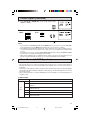
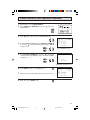
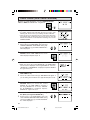
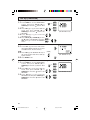
Repeat pressing MENU to return V-CHIP select mode exit.
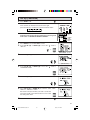
NOTE:
Example:
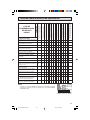
• If you set “G” to BLOCK, all RATINGS are automatically blocked.
• If you set “X” to BLOCK, “G”, “PG”, “PG-13”, “R” and “NC-17” are not blocked.
18
10-18 25&27NS100/180 1.4
18
6/1/00, 2:07 PM