1
4
433
Fine-tuning the Projector
You can use the Menu button on the projector or remote control to
access on-screen menus to adjust the image, sound, and other features.
This chapter covers the following information:
■
Using the menu system
■
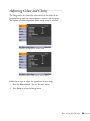
Adjusting image colors and clarity
■
Adjusting the input signal
■
Customizing projector features
■
Selecting projector setup options
■
Viewing air filter and lamp usage, and other information
■
Using the projector’s security features
■
Restoring the default settings
49