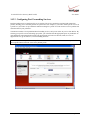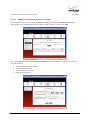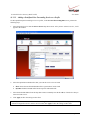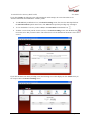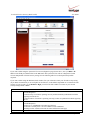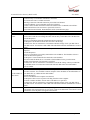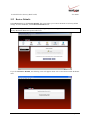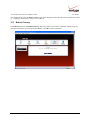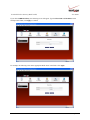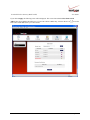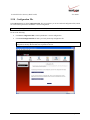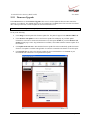
1
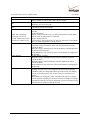
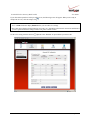
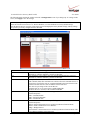
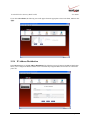
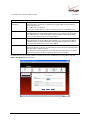
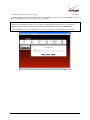
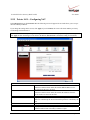
VERSALINK™ WIRELESS GATEWAY (MODEL 327W)
USER GUIDE
030-300505 Rev. A
1
April 2007
VersaLink Wireless Gateway (Model 327W)
User Guide
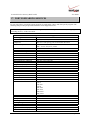
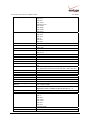
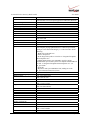
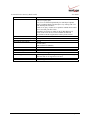
TABLE OF CONTENTS
1.
2.
3.
PRODUCT DESCRIPTION ..................................................................................................................................4
SAFETY INSTRUCTIONS ...................................................................................................................................4
REGULATORY INFORMATION ........................................................................................................................5
3.1 FCC Compliance Note...................................................................................................................................5
4.
5.
3.2 Canada Certification Notice...........................................................................................................................6
NETWORKING REQUIREMENTS .....................................................................................................................7
HARDWARE FEATURES....................................................................................................................................8
5.1 LED Indicators ..............................................................................................................................................8
5.2 Cable Connectors and Switch Locations .......................................................................................................9
6.
5.3 Connector Descriptions .................................................................................................................................9
INSTALLING THE HARDWARE......................................................................................................................10
6.1 Installation Requirements ............................................................................................................................10
6.2 Before you begin..........................................................................................................................................10
6.3 Microfilters ..................................................................................................................................................10
7.
6.4 Hardware Installations .................................................................................................................................11
ACCESSING VERSALINK ................................................................................................................................15
7.1 Logging on to VersaLink.............................................................................................................................15
8.
7.2 Changing the Password................................................................................................................................16
CONFIGURING YOUR BROADBAND CONNECTION .................................................................................19
8.1 Confirming Your DSL Connection..............................................................................................................19
8.2 Setting Up an Account Profile .....................................................................................................................20
8.3 Connecting to the Internet............................................................................................................................25
9.
8.4 Disconnecting from the Internet ..................................................................................................................26
SETTING UP MACINTOSH OS X.....................................................................................................................28
9.1 Opening the System Preference Screen .......................................................................................................28
9.2 Choosing the Network Preferences..............................................................................................................28
9.3 Creating a New Location .............................................................................................................................29
9.4 Naming the New Location...........................................................................................................................29
9.5 Selecting the Ethernet Configuration...........................................................................................................29
9.6 Checking the IP Connection ........................................................................................................................30
9.7 Accessing Your Router................................................................................................................................31
10. BASIC CONFIGURATION ................................................................................................................................32
11. MAIN (HOME PAGE).........................................................................................................................................33
11.1 My Gateway Panel.......................................................................................................................................34
11.2 My Network Panel.......................................................................................................................................34
11.3 Action Zone Panel .......................................................................................................................................35
12. WIRELESS SETTINGS.......................................................................................................................................36
12.1 Basic Security Settings ................................................................................................................................37
12.2 Advanced Security Settings .........................................................................................................................40
030-300505 Rev. A
2
April 2007
VersaLink Wireless Gateway (Model 327W)
User Guide
13. MY NETWORK...................................................................................................................................................52
13.1 Network Status ............................................................................................................................................52
13.2 Network Connections ..................................................................................................................................56
14. FIREWALL SETTINGS ......................................................................................................................................82
14.1 General Firewall Security Settings ..............................................................................................................82
14.2 Editing Firewall Security Rules ...................................................................................................................83
14.3 Port Forwarding ...........................................................................................................................................85
14.4 DMZ Host—Single IP Address Passthrough.............................................................................................104
14.5 Remote Administration..............................................................................................................................108
14.6 Static NAT.................................................................................................................................................111
14.7 Security Log ..............................................................................................................................................114
15. ADVANCED......................................................................................................................................................116
15.1 Diagnostics ................................................................................................................................................117
15.2 Restore Defaults.........................................................................................................................................120
15.3 Reboot Gateway.........................................................................................................................................121
15.4 Users ..........................................................................................................................................................122
15.5 QOS ...........................................................................................................................................................123
15.6 Remote Administration..............................................................................................................................124
15.7 ATM Loopback .........................................................................................................................................125
15.8 Detect WAN Configuration .......................................................................................................................127
15.9 DNS Server................................................................................................................................................129
15.10 Configuration File..................................................................................................................................132
15.11 Firmware Upgrade .................................................................................................................................133
15.12 Universal Plug and Play.........................................................................................................................136
15.13 Routing ..................................................................................................................................................137
15.14 IP Address Distribution .........................................................................................................................138
15.15 Private LAN—Configuring NAT ..........................................................................................................141
15.16 Public LAN—Multiple IP Address Passthrough ...................................................................................142
15.17 VLAN Configuration.............................................................................................................................145
15.18 RIP Configuration..................................................................................................................................147
16. SYSTEM MONITORING..................................................................................................................................149
16.1 Gateway Status ..........................................................................................................................................150
17.
18.
19.
20.
21.
16.2 Advanced Status ........................................................................................................................................151
PORT FORWARDING SERVICES ..................................................................................................................163
TECHNICAL SUPPORT INFORMATION ......................................................................................................167
PRODUCT SPECIFICATIONS.........................................................................................................................167
SOFTWARE LICENSE AGREEMENT............................................................................................................168
PUBLICATION INFORMATION.....................................................................................................................170
030-300505 Rev. A
3
April 2007
VersaLink Wireless Gateway (Model 327W)
User Guide
1. PRODUCT DESCRIPTION
The Verizon® VersaLink™ Wireless Gateway provides reliable, high-speed, Internet access to your existing small
office phone line and is capable of data rates hundreds of times faster than a traditional analog modem. But unlike
analog modems, the VersaLink Gateway allows you to use the same phone line for simultaneous voice/fax
communications and high-speed Internet access, eliminating the need for dedicated phone lines for voice and data
needs. In addition, VersaLink supports a variety of networking interfaces such as Wireless 802.11b/g, ADSL,
Ethernet and the following optional features:
•
•
•
•
UPLINK/E1: Alternate WAN uplink port
Layer w/2 QOS with VLAN tagging
HotSpot
Simultaneous public/private network support
Hereafter, the Verizon® VersaLink™ Wireless Gateway will be referred to as “VersaLink,” “Router,” or “Modem.”
2. SAFETY INSTRUCTIONS
•
Never install any telephone wiring during a lightning storm.
•
Never install telephone jacks in wet locations unless the jack is specifically designed for wet locations.
•
Never touch non-insulated telephone wires or terminals unless the telephone line has been disconnected at
the network interface.
•
Use caution when installing or modifying telephone lines.
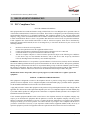
WARNING
Risk of electric shock. Voltages up to 140 Vdc (with reference to
ground) may be present on telecommunications circuits.
030-300505 Rev. A
4
April 2007
VersaLink Wireless Gateway (Model 327W)
User Guide
3. REGULATORY INFORMATION
3.1 FCC Compliance Note
(FCC ID: CH8D90327WXXX-06)
This equipment has been tested and found to comply with the limits for a Class B digital device, pursuant to Part 15
of the Federal Communication Commission (FCC) Rules. These limits are designed to provide reasonable protection
against harmful interference in a residential installation. This equipment generates, uses, and can radiate radio
frequency energy, and if not installed and used in accordance with the instructions, may cause harmful interference
to radio communications. However, there is no guarantee that interference will not occur in a particular installation.
If this equipment does cause harmful interference to radio or television reception, which can be determined by
turning the equipment OFF and ON, the user is encouraged to try to correct the interference by one or more of the
following measures:
•
•
•
•
•
Reorient or relocate the receiving antenna.
Increase the separation between the equipment and the receiver.
Connect the equipment to a different circuit from that to which the receiver is connected.
Consult the dealer or an experienced radio/TV technician for help.
This device complies with part 15 of the FCC Rules. Operation is subject to the following two conditions:
(1) this device may not cause harmful interference, and (2) this device must accept any interference
received, including interference that may cause undesired operation.
WARNING: While this device is in operation, a separation distance of at least 20 cm (8 inches) must be maintained
between the radiating antenna and users exposed to the transmitter in order to meet the FCC RF exposure guidelines.
Making changes to the antenna or the device is not permitted. Doing so may result in the installed system exceeding
RF exposure requirements. This device must not be co-located or operated in conjunction with any other antenna or
radio transmitter. Installers and end users must follow the installation instructions provided in this guide.
Modifications made to the product, unless expressly approved, could void the users’ rights to operate the
equipment.
PART 68 – COMPLIANCE REGISTRATION
This equipment is designated to connect to the telephone network or premises wiring using a compatible modular
jack that is Part 68 compliant. A FCC compliant telephone cord and modular plug is provided with the equipment.
See the Installation Information section of this User Guide for details.
A plug and jack used to connect this equipment to the premises wiring and telephone network must comply with the
applicable FCC Part 68 rules and requirements adopted by the ACTA. A compliant telephone cord and modular plug
is provided with this product. It is designed to be connected to a compatible modular jack that is also compliant. See
installation instruction for details.
If this terminal equipment (Model 327W) causes harm to the telephone network, the telephone company may
request you to disconnect the equipment until the problem is resolved. The telephone company will notify you in
advance if temporary discontinuance of service is required. If advance notification is not practical, the telephone
company will notify you as soon as possible. You will be advised of your right to file a complaint with the FCC if
you believe such action is necessary. If you experience trouble with this equipment (Model 327W), do not try to
repair the equipment yourself. The equipment cannot be repaired in the field. Contact Verizon for instructions.
030-300505 Rev. A
5
April 2007
VersaLink Wireless Gateway (Model 327W)
User Guide
The telephone company may make changes to their facilities, equipment, operations, or procedures that could affect
the operation of this equipment. If this happens, the telephone company will provide advance notice in order for you
to make the modifications necessary to maintain uninterrupted service.
If your home has specially wired alarm equipment connected to the telephone line, ensure that the installation of this
equipment (Model 327W) does not disable your alarm equipment. If you have questions about what will disable
alarm equipment, consult your telephone company or a qualified installer.
This equipment cannot be used on public coin phone service provided by the telephone company. Connection of this
equipment to party line service is subject to state tariffs.
3.2 Canada Certification Notice
The Industry Canada label identifies certified equipment. This certification means that the equipment meets certain
telecommunications network protective, operations and safety requirements as prescribed in the appropriate
Terminal Equipment Technical Requirements document(s). The department does not guarantee the equipment will
operate to the user’s satisfaction.
This equipment meets the applicable Industry Canada Terminal Equipment Technical Specification. This is
confirmed by the registration number. The abbreviation, IC, before the registration number signifies that registration
was performed based on a Declaration of Conformity indicating that Industry Canada technical specifications were
met. It does not imply that Industry Canada approved the equipment. The Ringer Equivalence Number (REN) is 0.0.
The Ringer Equivalence Number that is assigned to each piece of terminal equipment provides an indication of the
maximum number of terminals allowed to be connected to a telephone interface. The termination on an interface
may consist of any combination of devices subject only to the requirement that the sum of the Ringer Equivalence
Numbers of all the devices does not exceed five.
Before installing this equipment, users should ensure that it is permissible to be connected to the facilities of the
local Telecommunication Company. The equipment must also be installed using an acceptable method of
connection. The customer should be aware that compliance with the above conditions may not prevent degradation
of service in some situations. Connection to a party line service is subject to state tariffs. Contact the state public
utility commission, public service commission, or corporation commission for information.
If your home has specially wired alarm equipment connected to the telephone line, ensure that the installation of this
equipment (Model 327W) does not disable your alarm equipment. If you have questions about what will disable
alarm equipment, consult your telephone company or a qualified installer.
If you experience trouble with this equipment (Model 327W), do not try to repair the equipment yourself. The
equipment cannot be repaired in the field and must be returned to the manufacturer. Repairs to certified equipment
should be coordinated by a representative, and designated by the supplier. Contact Verizon for instructions.
The termination on an interface may consist of any combination of devices subject only to the requirement that the
sum of the Ringer Equivalence Numbers of all the devices does not exceed five.
Users should ensure, for their own protection, that the electrical ground connections of the power utility, telephone
lines, and internal, metallic water pipe system, if present, are connected together. This precaution may be
particularly important in rural areas.
CAUTION
Users should not attempt to make such connections themselves, but should contact the
appropriate electrical inspection authority, or electrician, as appropriate.
030-300505 Rev. A
6
April 2007
VersaLink Wireless Gateway (Model 327W)
User Guide
4. NETWORKING REQUIREMENTS
The following system specifications are required for optimum performance of the Router via 10/100 Base-T
Ethernet or USB installations.
Connection Type
•
•
ETHERNET
(UPLINK/E1, E2, E3, E4)
•
•
•
•
•
•
•
WIRELESS
IEEE 802.11b/g
•
•
•
•
•
030-300505 Rev. A
Minimum System Requirements
Pentium® or equivalent class machines or higher
Microsoft® Windows® (Vista™, XP, 2000, ME, NT 4.0, 98 SE)
Macintosh® OS X, or Linux installed
64 MB RAM (128 MB recommended)
10 MB of free hard drive space
10/100 Base-T Network Interface Card (NIC)
Internet Explorer 5.5 or later or Netscape Navigator 7.x or later
Computer Operating System CD-ROM on hand
Pentium® or equivalent class or higher machines
Microsoft® Windows® (Vista™,XP, 2000, ME, NT 4.0, 98 SE) or
Macintosh® OS X installed
64 MB RAM (128 MB recommended)
10 MB of free hard drive space
Internet Explorer 5.5 or Netscape Navigator 7.x or later
An available IEEE 802.11b/g PC adapter
Computer Operating System CD-ROM on hand
7
April 2007
VersaLink Wireless Gateway (Model 327W)
User Guide
5. HARDWARE FEATURES
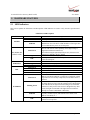
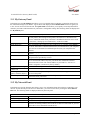
5.1 LED Indicators
This section explains the LED States and Descriptions. LED indicators are used to verify the unit’s operation and
status.
LED States and Descriptions
LED
State
Solid Green
OFF
POWER
Solid Red
Solid Green
E1, E2, E3, E4
(Ethernet LAN)
Flashing Green
OFF
WIRELESS
DSL
Solid Green
Flashing Green
OFF
Solid Green
Flashing Green
Solid Amber
OFF
Solid Green
INTERNET
Flashing Green
Solid Red
OFF
030-300505 Rev. A
Description
Router power is ON.
Router power is OFF.
POST (Power On Self Test), Failure (not bootable) or Device
Malfunction. Note: The Power LED should be red no longer than
two seconds after the power on self test passes.
Powered device is connected to the associated port (includes
devices with wake-on LAN capability where slight voltage is
supplied to an Ethernet connection).
Note: When using the optional uplink port (E1), Ethernet LAN
connection is limited to E2, E3, and E4.
10/100 Base-T LAN activity is present (traffic in either direction)
Router power is OFF, no cable or no powered device is connected
to the associated port.
Link Established.
Wireless LAN activity is present (traffic in either direction).
Router power is OFF or No Link.
Good DSL link.
DSL attempting to sync.
Modem is in safeboot mode.
Router power is OFF.
Internet link established. With DSL up, the Router has a WAN IP
address from IPCP or DHCP; or a static IP is configured; or PPP
negotiation has successfully completed (if used) and no traffic is
detected.
IP connection established and IP Traffic is passing through device
(in either direction). Note: If the IP or PPP session is dropped due
to an idle timeout, the light will remain solid green, if an ADSL
connection is still present. If the session is dropped for any other
reason, the light is turned OFF. The light will turn red when it
attempts to reconnect and DHCP or PPP fails).
Device attempted to become IP connected and failed (no DHCP
response, no PPP response, PPP authentication failed, no IP
address from IPCP, etc.).
Router power is OFF, Router is in Bridge Mode, or the ADSL
connection is not present.
8
April 2007
VersaLink Wireless Gateway (Model 327W)
User Guide
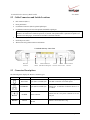
5.2 Cable Connectors and Switch Locations
•
DSL connector (RJ-11)
•
Reset push button
•
(4) Ethernet connectors (RJ-45) optional uplink port
•
(4) Ethernet connector (RJ-45) with optional UPLINK/E1 uplink port
NOTE: When using the optional UPLINK/E1 jack (when VersaLink is configured for WAN Uplink mode),
Ethernet LAN connection is limited to ports E2, E3, and E4. The Uplink feature is optional. If Uplink is not
enabled via the Web pages, VersaLink will use DSL as the WAN interface.
•
Power connector (DC 12V) barrel
•
OFF/ON power switch
•
Wireless 802.11b/g SMA connector and antenna
VersaLink Gateway - Rear View
DSL Line
Connector
Reset
Ethernet Connectors
Button (UPLINK/E1 through E4)
Power
Off/On Wireless Antenna
Connector Power Switch Connector
5.3 Connector Descriptions
The following chart displays the Router’s connector types.
NAME
TYPE
DSL LINE
6-pin (RJ-11) modular jack
ETHERNET
8-pin (RJ-45) modular jack
Connects the 10/100 Base-T Ethernet device to a
PC or Hub.
POWER
Barrel connector
Connects the DC 12V power connector to an AC
wall jack.
Antenna
SMA connector and
antenna
Connects via wireless 802.11 b/g
SYMBOL
DC 12V
Wireless
030-300505 Rev. A
9
FUNCTION
Connects to an ADSL-equipped telephone jack or
to the DSL connection of a POTS splitter.
April 2007
VersaLink Wireless Gateway (Model 327W)
User Guide
6. INSTALLING THE HARDWARE
This section explains the hardware installation procedures for connecting to your Router.
6.1 Installation Requirements
To install the VersaLink, you will need the following:
•
•
•
Active DSL line
Network Interface Card (NIC) installed in your PC, or
802.11 b/g wireless adapter
IMPORTANT: Please wait until you have received notification from your Internet service provider (ISP) that your
DSL line has been activated before installing your VersaLink.
6.2 Before you begin
Make sure that your kit contains the following items:
•
•
•
•
•
•
Verizon VersaLink Wireless Gateway
Power Supply
RJ-45 Ethernet cable (straight-through) (yellow)
RJ-11 Phone cable
Verizon CD-ROM containing User Guide in PDF format
Wireless antenna
6.3 Microfilters
ADSL signals must be blocked from reaching each telephone, answering machine, fax machine, computer Modem
or any similar conventional device. Failure to do so may degrade telephone voice quality and ADSL performance.
Install a microfilter if you desire to use the DSL-equipped line jack for telephone, answering machine, fax machine
or other telephone device connections. Microfilter installation requires no tools or telephone rewiring. Just unplug
the telephone device from the baseboard or wall mount and snap in a microfilter, next snap in the telephone device.
You can purchase microfilters from your local electronics retailer, or contact the original provider of your DSL
equipment.
030-300505 Rev. A
10
April 2007
VersaLink Wireless Gateway (Model 327W)
User Guide
6.4 Hardware Installations
The following instructions explain how to install your VersaLink Gateway using 10/100 Base-T Ethernet, Wireless,
or Ethernet Uplink connections. Before you begin, please read the following notes:
NOTE:
1. If your Ethernet card does not auto-negotiate, set it to half duplex. Refer to the Ethernet card manufacturer’s
instructions for installing and configuring your Ethernet card.
2. If you are using VersaLink in conjunction with an Ethernet Hub or Switch, refer to the manufacturer’s
instructions for proper installation and configuration.
3. When using a Microfilter, confirm that the DSL RJ-11 phone cable is connected to the DSL port of the DSL/HPN
non-filtered jack.
4. It is recommended that you use a surge suppressor to protect equipment attached to the power supply. Use only
the power supply provided with your kit.
5. Additional Ethernet cables may be required depending on the installation method you are using. Ethernet cables
and filters can be purchased at your local computer hardware retailer.
6. VersaLink supports simultaneous use of 10/100 Base-T Ethernet and Wireless configurations. To use this
installation method, follow the instructions provided in sections 6.4.1 and 6.4.2.
VersaLink supports two modes for WAN access, which are configurable through VersaLink’s Web pages: (1) LAN
Ethernet port mode and (2) WAN Uplink port mode.
•
•
LAN Ethernet port mode allows you to use VersaLink’s DSL port for WAN access (VersaLink’s DSL
functionality is Enabled). In this mode you should install VersaLink according to the instructions in the
following sections:
•
Section 6.4.1, Connecting VersaLink via 10/100 Base-T Ethernet
•
Section 6.4.2, Connecting VersaLink via Wireless
WAN Uplink port mode allows you to use VersaLink as an Ethernet Gateway (for example, to connect to
a cable modem or to another ADSL device that provides WAN access). In WAN Uplink port mode,
VersaLink’s DSL functionality is Disabled. In this mode you should install VersaLink according to the
instructions in section 6.4.3, “Connecting VersaLink via UPLINK/E1.”
030-300505 Rev. A
11
April 2007
VersaLink Wireless Gateway (Model 327W)
User Guide
6.4.1 Connecting VersaLink via 10/100 Base-T Ethernet
To connect your VersaLink using the 10/100-BaseT Ethernet connection, please follow these steps:
1.
Connect the DSL phone cable from the connector marked DSL on the rear panel of VersaLink to the telephone
line jack (equipped with DSL service) on the wall. Please use the DSL phone cable that was provided with your
kit.
IMPORTANT: If you use a microfilter, you must plug the RJ-11 DSL phone cable from the VersaLink into the
DSL port of the microfilter.
2.
Connect the yellow Ethernet cable (provided with your kit) from any one of the four Ethernet jacks marked E1,
E2, E3, or E4 on the rear panel of VersaLink to the Ethernet port on your computer. Repeat this step to connect
up to three additional PCs to VersaLink; each jack serves as an Ethernet switch.
3.
Connect the power supply cord to the power connector marked DC 12V on the rear panel of the VersaLink. Plug
the other end of the power supply into an AC wall socket, and then turn on VersaLink (if it is not already on).
4.
Check to see if the VersaLink’s POWER LED is solid green. This indicates that VersaLink is powered on.
5.
Check to see if the DSL LED is solid green. If the DSL LED is solid green, the VersaLink is functioning
properly.
6.
Check to see if the ETHERNET LED is solid green. Solid green indicates that the Ethernet connection is
functioning properly. Check the ETHERNET LED for the Ethernet jack you are using on VersaLink.
7.
After you have logged on to your account and established an Internet connection, as explained later in section 8,
check to see if the Router’s INTERNET LED is solid green. Solid green indicates that an Internet link has been
established. (Flashing green indicates the presence of IP traffic.)
Congratulations! You have completed the Ethernet hardware installation. No software installation is required when using
only an Ethernet connection. Now proceed to section 7 to access VersaLink’s Web pages.
6.4.2 Connecting VersaLink via Wireless
IMPORTANT: If you are connecting to VersaLink via a wireless network adapter, the SSID must be the same for
both VersaLink and your PC’s wireless network adapter. The default SSID for VersaLink is the serial number of the
unit (located below the bar code on the bottom of the modem and also on the shipping carton). Locate and run the
utility software provided with your PC’s Wireless network adapter and enter the SSID value. The PC’s wireless
network adapter must be configured with the SSID (in order to communicate with VersaLink) before you begin the
account setup and configuration procedures. Later, for privacy you can change the SSID by following the
procedures outlined in section 12, “Wireless Settings.”
NOTE: Client PCs can use any Wireless 802.11b/g card to communicate with VersaLink. The Wireless card and
VersaLink must use the same Wired Equivalent Privacy (WEP) security code type. The factory default for WEP is
Enabled. Please be sure that your computer’s wireless adapter is configured properly for whichever network setting
you use: WEP or WPA. You can access the settings in the advanced properties of the wireless network adapter.
To network VersaLink to computers in your home or office using a wireless installation, you will need to confirm
the following:
1.
Ensure that each PC on your wireless network has an 802.11b/g wireless network adapter installed.
2.
Ensure that appropriate drivers for your wireless adapter have been installed on each PC.
030-300505 Rev. A
12
April 2007
VersaLink Wireless Gateway (Model 327W)
User Guide
3.
Make sure the wireless antenna is screwed on to the connector on the rear of the modem and firmly locked into
place. Then, orient the antenna to appropriate position.
4.
Connect the DSL phone cable from the connector marked DSL on the rear panel of VersaLink to the telephone
line jack (equipped with DSL service) on the wall. Please use the DSL phone cable that was provided with your
kit.
IMPORTANT: If you use a microfilter, you must plug the RJ-11 DSL phone cable from the VersaLink into the
DSL port of the microfilter.
5.
Connect the yellow Ethernet cable (provided with your kit) from any one of the four Ethernet jacks marked E1,
E2, E3, or E4 on the rear panel of VersaLink to the Ethernet port on your computer. Repeat this step to connect
up to three additional PCs to VersaLink; each jack serves as an Ethernet switch.
6.
Connect the power supply cord to the power connector marked DC 12V on the rear panel of the VersaLink. Plug
the other end of the power supply into an AC wall socket, and then turn on VersaLink (if it is not already on).
7.
Check to see if VersaLink’s POWER LED is solid green. This indicates that VersaLink is powered on.
8.
Check to see if VersaLink’s DSL LED is solid Green. If the DSL LED is solid Green, VersaLink is functioning
properly.
9.
Check to see if the ETHERNET LED is solid green. Solid green indicates that the Ethernet connection is
functioning properly. Check the ETHERNET LED for the Ethernet jack you are using on the VersaLink.
10. Check to see if VersaLink’s WIRELESS LED is solid Green. This means that the Wireless interface is
functioning properly.
11. After you have logged on to your account and established an Internet connection, as explained later in section 8,
check to see if VersaLink’s INTERNET LED is solid green. Solid green indicates that an Internet link has been
established. (Flashing green indicates the presence of IP traffic.)
Congratulations! You have completed the Wireless installation for VersaLink. Now proceed to section 7 to access
VersaLink’s Web pages.
6.4.3 Connecting VersaLink via UPLINK/E1
The Uplink feature is optional. If you want to install your Router so that it uplinks to another ADSL device, follow
the steps outlined below:
1.
Connect the attached ADSL device to the ADSL-equipped jack on the wall, using the RJ-11 phone cord that
was provided with the kit. If you are using a microfilter at the wall jack, you must connect the RJ-11 DSL
phone cable from the DSL port of the ADSL device to the DSL port of the microfilter.
NOTE: The ADSL device to which you are connecting will function as your WAN interface to the Internet. Be
sure you have connected the ADSL device appropriately. If needed, refer to the manufacturer’s instructions.
2.
Connect the yellow Ethernet cable (provided with your kit) from the Ethernet jack marked UPLINK/E1 on the
rear panel of VersaLink to the Ethernet port on the attached ADSL device, and then turn on the power switch of
the attached ADSL device (if it is not already on).
NOTE: Later, in VersaLink’s Web pages, be sure to select WAN Uplink port mode to allow VersaLink to
uplink to the ADSL device. When VersaLink is configured for WAN Uplink port mode, VersaLink’s DSL
transceiver will not be used. The ADSL device to which VersaLink is connected will be your WAN interface to
the Internet. LAN Ethernet port is VersaLink’s factory default setting, refer to section 13.2.3 for details.
030-300505 Rev. A
13
April 2007
VersaLink Wireless Gateway (Model 327W)
3.
4.
User Guide
Connect an Ethernet cable from any one of the three Ethernet jacks marked E2, E3, or E4 on the rear panel of
the VersaLink to the Ethernet port on your computer. Repeat this step to connect up to three additional PCs to
VersaLink; each jack serves an Ethernet switch.
Connect the power supply cord to the power connector marked DC 12V on the rear panel of the VersaLink.
Plug the other end of the power supply into an AC wall socket, and then turn on the power (if it is not on).
5.
Check to see if the VersaLink’s POWER LED is solid green. This indicates that VersaLink is powered on.
6.
Check to see if the ETHERNET LED is solid green. Solid green indicates that the Ethernet connection is
functioning properly. Check the ETHERNET LED for the Ethernet jack you are using on VersaLink.
7.
After you have logged on to your account and established an Internet connection, as explained later in section 7,
check to see if the VersaLink’s INTERNET LED is solid green. Solid green indicates that an Internet link has
been established. (Flashing green indicates the presence of IP traffic.)
Congratulations! You have completed the UPLINK/E1 installation for VersaLink. No software installation is required
when using the UPLINK connection. Now proceed to section 7 to access VersaLink’s Web pages.
030-300505 Rev. A
14
April 2007
VersaLink Wireless Gateway (Model 327W)
User Guide
7. ACCESSING VERSALINK
7.1 Logging on to VersaLink
This section explains the logon procedures for your VersaLink. This procedure should be used any time you want to
access or make changes to VersaLink’s configurations or firewall settings.
IMPORTANT: VersaLink is capable of automatically sensing protocol type (DHCP or PPPoE). This process is
designed to start after you have connected VersaLink. To access VersaLink, your PC must be configured for DHCP.
Refer to your Windows help screen for information on configuring your computer for DHCP. At your PC, click
Start, then Help to access the Windows help screen.
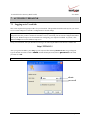
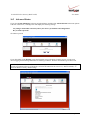
To log on to VersaLink, start your Web browser and type the following IP address in the browser’s address bar:
http://192.168.1.1
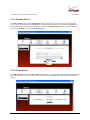
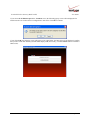
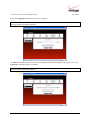
After you type the IP address, press Enter on your keyboard. The following Modem Secure screen will appear.
Type the default user name (which is admin) and the default password (which is password) in the fields
provided. Click OK.
NOTE: Hereafter, the VersaLink Wireless Gateway will be referred to as the “Router” or “Modem.”
admin
password
030-300505 Rev. A
15
April 2007
VersaLink Wireless Gateway (Model 327W)
User Guide
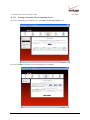
7.2 Changing the Password
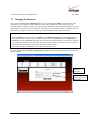
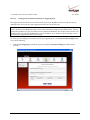
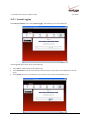
After you have clicked OK in the Modem Secure screen, the following User Settings screen will appear. This
screen allows you to change the default administrator name and password to the values of your choice. The
password change is required to continue your network logon. If the Router is password protected and you are not an
authorized user, you will not be able to change the values in this screen. The Router cannot be configured unless an
authorized user is logged in. If necessary, contact your network administrator for further instructions.
IMPORTANT:
1. The User Settings screen allows you to use admin as your administrator name (your administrator name can
match your user name). However, this screen does not allow you to use “password” as your administrator
password. If you enter password in the fields, this screen will not continue the logon. You must enter a different
password in order for this screen to take effect. The values in these fields are case sensitive. Once you decide on
an administrator name and password, please record them for future reference.
2. This feature changes the Administrator’s password, not the PPP password.
Type your administrator User Name and Password in the fields provided. The password fields will be masked for
security purposes.
Type admin or
the name of
your choice.
Type a new password.
(Do not type the word
password here.)
030-300505 Rev. A
16
April 2007
VersaLink Wireless Gateway (Model 327W)
User Guide
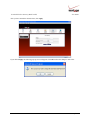
After you have entered the desired values, click Apply.
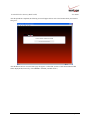
If you clicked Apply, the following pop-up screen will appear. Click OK to allow the changes to take effect.
030-300505 Rev. A
17
April 2007
VersaLink Wireless Gateway (Model 327W)
User Guide
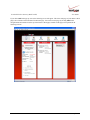
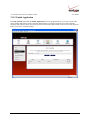
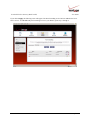
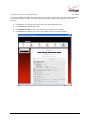
If you clicked OK in the pop-up screen, the following screen will appear. This is the main page of your Router’s Web
pages, also referred to in this document as the home page. You can access this page by clicking Main in the
navigational menu located across the top of the Router’s Web pages. Details on this page will explained in the
following sections.
030-300505 Rev. A
18
April 2007
VersaLink Wireless Gateway (Model 327W)
User Guide
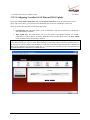
8. CONFIGURING YOUR BROADBAND CONNECTION
To browse the Internet using your Router, you must confirm your DSL connection, set up your account profile, and
establish a DHCP or PPP session with your Internet service provider (ISP). The procedures for configuring your
Router’s connection settings are explained in this section.
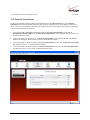
8.1 Confirming Your DSL Connection
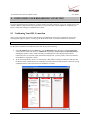
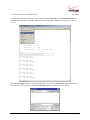
After you have logged on to the Router and changed your administrator password, as explained in section 7, the
following home page will appear. Use this page to determine the status of your DSL and Internet connections.
IMPORTANT: You must have active DSL service before the Router can synchronize with Verizon’s equipment.
To determine if the Router has established a DSL link, do any of the following:
•
In the My Modem panel of the Main page, view the DSL link field. If the status reads Not Connected,
you do not have a DSL link. However, if DSL Link field displays Connected and the Speed (Down/Up)
field displays numeric values, a DSL link has been established. The values displayed represent the
transmission rates of your DSL signal, downstream and upstream. (You may need to wait a brief moment
for the Router to report these values.)
•
At the front of the Router, check to see if the Router’s DSL LED is solid green. Solid green indicates that
the Router’s DSL connection has been established. (The DSL LED may flash while the connection is being
established.) Please wait a brief moment for the Router to connect.
030-300505 Rev. A
19
April 2007
VersaLink Wireless Gateway (Model 327W)
User Guide
After confirming your DSL link, DHCP customers can now browse the Internet. However, PPP customers will need
to complete further instructions, as explained in the following note.
NOTE: If the Router has established a DSL link and if you are connecting to the Internet via DHCP, you can now
browse the Internet by following the instructions provided by Verizon. However, if you are connecting to the
Internet via PPP, please proceed to section 8.2 to configure your Router’s broadband connection settings. After you
have configured the broadband settings and connected to the Internet, view the My Modem panel; the Internet
Status field will display Connected.
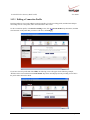
8.2 Setting Up an Account Profile
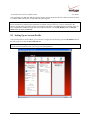
Your account profile is used to identify you to Verizon. To begin your account setup, go to the My Modem panel in
the home page. Next, click the Not Connected link.
NOTE: Before you set up your account profile, obtain your Account ID and Account Password from Verizon.
You will use this information when you set up your account parameters.
030-300505 Rev. A
20
April 2007
VersaLink Wireless Gateway (Model 327W)
User Guide
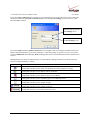
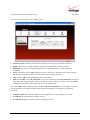
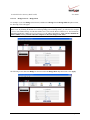
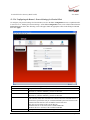
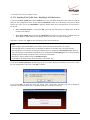
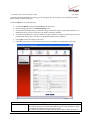
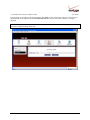
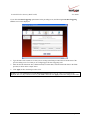
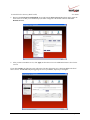
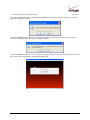
If you clicked Not Connected in the preceding screen, the following pop-up screen will prompt you for a user name
and password. Enter the User name and Password that you used in the User Settings screen, in section 7.2, and
then click OK to continue.
Enter the name used in the
User Settings screen.
Enter the password used in
the User Settings screen.
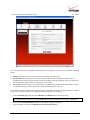
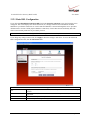
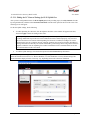
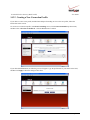
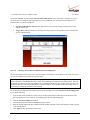
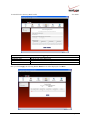
If you clicked OK, the following DSL Connection screen will appear. This screen displays information about your
Internet connection and allows you to access the Router’s connection settings. If you have not set up your account
profile, the PPP Status field will display Down, indicating that you have not established an Internet connection with
Verizon.
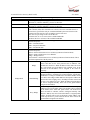
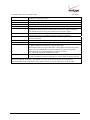
Throughout this User Guide, the following icons are used to indicate clicking actions that you can take with your
mouse to configure the Router’s settings.
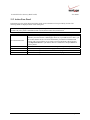
Icon
Description
Details/Edit
Clicking this icon allows you to either view the details of or edit your Router’s settings.
Add/New
Clicking this icon allows you to add new entries your Router.
Delete
Clicking this icon allows you to delete an entry from your Router.
Expand
Clicking this icon allows you to expand the page to view additional entries.
Collapse
Clicking this icon allows you to collapse the page.
Connect
Clicking this icon allows you to connect to Verizon
Disconnect
Clicking this icon allows you to disconnect from Verizon.
030-300505 Rev. A
21
April 2007
VersaLink Wireless Gateway (Model 327W)
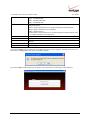
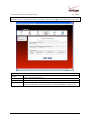
To set up your account profile. Click the Edit
User Guide
icon.
•
Connection Name: The name of the connection profile your are using for your Internet connection.
•
Default: The name of the default profile that is used when the Router auto connects to the ISP.
•
PPP Status: The status of the PPP connection. Down = no PPP connection, Up = PPP connection is
established.
•
Action: Click the icon in the Action column to connect to Verizon or to disconnect from Verizon (end your
PPP session). If you end your PPP session, this does not end your DSL connection.
•
Add: Click the Add link to add additional profiles to your Router.
•
Edit: Click the Edit icon for My Connection to set up your connection profile. My Connection is the name of
the default connection profile that you will use to connect to Verizon. Then, if you want, you can click Add to
add additional connection profiles, and assign one as your default profile.
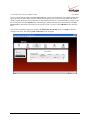
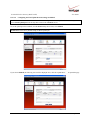
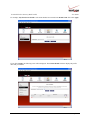
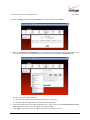
If you clicked Edit in the preceding screen, the following Edit Connection Profile screen will appear. Type your
account parameters in the fields provided. The following account parameters are required for your Internet
connection:
•
Connection Name: The Connection Name is a word or phrase that you use to identify your account.
•
Account ID: The Account ID is provided by Verizon
•
Account Password: The Account Password is provided by Verizon.
030-300505 Rev. A
22
April 2007
VersaLink Wireless Gateway (Model 327W)
User Guide
Next, select the connection type (Manual, On Demand, Always On) that you want to use for your default connection
profile.
•
Manual: Select this option if you want to manually establish your PPP session.
•
On Demand: Select this option if you want the Router to automatically reestablish your PPP session on
demand anytime your PC requests Internet activity (for example, browsing the Internet, email, etc.). Please note
that when you have Internet traffic, this setting may cause a delay.
•
Always On: Select this option if you want the Router to automatically establish a PPP session when you log on
or if the PPP session goes down. The Router’s factory default setting is Always On.
If you enable the Router’s timeout feature, the Router will end the PPP session upon reaching the number of minutes
you specify for connection timeout. To configure connection timeout, do the following:
1.
In the Connection Type field, select either Manual or On Demand as the connection setting.
NOTE: The Time Out Enable feature does not apply to Always On, only to On Demand and Manual, and the
timeout option will be dimmed if you select Always On. The Router’s default connection type is Always On.
2.
Next, click the Time Out Enable check box (a check mark will appear in the box).
3.
Type the number of minutes in the Minutes for Connection Time Out box.
030-300505 Rev. A
23
April 2007
VersaLink Wireless Gateway (Model 327W)
User Guide
To save your account password, in the Save Password field, click the top option button. Clicking this option button
allows the Router to make a PPP connection without first prompting you for a password. (By default this option is
already selected; the Router will automatically save the account password.) If you want the Router to prompt you for
the account password, select Manual as the connection type, and then click the bottom option button in the Save
Password field. (The Router will prompt you for a password only if you have selected Manual as the connection
type.)
After you have entered the appropriate settings in the Edit Connection Profile screen, click Apply to allow the
settings to take effect. The following DSL Connection screen will appear.
030-300505 Rev. A
24
April 2007
VersaLink Wireless Gateway (Model 327W)
User Guide
8.3 Connecting to the Internet
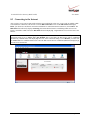
After you have set up your account profile using the steps explained in section 8.2, you are ready to establish a PPP
session (Internet connection) with Verizon. View the DSL Connection screen. If the PPP Status field displays
Down, you do not have an Internet connection established. To establish an Internet connection, click connect. The
PPP Status field will briefly display connecting; this means that the Router is establishing a PPP session. After
Router’s establishes a PPP session, the PPP Status field will display Up. Congratulations! You can now browse the
Internet.
NOTE: Whenever the PPP Status displays Down, you do not have a PPP session established. If your Router’s
connection setting is set to Always On or On Demand, after a brief delay the PPP session will be established
automatically, and PPP Status will display Up. However, if the connection setting is set to Manual, you must click
the connect button to establish a PPP session. Once the PPP session has been established (PPP Status displays Up),
you can browse the Internet.
030-300505 Rev. A
25
April 2007
VersaLink Wireless Gateway (Model 327W)
User Guide
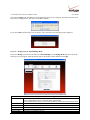
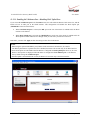
8.4 Disconnecting from the Internet
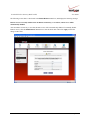
If you have finished browsing the Internet and want to disconnect from your Internet service provider, from the My
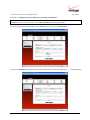
Modem panel in the home page, click the connected link (next to Internet Status). The following DSL Connection
screen will appear. Click disconnect to end your PPP session.
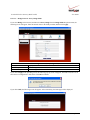
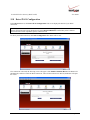
If you clicked disconnect, the following pop-up screen will appear. Click OK to continue.
IMPORTANT: If you disconnect the PPP session, this will disconnect the Router from the Internet, and Internet
access for any device connected to your LAN will be unavailable until the PPP session is reestablished.
030-300505 Rev. A
26
April 2007
VersaLink Wireless Gateway (Model 327W)
User Guide
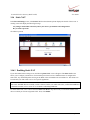
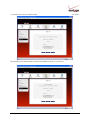
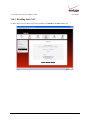
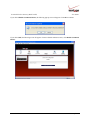
If you clicked OK to disconnect your PPP session, after a brief moment, the PPP Status in the DSL Connection
screen should display Down.
Also, at the home page in the My Modem panel, the Internet Status field will display Not Connected. Although
your Internet connection is down, your DSL session will not be affected. When you are ready to end your DSL
session, simply turn off the Router via the power switch on the Router’s rear panel.
NOTE: When you are ready to exit the Router’s interface, click the X (close) in the upper-right corner of the
window. Closing the window will not affect your PPP Status (your PPP session will not be disconnected) or your
DSL connection. You must click the disconnect button to disconnect your PPP session. When you are ready to
restore the Router’s interface, start your Internet browser and then type http://192.168.1.1 in the browser’s address
bar. Next, press Enter on your keyboard.
030-300505 Rev. A
27
April 2007
VersaLink Wireless Gateway (Model 327W)
User Guide
9. SETTING UP MACINTOSH OS X
This section provides instructions on how to use Macintosh Operating System 10 with the Router. Follow the
instructions in this section to create a new network configuration for Macintosh OS X.
NOTE: Macintosh computers must use the Router’s Ethernet installation. Refer to section 6, “Installing the
Hardware,” for details.
9.1 Opening the System Preference Screen
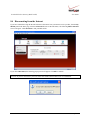
After you have connected the Router to the Ethernet port of your Macintosh, the screen below will appear. Click the
“Apple” icon in the upper-left corner of the screen and select System Preferences.
9.2 Choosing the Network Preferences
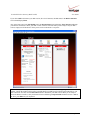
After selecting System Preferences from the previous screen, the following screen will appear. Click the Network
icon.
030-300505 Rev. A
28
April 2007
VersaLink Wireless Gateway (Model 327W)
User Guide
9.3 Creating a New Location
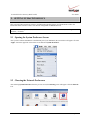
After clicking the Network icon, the Network screen will appear. Select New Location from the Location field.
9.4 Naming the New Location
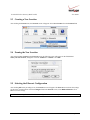
After selecting New Location in the Network screen, the following screen will appear. In the field labeled
Name your new location:, change the text from “Untitled” to “Westell.” Click OK.
9.5 Selecting the Ethernet Configuration
After clicking OK in the preceding screen, the Network screen will appear. The Network screen shows the settings
for the newly created location. From the Configure field in the Network screen, select Built-in Ethernet. Click
Save to save the settings.
NOTE: Default settings for the Built-in Ethernet configuration are sufficient to operate the Router.
030-300505 Rev. A
29
April 2007
VersaLink Wireless Gateway (Model 327W)
User Guide
9.6 Checking the IP Connection
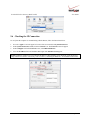
To verify that the computer is communicating with the Router, follow the instructions below.
1.
Go to the “Apple” icon in the upper-left corner of the screen and select System Preferences.
2.
In the System Preferences screen, click the Network icon. The Network screen will appear.
3.
In the Configure field in the Network screen, select Built-in Ethernet.
4.
View the IP address field. An IP address that begins with 192.168.1 should appear.
NOTE: The Router’s DHCP server provides this IP address. If this IP address is not displayed, check the Router’s
wiring connection to the PC. If necessary, refer to section 6, “Installing the Hardware,” for installation instructions.
030-300505 Rev. A
30
April 2007
VersaLink Wireless Gateway (Model 327W)
User Guide
9.7 Accessing Your Router
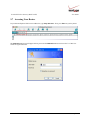
In your Internet Explorer Web browser address bar, type http://dslrouter/. Next, press Enter on your keyboard.
The Modem Secure screen will appear. Please proceed to the Modem Secure screen in section 7.1 of this User
Guide for logon instructions.
030-300505 Rev. A
31
April 2007
VersaLink Wireless Gateway (Model 327W)
User Guide
10. BASIC CONFIGURATION
IMPORTANT: The following sections assume that you have active DSL and Internet service.
VersaLink allows you to make changes to the configurable features of your Router such as account profiles, routing
configurations, and firewall settings. The following sections explain each feature and show you how to make
changes to the Router’s settings. The navigational menu displayed at the top of each page allows you to navigate to
the various configuration screens of your Router. Whenever you change the configurable settings of your Router,
you must click Apply (or Save where applicable) to allow the changes to take effect in the Router.
NOTE: If you need help, go to the Quick Links section in the home page and then click Verizon Help. Clicking
this link takes you to Verizon’s OnLine Help site where you can find additional information about your DSL Router.
To configure the basic settings in your Router, follow the instructions provided in sections 11 through 14.
NOTE: The menu options displayed will vary according to the configuration you have chosen to use, LAN
Ethernet port or WAN Uplink port. If you are using WAN Uplink port, some menu options will not be available.
However, all menu options will be available when the Router is configured for LAN Ethernet port. Instructions on
enabling and disabling LAN Ethernet port and WAN Uplink port are explained in the section 13.2.3, “Configuring
VersaPort.” This document was created with the Router configured for LAN Ethernet port mode.
030-300505 Rev. A
32
April 2007
VersaLink Wireless Gateway (Model 327W)
User Guide
11. MAIN (HOME PAGE)
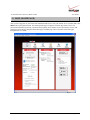
After you have logged on to your Router and established a PPP session with your Internet service provider (ISP), click
Main in the top navigational menu. The following home page will appear. The home page allows you to view
connection information reported by your Router and to quickly access Internet services provided by Verizon. The
following sections discuss each panel in the Main page. The Main page will be referred to as the home page
throughout this User Guide.
030-300505 Rev. A
33
April 2007
VersaLink Wireless Gateway (Model 327W)
User Guide
11.1 My Gateway Panel
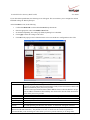
In the home page, the My Modem panel allows you to view details about your Router’s connections and to access
the connection settings in your Router. A green check mark displayed in the Modem Status check box signals you
to Go! You can now browse the Internet. The Quick Links section allows you to quickly access Help information
related to your Router and information on your Router’s configurable settings. The following details are displayed in
the My Modem panel.
Internet Status
DSL Link
Speed (Down/Up)
Connection Type
Username
Internet IP Address
Change Wireless Settings
Change Login User Name
& Password
Enable Applications
(games, webcams, IM, etc.)
Verizon Help
My Modem
This field displays status of your Internet connection. Click this link to set up new
account profiles, edit existing account profiles, and connect to or disconnect from
Verizon. Additional details about your Router’s broadband connection can be found
in section 8.2, “Setting Up an Account Profile,” of this User Guide.
This field allows you to view the status of your DSL connection.
This field displays the transmission rates (in Kbits/sec) of your DSL signal. Down is
the rate at which data is transmitted downstream (from the Internet to your computer).
Up is the rate at which data is transmitted upstream (from your computer to the
Internet).
This field displays the protocol used for your Internet connection, provided by
Verizon.
This field displays the username that you used to connect to Verizon. The username
and password are provided by Verizon.
This is a WAN IP address that has been assigned to your Router by Verizon. You will
receive the WAN IP address only after your Router has established an Internet
connection with Verizon. (The LAN IP address of your Router is “192.168.1.1”
which is assigned to your Router by factory default.)
Click this link to change the Router’s wireless settings.
Click this link to change the administrator user name and password.
Click this link to set up a service profile and attach VPN, Gaming, or other NAT
services to the profile.
Click this link to access Verizon’s Online Help where you can obtain detailed
information about your Router.
11.2 My Network Panel
In the home page, the My Network panel allows you to view information about devices that are connected to your
network. If your network provides access to shared files, you can access the files by clicking the Access Shared
Files link. The following details are displayed in the My Network panel.
Computer Name
Connection Type
IP Address
Access Shared Files
030-300505 Rev. A
My Network
The ASCII (text) name of the device connected network
The physical connection used to interface with your Router.
The IP address assigned to your computer by your Router’s DHCP server.
Click this link to access shared files from a device on your local network. (The device
must have file sharing enabled.) Note: If the device has a firewall turned on, you will
not be able to access shared file from the device.
34
April 2007
VersaLink Wireless Gateway (Model 327W)
User Guide
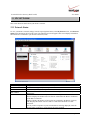
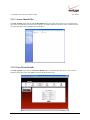
11.3 Action Zone Panel
In the home page, the Action Zone panel allows quick access to Internet services provided by Verizon. The
following details are displayed in the Action Zone panel.
NOTE: The links displayed in the Action Zone panel are specific to the services offered by Verizon and will be
available only after you have established a PPP session (Internet connection) with Verizon.
Go to the Internet Now
Verizon
Shop Westell
Music
Video
030-300505 Rev. A
Action Zone
Click this button to go to the default page of your Web browser. (Clicking this button
will take you to the browser’s default page. However, if your PPP session is down, you
do not have Internet access. To browse the Internet, you must first establish a PPP
session with Verizon.) When you are ready to return to the Router’s Web interface,
type http://192.168.1.1/ in your Internet browser’s address bar, and press Enter on
your keyboard.
Click the links in this section to access networking services provides by Verizon.
Click this button to go to Westell’s home page.
Click this button to go to the Verizon Surround - Music page.
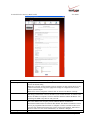
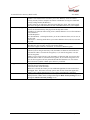
Click this button to go to the Verizon Surround - Movies page.
35
April 2007
VersaLink Wireless Gateway (Model 327W)
User Guide
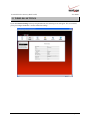
12. WIRELESS SETTINGS
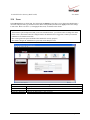
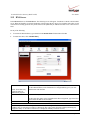
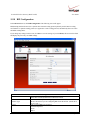
If you click Wireless Settings in the top navigational menu, the following screen will appear. This screen allows
you to you configure the Router’s wireless connection settings.
030-300505 Rev. A
36
April 2007
VersaLink Wireless Gateway (Model 327W)
User Guide
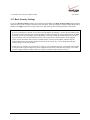
12.1 Basic Security Settings
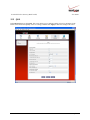
If you select Wireless Settings from the top navigation menu and then select Basic Security Settings in the submenu
options at the left of the screen, the following screen will appear. Enter the appropriate settings in the fields provided,
and then click Apply to allow the settings to take effect. The following table explains the details of this feature.
IMPORTANT:
1. If you are connecting to VersaLink via a wireless network adapter, the computer’s wireless network adapter must
be configured with VersaLink’s Service Set ID (SSID) in order to communicate with VersaLink; that is, the SSID
used in the wireless network adapter must be identical to VersaLink’s SSID. The default SSID for VersaLink is
the serial number of the unit (located below the bar code on the bottom of the unit and also on the shipping
carton). Locate and run the utility software provided with the wireless network adapter, and then enter the
identical SSID and security settings displayed in the VersaLink. For privacy, you can change the SSID and
security settings to your desired values.
2. In order for every computer on your network to connect to your VersaLink wirelessly, confirm that each computer
is using the same security settings that you have configured in VersaLink’s Basic Security Settings screen. After
you have configured all the settings in this screen, please record the settings for future reference.
030-300505 Rev. A
37
April 2007
VersaLink Wireless Gateway (Model 327W)
Wireless Operation
Network Name (SSID)
Channel
WEP configured
030-300505 Rev. A
User Guide
Basic Security Settings
Factory Default = On
Choose the desired setting.
When On is selected, wireless stations (wireless computers or other wireless devices) can
connect to the Router, as long as the appropriate settings are configured in the wireless
station’s network adapter.
When Off is selected, computers will not be able to connect to the Router wirelessly.
Factory Default = 06B410749516
This string, (30 characters or less) is the name of your wireless network. To connect to the
Router, the SSID on a computer’s wireless card must match the SSID on the Router. You
can change the SSID to any name or code you want.
Factory Default = 6
This is the channel of the frequency band at which the Router communicates.
The Router transmits and receives data on this channel. The number of channels to choose
from is pre-programmed into the Router. A computer’s wireless card does not have to be
set to the same channel as the Router; the wireless cards scan all channels, and look for a
Router to connect to. Note: In the United States, use channels 1 through 11.
Factory Default = On
38
April 2007
VersaLink Wireless Gateway (Model 327W)
WEP Key Entry Type
WEP Key
Key Code
4x Support
Current Wireless Status
030-300505 Rev. A
User Guide
Click the desired option button.
If WEP is selected, the Router will allow you to enter WEP key values for wireless
security, and any wireless computer can connect to the Router (as long as its SSID and
security settings matches the Router’s).
If Off is selected, you will not be allowed to enter WEP key values, and wireless traffic
will not be encrypted. This maximizes the risk of unauthorized access to your computer.
Factory Default = Hex
Choose the desired WEP Key EntryType from the drop-down menu.
A WEP key is treated as either a string of text (ASCII) characters or a set of hexadecimal
(Hex) characters.
Possible Responses:
Hex (hexadecimal) – Selecting Hex allows you to enter characters from (A-F) or (0-9) as
the key code.
ASCII (text) – Selecting ASCII allows you to enter characters from (A-Z) or (0-9) as the
key code.
Choose the desired WEP Key encryption from the drop-down menu.
The WEP key value is used to encrypt your wireless traffic.
The Router supports 64/40-bit, 128/104-bit, or 256/232-bit WEP encryption.
Enter the key code values in this field.
ASCII: If you are using an ASCII key code, the number of characters entered into this
field must be either 5 (for 40/64 bit encryption), 13 (for 128 bit encryption) or 29 (for
256 bit encryption).
HEX: If you are using a Hex key code, the number of characters that you can enter into
this field must be either 10 (for 40/64 bit encryption), 26 (for 128 bit encryption) or 58
(for 256 bit encryption). The only allowable hexadecimal characters are: A-F and 0-9.
Note: Do not use symbols or blank spaces in the key code field.
Factory Default = Off
Select On to turn on the 4X feature.
Select Off to turn off the 4X feature.
When On is selected, this feature provides additional algorithms for increased wireless
throughput. Note: This feature will only operate with wireless clients that support this
feature. Verify with the manufacturer of your wireless client that 4X is supported.
Displays the settings and packet information for your Wireless connection. Settings
displayed in this window can be configured through the Basic Security Settings screen or
through the Advanced Security Settings screen.
39
April 2007
VersaLink Wireless Gateway (Model 327W)
User Guide
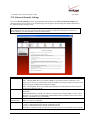
12.2 Advanced Security Settings
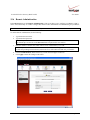
If you select Wireless Settings from the top navigational menu and then select Advanced Security Settings in the
submenu options at the left of the screen, the following screen will appear. The following table explains the details of
the Advanced Security Settings screen.
IMPORTANT: Only the advanced user should change the settings in this screen. If you need to reset the Router to
factory default settings, press the reset button at the rear of the Router. Or follow the instructions in section 15.2,
“Restore Defaults,” to restore the Router to factory default settings.
Wireless Security
SSID Broadcast
Wireless MAC
Authentication
802.11b/g Mode
030-300505 Rev. A
Advanced Security Settings
Factory Default = WEP (recommended)
WEP – Selecting WEP allows you to enable a WEP key for wireless security. The Router’s card
supports 64-bit, 128-bit, or 256-bit WEP encryption. If WEP is selected, any station can connect to the
Router (as long as its SSID matches the Router’s SSID).
WPA – Selecting WPA allows you to enable a pre-shared key for home network or more advanced
security for an enterprise network.
Allows you to prevent unauthorized wireless access to your Router by blocking the Router’s SSID on
the network.
When SSID Broadcast is enabled, any computer or wireless device using the SSID of “ANY” can see
the Router. To prevent this from happening, disable SSID broadcast so that only the wireless devices
that know your SSID can access your Router.
Allows you to limit access to your wireless network by allowing only devices with specific MAC
address to connect to your Router.
Allows you to limit access to your Router based on technology type.
11b only: Communication with VersaLink is limited to 802.11b
11g only: Communication with VersaLink is limited to 802.11g
Mixed Mode: Computers using any of the 802.11b or 802.11g rates can communicate with VersaLink.
40
April 2007
VersaLink Wireless Gateway (Model 327W)
User Guide
12.2.1 Securing the Wireless Traffic
In the Advanced Security Settings screen, select one of the following options to secure your wireless traffic.
•
WEP: Selecting this option button allows you to enable a WEP key for wireless security. (WEP is the
recommended setting.)
•
WPA: Selecting this option button allows you to enable a pre-shared key for a home network or for more
advanced security for an enterprise network.
030-300505 Rev. A
41
April 2007
VersaLink Wireless Gateway (Model 327W)
User Guide
12.2.1.1 WEP Security
If you select WEP in the Advanced Security Settings screen, the following screen will be displayed.
NOTE: A WEP key is treated as either a string of text (ASCII) characters or a set of hexadecimal (Hex)
characters. The number of text characters must be either 5 (for 40/64 bit encryption), 13 (for 128 bit encryption)
or 29 (for 256 bit encryption). The number of Hex characters must be either 10 (for 40/64 bit encryption), 26 (for
128 bit encryption) or 58 (for 256 bit encryption). The only allowable hexadecimal characters are: A-F and 0-9.
030-300505 Rev. A
42
April 2007
VersaLink Wireless Gateway (Model 327W)
User Guide
12.2.1.2 WPA Security
If you select WPA in the Advanced Security Settings screen, the following screen will appear. Enter the
appropriate values in the fields, and then click Apply to allow the settings to take effect.
NOTE: A WPA key is treated as either a string of text (ASCII) characters or a set of hexadecimal (Hex)
characters. The WPA key can be either 8 to 63 text (ASCII) characters or 64 hexadecimal (Hex)
characters. The only allowable hexadecimal characters are: 0-9, and A-F.
Authentication Method
WPA Type
WPA2 PreAuthentication
WPA Shared Key
Group Key Update
Interval (in seconds)
030-300505 Rev. A
WPA
Factory Default = Personal (Pre-Shared Key)
Personal (Pre-Shared Key) – WPA stations share a pre-shared key (string format) with the
Router and do not authenticate with the RADIUS server.
Enterprise 802.1x – WPA stations authenticate with the RADIUS server using EAP-TLS over
802.1x, a standard for passing extensible authentication protocol (EAP) for authentication
purposes. EAP is used to communicate authentication information between the supplicant and
the authentication server. With 802.1x EAP messages are packaged in Ethernet frames, rather
than using and PPP.
Factory Default = WPA Any
WPA Any – Allows stations that support WPA, WPA2, or WPA Any to connect to the Router.
WPA – Allows stations that support WPA v.1 to connect to the Router.
WPA2 – Allows stations that support WPA v.2 to connect to the Router.
Factory Default = Disabled
To Enable this feature, click the box (a check mark will appear in the box).
The WPA key can be either 8 to 63 text (ASCII) characters or 64 hexadecimal (Hex) characters.
The only allowable hexadecimal characters are: A-F and 0-9.
The number of seconds between rekeying the wPA group key. A value of zero means that
rekeying is disabled.
43
April 2007
VersaLink Wireless Gateway (Model 327W)
User Guide
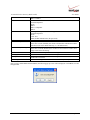
After you have entered your values and clicked Apply in the WPA screen, the following pop-up screen will appear.
The pop-up screen indicates that wireless access may be interrupted. Click OK to continue.
NOTE: Wireless access to the Router may be interrupted and wireless stations may require reconfiguration.
030-300505 Rev. A
44
April 2007
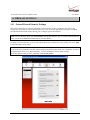
VersaLink Wireless Gateway (Model 327W)
User Guide
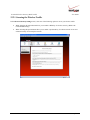
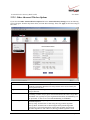
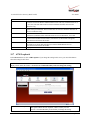
12.2.2 SSID Broadcast
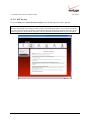
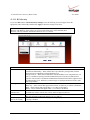
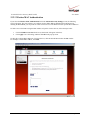
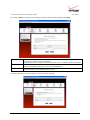
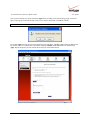
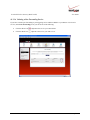
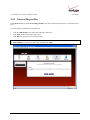
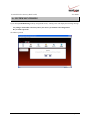
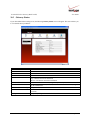
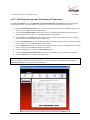
If you click the SSID Broadcast link in the Advanced Security Settings screen, the following screen will be
displayed. When SSID Broadcast is enabled, any computer or wireless device using the SSID of “ANY” can see the
Router. To prevent this from happening, click the Disable option button. This will disable SSID Broadcast so that
only the wireless devices that are configured with your SSID can access your Router.
Click the desired option button, and then click Apply to allow the settings to take effect. Click Back to return to the
Advanced Security Settings screen.
030-300505 Rev. A
45
April 2007
VersaLink Wireless Gateway (Model 327W)
User Guide
12.2.3 Wireless MAC Authentication
If you select the Wireless MAC authentication link in the Advanced Security Settings screen, the following
screen will appear. This screen allows you configure wireless MAC address authentication in the Router. By
enabling the Access List, you can permit or restrict wireless access to the Router based on specific MAC addresses.
To limit access to the Router using the MAC address of specific wireless devices, follow the steps below:
1.
Click the Enable Access List check box (a check mark will appear in the box).
2.
Click Apply to save the setting, and then click OK in the pop-up screen.
To add, edit, or delete MAC addresses of wireless devices, click the desired button below the List window.
For example, to Add a MAC address, click Add.
030-300505 Rev. A
46
April 2007
VersaLink Wireless Gateway (Model 327W)
User Guide
If you clicked Add, the following screen will appear. Enter the desired settings, and then click Apply.
Traffic
MAC Address
Station Name
Allowed: When the MAC Filter is enabled, only stations in the MAC Filter Table (which are set
to “Allowed”) will have access to the Router.
Blocked: This allows a computer to remain in the table, but it is not allowed access to the Router.
The MAC address assigned to the computer that you want to allow access to. (A hardware
address is assigned to a computer or device by the manufacturer.)
The computer name or description that you want to associate with the MAC address. This is an
optional field that is useful in identifying the station.
The following screen provides an example of values entered into the fields.
030-300505 Rev. A
47
April 2007
VersaLink Wireless Gateway (Model 327W)
User Guide
After you have entered your values and clicked Apply in the preceding screen, the following pop-up screen will
appear. The pop-up screen indicates that wireless access may be interrupted. Click OK to continue.
NOTE: Wireless access to the Router may be interrupted and wireless stations may require reconfiguration.
If you clicked OK in the pop-up screen, the following screen will appear. The MAC address has been added to the
list of MAC addresses. Confirm that a ckeck mark is displayed Enable Access List check box, and then click
Apply. Repeat this process for each wireless device that you want to add to the list.
030-300505 Rev. A
48
April 2007
VersaLink Wireless Gateway (Model 327W)
User Guide
12.2.4 802.11b/g Mode
If you select the 802.11b/g Mode link in the Advanced Security Settings screen, the following screen will be
displayed. This screen allows you to limit access to your Router based on technology type. From the drop-down
menu, select the desired setting. Then, click Apply to allow the settings to take effect.
802.11b/g Mode
030-300505 Rev. A
11b only: Communication with VersaLink is limited to 802.11b
11g only: Communication with VersaLink is limited to 802.11g
Mixed mode: Computers using 802.11b or 802.11g technology can communicate with VersaLink.
49
April 2007
VersaLink Wireless Gateway (Model 327W)
User Guide
12.2.5 Other Advanced Wireless Options
If you select the Other Advanced Wireless Options link in the Advanced Security Settings screen, the following
screen will appear. From the drop-down menus, select the desired settings. Then, click Apply to allow the settings to
take effect.
Beacon Interval
Fragmentation Threshold
RTS Threshold
Preamble Algorithm
030-300505 Rev. A
Wireless Advanced Configuration
The time interval between beacon frame transmissions. Beacons contain rate and
capability information. Beacons received by stations can be used to identify the
access points in the area.
Any MSDU or MPDU larger than this value will be fragmented into an MPDU of
the specified size.
RTS/CTS handshaking will be performed for any data or management MPDU
containing a number of bytes greater than the threshold. If this value is larger than
the MSDU size (typically set by the fragmentation threshold), no handshaking will
be performed. A value of zero will enable handshaking for all MPDUs.
Factory Default = Always Long
Possible Responses:
Always Long: Transmissions are done using the long preamble algorithm.
Always Short: Transmissions are done using the short preamble algorithm.
Local STA’s: If all associated stations support short preamble, then the short
preamble algorithm is used. Otherwise, the long preamble algorithm is used.
50
April 2007
VersaLink Wireless Gateway (Model 327W)
Slot Time Algorithm
ERP Protection Algorithm
802.11b Rates (Mbps)
802.11g Rates (Mbps)
030-300505 Rev. A
User Guide
Factory Default = Local STA’s
Possible Responses:
Always Off: Transmissions are done using a 20 usec slot time.
Always ON: Transmissions are done using a usec slot time (SST).
Local STA’s: If all associated stations support SST, then the 9 usec slot time is
used. Otherwise, the 20 uses slot time is used.
Enhanced Dynamic: Similar to Local STA’s, with the following extension: If
associated stations that do not support SST do not transmit for a period of time, the
9 usec slot time is used.
Factory Default = Dynamic
Possible Responses:
Always Off: ERP is not used
Always ON: ERP is used.
Local STA’s: If there are any associated stations than do not support ERP, a
protection algorithm is used to prevent contention.
Dynamic: Similar to local STA’s with the following extension: The ERP protection
setting is also dependent on Beacon frames from overlapping BSS. IF Beacon
frames are received that indicate ERP is not supported, then a protection algorithm
is used.
Enhanced Dynamic: Similar to Dynamic with the following extension: If associated
stations that do not support ERP do not transmit for a period of time, then
protection algorithm is not used.
These are the allowable communication rates that VersaLink will attempt to use.
The rates are also broadcast within the connection protocol as the rates supported
by VersaLink.
51
April 2007
VersaLink Wireless Gateway (Model 327W)
User Guide
13. MY NETWORK
This section discusses details about your Router’s network.
13.1 Network Status
To view your Router’s network settings, from the top navigational menu, select My Network. Next, click Network
Status in the submenu at the left of the screen. The following screen will appear. This screen displays information
about the devices connected to your local area network (LAN).
Connection Type
IP Address
IP Address Allocation
MAC Address
Connected Devices
030-300505 Rev. A
My Network
The physical connection used to interface with your Router.
The IP address assigned to your computer.
The method by which your computer receives its IP address.
The Media Access Controller; the hardware address assigned to the deviced by the
manufacturer.
The interfaces used to connect to your Router to the computer.
Ethernet: Displays the number of devices that are connected to the Router via Ethernet
10/100 BaseT connection.
Wireless: Displays the number of devices that are connected to the Router wirelessly.
USB: Displays the number of devices that are connected to the Router via USB
connection.
Note: If you have computers on your network that are not being displayed, check the
firewall setting on the PCs to ensure that the firewall is disabled.
52
April 2007
VersaLink Wireless Gateway (Model 327W)
User Guide
13.1.1 Access Shared Files
In the My Network panel, click the Access Shared Files link to access files from a device on your local network.
(The device from which you will access files must have file sharing enabled.) If the device has a firewall turned on,
you will not be able to access shared files from the device.
13.1.2 View Device Details
In the My Network panel, click the View Device Details link to view details about your device. After you have
finished viewing this screen, click Close to return to the My Network page.
030-300505 Rev. A
53
April 2007
VersaLink Wireless Gateway (Model 327W)
User Guide
13.1.3 Rename Device
In the My Network panel, click the Rename Device link to rename a device on your network. In the following
screen, type the desired name in the New Name box, and then (if desired) select an icon from the New Icon dropdown menu to assign a different icon to this device. Next, click the Rename Device button to allow the changes to
take effect. Click Back to return to the My Network panel.
13.1.4 Delete Device
In the My Network panel, click the Delete Device link to remove a device from your network. Click the Clear button
next to the device that you want to remove from your network, or click Clear All to remove all devices from your
network.
030-300505 Rev. A
54
April 2007
VersaLink Wireless Gateway (Model 327W)
User Guide
13.1.5 Enable Application
In the My Network panel, click the Enable Application link to set up applications for your service profile. This
feature enables applications (Games, Webcams, IM & Others) by opening a tunnel between remote (Internet)
computers and a specific device port inside your local area network (LAN). Details on this screen will be discussed
later in section 14.3, “Port Forwarding.”
030-300505 Rev. A
55
April 2007
VersaLink Wireless Gateway (Model 327W)
User Guide
13.2 Network Connections
To edit your connection settings, from the top navigational menu select My Network. Next, select Network
Connections in the submenu options at the left of the screen; the following screen will be displayed. This screen
allows you to access your Router’s connection settings and your local area network (LAN) settings. The following
sections discuss the details of this screen.
•
To access the Router’s Broadband connection settings, in the Network Connections screen click the
Broadband Connection (DSL) link. The Basic DSL Configuration screen will appear. Refer to section 13.2.1
for details about this feature.
•
To access the Router’s LAN settings, in the Network Connections screen click the LAN link. The Private
LAN screen will appear. Refer to section 15.15 for details about this feature.
•
To access the Router’s Wireless settings, in the Network Connections screen, click the Wireless Access Point
link. Refer to section 12.1 for details about this feature.
•
To access the Router’s Uplink settings, in the Network Connections screen, click the VersaPort (Ethernet 1)
link. Refer to section 13.2.3 to section for details about this feature.
030-300505 Rev. A
56
April 2007
VersaLink Wireless Gateway (Model 327W)
User Guide
13.2.1 Basic DSL Configuration
If you clicked the Broadband Connection (DSL) link in the Network Connections screen, the following screen
will appear. This screen displays the virtual connection (VC) settings and the account information needed to
authenticate your Internet connection. A virtual connection identifies a connection through the service provider’s
ATM network to Verizon. Unlike physical hardware connections, virtual connections are defined by data. The
VPI/VCI and account parameters are provided by Verizon.
IMPORTANT: You should not change the VPI/VCI settings unless instructed by Verizon.
If you change any settings in this screen, click Apply to allow the settings to take effect. To access the Advanced
DSL Configuration screen, click the Advanced button.
VPI
VCI
Account ID
Account Password
030-300505 Rev. A
Basic DSL Configuration
Displays the VPI (Virtual Path Indicator) value for a particular VC, which is defined by
Verizon.
Displays the VCI (Virtual Channel Indicator) value for a particular VC, which is defined
by Verizon.
The accound ID is provided by Verizon.
The account password is provided by Verizon.
57
April 2007
VersaLink Wireless Gateway (Model 327W)
User Guide
13.2.2 Advanced DSL Configuration
If you clicked Advanced in the preceding screen, the following Advanced DSL Configuration screen will appear.
Depending on the connection settings you want to edit, you can:
•
Click the Edit icon
adjacent to My Connection to edit your connection profile settings.
•
Click the New icon
(or click Add) to add a new connection profile.
•
Click the Edit icon
in the VCs section to edit your virtual connection (VC) settings.
13.2.2.1 Editing VC Protocol Settings
The following sections discuss your virtual connection (VC) settings. A virtual connection (VC) identifies a
connection through the service provider’s ATM network to Verizon.
IMPORTANT:
1. The screens displayed in the following sections reflect the Router when it is configured for LAN Ethernet port
mode, which is the Router’s factory default setting. For details on configuring the Router’s VC settings while in
WAN Uplink port mode, refer to section 13.2.3, “Configuring VersaPort.”
2. You should not change the VC settings unless instructed by Verizon.
If you change any settings in this screen, you must click Apply to allow the settings to take effect. To expand the
located below Status.
VCs list, click the expand icon
030-300505 Rev. A
58
April 2007
VersaLink Wireless Gateway (Model 327W)
Status
VPI
VCI
Protocol
NOTE: The configuration
specified by your Service
Provider will determine which
Protocols are available to you.
Bridge Broadcast
Bridge Multicast
Spanning Tree Protocol
030-300505 Rev. A
User Guide
VC Settings
Allows you to enable or disable your VC (Virtual Connection). This field must
display “Enable” in order to allow edits to the VC settings.
Displays the VPI (Virtual Path Indicator) value for a particular VC, which is
defined by your Service Provider.
Displays the VCI (Virtual Channel Indicator) value for a particular VC, which
is defined by your Service Provider.
Displays the Protocol for each VC, which is specified by your Service
Provider.
Possible Responses:
PPPoA = Point to Point Protocol over ATM (Asynchronous Transfer Mode)
PPPoE = Point to Point Protocol over Ethernet
Bridge = Bridge Protocol
Classical IPoA = Internet Protocol over ATM (Asynchronous Transfer Mode).
This is an ATM encapsulation of the IP protocol.
Factory Default = Enabled (box contains a check mark)
When this setting is enabled, the Router will allow Broadcast IP packets
to/from the WAN.
When this setting is disabled (box is cleared), the Router will block Broadcast
IP packets to/from the WAN.
Bridge Broadcast is only valid if one of the Virtual Channels is configured for
Bridge mode.
Factory Default = Enabled
When this setting is disabled, the Router will block Multicast IP packets
to/from the WAN.
When this setting is enabled, the Router will allow Multicast IP packets
to/from the WAN.
Bridge Multicast is only valid if one of the Virtual Channels is configured for
Bridge mode.
Factory Default = Disabled
Spanning Tree Protocol is a link management protocol that provides path
redundancy while preventing undesirable loops in the network. For Ethernet
network to function properly, only one active path can exist between two
stations.
When enabled, two bridges are used to interconnect the same two computer
network segments. Spanning Tree Protocol will allow the bridges to exchange
information so that only one of them will handle a given message that is being
sent between two computers within the network.
59
April 2007
VersaLink Wireless Gateway (Model 327W)
User Guide
If you clicked the expand icon in the preceding screen, the following screen will appear. When you are ready to
collapse the VCs list, click the collapse icon
.
NOTE:
1. A VC’s Status field must display Enabled before you can edit its VC settings.
2. The actual values displayed in the following screen may vary, depending on the network connection established. If
you have questions about the settings in this screen, please contact Verizon.
To edit a VC setting, click the edit icon
030-300505 Rev. A
adjacent to the “Enabled” VC protocol that you want to edit.
60
April 2007
VersaLink Wireless Gateway (Model 327W)
User Guide
The following table explains the settings in the VC 1 Configuration screen. If you change any VC settings in this
screen, click Apply to save the settings.
NOTE: If you experience problems, reset the Router via the hardware reset button at the rear of the Router. Or
follow the instructions in section 15.2, “Restore Defaults,” to restore the Router to factory default settings.
After the Router has been reset, the values in the screens will display the factory default settings, and any settings
that you have previously configured will be discarded.
VPI
VCI
PCR
QoS
Protocol
030-300505 Rev. A
VC 1 Configuration
This field allows you to change your VPI (Virtual Path Indicator) value for a
particular VC, which is defined by your Service Provider.
This field allows you to change your VCI (Virtual Channel Indicator) value for a
particular VC, which is defined by your Service Provider.
Factory Default = 100%
Peak Cell Rate (PCR)-The maximum rate at which cells can be transmitted across a
virtual circuit, specified in cells per second and defined by the interval between the
transmission of the last bit of one cell and the first bit of the next.
This value is a percentage of the current data rate.
100 allows this VC to use 100% of the available bandwidth.
80 allows this VC to use 80% of the available bandwidth.
Quality of Service, which is determined by your Service Provider.
Possible Responses:
CBR = Constant Bit Rate
UBR = Unspecified Bit Rate
VBR = Variable Bit Rate
The Protocol for each VC, which is specified by your Service Provider.
Possible Responses:
PPPoA = Point to Point Protocol over ATM (Asynchronous Transfer Mode)
PPPoE = Point to Point Protocol over Ethernet
Bridge = Bridge Protocol
Classical IPoA = Internet Protocol over ATM (Asynchronous Transfer Mode). This
is an ATM encapsulation of the IP protocol.
61
April 2007
VersaLink Wireless Gateway (Model 327W)
User Guide
Status
The protocol status.
PPPoE / PPPoA Settings
IP Address
Displays the IP network address that your Router is on.
Gateway
Displays the Router’s IP address
DNS Primary
Provided by Verizon
DNS Secondary
Provided by Verizon
MRU Negotiation
Factory Default = Disabled
If Enabled, the Maximum Received Unit (MRU) would enforce MRU negotiations.
Note: Enable this option only at your Internets provider’s request.
LCP Echo Disable
Factory Default = Disabled
If checked, this option will disable the modem LCP Echo transmissions.
LCP Echo Failures
Indicates number of continuous LCP echo non-responses received before the PPP
session is terminated.
LCP Echo Duration
The interval between LCP Echo transmissions with responses.
LCP Echo Retry Duration The interval between LCP Echo after no response.
Tunneling
Factory Default = Enable
If Enabled, this option allows PPP traffic to be bridged to the WAN. This feature
allows you to use a PPPoE shim on the host computer to connect to the Internet
Service Provider, by bypassing the Router’s capability to do this.
Note: Tunneling is available in PPPoE mode only.
Note: The values for the IP Address, Gateway, DNS Primary, and DNS Secondary are all “Override of the value
obtained from the PPP connection,” They default to “0.0.0.0,” in which case the override is ignored. It is
recommended that you do not change the values unless your Internet service provider instructs you to do so.
13.2.2.2 Configuring the Router’s Protocol Settings for PPPoE or PPPoA
To configure the Router’s protocol settings for PPPoE or PPPoA, access to the VC 1 Configuration screen, as
explained earlier in section 13.2.2.1 “Editing VC Protocol Settings.” At the VC 1 Configuration screen, select PPPoE
or PPPoA from the Protocol drop-down menu.
030-300505 Rev. A
62
April 2007
VersaLink Wireless Gateway (Model 327W)
User Guide
For example, the following VC 1 Configuration screen displays PPPoA as the selected Protocol. The PPPoA and
PPPoE screens have identical configuration options with the exception of the Tunneling feature. Tunneling is available
only for PPPoE protocol and is not displayed when the Router is configured for PPPoA protocol. After you have made
the appropriate changes to VC 1 Configuration screen, click Apply to continue.
If you clicked Apply in the preceding screen, the following pop-up screen will appear. The Router must be reset to
allow the new configuration to take effect. Click OK to continue.
If you clicked OK, the following screen will appear. After a brief delay, the home page will be displayed. Confirm
that you have a DSL link and that your PPP Status displays UP. (If necessary, click the connect button to establish a
PPP session).
030-300505 Rev. A
63
April 2007
VersaLink Wireless Gateway (Model 327W)
User Guide
13.2.2.3 Configuring the Router’s Protocol Settings for Bridge
To configure the Router’s protocol settings for Bridge, access to the VC 1 Configuration screen, as explained earlier
in section 13.2.2.1, “Editing VC Protocol Settings.” At the VC 1 Configuration screen, select Bridge from the
Protocol drop-down menu. The following screen will appear. Bridge settings are described in the following table.
030-300505 Rev. A
64
April 2007
VersaLink Wireless Gateway (Model 327W)
Protocol
Mode
Bridge
Bridge
Routed Bridge
Proxy Bridge
User Guide
Description
A bridge is a layer 2 device that connects two segments of
the same LAN that use the same protocol such as Ethernet.
The modem does not have a WAN IP address in this mode.
The client PC will typically get an IP address from a DHCP
server in the network or the IP address can be assigned to
the client PC statically.
Routed Bridged Encapsulation (RBE) is the process by
which a bridged segment is terminated on a routed
interface. Specifically, the Router is routing on an IEEE
802.3 or Ethernet header carried over RFC 1483 bridged
ATM. RBE was developed to address the known RFC1483
bridging issues, including broadcast storms and security.
The modem will get a WAN IP address through DHCP or
can be assigned statically. NAT will use the global address
assigned to the modem.
Proxy Bridge is the process in which the modem acts as a
proxy ARP agent for a local public subnet. The modem will
be assigned an IP address from within that public subnet.
The modem will direct all traffic to a Router, which is
configured statically. The Router’s address must not reside
within Router’s assigned public subnet. All traffic will be
sent via the Router’s MAC address. The LAN may also
have a private NAT'ed network. NAT will use the global
address assigned to the modem.
To configure the Router’s Bridge settings, follow these steps at the VC 1 Configuration screen:
1.
Select Bridge in the Protocol drop-down menu.
2.
Select the desired Bridge mode from Bridge Mode drop-down menu.
3.
Enter the desired values in the fields provided (if requested).
4.
Click Apply to save your settings.
5.
Click OK in the pop-up screen to reset the Router.
030-300505 Rev. A
65
April 2007
VersaLink Wireless Gateway (Model 327W)
13.2.2.3.1
User Guide
Bridge Protocol— Bridge Mode
For example, if you select Bridge as the Protocol, and then select Bridge from the Bridge Mode drop-down menu,
the following screen will appear.
IMPORTANT: If you configure the Router to use Bridge protocol and Bridge Mode, you must disable the Router’s
DHCP server. By disabling the DHCP server and using Bridge protocol (Bridge mode), you will allow the computer
to receive its IP address directly from the ISP’s DHCP server, not from the Router’s DHCP server. For instructions
on disabling the Router’s DHCP server, see section 15.14, “IP Address Distribution.” After you have disabled the
Router’s DHCP server, you must reboot the computer to allow the change to take effect.
The following screen shows that Bridge has been selected in the Bridge Mode drop-down menu. Click Apply.
030-300505 Rev. A
66
April 2007
VersaLink Wireless Gateway (Model 327W)
VC Status
VPI
VCI
PCR
QoS
Protocol
VC 1 – Bridge Protocol (Bridge Mode)
The protocol status is Enabled.
This setting allows you to change your VPI (Virtual Path Indicator) value for a
particular VC, which is defined by your Service Provider.
This setting allows you to change your VCI (Virtual Channel Indicator) value for a
particular VC, which is defined by your Service Provider.
Factory Default = 100%
Peak Cell Rate (PCR)-The maximum rate at which cells can be transmitted across a
virtual circuit, specified in cells per second and defined by the interval between the
transmission of the last bit of one cell and the first bit of the next.
This value is a percentage of the current data rate.
100 allows this VC to use 100% of the available bandwidth.
80 allows this VC to use 80% of the available bandwidth.
Quality of Service, which is determined by your Service Provider.
Possible Responses:
CBR = Constant Bit Rate
UBR = Unspecified Bit Rate
VBR = Variable Bit Rate
The Protocol for each VC, which is specified by your Service Provider.
Possible Responses:
PPPoA = Point to Point Protocol over ATM (Asynchronous Transfer Mode)
PPPoE = Point to Point Protocol over Ethernet
Bridge = Bridge Protocol
Classical IPoA = Internet Protocol over ATM (Asynchronous Transfer Mode). This is
an ATM encapsulation of the IP protocol.
Bridge
Bridge Mode
Routed Bridge
Proxy Bridge
030-300505 Rev. A
User Guide
A bridge is a layer 2 device that connects two segments of the
same LAN that use the same protocol such as Ethernet. The
modem does not have a WAN IP address in this mode. The client
PC will typically get an IP address from a DHCP server in the
network or the IP address can be assigned to the client PC
statically.
Routed Bridged Encapsulation (RBE) is the process by which a
bridged segment is terminated on a routed interface. Specifically,
the Router is routing on an IEEE 802.3 or Ethernet header carried
over RFC 1483 bridged ATM. RBE was developed to address the
known RFC1483 bridging issues, including broadcast storms and
security. The modem will get a WAN IP address through DHCP
or can be assigned statically. NAT will use the global address
assigned to the modem.
Proxy Bridge is the process in which the modem acts as a proxy
ARP agent for a local public subnet. The modem will be assigned
an IP address from within that public subnet. The modem will
direct all traffic to a Router, which is configured statically. The
Router’s address must not reside within Router’s assigned public
subnet. All traffic will be sent via the Router’s MAC address. The
LAN may also have a private NAT'ed network. NAT will use the
global address assigned to the modem.
67
April 2007
VersaLink Wireless Gateway (Model 327W)
User Guide
If you clicked Apply in the preceding screen, the following pop-up screen will appear. The Router must be reset to
allow the new configuration to take effect. Click OK to continue.
If you clicked OK, the following screen will appear. After a brief delay, the home page will be displayed.
13.2.2.3.2
Bridge Protocol—Routed Bridge Mode
If you select Bridge as the Protocol, and then select Routed Bridge from the Bridge Mode drop-down menu, the
following screen will appear. Enter the desired values in the fields provided, and then click Apply.
DHCP Client
IP Address
Subnet Mask
Gateway
DNS Primary
DNS Secondary
030-300505 Rev. A
VC 1 – Bridge Protocol (Routed Bridge Mode)
Allows you to either Enable or Disable the DHCP Client.
Select (enable DHCP Client) to obtain IP address automatically.
Select (disable DHCP Client) to use the static IP address that you enter into fields provided.
The IP network address that your Router is on.
The subnet mask, which determines if an IP address belongs to your local network.
The Router’s IP gateway address.
This value is provided by Verizon.
This value is provided by Verizon.
68
April 2007
VersaLink Wireless Gateway (Model 327W)
13.2.2.3.3
User Guide
Bridge Protocol—Proxy Bridge Mode
If you select Bridge as the Protocol, and then select Proxy Bridge from the Bridge Mode drop-down menu, the
following screen will appear. Enter the desired values in the fields provided, and then click Apply.
Gateway
DNS Primary
DNS Secondary
VC 1 – Bridge Protocol (Proxy Bridge Mode)
Displays the Router’s IP address.
Provided by your Service Provider.
Provided by your Service Provider.
If you clicked Apply in the preceding screen, the following pop-up screen will appear. The Router must be reset to
allow the new configuration to take effect. Click OK to continue.
If you clicked OK, the following screen will appear. After a brief delay, the home page will be displayed.
030-300505 Rev. A
69
April 2007
VersaLink Wireless Gateway (Model 327W)
User Guide
13.2.2.4 Configuring the Router’s Protocol Settings for Classical IPoA
To configure your protocol settings for Classical IPoA, access to the VC 1 Configuration screen, as explained earlier
in section 13.2.2.1 “Editing VC Protocol Settings.” At the VC 1 Configuration screen, select Classical IPoA from the
Protocol drop-down menu. The following screen will appear. Enter the appropriate values in the fields provided and
then click Apply.
VC Status
VPI
VCI
PCR
QoS
030-300505 Rev. A
VC 1 Configuration (Classical IPoA)
The protocol status is Enabled.
This field allows you to change your VPI (Virtual Path Indicator) value for a
particular VC, which is defined by your Service Provider.
This field allows you to change your VCI (Virtual Channel Indicator) value for a
particular VC, which is defined by your Service Provider.
Factory Default = 100%
Peak Cell Rate (PCR)-The maximum rate at which cells can be transmitted across a
virtual circuit, specified in cells per second and defined by the interval between the
transmission of the last bit of one cell and the first bit of the next.
This value is a percentage of the current data rate.
100 allows this VC to use 100% of the available bandwidth.
80 allows this VC to use 80% of the available bandwidth.
Quality of Service, which is determined by your Service Provider.
70
April 2007
VersaLink Wireless Gateway (Model 327W)
Protocol
VC Status
IP Address
Subnet Mask
DNS Primary
DNS Secondary
User Guide
Possible Responses:
CBR = Constant Bit Rate
UBR = Unspecified Bit Rate
VBR = Variable Bit Rate
The Protocol for each VC, which is specified by your Service Provider.
Possible Responses:
PPPoA = Point to Point Protocol over ATM (Asynchronous Transfer Mode)
PPPoE = Point to Point Protocol over Ethernet
Bridge = Bridge Protocol
Classical IPoA = Internet Protocol over ATM (Asynchronous Transfer Mode). This
is an ATM encapsulation of the IP protocol.
The protocol status is Enabled.
Displays the IP network address that your modem is on.
Displays the subnet mask, which determines if an IP address belongs to your local
network.
Provided by your Service Provider.
Provided by your Service Provider.
If you clicked Apply in the preceding screen, the following pop-up screen will appear. The Router must be reset to
allow the new configuration to take effect. Click OK to continue.
If you clicked OK, the following screen will appear. After a brief delay, the home page will be displayed.
030-300505 Rev. A
71
April 2007
VersaLink Wireless Gateway (Model 327W)
User Guide
13.2.3 Configuring VersaPort (LAN Ethernet/WAN Uplink)
If you clicked the VersaPort (Ethernet 1) link in the Network Connections screen, the following screen will
appear. This screen allows you to select how the UPLINK/E1 port on the rear of the Router will be used.
Select one of the following modes from the drop-down menu:
•
LAN Ethernet port: This mode allows you to use the Router’s DSL port for WAN access (the Router’s
DSL functionality is enabled).
•
WAN Uplink port. This mode allows you to use the Router as an Ethernet Gateway (for example,
connecting to a cable modem or to another ADSL device that provides WAN access). In WAN Uplink
mode, the Router’s DSL functionality is disabled.
NOTE: The menu options displayed will vary according to the configuration you have chosen to use, LAN Ethernet
port or WAN Uplink port. If you are using WAN Uplink port, some menu options will not be available. However,
all menu options will be available when the Router is enabled for LAN Ethernet port. Instructions on enabling and
disabling LAN Ethernet port and WAN Uplink port are explained in the following sections. This document was
created with the Router configured for LAN Ethernet port.
030-300505 Rev. A
72
April 2007
VersaLink Wireless Gateway (Model 327W)
User Guide
13.2.3.1 Enabling LAN Ethernet Port—Disabling WAN Uplink Port
If you selected LAN Ethernet port in the VersaPort screen, this will enable the Router’s DSL transceiver, and the
Router will use its DSL port as the WAN interface. This configuration will disable the WAN Uplink port
(UPLINK/E1 on the rear of the Router).
•
When LAN Ethernet port is selected, the DSL port on the rear of the Router is enabled and is the WAN
interface to the Internet.
•
When WAN Uplink port is selected, the UPLINK/E1 port on the rear of the Router is enabled and is the
WAN uplink to another ADSL device through which you will make your Internet connection.
Remember, you must click Apply to allow the settings to take effect in the Router.
NOTE:
1. When using the optional UPLINK/E1 port, Ethernet LAN connection is limited to E2, E3, and E4.
The WAN Uplink feature is optional and, if it is disabled, the Router will use DSL only as the WAN interface.
2. Some menu options are unavailable when the Router is configured for WAN Uplink port. However, all of the
Router’s menu options are displayed when the Router is configured for LAN Ethernet port. 3. The Router’s
factory default setting is LAN Ethernet port.
4. If WAN Uplink is not enabled in the .ini file, the Router will use DSL only as the WAN interface.
030-300505 Rev. A
73
April 2007
VersaLink Wireless Gateway (Model 327W)
User Guide
If you selected LAN Ethernet port in the VersaPort screen, the following pop-up screen will be displayed. The
Router must be reset to allow the new configuration to take effect. Click OK to continue.
If you clicked OK, the following screen will appear. After a brief delay, the home page will be displayed. Confirm
that you have a DSL link and that your PPP Status displays UP. (If necessary, click the connect button to establish a
PPP session).
030-300505 Rev. A
74
April 2007
VersaLink Wireless Gateway (Model 327W)
User Guide
13.2.3.2 Enabling WAN Uplink Port—Disabling LAN Ethernet Port
If you selected WAN Uplink port in the VersaPort screen, this will disable the Router’s DSL transceiver and the
DSL port. This configuration allows the port labeled UPLINK/E1 on the rear of the Router to become the WAN
interface port. Then, you can use UPLINK/E1 to uplink to another ADSL device, through which you can connect to
the Internet.
•
When LAN Ethernet port is selected, the DSL port on the rear of the Router is enabled and is the WAN
interface to the Internet.
•
When WAN Uplink port is selected, the UPLINK/E1 port on the rear of the Router is enabled and is the
WAN uplink to another ADSL device through which you will make your Internet connection.
Remember, you must click Apply to allow the settings to take effect in the Router.
NOTE:
1. When using the optional UPLINK/E1 port, Ethernet LAN connection is limited to E2, E3, and E4.
The UPLINK feature is optional and, if it is disabled, the Router will use DSL only as the WAN interface.
2. All of the Router’s menu options are displayed when the Router is configured for LAN Ethernet port. However,
some menu options are unavailable when the Router is configured for WAN Uplink port. The sections explained
throughout this document will indicate when a menu item is unavailable.
3. The Router’s factory default setting is LAN Ethernet port.
4. If UPLINK is not enabled in the .ini file, the Router will use DSL only.
If you selected WAN Uplink port, the following pop-up screen will be displayed. The Router must be reset to allow
the new configuration to take effect. Click OK to continue.
If you clicked OK, the following screen will appear. After a brief delay, the home page will be displayed.
Remember, when WAN Uplink port is configured, the Router will not have a DSL link.
030-300505 Rev. A
75
April 2007
VersaLink Wireless Gateway (Model 327W)
User Guide
13.2.3.3 Editing the VC Protocol Settings for WAN Uplink Port
After you have configured the Router for WAN Uplink port, in the preceding steps, select My Network from the
top navigational menu, and then select Network Connections from the menu options at the left of the screen. The
following screen will appear.
To edit the Uplink settings, do the following:
•
To enable Spanning Tree Protocol, click the adjacent check box (a check mark will appear in the box).
Then click Apply to allow the setting to take effect.
NOTE: Spanning Tree Protocol is a link management protocol that provides path redundancy while
preventing undesirable loops in the network. For Ethernet network to function properly, only one active
path can exist between two stations. When Spanning Tree Protocol is enabled, two bridges are used to
interconnect the same two computer network segments. Spanning Tree Protocol will allow the bridges to
exchange information so that only one of them will handle a given message that is being sent between two
computers within the network. Spanning Tree cannot be enabled if VLAN is enabled. Details on VLAN
will be discussed later in this User Guide.
•
To edit the Uplink Settings, select the desired protocol from the Protocol drop-down menu.
NOTE: If you experience any problems, reset the Router by pressing the reset button on the rear of the Router. Or
follow the instructions in section 15.2, “Restore Defaults,” to restore the Router to factory default settings. The
actual information displayed in this screen may vary, depending on network connection established.
030-300505 Rev. A
76
April 2007
VersaLink Wireless Gateway (Model 327W)
13.2.3.3.1
User Guide
Configuring the WAN Uplink Protocol Settings for PPPoE
NOTE: The instructions in this section refer to the Router configured for WAN Uplink mode. Be sure that you have
selected WAN Uplink port from the drop-down menu in the VersaPort screen.
To set the Uplink protocol to PPPoE, from the Protocol drop-down menu, select PPPoE.
NOTE: PPPoE is the factory default setting for WAN Uplink port.
If you selected PPPoE, the following screen will be displayed. Next, click the expand button
030-300505 Rev. A
77
to expand the page.
April 2007
VersaLink Wireless Gateway (Model 327W)
User Guide
If you clicked the expand button, the following screen will appear. This screen allows you to configure the desired
PPPoE settings for WAN Uplink port.
At the VersaPort screen, do the following:
1.
Confirm that PPPoE is selected in the Protocol drop-down menu.
2.
Enter the appropriate values in the PPPoE Settings fields.
3.
Set the desired Tunneling setting (to enable the setting, click the box to place a check mark in the box) or to
disabled the setting, click to clear the box). By default, Tunneling is Enabled.
4.
Set the desired Spanning Tree setting (to enable the setting, click the box to place a check mark in the box) or
to disabled the setting, click to clear the box). By default, Spanning Tree is Disabled.
5.
Click Apply to allow the settings to take effect.
6.
Click OK in the pop-up screen to allow the Router to be reset and the new configuration to take effect.
DHCP Client
030-300505 Rev. A
Uplink Settings (PPPoE protocol)
Selecting a option button allows you to either Enable or Disable the DHCP Client.
Click the top option button labeled (enable DHCP Client) to allow the Router to obtain
an IP address automatically from your service provider.
Click the bottom option button labeled (disable DHCP Client) to allow the Router to
78
April 2007
VersaLink Wireless Gateway (Model 327W)
User Guide
accept static IP address information. Then, manually enter the IP values into the fields.
Obtain these values from Verizon.
IP Address
The IP network address that your Router is on.
Gateway
The Router’s IP gateway address.
DNS Primary
Provided by Verizon.
DNS Secondary
Provided by Verizon.
MRU Negotiation
Factory Default = Disabled
If Enabled, the Maximum Received Unit (MRU) would enforce MRU negotiations.
Note: Enable this option only at your Internet Service Provider’s request.
LCP Echo Disable
Factory Default = Enable
If checked, this option will disable the modem LCP Echo transmissions.
LCP Echo Failures
Indicates number of continuous LCP echo non-responses received before the PPP
session is terminated.
LCP Echo Duration
The interval between LCP Echo transmissions with responses.
LCP Echo Retry Duration The interval between LCP. Echo after no response.
Tunneling
Factory Default = Enabled
To disable Tunneling, click the box to clear the check mark.
When Enabled, this option allows PPP traffic to be bridged to the WAN. This feature
allows you to use a PPPoE shim on the host computer to connect to the Internet
Service Provider, by bypassing the Router’s capability to do this.
Note: Tunneling is available in PPPoE mode only.
Spanning Tree Protocol
Factory Default = Disabled
To enable Spanning Tree Protocol, click the box. A check mark will appear in the box.
Note: The values for the IP Address, Gateway, DNS Primary, and DNS Secondary are all “Override of the values
obtained from the PPP connection,” They default to “0.0.0.0,” in which case the override is ignored. It is
recommended that you do not change the values unless your service provider instructs you to change them.
030-300505 Rev. A
79
April 2007
VersaLink Wireless Gateway (Model 327W)
13.2.3.3.2
User Guide
Configuring the WAN Uplink Protocol Settings for Routed IP
NOTE: The instructions in this section refer to the Router when it is configured for WAN Uplink mode. In the
VersaPort screen, be sure that you have selected WAN Uplink port from drop-down menu.
To set the Uplink protocol to Routed IP, from the Protocol drop-down menu, select Routed IP.
If you selected Routed IP, the following screen will be displayed. Next, click the expand button
030-300505 Rev. A
80
to expand the page.
April 2007
VersaLink Wireless Gateway (Model 327W)
User Guide
If you clicked the expand button, the following screen will appear. This screen allows you to configure the desired
Routed IP settings for WAN Uplink port.
At the VersaPort screen, do the following:
1.
Confirm that Routed IP is selected in the Protocol drop-down menu.
2.
Enter the appropriate values in the DHCP Client fields.
3.
Set the desired Spanning Tree setting. By default, Spanning Tree is Disabled.
4.
Click Apply to allow the settings to take effect.
5.
Click OK in the pop-up screen to allow the Router to be reset and the new configuration to take effect.
Uplink Settings (Routed IP protocol)
Selecting a option button allows you to either Enable or Disable the DHCP Client.
Click the top option button labeled (enable DHCP Client) to allow the Router to obtain an IP
address automatically from your service provider.
Click the bottom option button labeled (disable DHCP Client) to allow the Router to accept
static IP address information. Then manually enter the IP values into the fields. Obtain these
values from your service provider.
IP Address
The IP network address that your Router is on.
Subnet Mask
The subnet mask, which determines if an IP address belongs to your local network.
Gateway
The Router’s IP gateway address.
DNS Primary
Provided by Verizon.
DNS Secondary
Provided by Verizon.
Spanning Tree
Factory Default = Disabled
Protocol
To enable Spanning Tree Protocol, click the box. A check mark will appear in the box.
Note: The values for the IP Address, Gateway, DNS Primary, and DNS Secondary are all “Override of the values
obtained from the PPP connection,” They default to “0.0.0.0,” in which case the override is ignored. It is
recommended that you do not change the values unless your service provider instructs you to change them.
030-300505 Rev. A
81
April 2007
DHCP Client
VersaLink Wireless Gateway (Model 327W)
User Guide
14. FIREWALL SETTINGS
14.1 General Firewall Security Settings
This section explains how to configure your Router’s firewall security features. The Router’s firewall security
settings allow you reduce the risk of unauthorized access to your network by prohibiting certain types of inbound
and outbound network traffic and by allowing you to configure specific firewall rules.
IMPORTANT: If you need help, click Main in the top navigational menu to go to the home page. In the Quick
Links section of the home page, click Verizon Help. Clicking this link takes you to Verizon’s OnLine Help site,
where you can access additional information about your DSL Router.
To change your firewall security level, click the option button next to the desired security setting. Next, click Apply
to allow the changes to take effect.
IMPORTANT: It is recommended that you do not change the settings in this User Defined Firewall Rules screen.
If you need to reset your Router to factory default settings, push the reset button on the rear of the Router. Or follow
the instructions in section 15.2, “Restore Defaults,” to restore the Router to factory default settings.
The factory default security level for your Router is No Security (None).
030-300505 Rev. A
82
April 2007
VersaLink Wireless Gateway (Model 327W)
Maximum Security
(High)
Typical Security
(Medium)
Minimum Security
(Low)
No Security
(None)
Custom Security
(Custom)
User Guide
General Firewall Settings
High security level only allows basic Internet functionality. Only Mail, News, Web,
FTP, and IPSEC are allowed. All other traffic is prohibited.
Like High security, Medium security only allows basic Internet functionality by
default. However, Medium security allows customization through NAT configuration
so that you can enable the traffic that you want to pass.
Low security setting will allow all traffic except for known attacks. With Low
security, your Router is visible to other computers on the Internet.
Factory Default = No Security (None)
The Firewall is disabled. (All traffic is passed)
Custom is a security option that allows you to edit the firewall configuration directly.
Note: Only the most advanced users should try this.
14.2 Editing Firewall Security Rules
To edit the firewall security rules for the setting you selected in the General screen, click Edit to go to the User
Defined Firewall Rules screen.
IMPORTANT: It is recommended that you do not change the settings in this screen. If you need to reset your
Router to factory default settings, push the reset button on the rear of the Router. Or follow the instructions in
section 15.2, “Restore Defaults,” to restore the Router to factory default settings.
The information displayed in this screen depends on the firewall security setting you have selected. You can change
the security parameters on your Inbound and Outbound firewall rules by selecting the desired option button. If you
select the Inbound option button, this will restrict inbound traffic from the WAN to the LAN. If you select the
Outbound option button, this will restrict outbound traffic from the LAN to WAN.
NOTE: If you selected No Security in the General screen, no rules will be displayed in the User Defined Firewall
Rules screen. You must first select, High, Medium, Low, or Custom and then click Apply in the General screen if
you want to view or edit firewall rules. If you need help, click Main in the top navigational menu to go to the home
page, and then click Verizon Help to access Online Help for your DSL Router.
030-300505 Rev. A
83
April 2007
VersaLink Wireless Gateway (Model 327W)
User Guide
After you have edited your firewall rules, clicked Save. The settings will be saved to flash (a temporary storage area
in your Router). Next, click Apply to apply the settings to your Router. The Router’s security level will
automatically switch to Custom Security.
NOTE: The information displayed in this screen will depend on the level of security you have selected.
After you have clicked Apply in the User Defined Firewall Rules screen, click Back to return to the General screen.
In the General screen, the Custom Security option button will be selected (as shown below), indicating that your
Router is using a customized firewall security setting.
030-300505 Rev. A
84
April 2007
VersaLink Wireless Gateway (Model 327W)
User Guide
14.3 Port Forwarding
To access the Port Forwarding screen, from the top navigational menu, select Firewall Settings. Then select Port
Forwarding from the menu options at the left of the screen. A warning screen will display the following message:
Any changes made in this section may affect your device’s performance and configuration.
Do you want to proceed?
Click Yes to proceed.
If you clicked Yes, in the preceding warning screen, the following Port Forwarding screen will be displayed.
This feature enables applications (Games, Webcams, IM & Others) by opening a tunnel between remote (Internet)
computers and a specific device port inside your local area network (LAN).
The Port Forwarding screen allows you to do the following:
•
Edit connection profiles, create new connection profiles
•
Configure port forwarding services: predefined, customized, and port forwarding/port triggering services
030-300505 Rev. A
85
April 2007
VersaLink Wireless Gateway (Model 327W)
User Guide
14.3.1 Editing a Connection Profile
Port Forwarding services can be added to connection profiles. To edit an existing profile, and then later add port
forwarding services to the profile, follow the instructions in this section.
To edit a connection profile, in the Port Forwarding screen, click the Current Profile drop-down menu, and then
select the name of the profile that you want to edit. Next, click Edit
.
If you have selected a profile and clicked Edit, the following screen will appear. In the following example,
“Default” has been selected from the Current Profile drop-down menu displayed in the preceding screen. This is
the profile name that will be edited.
030-300505 Rev. A
86
April 2007
VersaLink Wireless Gateway (Model 327W)
User Guide
Type the name of your choice in the field provided. Click Apply to allow the change to take effect. The name you
entered should now be displayed in the Current Profile drop-down menu. Notice that “Default” is no longer
displayed.
NOTE: If you reset your Router to factory default settings, the default profile “Default” will be displayed, and any
previously configured settings will be lost.
030-300505 Rev. A
87
April 2007
VersaLink Wireless Gateway (Model 327W)
User Guide
14.3.2 Creating a New Connection Profile
If you desire to create a new profile, and then later add port forwarding services to the new profile, follow the
instructions in this section.
To create a new connection profile, in the Port Forwarding screen, click the Current Profile drop-down menu,
and then select A New Service Profile #1. Click the New button to continue.
If you clicked the New button, the following screen will appear. Type the profile name of your choice in the field,
and then click Apply to allow the change to take effect.
030-300505 Rev. A
88
April 2007
VersaLink Wireless Gateway (Model 327W)
User Guide
For example, “My First Service Profile” is the name that has been entered in the Profile Name field. Click Apply.
If you clicked Apply, the following screen will be displayed. The Current Profile field now displays the profile
name that you entered.
030-300505 Rev. A
89
April 2007
VersaLink Wireless Gateway (Model 327W)
User Guide
14.3.3 Configuring Port Forwarding Services
Port Forwarding Services contain specific service settings. The service can then be associated with connection
profiles, allowing you to customize profiles for specific users. For example, if you want to attach specific services to
a profile or if you want to set up a different connection setting for a profile. You can create new service profiles and
customize them to your preference.
Your Router contains a list of predefined Port Forwarding services, and you can select any service from this list. By
selecting your specific service and setting up a profile, you will ensure that the appropriate ports on your Router are
open and that the required application traffic can pass through your local area network (LAN). For a list of
supported services, go to section 17, “Port Forwarding Services.”
NOTE: You can create up to four service profiles and attach an unlimited number of services to each profile. The
current profile labeled “Default” is the factory default profile.
030-300505 Rev. A
90
April 2007
VersaLink Wireless Gateway (Model 327W)
User Guide
14.3.3.1 Adding Port Forwarding Services to a Profile
To add a predefined service to a profile, in the Port Forwarding screen, click the Current Profile drop-down
menu, and then select the name of the profile to which you want to add services. Next, click Add.
If you clicked Add, the following New Port Forwarding Rule screen will appear. Using this screen, you can do
any of the following:
•
•
•
•
Add a predefined service to a profile
Create a customized service
Edit an existing service profile
Delete an existing profile
030-300505 Rev. A
91
April 2007
VersaLink Wireless Gateway (Model 327W)
User Guide
14.3.3.2 Adding a Predefined Port Forwarding Service to a Profile
To add a predefined port forwarding service to a profile, in the New Port Forwarding Rule screen, perform the
following steps:
1.
Select the desired service from the Select a Service drop-down menu. After you have selected a service, it will
appear in the window.
2.
Select the option button that describes how you want the service to be activated.
•
Host: Allows the unsolicited inbound traffic to a particular PC on the LAN
•
Dynamic: Enables inbound traffic based on specific outbound traffic
3.
Select the desired IP address from the drop-down menu or manually enter the IP address of the device that you
want to host the service.
4.
Click Apply to allow the settings to take effect.
NOTE: If you click Cancel in the New Port Forwarding Rule screen, the service you will be displayed; however,
it will not be assigned to a device on the LAN. You must click Apply to allow the settings to take effect.
030-300505 Rev. A
92
April 2007
VersaLink Wireless Gateway (Model 327W)
User Guide
If you clicked Apply, the following screen will be displayed. In this example, the screen shows that service
“America Online” has been added to the “Default” profile.
•
To add additional predefined services, in the Port Forwarding screen, first select the desired profile from
the Current Profile drop-down menu. Next, click Add and then repeat the preceding steps 1 through 4.
•
To view the details of a service you have added, in the Action field click the details icon
•
To delete a service from your list of active services, at the Port Forwarding screen, click the delete icon
next to the service that you want to delete. The selected service will be deleted from the Router’s list of active
services.
.
If you click the details icon in the preceding screen, the following screen will be displayed. Click Cancel when you
are ready to return to the Port Forwarding screen.
030-300505 Rev. A
93
April 2007
VersaLink Wireless Gateway (Model 327W)
User Guide
14.3.3.3 Creating a Customized Port Forwarding Service
To create a customized port forwarding service, click Add in the Port Forwarding screen.
If you clicked Add, the following screen will be displayed. Click Create.
030-300505 Rev. A
94
April 2007
VersaLink Wireless Gateway (Model 327W)
User Guide
If you clicked Create, the following Create Port Forwarding Service screen will appear. Using this screen, you
can create port forwarding and port triggering services for your Router. The following sections explain how to
customize these services in your Router.
•
Port Forwarding Ranges of Ports: This option allows you to forward a range of WAN ports to an IP
address on the LAN.
•
Trigger Ports: This option allows you to forward a range of ports to an IP address on the LAN only after
specific outbound traffic.
14.3.3.3.1
Creating a Service Based on Specific Port Forwarding Ports
The Port Forwarding feature allows you to forward a range of WAN ports to an IP address on the LAN. You can set
up a port forwarding entry based on your specific ports.
IMPORTANT: Using various Internet applications depends on the Router’s firewall settings. Make sure that the
Router’s firewall is set to Medium Security or lower to take advantage of all the port forwarding features. Firewall
settings take precedence over port forwarding services configured in the Router. For example, if the firewall is set to
Medium Security, this will block ICMP packets even if the ICMP service is enabled. If a port forwarding service is
not working, try setting the firewall to a lower setting.
To create a port forwarding service based on specific port forwarding ports, at the Create Port Forwarding Service
screen, do the following:
1.
Type the name of the custom service that you are creating in the field provided. This will be the name of the
port forwarding service for which you are configuring specific Port Forwarding rules.
2.
Click the Port Forwarding option button.
3.
Select the desired protocol from the Protocol drop-down menu.
4.
Enter the desired Global Port Start, Global Port End, and Base Host Port values in the fields provided, as shown
in the example below.
5.
Click Apply to allow the changes to take effect.
030-300505 Rev. A
95
April 2007
VersaLink Wireless Gateway (Model 327W)
User Guide
NOTE: If you clicked Cancel in the Create Port Forwarding Service screen, the service you created will be
displayed; however, it will not be activated in your Router. You must click Apply to allow the settings to take effect.
Protocol
Global Port Start
Global Port End
Base Host Port
030-300505 Rev. A
Port Forwarding Service
TCP – Transmission Control Protocol
UDP – User Datagram Protocol
The WAN-side TCP/UDP start port.
The WAN-side TCP/UDP end port.
The port on the WAN that will host the port forwarding service selected. Base Host Port is
the first port that will be used for a specific service when configured for a range of ports.
96
April 2007
VersaLink Wireless Gateway (Model 327W)
User Guide
If you clicked Apply, the following Service Details screen will be displayed. Click Done.
6.
Return to the New Port Forwarding Rule screen and, from the drop-down menu, select the name of the service
that you created in Step 1 (the name will appear at the bottom of the list under User Defined Services).
7.
Select how the service will be activated.
•
Host allows unsolicited inbound traffic to a particular PC on the LAN.
•
Dynamic enables inbound traffic based on specific outbound traffic.
8.
Select the IP address of the device that will host the service (select a device from the Select a Discovered LAN
device drop-down menu or type an IP address in the field provided).
9.
Click Apply to allow the service to be added to the Router’s list of active services.
030-300505 Rev. A
97
April 2007
VersaLink Wireless Gateway (Model 327W)
User Guide
If you clicked Apply, the following screen will appear. The Port Forwarding service has been added to the list of
active services. To add additional port forwarding services to your Router, repeat steps 1 through 9.
030-300505 Rev. A
98
April 2007
VersaLink Wireless Gateway (Model 327W)
14.3.3.3.2
User Guide
Creating a Service Based on Specific Port Triggering Ports
The Trigger Ports feature allows you to forward a range of ports to an IP address on the LAN only after specific
outbound traffic. You can set up a port triggering entry based on your specific ports.
IMPORTANT: Using various Internet applications depends on the Router’s firewall settings. Make sure that the
Router’s firewall is set to Medium Security or lower to take advantage of all the port forwarding features. Firewall
settings take precedence over port forwarding services configured in the Router. For example, if the firewall is set to
Medium Security, this will block ICMP packets even if the ICMP service is enabled. If a port forwarding service is
not working, try setting the firewall to a lower setting.
To create a port forwarding service based on specific port triggering ports, at the Create Port Forwarding Service
screen, do the following:
1.
Click the Port Triggering option button. (By factory default, the Port Forwarding option button will be
selected.)
030-300505 Rev. A
99
April 2007
VersaLink Wireless Gateway (Model 327W)
User Guide
If you clicked the Port Triggering option button in the preceding screen, the following Create Port Triggering
Service screen will be displayed.
2.
Type the name of the custom service that you are creating in the field provided. This will be the name of the
port forwarding service for which you are configuring specific Port Triggering rules.
3.
Enter the desired Global Port Start, Global Port End, Local Port Start, and Local Port End values in the fields
provided, as shown in the example below.
4.
Click Apply to allow the changes to take effect.
NOTE: If you clicked Cancel in the Create Port Triggering Service screen, the values you entered will be
displayed; however, they will not be active in your Router. You must click Apply to allow the settings to take effect.
030-300505 Rev. A
100
April 2007
VersaLink Wireless Gateway (Model 327W)
Global Port Start
Global Port End
Local Port Start
Local Port End
User Guide
Port Triggering Service
The WAN side TCP/UDP start port.
The WAN side TCP/UDP end port.
The local LAN side TCP/UDP start port.
The local LAN side TCP/UDP end port.
After you clicked Apply, the following Service Details screen will be displayed. Click Done.
030-300505 Rev. A
101
April 2007
VersaLink Wireless Gateway (Model 327W)
User Guide
5.
Return to the New Port Forwarding Rule screen and, from the Select a Service drop-down menu, select the
name of the service that you created in Step 2 (the name will appear at the bottom of the list under User
Defined Services).
6.
After you have selected the service, click Apply to allow the service to be added to the Router’s list of active
services.
If you clicked Apply, the following screen will appear. The Port Triggering service has been added to the list of
active services. To add additional port triggering services to your Router, repeat steps 1 through 6.
030-300505 Rev. A
102
April 2007
VersaLink Wireless Gateway (Model 327W)
User Guide
14.3.3.4 Deleting a Port Forwarding Service
If you have created a port forwarding or port triggering service and have added it to your Router’s list of active
services, at the Port Forwarding screen you can do one of the following:
•
Click the delete icon
adjacent to the service you want to delete.
•
Click the details icon
adjacent to the service you want to view.
030-300505 Rev. A
103
April 2007
VersaLink Wireless Gateway (Model 327W)
User Guide
14.4 DMZ Host—Single IP Address Passthrough
In the Firewall Settings screen, select DMZ Host from the submenu options displayed at the left of the screen. A
warning screen will display the following message:
Any changes made in this section may affect your device’s performance and configuration.
Do you want to proceed?
Click Yes to proceed.
14.4.1 Enabling DMZ Host
If you clicked Yes, in the preceding warning screen, the following DMZ Host screen will be displayed. The
demilitarized zone (DMZ) feature allows you to select one device on the LAN that will share the WAN-assigned IP
address. By enabling DMZ, the selected device becomes visible on the Internet. Network Address Translation
(NAT) and Firewall rules do not apply to the device configured for DMZ. If you are using Bridge protocol, you will
not be able to configure DMZ Host in the Router.
IMPORTANT:
1.
Before you configure DMZ Host, configure your PC settings to obtain an IP address from VersaLink
automatically. If needed, refer to your computer’s Windows help screen for instructions.
2.
If you have previously enabled Public LAN, you will need to disable Public LAN and enable the DHCP for
Private LAN and the Private LAN settings before you configure DMZ Host.
3.
DMZ Host and Static NAT are mutually exclusive features. Before you enable DMZ Host, confirm that Static
NAT is disabled. If needed, refer to section 14.6.2 for details on disabling Static NAT.
030-300505 Rev. A
104
April 2007
VersaLink Wireless Gateway (Model 327W)
User Guide
To configure DMZ Host, in the DMZ Host screen, select a device from the drop-down menu. The selected device
will share your WAN IP address. Next, click Enable to allow the setting to take effect.
NOTE: The actual device name may differ from the name displayed in this screen.
If you clicked Enable in the preceding screen, the following pop-up screen will appear. The Router must be reset to
allow the new configuration to take effect. Click OK to continue.
If you clicked OK, the following screen will appear. After a brief delay, the home page will be displayed. Confirm
that you have a DSL link and that your PPP Status displays UP. (If necessary, click the Connect button to establish
a PPP session).
030-300505 Rev. A
105
April 2007
VersaLink Wireless Gateway (Model 327W)
User Guide
To confirm that DMZ Host has been enabled, select Firewall Settings in the top navigational menu, and then click
DMZ Host in the submenu options at the left of the screen. Next, click Yes in the warning screen. The following
DMZ Host screen will be displayed. This screen shows that DMZ Host is currently enabled for the selected device.
IMPORTANT: After you enable DMZ Host, you will need to reboot your computer.
14.4.2 Disabling DMZ Host
To disable DMZ Host (if it has been previously enabled), click Disable in the DMZ Host screen.
030-300505 Rev. A
106
April 2007
VersaLink Wireless Gateway (Model 327W)
User Guide
If you clicked Disable, the following screen will be displayed. Click OK to continue.
If you clicked OK, the following pop-up screen will appear. The Router must be reset to allow the new
configuration to take effect. Click OK to continue.
If you clicked OK, the following screen will appear. After a brief delay, the home page will be displayed. Confirm
that you have a DSL link and that your PPP Status displays UP. (If necessary, click the Connect button to establish
a PPP session).
IMPORTANT: After you disable DMZ Host, you will need to reboot your computer.
030-300505 Rev. A
107
April 2007
VersaLink Wireless Gateway (Model 327W)
User Guide
14.5 Remote Administration
In the Firewall Settings screen, select Remote Administration from the submenu options displayed at the left of
the screen. A warning screen will display the following message:
Any changes made in this section may affect your device’s performance and configuration.
Do you want to proceed?
Click Yes to proceed.
If you clicked Yes in the warning screen, the following Remote Administration screen will appear. Follow the
steps below to configure Remote Administration in your Router.
NOTE: The User Name and Password should be at least 4 characters long and should not exceed 32 characters. Do
not type a blank space or asterisks. The user name and password are case sensitive.
1.
2.
Type the administrator’s User Name. (By default admin appears in this field; however, you can change this
value, if desired).
Type the administrator’s Password.
3.
Enter the number of minutes after which you want remote access to time out.
4.
Click the Enable Remote Access box (a check mark will appear in the box).
5.
Click Apply to allow the settings to take effect.
030-300505 Rev. A
108
April 2007
VersaLink Wireless Gateway (Model 327W)
User Name
Password
Timeout
Disable Timeout
Enable Remote Access
Remote URL
030-300505 Rev. A
User Guide
Remote Administration
Enter the user name in this field.
Enter your password in this field.
Default = 20 minutes
Enter the number of minutes after which remote access will be deactivated. (It will
also be deactivated if the Router is reset to factory defaults).
Click this box (a check mark will appear) to activate the Disable Timeout feature.
This means that once you enable Remote Access, it will remain on until you reset
the Router to factory defaults. This function overrides any timeout values.
Deselect the box to deactivate this feature.
Click this box (a check mark will appear) to enable Remote Access.
Deselect the box to disable this feature.
Displays the URL of the remote management device (VersaLink).
109
April 2007
VersaLink Wireless Gateway (Model 327W)
User Guide
The following screen shows a check mark in the Enable Remote Access box, and displays the following message:
Remote access is currently enabled. After 20 minutes of inactivity, or on reboot, remote access will be
automatically disabled.
After 20 minutes of inactivity or on reboot, Remote Access will be automatically disabled. To manually disable
Remote Access, click the Enable Remote Access box to clear the check mark. Then click Apply to allow the
change to take effect.
030-300505 Rev. A
110
April 2007
VersaLink Wireless Gateway (Model 327W)
User Guide
14.6 Static NAT
In the Firewall Settings screen, select Static NAT from the submenu options displayed at the left of the screen. A
warning screen will display the following message:
Any changes made in this section may affect your device’s performance and configuration.
Do you want to proceed?
Click Yes to proceed.
14.6.1 Enabling Static NAT
If you clicked Yes in the warning screen, the following Static NAT screen will appear. The Static NAT screen
allows you to configure your Router to work with the special NAT services. When the Router is configured for
Static NAT, any unsolicited packets arriving at the WAN will be forwarded to the selected device. This feature can
be used when you want to host a server for a specific application.
IMPORTANT:
Static NAT and DMZ Host are mutually exclusive features. Before you enable static NAT, confirm that DMZ Host
is disabled. If needed, refer to section 14.4.2 for details on disabling DMZ Host.
To enable Static NAT, select a device from the Static NAT Device drop-down menu, or enter the IP address of the
device to which you want to assign Static NAT. Next, click Enable.
030-300505 Rev. A
111
April 2007
VersaLink Wireless Gateway (Model 327W)
User Guide
The following screen shows that Static NAT has been enabled for the device you selected.
030-300505 Rev. A
112
April 2007
VersaLink Wireless Gateway (Model 327W)
User Guide
14.6.2 Disabling Static NAT
To disable Static NAT (if it has been previously enabled), click Disable in the Static NAT screen.
030-300505 Rev. A
113
April 2007
VersaLink Wireless Gateway (Model 327W)
User Guide
14.7 Security Log
In the Firewall Settings screen, select Security Log from the submenu options displayed at the left of the screen. A
warning screen will display the following message:
Any changes made in this section may affect your device’s performance and configuration.
Do you want to proceed?
Click Yes to proceed.
If you clicked Yes in the warning screen, the following Security Log screen will appear. This screen alerts you of
noteworthy information sent to VersaLink from the Internet. The screen can contain 1000 entries, but a maximum of
50 entries are displayed at a time. Once 1000 entries have been logged, the oldest entry is removed to make space
for the new entries as they occur.
030-300505 Rev. A
114
April 2007
VersaLink Wireless Gateway (Model 327W)
Close
Clear log
Settings
Printable/savable format
Refresh
Time
Direction/Source
Rule/Reason
Alert
Details
User Guide
Security Log
Clicking this button closes the security log screen.
Clicking this button removes all entries from the log.
Clicking this button opens a new window that contains configuration settings for
selecting the information that you want logged.
Clicking this button opens a new window that contains a list of all the logged
packets that can be saved or printed. You can send a copy of the Firewall log to a
designated printer.
Clicking this button updates the screen so that it displays the most current data.
Displays the time that the packet was sent.
Displays the direction of transmission.
Displays the internal rule that caused the logged event. The internal rule is set up
under Firewall rules.
Displays a description of the logged event.
Displays details about logged event.
If you clicked Settings in the preceding Security Log screen, the following Firewall Log Settings screen will
appear. This screen allows you to configure firewall remote logging. Remote logging allows the firewall logs to be
sent to a machine running a syslog server.
NOTE: The syslog server must be configured to isten on udp port 514, which is usually the default port. In order for
the logs to be saved to the syslog server, the server should be configured to save the logs to a file. Some of the free
syslog servers available on the Internet are kiwisyslog, MT_syslog and 3Csyslog.
To configure Remote Logging, do the following:
1.
Select the desired firewall log settings from the drop-down menus.
2.
Click the Enable check box below Remote Logging (a check mark will appear in the box).
3.
Type the IP address of the syslog server in the Remote IP Address field.
4.
Click Apply to allow the settings to take effect.
030-300505 Rev. A
115
April 2007
VersaLink Wireless Gateway (Model 327W)
User Guide
15. ADVANCED
The following sections discuss the advanced features of your Router, such as IP address distribution, firmware
upgrades, etc.
IMPORTANT: This section assumes that you have active DSL and Internet service.
If you select Advanced in the top navigational menu, a warning screen will display the following message:
Any changes made in this section may affect your device’s performance and configuration.
Do you want to proceed?
Click Yes to proceed.
030-300505 Rev. A
116
April 2007
VersaLink Wireless Gateway (Model 327W)
User Guide
If you clicked Yes in the warning screen, the following screen will appear. The Advanced screen allows you to
access various configurable features in your Router. To access a feature, click the link of the feature that you want to
access. The features shown in this page will be discussed in the following sections.
15.1 Diagnostics
In the Advanced screen, click Diagnostics. The following screen will appear. Using this screen, you can run the
following diagnostics tests:
•
To run a DNS test, type the appropriate host name in the field provided, and then click test.
•
To run a PING test, type the appropriate IP address or host name in the field provided, and then click test.
•
To run a Trace Route, type the appropriate IP address or host name in the field provided, and then click
trace.
•
To run a full diagnostic test on your Router, click Test All.
030-300505 Rev. A
117
April 2007
VersaLink Wireless Gateway (Model 327W)
User Guide
If you want to PING using the System Self Test screen (diagnostics page) shown above, enter your DNS or IP
address in the fields provided and click on the test button. The System Self Test will run a diagnostic test that
executes independent of firewall security settings. See the following table for test descriptions and possible
responses.
If you want to PING using the MS-DOS (shell) window, first you will need to check your firewall security setting.
(If you PING via DOS shell you are susceptible to firewall rules, as this PING is dependent on VersaLink's firewall
settings.) If your firewall is set to Medium or High, you will not be able to PING. You must set your firewall
security setting to Low or None.
DSL
PPPoE
PPP
030-300505 Rev. A
Diagnostics
VersaLink checks the status of the DSL connection.
Possible Responses:
Connection Up: VersaLink is operating correctly and has obtained synchronization with the
opposing network device.
Connection down: VersaLink is operating correctly, but has not synchronized with the opposing
device.
Indicates that a PPPoE session is or is not established.
Possible Responses:
Session Up: A valid PPPoE session has been detected.
No Session: Currently there is no active PPPoE session established.
Initiating Session: A PPP session must be connected from the home page.
Indicates that a PPPoE or PPPoA session must already be established.
118
April 2007
VersaLink Wireless Gateway (Model 327W)
Self Test
PING ISP’s
Router
DNS
IP Address
PING
(via IP Address or
Host Name)
Trace Route
030-300505 Rev. A
User Guide
Possible Responses:
Connection Up: VersaLink has established a connection
No Connection: There is no PPP connection
Initiating Connection: The PPP connection process has been initiated
Connection Halted: A successful PPP connection was halted
Cannot Connect: A PPP connection could not be made because of a PPPoE session failure.
Authorization Failure: The user name or password is incorrect.
Link Control Protocol Failed: Reestablish the session (from the home page).
Test Description / Test Results
Performs an integrity check of certain internal components of VersaLink.
Performs an IP network check (i.e., an IP Ping) of the service provider’s VersaLink. This test
verifies that VersaLink can exchange IP traffic with an entity on the other side of the DSL line.
Possible Responses:
Success: VersaLink has detected an IP Remote Router connection.
No Response: The IP Remote Router does not answer the IP Ping.
Could not test: The test could not be executed due to Router settings. Check your DSL link or
your PPP session. You must have both a DSL link and a PPP connection established to execute a
PING.
Performs a test to try to resolve the name of a particular host. The host name is entered in the
input box.
Possible Responses:
Success: VersaLink has successfully obtained the resolved address. The IP address is shown
below the host name input box.
No Response: VersaLink has failed to obtain the resolved address.
Host not found: The DNS Server was unable to find an address for the given host name.
No data, enter host name: No host name is specified.
Could not test: The test could not be executed due to VersaLink settings. Check your DSL link
or your PPP session. You must have both a DSL link and a PPP connection established to
execute a PING.
IP Address of the Host Name.
Performs an IP connectivity check to a remote computer either within or beyond the service
provider’s network. You can PING a remote computer via the IP address or the DNS address. If
your PING fails, try a different IP or DNS address.
Possible Responses:
Success: The Remote Host computer was detected.
No Response: There was no response to the Ping from the remote computer.
No name or address to PING: No host name or IP address was specified.
Could not test: The test could not be executed due to Router settings. Check your DSL link or
your PPP session. You must have both a DSL link and a PPP connection established to execute a
PING.
Determines the route taken to destination by sending Internet Control Message Protocol (ICMP)
echo packets with varying IP Time-To-Live (TTL) values to the destination. Trace Route is used
to determine where the packet is stopped on the network.
119
April 2007
VersaLink Wireless Gateway (Model 327W)
User Guide
15.2 Restore Defaults
In the Advanced screen, click Restore Defaults. This screen allows you to restore the Router to its factory default
settings. To restore the Router, click the Restore Defaults button.
IMPORTANT: If you click Restore Defaults, any settings that you have configured in the Router will be erased,
and any data that the Router has reported will be lost.
If you clicked Restore Defaults, the following screen will appear. Please wait a brief moment while the Router
resets.
030-300505 Rev. A
120
April 2007
VersaLink Wireless Gateway (Model 327W)
User Guide
After the Router has reset, the Router Secure screen will be displayed. Follow the instructions explained in section
7.1, “Logging on to the Router,” to log on to your Router.
15.3 Reboot Gateway
In the Advanced screen, click Reboot Gateway. This screen allows you to reboot your Router without losing any
customized settings that you have made in the Router. Click OK to reboot your Router.
030-300505 Rev. A
121
April 2007
VersaLink Wireless Gateway (Model 327W)
User Guide
15.4 Users
In the Advanced screen, click Users. The following User Settings screen allows you to change the administrator’s
user name and password. Type the desired values in the fields provided, and then click Apply to allow the settings
to take effect. Refer to section 7.2, “Changing the Password,” for details on this feature.
NOTE:
1. If the Router is password protected and you are not an authorized user, you will not be able to change the values
in this screen. (The Router cannot be configured unless an authorized user is logged on.) Contact your network
administrator for further instructions.
2. The values typed in the password fields will be masked for security purposes.
3. This feature changes the Administrator’s password, not the PPP password.
Full Name
User Name
New Password
Retype New Password
030-300505 Rev. A
User Settings
Displays the Administrator name. This field will be dimmed and unavailable for changes.
Type the Administrators user name. (This field is case sensitive.)
Type the administrator’s new password.
Confirm the administrator’s new password
122
April 2007
VersaLink Wireless Gateway (Model 327W)
User Guide
15.5 QOS
In the Advanced screen, click QOS. This screen allows you to configure Quality of Service parameters in the
Router. Select the desired Quality of Service settings, and then click Apply to allow the setting to take effect.
030-300505 Rev. A
123
April 2007
VersaLink Wireless Gateway (Model 327W)
User Guide
15.6 Remote Administration
In the Advanced screen, click Remote Administration. This screen allows you to configure your Router so that it
can be accessed remotely via a URL. Configure this feature to allow maintenance or troubleshooting for your Router.
WARNING: With Remote Administration enabled, your network will be at risk from outside attacks.
To enable Remote Administration, do the following:
1.
Type the desired user name.
2.
Type the desired password.
NOTE: The password should be at least 4 characters long and should not exceed 32 characters. Do not
type a blank space or asterisks in the Password field. The password is case sensitive.
3.
Enter the number of minutes after which remote access will disconnect, if it is idle.
NOTE: If you click the Disable Timeout check box (a check mark will appear in the box), this will
override the preceding timeout minutes, and remote access will remain activated once you enable it.
4.
Click the Enable Remote Access check box (a check mark will appear in the box).
5.
Click Apply to allow the settings to take effect.
030-300505 Rev. A
124
April 2007
VersaLink Wireless Gateway (Model 327W)
User Name
Password
Timeout
Disable Timeout
Enable Remote Access
Remote URL
User Guide
Remote Administration
Default = admin
The name used for the Remote Administration session. The only valid characters are (az, A-Z, 0-9). The user name must be at least 6 characters and must not exceed 12
characters long.
The password used for the remote administration session. Do not use spaces or doublequotes in the password field. The user name must be at least 6 characters and must not
exceed 12 characters long.
Default = 20 minutes
The interval (in minutes) after which the remote access will disconnect, if it is idle.
Default = deactivated
To activate the Disable Timeout feature, click this box (a check mark will appear).
Clear the box to deactivate this feature.
Default = deactivated
Click this box (a check mark will appear) to activate Enable Remote Access.
Clear the box to deactivate this feature.
Displays the URL for the remote access session.
15.7 ATM Loopback
In the Advanced screen, click ATM Loopback. If you change the setting in this screen, you must click Save to
allow the settings to take effect.
NOTE: When the Enable ATM 0/21 box is checked, this feature enables Alcatel 0/21 loopback. If the box does not
display a check mark, this feature is disabled. It is recommended that you do not change this setting.
Enable ATM 0/21 Loopback
030-300505 Rev. A
Factory Default = Enabled
This option enables the 0/21 loopback, which is used by Verizon.
Note: It is recommended that you do not that you change this setting.
125
April 2007
VersaLink Wireless Gateway (Model 327W)
User Guide
If you changed the ATM Loopback settings and clicked Save in the preceding screen, the following screen will be
displayed. Click OK to continue.
If you clicked OK in the preceding screen, the following pop-up screen will appear. The Router must be reset to
allow the new configuration to take effect. Click OK to continue.
If you clicked OK, the following screen will appear. After a brief delay, the home page will be displayed. Confirm
that you have a DSL link and that your PPP Status displays UP.
030-300505 Rev. A
126
April 2007
VersaLink Wireless Gateway (Model 327W)
User Guide
15.8 Detect WAN Configuration
In the Advanced screen, click Detect WAN Configuration. This screen displays the details of your WAN
connection.
NOTE: If you have not established and DSL connection with Verizon’s equipment and have not established an
Internet connection with Verizon, the Router will report Detection Disabled. Confirm that you have Internet
connection with Verizon. If problems persist, contact Verizon.
To check your WAN connection, click detect configuration. The Router will be reset.
If no connection is detected, the following screen will appear. Click Enable Continuous Retries. The Router will
automatically continue to check the WAN connection. After a WAN connection is detected, the Router will report
the results.
030-300505 Rev. A
127
April 2007
VersaLink Wireless Gateway (Model 327W)
User Guide
If you clicked Enable Continuous Retries, the following pop-up screen will appear. Click OK to continue.
If you clicked OK, the following screen will appear. If want to disable continuous retries, click Disable Continuous
Retries.
030-300505 Rev. A
128
April 2007
VersaLink Wireless Gateway (Model 327W)
User Guide
15.9 DNS Server
In the Advanced screen, click DNS Server. The following screen will appear. Your Router contains a built-in DNS
server. When an IP address is assigned, the Router will interrogate the new device for a machine name using several
well-known networking protocols. Any names learned will dynamically be added to the DNS server’s table of local
hosts.
Do any of the following:
•
To rename the Domain Name, type a domain in the Domain Name field and then click Set.
•
To add a host name, click Add DNS Entry
Domain Name
NOTE: Some ISP’s may
require the name for
identification purposes.
Host Name
This field allows you to enter a Domain Name for your Router
To add a Domain Name, in the field under User Assigned DNS, type in your new
domain name and click Set.
This field allows you to enter a HOST name for Router.
To add a new Host name, in the field under Static Host Assignment, type in the Host
Name and the IP address and click Set.
IP Address
Displays the IP address that is assigned to the Host Name.
Discover Local Devices
This field displays a list of the computers on the LAN that were assigned a DHCP Address. The DNS name and
IP address entry of each discovered device is displayed. (The values in this field will be displayed barring any
propagation delays. If ‘No Discovered Devices’ is displayed, manually refresh the screen.)
030-300505 Rev. A
129
April 2007
VersaLink Wireless Gateway (Model 327W)
User Guide
If you clicked ADD DNS Entry, the following screen will appear. Type the Host Name and IP Address in the
fields provided. Then, click Apply to continue.
For example, the following screen shows appropriate DNS values in the fields. Click Apply.
030-300505 Rev. A
130
April 2007
VersaLink Wireless Gateway (Model 327W)
User Guide
If you clicked Apply, the following screen will be displayed. This screen shows that the Host Name and IP
next to the
Address have been added to the DNS server. If you want to delete a DNS entry, click the delete icon
Host Name and IP address that you want to delete.
030-300505 Rev. A
131
April 2007
VersaLink Wireless Gateway (Model 327W)
User Guide
15.10 Configuration File
In the Advanced screen, click Configuration File. This screen allows you to save and load configuration files, which
are used to back up and restore the Router’s current configuration.
NOTE: Backup settings are stored in a separate area of flash, not to an external backup source.
Do one of the following:
•
Click Save Configuration File to back up the Router’s current configuration.
•
Click Load Configuration File to load a previously backed up configuration file.
IMPORTANT: Loading a previously backed up configuration file will overwrite the Router’s current
configuration, and any data the Router has reported will be lost.
030-300505 Rev. A
132
April 2007
VersaLink Wireless Gateway (Model 327W)
User Guide
15.11 Firmware Upgrade
In the Advanced screen, click Firmware Upgrade. This screen is used to update the firmware that controls the
operation of your Router. The updated firmware may be loaded from a CD-ROM, from a file stored on a local hard
drive within your network, or from an update file stored on an Internet server.
IMPORTANT: The configurable settings of your Router may be erased during the upgrade process.
Do any of the following:
•
Click change to edit the path of the firmware update file. The path will appear in the Check at URL field.
•
Click check for web updates to retrieve the firmware update file and display any available update
information. You must be connected to the Internet to use this option. NOTE: If you click check for web
updates and the page returns “bug information not available,” this indicates that the firmware update file is
not available.
•
Click update from web now to download the firmware update file and to automatically update the Router
firmware if an update is available and applicable. You must be connected to the Internet to use this option.
•
Click upgrade now to retrieve the firmware update file from a local hard drive or CD-ROM on your
Network. Internet connection is not required for this option.
030-300505 Rev. A
133
April 2007
VersaLink Wireless Gateway (Model 327W)
User Guide
If you clicked Upgrade Now, the following screen will appear.
IMPORTANT: Once the transfer has started, do not turn off your Router’s power, and do not navigate to other
Web pages until the upload has completed.
Click Browse and then navigate to the location of the upgrade file; the path will appear in the window. Next, click
Upload file to begin the upload to your Router.
IMPORTANT: Once the transfer has started, do not turn off your Router’s power, and do not navigate to other
Web pages until the upload has completed.
030-300505 Rev. A
134
April 2007
VersaLink Wireless Gateway (Model 327W)
User Guide
After the upload has completed, the following screen will appear. Please wait a brief moment while your Router is
being reset.
After the Router has been reset, the home page will appear. Confirm that you have a DSL link and that the PPP
Status displays UP. (If necessary, click Connect to establish your PPP session.)
030-300505 Rev. A
135
April 2007
VersaLink Wireless Gateway (Model 327W)
User Guide
15.12 Universal Plug and Play
In the Advanced screen, click Universal Plug and Play. This feature advertises the presence of your Router on the
LAN.
To enable UPnP in your Router, do the following:
1.
Click the UPnP Enable box (a check mark will appear in the box).
2.
Click Apply to allow the change to take effect.
3.
Click OK in the pop-up screen to reset the Router.
NOTE: By factory default UPnP is disabled. If you have previously enabled UPnP and now want to disable it, click
the UPnP Enable box to remove the check mark, and then click Apply.
030-300505 Rev. A
136
April 2007
VersaLink Wireless Gateway (Model 327W)
User Guide
15.13 Routing
In the Advanced screen, click Routing. The Routing table maintains the routes or paths of where specific types of
data shall be routed across a network.
To add a new static route in the Router, click New Route.
IP Interfaces
Destination
Gateway
Netmask
Metric
RIP
Type
030-300505 Rev. A
Routing
The list of active interfaces on the Router and their IP and Subnet mask address.
eth0 is the local LAN interface.
lo0 is the loopback interface.
mainPPP is the WAN interface
The IP address or subnet of the Route.
Indicates were to send the packet if it matches this route.
If the Route is a Network route, Subnet Mask is used to specify the subnet address.
If the Route is a Host route, then the Host Route check box should be selected.
The RIP metric to be assigned to this route if and when it is advertised using RIP.
Indicates whether a static route should be advertised via RIP.
Indicates the type of route: Network route or Host route.
137
April 2007
VersaLink Wireless Gateway (Model 327W)
User Guide
If you clicked New Route, the following screen will appear. Enter the appropriate values in the fields, and then click
Apply.
15.14 IP Address Distribution
In the Advanced screen, click IP Address Distribution. The following screen will appear. IP Address Distribution
allows you to configure the Router’s DHCP server to automatically assign IP address to local devices connected to
your LAN.
030-300505 Rev. A
138
April 2007
VersaLink Wireless Gateway (Model 327W)
IP Address
Distribution
Start IP Address
End IP Address
DHCP Lease Time
User Guide
IP Address Distribution
Factory Default = Private LAN
This setting allows VersaLink to automatically assign IP addresses to local devices
connected to the LAN.
Off = DHCP Server is disabled
Private LAN = DHCP addresses will be issued from the Private LAN DHCP server.
Factory Default = 192.168.1.15
This field displays the first IP address that the DHCP server will provide. The DHCP
Start Address must be within the IP address and lower than the DHCP End Address.
You can use any number from 0 to 254 in this address.
Factory Default = 192.168.1.47
This field displays the last IP address that the DHCP server will provide. The DHCP
End Address must be within the IP address and higher than the DHCP Start Address.
You can use any number from 0 to 254 in this address.
Factory Default = 01:00:00:00
Displays the amount of time the provided addresses will be valid, after which the DHCP
client will usually resubmit a request.
Note: This value must be greater than 10 seconds. Seconds must be between 0 and 59,
minutes must be between 0 and 59, and hours must be between 0 and 23.
By default Private LAN is already enabled. To disable the Private LAN DHCP server, select Off from the IP
Address Distribution drop-down menu.
030-300505 Rev. A
139
April 2007
VersaLink Wireless Gateway (Model 327W)
User Guide
If you selected Off, the following screen will appear. Click Apply to save the settings. If you click Reset, the screen
will refresh, and the previously saved settings will remain active.
IMPORTANT:
1. Whenever you change the settings in a screen, the screen will display the changes; however, you must click
Apply to allow the changes to take effect in the Router. (Private LAN is the default for DHCP Server.)
2. After you disable the Private LAN DHCP server, reboot your computer to allow the changes to take effect.
030-300505 Rev. A
140
April 2007
VersaLink Wireless Gateway (Model 327W)
User Guide
15.15 Private LAN—Configuring NAT
In the Advanced screen, click Private LAN. The following screen will appear. Private LAN allows you to set up a
network behind your Router.
If you change the settings in this screen, click Apply. If you click Reset, the screen will refresh and the previously
saved settings will remain active.
IMPORTANT: Whenever you change the settings in a screen, the screen will display the changes; however, you must
click Apply to allow the changes to take effect in the Router. (Private LAN is the default setting for VersaLink.)
Private LAN DHCP Server Enable
Private LAN Enable
Modem IP Address
Subnet Mask
DHCP Start Address
DHCP End Address
DHCP Lease Time
030-300505 Rev. A
Private LAN
Default = Enabled
If this box contains a check mark, this enables DHCP addresses to be
served from the Private LAN pool.
Default = Enabled
If this box contains a check mark, this enables the addresses from the
Private LAN to use the NAT interface.
Displays the Router’s IP address.
Displays the Subnet Mask, which determines what portion of an IP
address is controlled by the network and which portion is controlled by the
host.
Displays the first IP address that the DHCP server will provide.
Displays the last IP address that the DHCP server will provide.
Displays the amount of time the provided addresses will be valid, after
which the DHCP client will usually resubmit a request.
141
April 2007
VersaLink Wireless Gateway (Model 327W)
User Guide
Note: The DHCP Lease Time value must be greater than 10 seconds. The default = 01:00:00:00. Seconds must be
between 0 and 59, minutes must be between 0 and 59, and hours must be between 0 and 23.
If the settings you have entered in the Private LAN Configuration screen are incorrect, the following warning
messages may be displayed in pop-up screens. If this occurs, check the settings in the Private LAN Configuration
screen.
Warning Message
Start Address is not part of the Subnet
End Address is not part of the Subnet
End Address is below the Start Address
Lease time must be greater than 10 seconds
Seconds must be between 0 and 59
Minutes must be between 0 and 59
Hours must be between 0 and 23
Check Private LAN DHCP Settings
Check the value in the DHCP Start Address field
Check the value in the DHCP End Address field
Check the value in the DHCP End Address field
Check the values in the DHCP Lease Time fields
Check the Seconds value in the DHCP Lease Time field
Check the Minutes value in the DHCP Lease Time field
Check the Hours value in the DHCP Lease Time field
15.16 Public LAN—Multiple IP Address Passthrough
In the Advanced screen, click Private LAN. The following screen will appear. The Public LAN feature allows
VersaLink to use LAN IP addresses that are accessible from the WAN. Public LAN allows your computer to have
global address ability.
NOTE: To utilize the Public LAN feature in your VersaLink, Verizon must support Public LAN and Static IP. If
you have questions about the feature, contact Verizon for details.
If you change the settings in this screen, click Apply. If you click Reset, the screen will refresh and the previously
saved settings will remain active.
IMPORTANT: Whenever you change the Private LAN settings, the screen will display the changes; however, you
must click Apply to allow the changes to take effect in the Router. (Private LAN is the default setting for VersaLink.)
To enable Public LAN, click the Public LAN DHCP Server Enable box (a check mark will appear in the box).
030-300505 Rev. A
142
April 2007
VersaLink Wireless Gateway (Model 327W)
Public LAN DHCP Server Enable
Public LAN Enable
Public LAN IP Address
Public LAN Subnet Mask
User Guide
Public LAN
Default = Disabled (deselected)
If this box contains a check mark, this enables DHCP addresses to be
served from the Public LAN pool.
Default = Disabled (deselected)
If this box contains a check mark, this enables the addresses from the
Public LAN to bypass the NAT interface.
Provides a Public IP Address if the service provider does not
automatically provide one.
Provides a Public Subnet Mask if the service provider does not
automatically provide one.
If you clicked the Public LAN DHCP Server Enable box, the following screen will appear. Click the Public LAN
Enable box (a check mark will appear in the box).
NOTE: By enabling the Public LAN DHCP Server, you automatically disable the Router’s Private LAN DHCP
Server. (Private LAN DHCP is the default setting for VersaLink.)
030-300505 Rev. A
143
April 2007
VersaLink Wireless Gateway (Model 327W)
User Guide
If you clicked the Public LAN Enable box, the following screen will appear. After you have made changes to this
screen, click Apply to allow the settings to take effect.
If the settings you have entered in the Public LAN Configuration screen are incorrect, the following warning
messages may be appear in pop-up screens. If this occurs, check the Public LAN Configuration settings.
Warning Message
Check Public LAN DHCP Settings
Start Address is not part of the Subnet
Check the value in the DHCP Start Address field
End Address is not part of the Subnet
Check the value in the DHCP End Address field
End Address is below the Start Address
Check the value in the DHCP End Address field
Lease time must be greater than 10 seconds
Check the values in the DHCP Lease Time fields
Seconds must be between 0 and 59
Check the Seconds field at DHCP Lease Time
Minutes must be between 0 and 59
Check the Minutes field at DHCP Lease Time
Hours must be between 0 and 23
Check the Hours field at DHCP Lease Time
Note: The DHCP Lease Time value must be greater than 10 seconds. The default = 01:00:00:00. Seconds must be
between 0 and 59, minutes must be between 0 and 59, and hours must be between 0 and 23.
If you clicked Apply in the preceding screen, the following pop-up screen will appear. The Router must be reset to
allow the new configuration to take effect. Click OK to continue.
030-300505 Rev. A
144
April 2007
VersaLink Wireless Gateway (Model 327W)
User Guide
If you clicked OK, the following screen will appear. After a brief delay, the home page will appear. Confirm that
you have a DSL link and that your PPP Status displays UP.
15.17 VLAN Configuration
In the Advanced screen, click VLAN Configuration. The following screen will appear. When VLAN is enabled,
the Router will assign VLAN tags to individual data ports on the Router. Enter the desired values, and then click
Apply to allow the settings to take effect.
030-300505 Rev. A
145
April 2007
VersaLink Wireless Gateway (Model 327W)
VLAN Enable
LAN Port
VLAN ID
VLAN Priority
Outgoing VLAN Tag
User Guide
VLAN Configuration
Factory Default = Disabled
If this box is checked, VLAN will be Enabled (activated). This will allow
VLAN tagging to occur according to the data port’s configuration.
This allows you to select the LAN port that you wish to configure.
Possible Responses:
Ethernet Port 1
Ethernet Port 2
Ethernet Port 3
Ethernet Port 4
USB Port
WLAN Port
This allows you to assign a VLAN ID to the port.
Possible Responses:
1 through 8
This allows you to set the VLAN priority for the port.
Possible Responses:
0 through 7
This allows you to keep or remove the VLAN tag on the port when data is
outgoing.
If you clicked Apply in the preceding screen, the following pop-up screen will appear. The Router must be reset to
allow the new configuration to take effect. Click OK to continue.
If you clicked OK, the following screen will appear. After a brief delay, the home page will be displayed. Confirm
that you have a DSL link and that your PPP Status displays UP.
030-300505 Rev. A
146
April 2007
VersaLink Wireless Gateway (Model 327W)
User Guide
15.18 RIP Configuration
In the Advanced screen, click RIP Configuration. The following screen will appear.
RIP (Routing Interface Protocol) is a dynamic inter-network routing protocol primarily used in interior routing
environments. A dynamic routing protocol, as opposed to a static routing protocol, automatically discovers routes
and builds routing tables.
If you change any settings in this screen, click Save to save the settings. If you click Reset, this screen will refresh
and display the previously saved RIP settings.
RIP Global Enable
Interface Type
Receive
030-300505 Rev. A
RIP Configuration
Factory Default = Disabled
If this box is checked, RIP will be Enabled (activated).
LAN: Select this if you are configuring RIP for the LAN side.
WAN: Select this if you are configuring RIP for the WAN side. (WAN side is
receive only.)
The version of RIP to be accepted.
Possible Responses:
None
RIPv1
147
April 2007
VersaLink Wireless Gateway (Model 327W)
Transmit
RIPv2 Authentication Mode
Default Gateway
Border Gateway Filtering
RIP Timer Rate
RIP Supply Interval
RIP Expire Time
RIP Garbage Collection Time
User Guide
RIPv2
RIPv1 or RIPv2
The version of RIP to be transmitted. (WAN side RIP never transmits)
Possible Responses:
None
RIPv1
RIPv1 Compatible
RIPv2
If using RIP V2, you must select the type of authentication to use.
Possible Responses:
None
Clear Text
MD5 (If MD5 authentication, the password)
Advanced
Factory Default = Disabled
If this box is check (Enabled), this feature will determine whether the modem
advertises itself as the default Gateway (i.e., the default route)
Factory Default = Enabled
If this box is cleared (Disabled), the modem will not summarize subnets into a
single route before advertising.
Indicates how often to update the local routing table.
Indicates how often to advertise routes to neighbors.
Indicates how long routes received from neighbors become invalid, if no refresh
of the route is received.
Indicates how long to advertise invalid routes after they have expired.
After you have enabled RIP and clicked Save, the following pop-up screen will be displayed. Click OK to save and
configure RIP.
030-300505 Rev. A
148
April 2007
VersaLink Wireless Gateway (Model 327W)
User Guide
16. SYSTEM MONITORING
If you click System Monitoring in the top navigational menu, a warning screen will display the following message:
Any changes made in this section may affect your device’s performance and configuration.
Do you want to proceed?
Click Yes to proceed.
030-300503 Rev. A
149
April 2007
VersaLink Wireless Gateway (Model 327W)
User Guide
16.1 Gateway Status
If you clicked Yes in the warning screen, the following Gateway Status screen will appear. This screen allows you
to view details about your Router.
Software Version
Transceiver Revision
Model Name
Serial Number
Broadband Connection Status
Broadband IP Address
Broadband MAC Address
Broadband Connection Type
Active Status
Configuration
030-300503 Rev. A
Gateway Status
VersaLink’s software version.
VersaLink’s transceiver version.
VersaLink manufacturer’s model name.
VersaLink’s serial number.
The status of your Internet connection.
Up = Internet connection established
Down = No Internet connection established
VersaLink’s WAN IP Address, assigned or provided by Verizon.
Media Access Controller (MAC) i.e., hardware address of this device, assigned
by the manufacturer.
The protocol used to establish an Internet connection with Verizon.
The duration that VersaLink has been in use (measured in hours: minutes:
seconds).
Proprietary configuration number for VersaLink.
150
April 2007
VersaLink Wireless Gateway (Model 327W)
User Guide
16.2 Advanced Status
If you select System Monitoring in the top navigational menu, and then click Advanced Status in the menu options
at the left of the screen, a warning screen will display the following message:
Any changes made in this section may affect your device’s performance and configuration.
Do you want to proceed?
Click Yes to proceed.
If you clicked Yes, in the Warning screen, the following screen will appear. From this screen, you can access
various logging and monitoring information recorded by your Router. Click the desired link to go to that screen.
NOTE: Only advanced users should use these features. If you need to reset the Router to factory default settings,
press the reset button on the rear of the Router. Or follow the instructions in section 15.2, “Restore Defaults,” to
restore the Router to factory default settings.
030-300503 Rev. A
151
April 2007
VersaLink Wireless Gateway (Model 327W)
User Guide
16.2.1 System Logging
In the Advanced Status screen, click System Logging. The following screen will be displayed.
At the Logs drop-down menu, do any of the following:
•
Select All to list both Connection and System logs.
•
Select Connection to list all events related to connection activity (any traffic on the USB, Ethernet, or DSL
ports).
•
Select System to list all events related to system activity (Time, Errors, Boot Information, etc.)
030-300503 Rev. A
152
April 2007
VersaLink Wireless Gateway (Model 327W)
User Guide
If you selected All from the Logs drop-down menu, the following screen will appear. You may need to scroll down
to the bottom of the logs screen to view all the logged events. After you have viewed the logs, do any of the
following:
•
Click Close to close the logs page and to return to the Advanced Status screen.
•
Click Clear Log to clear the logs screen.
•
Click Printable Format to save a copy of the logs to a location on your computer.
•
Click Refresh to update the logs screen so that it displays the most current information.
030-300503 Rev. A
153
April 2007
VersaLink Wireless Gateway (Model 327W)
User Guide
To save a copy of the logs to a location on your computer, in the System Log page, click Printable Format. The
following screen will appear. Click File > Save As from the menu options, and then save the file to the desired
location.
At the Save Web Page dialog box, select a destination for your log file from the Save in drop-down menu. Next,
enter a name for your log file in the field labeled File name, and then click Save to save the log file.
030-300503 Rev. A
154
April 2007
VersaLink Wireless Gateway (Model 327W)
User Guide
16.2.2 Full Status/System-wide Monitoring of Connections
In the Advanced Status screen, click Full Status/System-wide Monitoring of Connection. The following screen
will be displayed. After viewing the details of your Router’s connection, you can do any of the following:
•
Click the Broadband Connection link to go to the VersaPort page and edit your broadband settings. Refer to
section 13.2.3 for additional details on this feature.
•
Click the Network (Home/Office) link to go to the Private LAN DHCP page and edit your Private LAN
DHCP settings. Refer to section 15.15 for additional details on this feature.
•
Click Wireless Access Point link to go to the Basic Security Settings page and edit your wireless settings.
Refer to section 12.1 for additional details on this feature.
•
Click the WAN PPPoE link to go to the Advanced DSL Configuration page and edit your connection settings.
Refer to section 13.2.2 for additional details on this feature.
•
Click the DHCP Server link to go to the Private LAN page and edit your Private LAN DHCP Server settings.
Refer to section 15.14 for additional details on this feature.
•
Click the Close button to return to the Advanced Status screen.
•
Click the Automatic Refresh Off/On button to turn on or turn off the screen’s automatic refresh feature.
•
Click the Refresh button to manually refresh the screen.
NOTE: When the Automatic Refresh button displays Automatic Refresh Off, this means that the auto-refresh
feature is turned Off. Click the Automatic Refresh button to turn on automatic refresh. When the button displays
Automatic Refresh On, the page will refresh automatically.
030-300503 Rev. A
155
April 2007
VersaLink Wireless Gateway (Model 327W)
Name
Status
Network
Connection Type
MAC Address
IP Address
Subnet Mask
IP Address Distribution
Service Name
User Name
Received Packets
Sent Packets
Time Span
030-300503 Rev. A
User Guide
Full Status/System-wide Monitoring of Connections
A descriptor used to identify the Router’s connection type
Network (Home/Office)-Displays information about the Routers LAN connection
WAN PPPoE-Displays information about the Router’s WAN/Braodband connection
The status of the connection (Enabled/Disabled)
Ethernet- The the interface used to connect the Router to your LAN
xDSL - The interface used to connect to the Router to the WAN
Hardware Ethernet Port- The physical connection type; the hardware used for the LAN
connection
PPP the virtual connection type; the protocol use for WAN/Braodband connection
The Media Access Controller; the hardware address assigned to the deviced by the
manufacturer
The Router’s LAN and WAN/Braodband IP Addresses
Displays the Router’s Subnet Mask, which determines what portion of an IP address is
controlled by the network and which portion is controlled by the host
The method by which IP address are allocated to devices on your LAN
The connection profile name to used to establish your Internet connection
The user name (Account ID) used to identify you to Verizon and to establish your Internet
connection, provided by Verizon
The number of packets received in to the Router’s LAN and WAN interfaces
The number of packets sent out from the Router’s LAN and WAN interfaces
The duration your PPP session has been connected (measured in hours: minutes: seconds)
156
April 2007
VersaLink Wireless Gateway (Model 327W)
User Guide
16.2.3 Traffic Monitoring
In the Advanced Status screen, click Traffic Monitoring. The following screen will be displayed. After viewing
your Router’s traffic details, you can do any of the following:
•
Click the ATM link to go to the Advanced DSL Configuration page and edit your connection settings. Refer to
section 13.2.2 for additional details on this feature.
•
Click the Ethernet link to go to the Private LAN DHCP page and edit your Private LAN DHCP settings. Refer
to section 15.15 for additional details on this feature.
•
Click the Wireless link to go to the Basic Security Settings page and edit your wireless settings. Refer to
section 12.1 for additional details on this feature.
•
Click the Close button to return to the Advanced Status screen.
•
Click the Automatic Refresh Off/On button to turn on or turn off the screen’s automatic refresh feature.
•
Click the Refresh button to manually refresh the screen.
NOTE: When the Automatic Refresh button displays Automatic Refresh Off, this means that the auto-refresh
feature is turned off. Click the Automatic Refresh button to turn on automatic refresh. When the button displays
Automatic Refresh On, the page will refresh automatically.
Stats
Packet Information for
030-300503 Rev. A
Traffic Monitoring
Represents the statistics for each interface type: ATM, Ethernet, or USB
The packet information for the interface.
157
April 2007
VersaLink Wireless Gateway (Model 327W)
VPI/VCI
In Errors
In Discard Packets
In Non Unicast Packets
In Unicast Packets
In Octets
Out Errors
Out Discard Packets
Out Non Unicast Packets
Out Unicast Packets
Out Octets
Interface Description
User Guide
The VPI/VCI values obtained from Verizon.
The number of error packets received on the interface.
The number of discarded packets received on the interface.
The number of non-Unicast packets received on the interface.
The number of Unicast packets received on the interface.
The number of bytes received on the interface.
The number of outbound packets that could not be transmitted due to errors.
The number of outbound packets discarded.
The number of non-Unicast packets transmitted on the interface.
The number of Unicast packets transmitted on the interface.
The number of bytes transmitted on the interface.
A description field that refers to the interface type.
16.2.4 Remote Logging
In the Advanced Status screen, click Remote Logging. The following screen will be displayed. Remote diagnostics
logging allows the diagnostics logs to be sent to a machine running a syslog server.
To save the diagnostics logs, click the Enable box (a check mark will appear in the box). Next, type the IP address
of the syslog server in the Remote IP Address field. Click Save to save the settings.
030-300503 Rev. A
158
April 2007
VersaLink Wireless Gateway (Model 327W)
User Guide
16.2.5 Advanced LAN Statistics
In the Advanced Status screen, click Advanced LAN Statistics. The following screen will be displayed. After you
have viewed the details in this page, click Close to return to the Advanced Status screen.
DSL Connection Information
This field will let you know if you have a DSL signal and the DSL rate at which you are
connected.
Connection Status
This field will show how much information was received (IN) or sent (OUT) in packets.
IP Network Address
PPP = An IP address identifies your device on the Internet
Primary DNS = Provided by your Service Provider
Secondary DNS = Provided by your Service Provider
Ethernet Status
This field will display your Ethernet information that was received (IN) or sent (OUT) in
packets on your Ethernet port.
ATM Network Address This field will display your VPI and VCI values, which are provided by your ISP.
Firewall Status
This field will display your firewall traffic in packets.
Passed: Monitors information traffic that was successfully received (IN) or transmitted
(OUT) in packets.
Dropped: Monitors information traffic that was not successfully received (IN) or
transmitted (OUT) due to your firewall settings.
PPP Connection Information
Connection Name
This is from the connection profile that you established in section 8.
Connection Duration
This field will display how long your PPP session has been connected.
Status
This field will display the status of your PPP session.
UP=Connected
DOWN=Disconnected
Number of Reconnects This field will display the number of attempts that were made to establish a PPP session.
Connection Rate
030-300503 Rev. A
159
April 2007
VersaLink Wireless Gateway (Model 327W)
User Guide
16.2.6 QOS Status
In the Advanced Status screen, click QOS Status. The following screen will be displayed. Click the Clear button
to clear all counts and statistics (not just latency counts). Clicking Clear does not affect the Router’s configuration.
(QOS must be enabled on the Router for this table to be populated.) After you have viewed the details in this page,
click Close to return to the Advanced Status screen.
030-300503 Rev. A
160
April 2007
VersaLink Wireless Gateway (Model 327W)
Queue Number
Max Queue Size
Total Dropped Packets
Total Enqueued Packets
Current Depth
Deepest Depth
Queue Number
Peak Info. Rate (%)
Committed Info Rate (%)
Peak Burst (ms)
Committed Burst (ms)
Total Packets Received
Total Marked Packets
Total Filter Packet Drops
Avg. DSL Bytes Per Packet
Avg. Packet Rate Per second
Queue Number
Not Time Stamped
A ms to B ms
030-300503 Rev. A
User Guide
QOS Status
Indicates the DiffServ Queue.
Possible Responses:
0 = Best Effort (BE)
1 = Assured Forwarding 1 (AF1)
2 = Assured Forwarding 2 (AF2)
3 = Assured Forwarding 2 (AF3)
4 = Assured Forwarding 2 (AF4)
5 = Expedited Forwarding (EF)
6 = Routing Protocols (DiffServ priorities 6 and 7)
The maximum number of packets that can be queued for this priority.
Indicates how many packets of this priority have been dropped by QOS due to
lack of buffer space or filtering rules.
Displays the number of packets, destined for the WAN, that have been received.
Displays the current number of packets of this priority that are queued.
Displays the most number of packets that have been queued at once for this
priority.
QOS Filter Statistics
The DiffServ Queue. (See Queue Number description above.)
The maximum allowed rate for this priority, expressed as a percentage of the
DSL rate.
The committed rate for this priority, expressed as a percentage of the DSL rate
Displays the interval in milliseconds for averaging the peak offered rate.
Displays the interval in milliseconds for averaging the committed offered rate.
Displays the total number of packets of this priority that are destined for the
LAN.
Displays the number of packets of this priority that exceeded the committed rate,
but not the peak rate, and were marked with a higher drop priority
Displays the number of packets of this priority that exceeded the peak rate and
that were, therefore, dropped.
Displays the average size of packets for this priority, including all overhead.
Displays the average rate (in packets per seconds) for this priority.
QOS Latency Counts
The DiffServ Queue. (See Queue Number description above.)
The packets with no incoming time stamp. (Often these are generated internal to
the modem.)
The number of packets of this priority whose time in the modem fell between A
and B milliseconds. (Time is measured from the point the packet arrives at the
modem’s processor until is passed to the ATM hardware for transmission.)
Possible ranges are (A ms to B ms):
0 ms to 10 ms
10 ms to 20 ms
20 ms to 40 ms
40 ms to 100 ms
100 ms to 1000 ms
1000 ms to 3000 ms
Larger than 3000 ms
161
April 2007
VersaLink Wireless Gateway (Model 327W)
User Guide
16.2.7 Transceiver Statistics
In the Advanced Status screen, click Transceiver Statistics. The following screen will be displayed. After you
have viewed the details in this page, click Close to return to the Advanced Status screen.
Transceiver Statistics
The transceiver software version number.
The CPE Vendor’s ID code for their chipset.
The operational mode. Modes supported are No Mode, Multi Mode, T1.413
Mode, G.DMT Mode, and G.LITE Mode.
Data Path
The data path used (either Fast or Interleaved).
Transceiver Information-Down Stream/Up Stream Path
DSL Speed (Kbits/Sec)
The transmission rate that is provided by your service provider.
SNR Margin (dB)
The Signal-to-Noise Ratio (S/N) where 0 db = 1x10⁻⁷, which inhibits your DSL
speed.
Line Attenuation (dB)
The DSL line loss.
Transmit Power (dBm)
The transmitted signal strength.
Transceiver Revision
Vendor ID Code
Line Mode
030-300503 Rev. A
162
April 2007
VersaLink Wireless Gateway (Model 327W)
User Guide
17. PORT FORWARDING SERVICES
For your convenience, VersaLink supports protocols for Applications, Games, and VPN-specific programs. The
following chart provides port/protocol information for the supported services.
NOTE: To configure the Router for a service or application, follow the steps in section 14.3.3, “Configuring Port
Forwarding Services,” of this User Guide.
Applications/Games/VPN Support
Application/Game
Port/Protocol
Aliens vs. Predator
80 UDP, 2300 UDP, 8000-8999 UDP
Age of Empires II: The
6073 UDP, 47624 TCP, 2300-2400 TCP/UDP
Conquerors
This service will open up ports for both traffic directions.
Americas Army
TCP – 20045
UDP – 1716 to 1718, 8777, 27900
America Online
5190 TCP/UDP
Anarchy Online
TCP/UDP – 7012,7013, 7500 -7505
AOL Instant Messenger
4099 TCP, 5190 TCP
Asheron's Call
9000-9013 UDP, 28800-29000 TCP
Battlecom
2300-2400 TCP/UDP, 47624 TCP/UDP
Battlefield 1942
UDP - 14567, 22000, 23000 to 23009, 27900, 28900
Black and White
2611-2612 TCP, 6667 TCP, 6500 UDP, 27900 UDP
Blizzard Battle.net (Diablo II)
4000 TCP, 6112 TCP/UDP
Buddy Phone
700, 701 UDP
Bungie.net, Myth, Myth II Server
3453 TCP
Calista IP Phone
3000 UDP, 5190 TCP
Citrix Metaframe
1494 TCP
Client POP/IMAP
110 TCP
Client SMTP
25 TCP
Counter Strike
27015 TCP/UDP, 27016 TCP/UDP
Dark Reign 2
26214 TCP/UDP
Delta Force ( Client and Server )
3568 UDP, 3100-3999 TCP/UDP
Delta Force 2
3568-3569 UDP
DeltaForce: Land Warrior
UDP 53
TCP 21
TCP 7430
TCP 80
UDP 1029
UDP 1144
UDP 65436
UDP 17478
DNS
53 UDP
Elite Force
2600 UDP, 27500 UDP, 27910 UDP, 27960 UDP
Everquest
1024-7000 TCP/UDP
F-16, Mig 29
3863 UDP
F-22 Lightning 3
4660-4670 TCP/UDP, 3875 UDP, 4533-4534 UDP, 4660-4670 UDP
F-22 Raptor
3874-3875 UDP
Fighter Ace II
50000-50100 TCP/UDP
Fighter Ace II for DX play
50000-50100 TCP/UDP, 47624 TCP, 2300-2400 TCP/UDP
FTP
20 TCP, 21 TCP
030-300503 Rev. A
163
April 2007
VersaLink Wireless Gateway (Model 327W)
GameSpy Online
Ghost Recon
GNUtella
Half Life Server
Heretic II Server
Hexen II
Hotline Server
HTTPS
ICMP Echo
ICQ OLD
ICQ 2001b
ICUII Client
ICUII Client Version 4.xx
IMAP
IMAP v.3
Internet Phone
IPSEC ALG
IPSEC ESP
IPSEC IKE
Ivisit
JKII:JO (Jedi Knight II: Jedi
Outcast)
KALI, Doom & Doom II
KaZaA
Limewire
Medal Of Honor: Allied Assault
mIRC Chat
Motorhead Server
030-300503 Rev. A
User Guide
UDP 3783
UDP 6515
TCP 6667
UDP 12203
TCP/UDP 13139
UDP 27900
UDP 28900
UDP 29900
UDP 29901
TCP 80
UDP 1038
UDP 1032
UDP 53
UDP 2347
UDP 2346
6346 TCP/UDP, 1214 TCP
27005 UDP(client only)
27015 UDP
28910 TCP
26900 (+1) each player needs their own port. Increment by one for
each person.
5500, 5503 TCP 5499 UDP
443 TCP/UDP
4 ICMP
4000 UDP, 20000-20019 TCP
4099 TCP, 5190 TCP
2000-2038 TCP, 2050-2051 TCP, 2069 TCP, 2085 TCP, 3010-3030
TCP
1024-5000 TCP, 2050-2051 TCP, 2069 TCP, 2085 TCP, 3010-3030
TCP, 2000-2038 TCP6700-6702 TCP, 6880 TCP, 1200-16090 TCP
119 TCP/UDP
220 TCP/UDP
22555 UDP
IPSEC ALG
PROTOCOL 50
500 UDP
9943 UDP, 56768 UDP
UDP - 28070 (default)
UDP- 27000 to 29000
2213 UDP, 6666 UDP (EACH PC USING KALI MUST USE A
DIFFERENT PORT NUMBER STARTING WITH 2213 + 1)
1214 TCP/UDP
6346 TCP/UDP, 1214 TCP
TCP 80
UDP 53
UDP 2093
UDP 12201
TCP 12300
UDP 2135
UDP 2139
TCP/UDP 28900
6660-6669 TCP
16000 TCP/UDP, 16010-16030 TCP/UDP
164
April 2007
VersaLink Wireless Gateway (Model 327W)
MSN Game Zone
MSN Game Zone (DX 7 & 8 play)
MSN Messenger
Napster
Need for Speed 3, Hot Pursuit
Need for Speed, Porsche
Net2Phone
NNTP
Operation FlashPoint
Outlaws
Pal Talk
pcAnywhere host
Phone Free
Quake 2
Quake 3
Quicktime 4/Real Audio
Rainbow Six & Rogue Spear
RealOne Player
Real Audio
Return To Castle Wolfenstein
Roger Wilco
SIP ALG
ShoutCast Server
Spinner Radio/Netscape Music
SSH Secure Shell
Starcraft
Starfleet Command
SOF/SOFII (Soldier of Fortune /
Soldier of Fortune II)
Telnet
Tiberian Sun & Dune 2000
Tribes2
Ultima Online
030-300503 Rev. A
User Guide
6667 TCP, 28800-29000 TCP
6667 TCP, 6073 TCP, 28800-29000 TCP, 47624 TCP, 2300-2400
TCP/UDP This service will open up ports for both traffic directions.
6891-6900 TCP, 1863 TCP/UDP, 5190 UDP, 6901 TCP/UDP
6699 TCP
1030 TCP
9442 UDP
6801 UDP
119 TCP/UDP
47624 UDP, 6073 UDP, 2300-2400 TCP/UDP, 2234 TCP
5310 TCP/UDP
2090-2091 TCP/UDP, 2095 TCP, 5001 TCP, 8200-8700 TCP/UDP,
1025-2500 UDP
5631 TCP, 5632 UDP, 22 UDP
1034-1035 TCP/UDP, 9900-9901 UDP, 2644 TCP, 8000 TCP
27910 UDP
27660 UDP
Each computer playing QuakeIII must use a different port number,
starting at 27660 and incrementing by 1. You'll also need to do the
following:
1. Right click on the QIII icon
2. Choose "Properties"
3. In the Target field you'll see a line like "C:\Program Files\Quake
III Arena\quake3.exe"
4. Add the Quake III net_port command to specify a unique
communication port for each system. The complete field should look
like this: "C:\Program Files\Quake III Arena\quake3.exe" +set
net_port 27660
5. Click OK.
6. Repeat for each system behind the NAT, adding one to the
net_port selected (27660,27661,27662)
6970-32000 UDP, 554 TCP/UDP
2346 TCP
TCP - 554, 7070 to 7071
UDP - 6970 to 7170
6970-7170 UDP
Default -27960 TCP/UDP
UDP - 27950 to 27980
TCP/UDP 3782
UDP 3783 (BaseStation)
SIP ALG
8000-8005 TCP
TCP - 554
22 TCP/UDP
2346 TCP
2300-2400 TCP/UDP, 47624 TCP/UDP
UDP - 28910 to 28915
23 TCP
1140-1234, 4000 TCP/UDP
TCP - 15104, 15204, 15206, 6660 to 6699
UDP - 27999 to 28002
5001-5010 TCP, 7775-7777 TCP, 8800-8900 TCP, 9999 UDP, 7875
165
April 2007
VersaLink Wireless Gateway (Model 327W)
Unreal Tournament server
USENET News Service
VNC, Virtual Network Computing
Westwood Online, C&C
World Wide Web (HTTP)
Xbox Live
Yahoo Messenger Chat
Yahoo Messenger Phone
IPSec Encryption
L2TP
PPTP
030-300503 Rev. A
User Guide
UDP
7777 (default gameplay port)
7778 (server query port)
7779,7779+ are allocated dynamically for each helper UdpLink
objects, including UdpServerUplin objects. Try starting with 77797781 and add ports if needed.
27900 server query, if master server uplink is enabled. Home master
servers use other ports like 27500.
Port 8080 is for UT Server Admin. In the [UWeb.WebServer]
section of the server.ini file, set the ListenPort to 8080 and
ServerName to the IP assigned to the Gateway from Verizon.
143 TCP
5500 TCP, 5800 TCP, 5900 TCP
4000 TCP/UDP, 1140-1234 TCP/UDP
80 TCP
443 TCP (SSL)
8008 or 8080 TCP (PROXY)
88 TCP/UDP, 3074 TCP/UDP
5000-5001 TCP
5055 UDP
NAT/VPN Support
IPSec using AH can not be supported through NAT. IPSec using
ESP and L2TP can be supported via an ALG
IPSec using ESP and L2TP can be supported via an ALG.
Works through NAT.
166
April 2007
VersaLink Wireless Gateway (Model 327W)
User Guide
18. TECHNICAL SUPPORT INFORMATION
Contact your Internet service provider for technical support.
19. PRODUCT SPECIFICATIONS
System Requirements for 10/100 Base-T/Ethernet
• Pentium® or equivalent class machines or
higher
• Microsoft® Windows® (Vista™, XP,
2000, ME, NT 4.0, 98 SE) Macintosh®
OS X, or Linux installed
• 64 MB RAM (128 MB recommended)
• 10 MB of free hard drive space
• 10/100 Base-T Network Interface Card
(NIC)
• Internet Explorer 5.5 or higher or
Netscape Navigator 7.x or higher
• Computer Operating System CD-ROM
Connectors
• DSL: 6-pin RJ-11 modular jack-DSL
• Ethernet: 8-pin RJ-45 modular jack
• Power: Barrel connector
Power
• Power Supply: External 120 VAC (10%) to
12 VDC wall-mount power supply
•
Power Consumption: Less than 8 watts
typical, from 120 VAC
Dimensions
• Height: 1.0 in. (2.54 cm)
•
Width: 8.25 in (20.9 cm)
•
Depth: 6.25 in. (15.8 cm)
System Requirements for Wireless
• Pentium® or equivalent class machines or
higher
• Microsoft® Windows® (Vista™, XP,
2000, ME, 98 SE) installed
• 64 MB RAM (128 MB recommended)
• 10 MB of free hard drive space
• USB Version 1.1 or higher compliant bus
• Internet Explorer 5.5 or higher or
Netscape Navigator 7.x or higher
• Computer operating system CD-ROM
• IEEE 802.11b/g PC adapter
LEDs
•
•
•
•
•
•
Weight
• Approx. 1 lb (0.45 kg)
Environmental
• Ambient Operating Temperature: +32 to
+104°F (0 to +40°C)
•
Relative Humidity: 5 to 95%, non-condensing
EMC/Safety/Regulatory Certifications
• FCC Part 15, Class B
• ANSI/UL Standard 60950-1
• CAN/CSA Standard C22.2 No. 60950-01
First Edition dated
• UL, CSA, ACTA 968-A-3
• Industry Canada CS03
Power
E1, E2, E3, E4
Wireless
USB
DSL
Internet
030-300503 Rev. A
167
April 2007
VersaLink Wireless Gateway (Model 327W)
User Guide
20. SOFTWARE LICENSE AGREEMENT
READ THE TERMS AND CONDITIONS OF THIS LICENSE AGREEMENT CAREFULLY. THIS
SOFTWARE IS COPYRIGHTED AND LICENSED (NOT SOLD). BY INSTALLING AND OPERATING
THIS PRODUCT, YOU ARE ACCEPTING AND AGREEING TO THE TERMS OF THIS LICENSE
AGREEMENT. IF YOU ARE NOT WILLING TO BE BOUND BY THE TERMS OF THIS LICENSE
AGREEMENT, YOU SHOULD PROMPTLY RETURN THE SOFTWARE AND HARDWARE TO
WESTELL TECHNOLOGIES, INC. THIS LICENSE AGREEMENT REPRESENTS THE ENTIRE
AGREEMENT CONCERNING THE SOFTWARE BETWEEN YOU AND WESTELL TECHNOLOGIES,
INC. (REFERRED TO AS "LICENSOR"), AND IT SUPERSEDES ANY PRIOR PROPOSAL,
REPRESENTATION, OR UNDERSTANDING BETWEEN THE PARTIES.
1. License Grant. Licensor hereby grants to you, and you accept, a nonexclusive license to use the Compact
Disk (CD) and the computer programs contained therein in machine-readable, object code form only
(collectively referred to as the "SOFTWARE"), and the accompanying User Documentation, only as
authorized in this License Agreement. The SOFTWARE may be used only in connection with the number of
systems for which you have paid license fees as dictated in your support agreement. You agree that you will
not assign, sublicense, transfer, pledge, lease, rent, or share your rights under this License Agreement. You
agree that you may not nor allow others to reverse assemble, reverse compile, or otherwise translate the
SOFTWARE.
You may retain the SOFTWARE CD for backup purposes only. In addition, you may make one copy of the
SOFTWARE in any storage medium for backup purposes only. You may make one copy of the User's
Manual for backup purposes only. Any such copies of the SOFTWARE or the User's Manual shall include
Licensor's copyright and other proprietary notices. Except as authorized under this paragraph, no copies of
the SOFTWARE or any portions thereof may be made by you or any person under your authority or control.
2. Licensor's Rights. You acknowledge and agree that the SOFTWARE and the User's Manual are
proprietary products of Licensor protected under U.S. copyright law. You further acknowledge and agree
that all right, title, and interest in and to the SOFTWARE, including associated intellectual property rights,
are and shall remain with Licensor. This License Agreement does not convey to you an interest in or to the
SOFTWARE, but only a limited right of use revocable in accordance with the terms of this License
Agreement.
3. License Fees. The fees paid by you under the support agreement are paid in consideration of the licenses
granted under this License Agreement.
4. Term. This License Agreement is effective upon your opening of this package and shall continue until
terminated. You may terminate this License Agreement at any time by returning the SOFTWARE and all
copies thereof and extracts there from to Licensor. Licensor may terminate this License Agreement upon the
breach by you of any term hereof. Upon such termination by Licensor, you agree to return to Licensor the
SOFTWARE and all copies and portions thereof.
5. Limitation of Liability. Licensor's cumulative liability to you or any other party for any loss or damages
resulting from any claims, demands, or actions arising out of or relating to this Agreement shall not exceed
the license fee paid to Licensor for the use of the SOFTWARE. In no event shall Licensor be liable for any
indirect, incidental, consequential, special, or exemplary damages or lost profits, even if Licensor has been
advised of the possibility of such damages. SOME STATES DO NOT ALLOW THE LIMITATION OR
EXCLUSION OF LIABILITY FOR INCIDENTAL OR CONSEQUENTIAL DAMAGES, SO THE ABOVE
LIMITATION OR EXCLUSION MAY NOT APPLY TO YOU.
030-300503 Rev. A
168
April 2007
VersaLink Wireless Gateway (Model 327W)
User Guide
6. Governing Law. This License Agreement shall be construed and governed in accordance with the laws of
the State of Illinois. You submit to the jurisdiction of the state and federal courts of the state of Illinois and
agree that venue is proper in those courts with regard to any litigation arising under this Agreement.
7. Costs of Litigation. If any action is brought by either party to this License Agreement against the other
party regarding the subject matter hereof, the prevailing party shall be entitled to recover, in addition to any
other relief granted, reasonable attorney fees and expenses of litigation.
8. Severability. Should any term of this License Agreement be declared void or unenforceable by any court of
competent jurisdiction, such declaration shall have no effect on the remaining terms hereof.
9. No Waiver. The failure of either party to enforce any rights granted hereunder or to take action against
the other party in the event of any breach hereunder shall not be deemed a waiver by that party as to
subsequent enforcement of rights or subsequent actions in the event of future breaches.
030-300503 Rev. A
169
April 2007
VersaLink Wireless Gateway (Model 327W)
User Guide
21. PUBLICATION INFORMATION
Verizon® VersaLink™ Wireless Gateway (Model 327W)
Document Part Number 030-300503 Rev. A
© 2007 Verizon
All rights reserved.
All trademarks and registered trademarks are the property of their respective owners.
030-300503 Rev. A
170
April 2007