1
22
Auxiliary audio source (only with optional AUX connector)
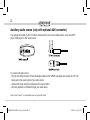
The optional AUX cable (A-ACC-106-AUX) can be used to connect an auxiliary device, such as an MP3
player, DVD player or other audio source.
To access AUX audio source:
- Plug the mini DIN connector of the AUX adapter cable into the SIRIUS receptacle and connect the 1/8” mini
stereo jack to the sound output of your audio device.
- Access AUX mode using the wireless remote’s source button.
- All music playback is controlled through your audio device.
Note: Sirius ConnectTM is not available when using the AUX cable.
OMA-UNI-200-USB-012012_rev012312.indd 22
1/24/2012 10:06:07 AM