1
USING YOUR RANGE
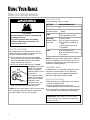
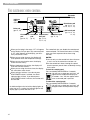
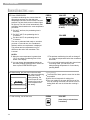
THE ELECTRONIC OVEN CONTROL
Electronic
display
Indicator
lights
(see below)
ON
Start/enter pad
(pp. 10, 11, 12,
14, 15, 16, 17, 21)
Bake pad
(pp. 13, 15)
Custom broil Auto clean Temperature/
pad
time pad
pad
(pp. 16, 17)
(pp. 11, 13,
(p. 21)
15, 17, 21)
Display/clock
Using the control lock
• When you first plug in the range, “PF” will appear
on the display until you press any command pad.
If “PF” again appears on the display, your electricity was off for a while.
• When you are using the oven, the display will
show preheat times and temperature settings.
• When you are not using the oven, the display
shows the time of day.
• When showing the time of day, the display will
show the hour and minutes.
• When you are using the minute timer, the display
will count down each minute.
• When setting a function, if you do not press
START/ENTER within 5 seconds, the Start?
indicator light will flash. If you do not press
START/ENTER within 5 minutes, the function will
be canceled.
The control lock lets you disable the control panel
command pads. The control lock comes in handy
when you want to prevent others from using
the oven.
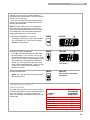
Indicator lights
An indicator light to the left of the display lights up
when you are in a setting. An indicator light on the
display lights up when the oven is on.
10
Clock/timer pad
(pp. 11, 12)
Off/cancel pad
(pp. 12, 14, 16,
21, 22)
NOTES:
• You can only use the control lock when the oven
is not in use or the control has not been set.
• Set the control lock when cleaning the control
panel to prevent yourself from accidentally turning
on the oven.
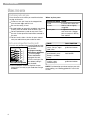
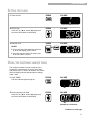
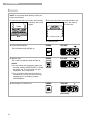
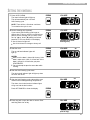
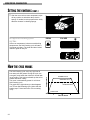
To lock the control panel:
Press and hold START/ENTER for 5 seconds.
You will hear a single tone and “Loc” will
START
appear on the temperature display for
ENTER
5 seconds. “Loc” will then appear when5 SEC
ever a command pad is pressed.
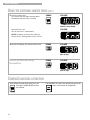
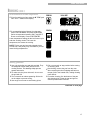
To unlock the control panel:
Press and hold START/ENTER for 5 seconds.
You will hear a single tone and “Loc” will
START
disappear from the temperature display.
ENTER
5 SEC