1
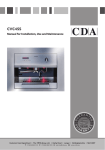
Coffee machine
1
2
COFFEE MAKER CVC10
CONTROL PANEL
3
4
5
1 - Display
2 - Control panel
3 - Dispenser spout
4 - Steam nozzle
5 - Drip tray drawer
Control panel
COFFEE MAKER CVC10
CONTROL PANEL
1
2
3
4
5
6
1. Power Button – Press to turn the machine on and off. (Standby)
2. Number Cups – Press to select between 1 and 2 cups.
3. Coffee Size Button – Press to select between short, medium and long options.
4. Make Coffee Button – Press to begin the coffee making process.
5. Steam – Press dispense steam from the steam nozzle.
6. Maintenance Button - Press to perform a cleaning cycle.
2