1
MULTIMEDIA MODE
Notes
When the file is located in the root directory, tap the file
for playback.
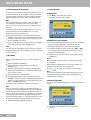
OPENING PHOTO
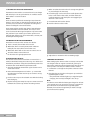
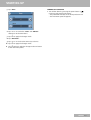
1 Tap »Photo« on the main menu panel.
– The Photo playback pad displays.
When the file is located inside a sub-directory, tap the
sub-directory icon, then tap a file for playback.
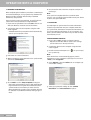
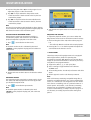
4 Tap » « « or use the joystick left to display the previous
available image file.
«
5 Tap » « or use the joystick in a right direction to
display the next available file.
6 Tap »k« or press the zoom in hot key on the front
panel to zoom into the center of the image.
– The program will automatically scan the device’s
SD/MMC card for supported image files. Image files
will be displayed as thumbnails; only sub-directories
containing compatible files will be displayed.
«
«
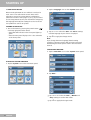
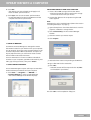
1 Search for the file you want to view. Tap » « or »
«
or use the joystick in the up/down direction to scroll
through all available files.
– When a thumbnail is selected, a red border appears
around it.
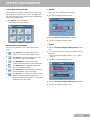
VIEWING FILES IN FULL SCREEN MODE
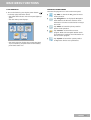
In Full Screen Mode, image files can be viewed in a larger
or smaller scale. You can also change its orientation
angle.
«
2 Tap »
«
1 Search for the file you want to view. Tap » « or »
«
or use the joystick in the up/down direction to scroll
through all available files.
Note
When in a zoom in state, you can hold and drag the image
to pan it in any direction you want.
7 Tap »k« or press the zoom out hot key on the front
panel to zoom out the image display.
8 Tap »
« to rotate the images 90° clockwise.
9 Tap the touch screen or press the joystick to return to
Thumbnail Mode.
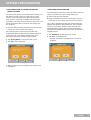
VIEWING FILES IN SLIDE SHOW MODE
You have the option to view images in a slide show much
like viewing a PowerPoint presentation in your computer.
Images are adjusted to fit the entire display area and are
shown in a 3-second interval.
1 In Thumbnail Mode, tap »
«.
« to return to the device’s root directory.
3 Open the file in Full Screen Mode.
2 Tap the touch screen or press the joystick to stop the
Slide show and return to the previous viewing mode.
22 ENGLISH