1
Contents
1 Setting up the System
5
Server Position ........................................................................................................................................5
Connecting the System ...........................................................................................................................6
Rear Connectors.................................................................................................................................6
Powering up the System .........................................................................................................................6
2 Board Features
7
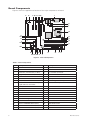
Board Components .................................................................................................................................8
Processor ................................................................................................................................................9
Main Memory ..........................................................................................................................................9
Hi-Speed USB 2.0 Support ....................................................................................................................10
Enhanced IDE Interface .........................................................................................................................10
Serial ATA ..............................................................................................................................................10
3 Installing and Replacing Board Components
11
Before You Begin ..................................................................................................................................11
Installation Precautions .........................................................................................................................11
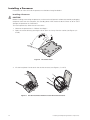
Installing a Processor ............................................................................................................................12
Installing a Processor .......................................................................................................................12
Installing Memory ..................................................................................................................................15
Guidelines for Dual Channel Memory Configuration ........................................................................15
Installing DIMMs ..............................................................................................................................16
Installing and Removing a PCI Express Card .........................................................................................17
Installing a PCI Express Card............................................................................................................17
Configuring the System for Intel® Matrix Storage Technology for Serial ATA.......................................18
Configuring the BIOS for Intel® Matrix Storage Technology ............................................................18
Creating your RAID set.....................................................................................................................18
Loading the Intel® Application Accelerator Drivers ...........................................................................18
Setting Up a “RAID Ready” System ................................................................................................18
Setting the BIOS Configuration Jumper Block ......................................................................................19
Clearing Passwords ...............................................................................................................................19
Replacing the Battery ............................................................................................................................21
BIOS ......................................................................................................................................................24
Using the BIOS Setup Program .......................................................................................................24
Error Messages and Indicators ..............................................................................................................24
BIOS Beep Codes ............................................................................................................................24
BIOS Error Messages.......................................................................................................................24
4 Regulatory and Integration Information
27
Product Regulatory Compliance ............................................................................................................27
Product Safety Compliance ..............................................................................................................27
Product EMC Compliance ....................................................................................................................27
Product Regulatory Compliance Markings ............................................................................................27
Electromagnetic Compatibility Notices .................................................................................................28
Europe (CE Declaration of Conformity) ............................................................................................28
Installation Precautions .........................................................................................................................28
Installation Requirements ......................................................................................................................29
Prevent Power Supply Overload ......................................................................................................29
Place Battery Marking ......................................................................................................................29
Use Only for Intended Applications .......................................................................................................29
MAXDATA PLATINUM 100 I
3