1
Configuration and Administration Guide
Resetting the Stand to Default Settings
You can reset the stand to the default settings. This procedure clears all settings from the stand and
resets them to the defaults. The web configurator interface username and password are reset back to
the following:
User name: admin
Password: admin
Resetting the stand also clears the stand’s IP address. If the stand was configured with a static IP
address you will have to reprogram it. You will then have to reconfigure the handsets with the stand.
Note that you cannot register a handset while a call is being supported on another handset because
you will be unable to reset the stand.
To reset the stand:
1. Press and hold the RESET button on the rear panel of the stand for greater than 10 seconds. All
four LEDs will turn on solid.
2. Release the RESET button.
Troubleshooting
DECT registration fails on 2nd handset: Ensure that gateway is opened for registration by pressing
the RESET button. Power-cycling will not enable DECT registration due to security.
Failed to Register the Handset with Gateway: If you have reset the stand to the defaults (by
pressing the RESET button on the rear panel of the stand for greater than 10 seconds) the handset
will not register with the stand after you place the handset in the cradle. Perform a normal reset (by
pressing the RESET button for 2 to 3 seconds) to register the handset.
Cannot log in to the internal web-interface: Reset the username and password to the default
values by resetting the IP DECT stand. To reset the stand, press and hold the RESET button for
great than 10 seconds. The defaults are
username: admin
password: admin
Unknown SIP Account: If this error message appears on the handset display, the handset
programming on the IP DECT Stand and the extension programming on the MCD do not match. To
resolve, correct the programming mismatches.
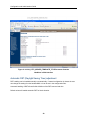
Configure SIP Domain: This message appears on the handset display if the handset has not been
configured. Configure the handset through the IP DECT Stand Configurator Web Interface. See page
9 for instructions.
Searching for Gateway: If the stand resets, this message appears in the handset display.
Unable to reset the IP DECT stand: You cannot reset the stand while a call is being supported on a
handset that is registered to the stand.
404 Not Found: This message appears on the handset display if the handset is not programmed on
the MCD, or the number being dialed does not exist (in which case re-order tone is played).
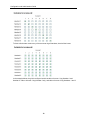
Connection Status Indicators: The two semi circles in the top left corner of the handset main
display indicate the connection status of the handset. The left semi-circle indicates the status of the
handset registration to the stand; the right semi-circle indicates the status of the SIP connectivity to
the MCD system.
50


























![[RTX4002 DECT Repeater]](http://vs1.manualzilla.com/store/data/005668363_1-158bac9585f73909106543400db7eb7f-150x150.png)