1
8
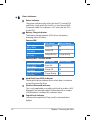
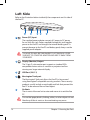
Status Indicators
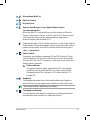
Power Indicator
The power indicator lights when the Eee PC is turned ON
and blinks slowly when the Eee PC is in the Save-to-RAM
(Suspend) mode. This indicator is OFF when the Eee PC is
turned OFF.
Battery Charge Indicator
The battery charge indicator (LED) shows the battery
charging status as follows:
Powered ON
With Adapter
High battery power
Green ON
(95%–100%)
Medium battery power
Orange ON
(11%–94%)
Low battery power
Orange Blinking
(0%–10%)
Without Adapter
Off
Off
Orange Blinking
Powered OFF / Standby mode
With Adapter
High battery power
Green ON
(95%–100%)
Medium battery power
Orange ON
(11%–94%)
Low battery power
Orange Blinking
(0%–10%)
Without Adapter
Off
Off
Off
Hard Disk Drive (HDD) Indicator
The hard disk drive indicator blinks when data is written to
or read from the disk drive.
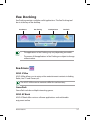
Wireless/Bluetooth Indicator
This is only applicable on models with built-in wireless LAN/
Bluetooth (on selected models). When the built-in wireless
LAN/Bluetooth is enabled, this indicator lights.
Capital Lock Indicator
Indicates that capital lock [Caps Lock] is activated when
lighted.
1-4
Chapter 1: Knowing the Parts