1
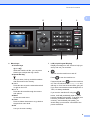
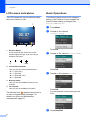
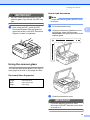
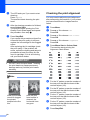
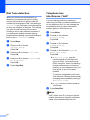
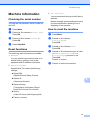
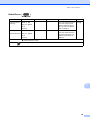
Chapter 1 LCD screen indications The LCD shows the current machine status when the machine is idle. 1 1 Basic Operations The following steps show how to change a setting in the machine. In this example the Receive Mode setting is changed from Fax Only to Fax/Tel. a b 2 1 Press a or b to choose Initial Setup. Press OK. c Press a or b to choose Receive Mode. Max Current Receive Mode Lets you see the current Receive Mode. Fax (Fax Only) F/T (Fax/Tel) TAD (External TAD) Mnl (Manual) 3 Memory Status Lets you see the available memory in the machine. 4 Ink indicator Lets you see the available ink volume. Press OK. d Press a or b to choose Fax/Tel. Press OK. You can see the current setting on the LCD: The warning icon appears when there is an error or maintenance message. For details, see Error and Maintenance messages uu page 53. e 6 Press Menu. 4 Wireless Status A four level indicator shows the current wireless signal strength if you are using a wireless connection. 0 2 3 1 Press Stop/Exit.