1
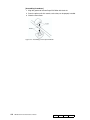
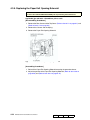
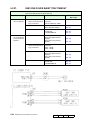
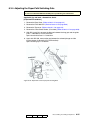
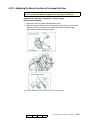
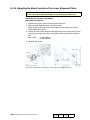
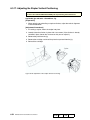
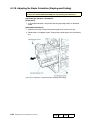
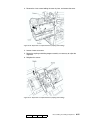
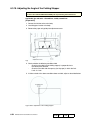
6.3.14. Adjusting the Mount Location of the Lower Alignment Plates
CAUTION:
Be sure to turn OFF the MAIN AC POWER prior to performing the maintenance.
Applicable jigs and tools: +Screwdriver.
[Adjustment Procedures]
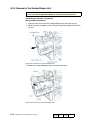
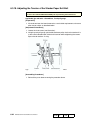
1. Open the front cover and pull out the stacker/ stapler unit.
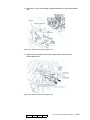
2. Move the lower alignment plates into home position.
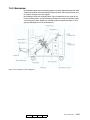
(Move so that the actuator on the lower-alignment-plate drive belt is at PS24
(lower-alignment-plate HP).
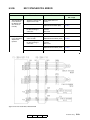
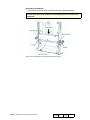
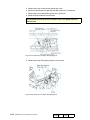
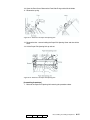
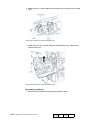
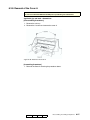
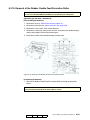
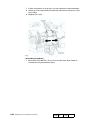
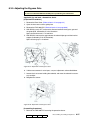
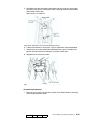
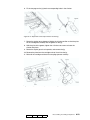
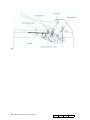
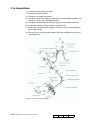
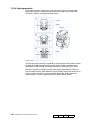
3. Loosen the 2 set screws fixing the lower alignment plates in place (one screw on
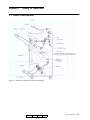
each plate),and adjust the plates so that distances A and B are within specification.
Spec values:
A = 337±0.5mm
B = 40.4±0.5mm
4. Retighten the screws.
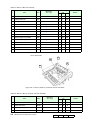
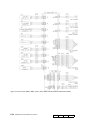
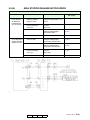
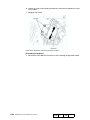
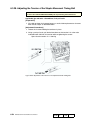
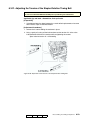
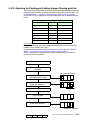
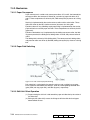
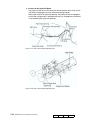
Figure 6-72. Adjustment of the Mount Location of the Lower Alignment Plates
6-48
DDP92/184 Finisher Maintenance Manual
MM
L
00