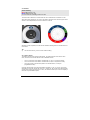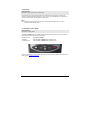
1
PVR Remote Control Manual Version 1.4 (Dec 2005) e&oe Table Of Contents 1 .Welcome .....................................................................................................................................3 2. Taking Care of your Remote Control ...........................................................................................3 2.1 CLEANING ..............................................................................................................................3 2.2 BATTERIES .............................................................................................................................3 3. Basic Navigation..........................................................................................................................4 4. What’s New? ...............................................................................................................................5 4.1 SHIFT ....................................................................................................................................5 4.2 THE DIAL ...............................................................................................................................6 4.3 BLINKING LIGHTS ....................................................................................................................7 4.4 TIMEOUTS ..............................................................................................................................8 5. Advanced Functionality ...............................................................................................................9 5.1 CONTROLLING TV AND AUDIO SYSTEMS ...................................................................................9 5.2 VOLUME REDIRECT ...............................................................................................................11 5.3 FAVOURITE CHANNELS ..........................................................................................................13 5.4 MACROS ..............................................................................................................................16 5.5 COPY ENVIRONMENT ............................................................................................................20 5.6 CODE VERIFICATION .............................................................................................................21 6 . Code Tables .............................................................................................................................22 6.1 CODES FOR TELEVISIONS ......................................................................................................22 6.2 CODES FOR AMPLIFIERS, TUNERS, HOME THEATRE SYSTEMS ...................................................44 7. Complete Table of Functionality ................................................................................................49 7.1 NORMAL FUNCTIONALITY (NON-SHIFTED).................................................................................49 7.2 SHIFTED FUNCTIONS .............................................................................................................51 7.3 FUNCTIONALITY WHEN CONTROLLING OTHER DEVICES...............................................................53 8. Troubleshooting.........................................................................................................................55 8.1 CLOSE ENCOUNTERS OF THE 3RD BLINK ...................................................................................55 8.2 RESETS ...............................................................................................................................56 9. Specifications ............................................................................................................................57 9.1 QUALITY ..............................................................................................................................57 9.2 BATTERY LIFE ......................................................................................................................57 9.3 WORKING DISTANCE .............................................................................................................57 9.4 TECHNICAL SPECIFICATION (GENERAL) ...................................................................................57 9.5 PVR REMOTE CONTROL MANUAL ..........................................................................................57 10. Legal Matters & Warranty ........................................................................................................58 10.1 UNIVERSAL FUNCTIONALITY DISCLAIMER ...............................................................................58 10.2 COPYRIGHT ........................................................................................................................58 10.3 DAMAGE ............................................................................................................................58 10.4 REMOTE EXTENDERS / REMOTE BLASTERS ...........................................................................58 10.5 PRODUCT WARRANTY .........................................................................................................59 11. Hotlines ...................................................................................................................................60 11.1 CALL CENTRES...................................................................................................................60 11.2 E-MAIL ENQURIES ..............................................................................................................60 11.3 WEBSITES..........................................................................................................................60 DStv PVR Remote Control Manual Page 2 1 .Welcome Congratulations on acquiring the new DStv multi-function PVR Remote Control. We are proud to bring you another product at the cutting edge of technology. The PVR Remote Control is essentially a mini hand-held PC and offers significantly more functionality than a normal remote control. It not only controls the decoder, it also offers : o o o o Basic control of the television and home entertainment systems in your home Quick access to favourite channels Macros (it can record a string of commands on a single button) Volume redirect (change the volume of the hi-fi or TV instead of the decoder) Enjoy! 2. Taking Care of the Remote Control 2.1 Cleaning Clean the remote control using a damp cloth. Please do NOT use cleaning liquids, as the remote control has a special coating to prevent the printing from fading or rubbing off and certain cleaning liquids may dissolve this coating. 2.2 Batteries The PVR Remote Control has been optimised for heavy duty or alkaline batteries and comes with 2 new “AA/LR6” heavy duty batteries. Rechargeable batteries may also be used, however for optimal performance, we do not recommend that you use normal batteries. The i-Plate on the PVR has an indicator that will be displayed when the batteries in the remote control are running low. (The Battery Low indicator will appear on the right hand side of the i-Plate.) Once this icon appears, we recommend that you replace the batteries as soon as possible. Note X The Battery Low indicator will not disappear immediately after you replace the batteries, as the decoder requires a few button presses from the remote control to confirm that the batteries have been replaced. DStv PVR Remote Control Manual Page 3 3. Basic Navigation DStv PVR Remote Control Manual Page 4 4. What’s New? 4.1 The SHIFT button Quick Summary To access secondary functionality of the keys at the top of the remote control, press SHIFT followed by the required button. The four buttons at the top of the remote control each have a secondary function. Only TV, ALT, TV GUIDE and LANGUAGE buttons are active during normal use. To access the secondary functionality, press SHIFT followed by the required button. After pressing SHIFT, it will flash / blink, confirming the mode of the remote control (ie. the SHIFT function, also known as “shifted functionality” has been activated). It is not necessary to hold both buttons down at the same time. The SHIFT function is then automatically cancelled and further button presses will not be affected. If not used, the SHIFT function will cancel itself after 20 seconds. The SHIFT function can also be cancelled by pressing SHIFT again. o To go to the Audio Bouquet, press SHIFT followed by the TV button. o To go to the About Us section of the DStv Guide, press SHIFT followed by the TV GUIDE button. o To display the Subtitles / Teletext options, press SHIFT followed by the ALT button (only available on selected channels). o To go to the Parental Control menu, press SHIFT followed by the LANGUAGE button. DStv PVR Remote Control Manual Page 5 4.2 The Dial Quick Summary RED settings are for TV1. BLUE settings are for TV2. X, Y and X are for controlling Hi-Fi’s and TVs. The dial is used for different TV environments and can be customised for use with the TV and other audio visual equipment in your home. The position of the dial can be seen through the mode window. In the example below, the remote control is in mode 2B. Whenever a button is pressed, the mode window will blink confirming that the command was sent in that mode. Tip L Just check the colours, you don’t need to read the setting. 4.2.1 What is a Mode? The different sections of the dial are called modes. The basic functions are the same in each mode, however each mode also allows control of additional devices. o The TV1 environment of the PVR is controlled with 1A, 1B, 1C or 1D (the red modes). o The TV2 environment of the PVR is controlled with 2A, 2B, 2C or 2D (the blue modes). o The TV(s) and Hi-Fi / home theatre systems are controlled with X, Y and Z (the programmable modes). Currently, the PVR does not recognise the difference between 1A, 1B, 1C, and 1D - they are all interpreted as 'red mode' and they all control TV1. Likewise 2A, 2B, 2C and 2D are all interpreted as 'blue mode' and they all control TV2. In future, the A/B/C/D modes may be used for multi-player interaction or personalisation options. DStv PVR Remote Control Manual Page 6 4.2.2 Turning the Dial Place a thumb on each side of the ring (next to the left and right arrow buttons) and push upwards with one thumb. The dial can turn both clockwise and anti-clockwise. 4.3 Blinking Lights Quick Summary Quick blink = OK Slow blink(s) = error SHIFT button blink = advanced mode No blink = invalid button The remote control has various ways of indicating specific conditions. Examples : o The SHIFT button will blink continuously when SHIFT is active o The mode window will blink whenever a button is pressed to confirm that the command has been sent in that mode If there is no blink, the button being pressed is invalid. For example, pressing OK in a mode that you have set up to control the Hi-Fi. With certain functions, the SHIFT button blinks when a command is sent, instead of the mode window. (See “Advanced Functionality” from page 9). This indicates that a special mode is active and that the mode displayed in the mode window is inactive (not being used). These special modes are all subject to a 20 second timeout. DStv PVR Remote Control Manual Page 7 4.4 Timeouts Quick Summary Don’t worry, if you make an error, it will fix itself. If any button on the remote control is held down continuously for longer than 30 seconds, the remote control will automatically switch off. This is done to conserve batteries if (for example) you sit on the remote control, a book is placed on top of it, etc. Note X If left alone for more than 20 seconds, the remote control will always return to normal operation for the selected mode. 4.5 The Multi-Function Button Quick Summary It’s intuitive. Just play with it. The PLAY / PAUSE button on the PVR Remote Control is used to control a variety of functions on the PVR - Play, Pause, Rewind and Fast Forward. To Play or Pause To Rewind To Fast Forward - press PLAY / PAUSE - slide the PLAY / PAUSE button towards the left - slide the PLAY / PAUSE button towards the right For more information on how to rewind / fast forward on the PVR, please refer to the PVR Viewer’s Guide. (Go to www.dstv.com/go/pvr) DStv PVR Remote Control Manual Page 8 5. Advanced Functionality Please take note of the following important points which are applicable to this section. o Any programming instruction will be abandoned if 20 seconds passes without a button being pressed. o Pressing EXIT will abandon any programming changes and return the remote control to its normal operational mode. Programming a macro is the only exception to this point. o Pressing HELP concludes programming and stores all changes. (The HELP button was assigned to this function, as it is the only button unlikely to form part of a macro.) o Two slow blinks at any time indicate that an error has occurred and that the remote control has returned to its normal operational mode. Check the procedure carefully and start again. o Success is indicated by three quick blinks. 5.1 Controlling TV and Audio Systems Quick Programming Summary Find the code for your TV. Select mode X, Y or Z. Press and hold SHIFT until the mode window blinks 3 times. Enter the code. 5.1.1 What is this used for? The PVR Remote Control has the ability to control up to three other devices apart from the PVR. The X, Y and Z modes can each be programmed to control a TV or amplifier / home theatre system. Follow the instructions below and you should be able to control your entire DStv viewing environment with just one remote control. Note X Only the X, Y and Z modes can be used to control other devices. Tip L Once you have completed programming the remote control, write the product codes on the sticker inside the battery compartment for future reference. 5.1.2 Programming the remote to control TV / Hi-Fi devices There are two ways to programme the remote to control other devices. o Direct set-up : for this you need the code of your device (see the list supplied) o Step-and-set method : the code is not required, however this method of programming the remote control will take much longer DStv PVR Remote Control Manual Page 9 Direct set-up 1. 2. 3. 4. 5. Find the 5-digit code for the device from the list provided in this manual (see “Code Tables” from page 22). If there is more than one code listed for the device, start with the first one (they are listed in order of probability). Select the mode (X, Y or Z) that you would like to programme to control the other device. Press and hold the SHIFT button until the mode window blinks 3 times. Enter the 5-digit code using the number buttons on the remote control. (The mode window will blink once after you enter the first 4 numbers and three times after you enter the last number – confirming that a valid code has been received). This mode can now be used to control the selected device. Note X The remote control will indicate an error (two slow blinks in the mode window) and exit the programming mode if you press anything other than a number button when entering the device code. Step-and-set 1. 2. 3. 4. 5. 6. 7. Select the mode (X, Y or Z) that you would like to programme to control the other device. Press and hold the SHIFT button until the mode window blinks 3 times. Enter 991 using the number buttons on the remote control. (The mode window will blink three times to indicate acceptance). If you are programming the remote to control a TV, press the TV button. If you are programming the remote to control an amplifier / home theatre system, press the ALT button. Press P+ until the device you are trying to control switches on or off. Press HELP to store this programme and exit the process. (The mode window will blink 3 times to indicate successful completion). This mode can now be used to control the selected device. Optional Steps Between steps 5 and 6, you can test other functions of the device you are trying to control (instead of the power button function). These other functions can be number buttons (0, 1, 2...) volume up, volume down, mute, and AV. You cannot test programme up (P+) and programme down (P-). To do this while searching, press the desired function you wish to test (eg. MUTE), and then press P+ to continue searching. Now each time you press P+, the mute command (instead of the power on / off command) is sent. This means you continue pressing P+ until the device goes mute (indicating it recognises the mute command just sent). Tip L Once you have completed the steps above, write the programmed codes on the sticker in the battery compartment for future reference. See “Code Verification” on page 20 if you used the Step-and-set method to programme your device. Note X X The P- button can be used to search backwards through the codes if the correct code was bypassed. Scanning of the code database is circular. The mode window will blink 5 times on reaching the end of the database, but it will stay in the Step-and-set programming mode and start from the beginning of the database if P+ is pressed again. DStv PVR Remote Control Manual Page 10 5.2 Volume Redirect Quick Programming Summary Press and hold SHIFT until the mode window blinks 3 times. Press MUTE or V+ or V-. Turn the dial to the mode (X, Y or Z) that you want the volume to be directed to and press HELP to confirm your selection. To toggle between normal and redirected volume, press SHIFT followed by the MUTE or V+ or Vbutton. The SHIFT button will blink instead of the mode window when volume commands are being redirected. 5.2.1 What is this used for? This feature allows you to change the volume on the TV or Hi-Fi while controlling the PVR (TV1 or TV2) without having to change the mode on the remote control. So, although the remote is being used to control the PVR, all volume related commands are sent to the device you have selected (eg. the TV), instead of the PVR. This means that the volume on the PVR stays the same while the volume changes only occur on the selected device. This feature is particularly useful if there is more than one room that can view the same content at the same time. It also avoids the need for a high volume setting on the Hi-Fi to compensate for low PVR volumes. 5.2.2 Enabling and Disabling Volume Redirect Once programmed, the volume redirect feature can be enabled and disabled by using SHIFT in conjunction with the volume buttons (MUTE, V+, V-). This allows you to easily switch between normal and redirected volume control without having to repeat the programming sequence. Note X X X This function can only be assigned to the TV1 (red) and TV2 (blue) modes of the remote. It will not work with the X, Y or Z modes. The TV1 and TV2 environments are independent, so changing volume in the red mode (1A, 1B, 1C or 1D) will not affect volume settings in the blue mode (2A, 2B, 2C or 2D). This allows you to use the same remote in separate TV1 and TV2 environments and it will automatically redirect the volume to the correct target device for each environment as you switch between TV1 and TV2 mode. 5.2.3 Programming Volume Redirect To programme and use the volume redirect feature, you must first programme a device to receive commands from the PVR Remote Control (see “Controlling TV and Audio Systems” on page 9). 1. 2. 3. 4. 5. 6. Note the mode of the device that you would like to programme to receive the volume commands (eg. home theatre system on X mode, TV on Y mode, etc) Use the dial to select the mode (red for TV1 or blue for TV2) that is used to control the PVR where you are now. Press and hold the SHIFT button until the mode window blinks 3 times. Turn the dial to the mode that you noted in step 1. Press HELP to confirm your selection. (The mode window will blink three times to indicate successful completion). Return to the mode for controlling the PVR (from step 2). Volume commands will now result in the SHIFT button blinking once and the volume changing on the selected device. DStv PVR Remote Control Manual Page 11 5.2.4 Activating and De-activating Volume Redirect TV1 and TV2 modes will independently stay in the selected volume redirect or normal state until changed. To toggle between volume redirect and normal volume functioning, press the SHIFT button before pressing a volume button. While volume redirect is active, the SHIFT button will blink when a volume command is sent, indicating that the volume command has NOT been sent in the currently selected mode. When normal volume functioning is active, the mode window will blink when a volume command is sent, indicating that the volume command has been sent in the currently selected mode. Note X X X Volume redirect is active by default after it has been programmed. Volume redirect will be deactivated if the remote control batteries are replaced. If SHIFT and then a volume button is pressed without a defined device for volume redirect, the SHIFT button press will be ignored and normal volume control will be active. Example You have programmed volume redirect for the Hi-Fi. After programming volume redirect, all volume buttons (MUTE, V+ and V-) will be sent to the Hi-Fi. You will not need to press the SHIFT button first, just the required volume button. The SHIFT button will blink every time a volume button is being used to confirm that volume redirect is active. If you need to change the volume on the PVR, press SHIFT and then a volume button. This will change the volume on the PVR as well as revert the remote control to normal volume functionality. Now, each time you press a volume button, the mode window will blink. To re-activate volume redirect, press SHIFT followed by a volume button. DStv PVR Remote Control Manual Page 12 5.3 Favourite Channels Quick Programming Summary Press and hold SHIFT until the mode window blinks 3 times. Press P+ or P-. Press the number to which you want to assign the favourite channel shortcut. Enter the channel number. Press OK to add another shortcut or HELP to complete the process. 5.3.1 What is this used for? This feature allows you to create a shortcut for 10 of your favourite channels. Each of the number buttons on the PVR Remote Control can be configured as a shortcut to your favourite channels. You can then auto-scan what is showing on your favourite channels, or browse through them using the P+ / P- buttons. Your favourite channels can be entered in any order and can be added and changed one-at-a time. You can then access your favourite channels by pressing SHIFT followed by the assigned number button. The PVR can also automatically scan through your favourite channels. DStv PVR Remote Control Manual Page 13 5.3.2 Programming Favourite Channels You can set up favourite channels for each of the viewing environments. The settings for TV1 (red mode) will not impact TV2 (blue mode) and vice versa, thus allowing you to set up separate favourite channels for each environment. 1. Next to each number, write down the name and number of the channel for which you wish to create a shortcut. Remote control button Favourites – TV1 (red mode) Channel number & name Favourites – TV2 (blue mode) Channel number & name 36 M-Net Series 21 SuperSport 1 Example 1 1 2 3 4 5 6 7 8 9 0 2. 3. 4. 5. 6. 7. Use the dial to select the mode (red for TV1 or blue for TV2) that is used to control the PVR where you are now. Press and hold the SHIFT button until the mode window blinks 3 times. Press either the P+ or P- button. (The mode window will blink three times to indicate acceptance). Press the number button that you would like to create the shortcut on. (The mode window will blink once to indicate acceptance). Note : enter one digit only, ie. for 1, enter 1 and not 01. Now enter the channel number you want to link to the shortcut, eg. 36. The mode window will blink once for each digit. Then press OK to confirm the channel number. The mode window will blink twice in quick succession to indicate acceptance. You can now either : o press HELP to terminate the programming mode and save your changes (the mode window will blink 3 times to indicate successful completion), OR o repeat steps 5 and 6 to create additional shortcuts for your favourite channels. DStv PVR Remote Control Manual Page 14 Note X X Changing one favourite channel will not impact the others you have created. For example, you could change the shortcut on 1 from 36 (M-Net Series) to 35 (kykNET) without impacting any of the other settings. You do not need to set favourite channels in a sequence, ie. you could have favourite channels linked to 1, 3 and 8 only. Tip L If you would like to have the same set of favourite channels in the other TV environment, see the “Copy Environment” section on page 20. 5.3.3 Using Favourite Channels : Accessing your Favourite Channels directly To access the favourite channels that you have set up (as above) press SHIFT followed by the assigned number button (In the example used above, SHIFT 1 would go to the M-Net Series channel). If no favourite channel shortcut is assigned to that number, the mode window will give two long blinks and the remote will then return to its normal mode. 5.3.4 Using Favourite Channels : Auto-scanning your Favourite Channels The PVR is capable of auto-scanning through the favourite channels you have set up. Press SHIFT and then P+ or P- to initiate a scan of your favourite channels (from 1 – 0). Each “favourite” channel will display for 9 seconds. To stop on the channel being displayed, press OK or an arrow button or a Volume button. If you do not stop on any channel, the scanning process will stop after the 3rd cycle. 5.3.4 Using Favourite Channels : Manual scan of your Favourite Channels You can also manually control the scanning of your favourite channels. After initiating the auto-scan as described above, press P+ to go to the next favourite channel or Pto go to the previous favourite channel. This will stop the display of channels for 9 seconds and allow you to manually scan through your favourite channels. The remote control will exit the manual scanning mode if you stay on any channel longer than 20 seconds or if you press any button other than P+ or P-. Note X While the remote control is in “favourite channels” mode, channel change commands are acknowledged by the SHIFT button blinking once. DStv PVR Remote Control Manual Page 15 5.4 Macros Quick Programming Summary Press and hold SHIFT until the mode window blinks 3 times. Press the WHITE button. Press the colour button to which you want to assign the macro. Enter the command sequence. Press HELP to complete the process. 5.4.1 What is this used for? A macro is used to store a series of commands that you use regularly, for example : you check the 5-day weather forecast for Cape Town every day. You can store the commands and then recall them using a macro. Macros are activated by pressing SHIFT and then the assigned colour button. Examples are provided for programming macros to navigate the DStv Audio channels as well as switching on all the equipment used to watch DStv. 5.4.2 Programming Macros You can set macros for each of the viewing environments. The settings for TV1 (red mode) will not impact TV2 (blue mode) and vice versa, thus allowing you to set up separate macros for each environment. Note X X X X X X X Macros are stored on colour buttons and accessed by pressing SHIFT followed by the assigned colour button. As there are 5 colour buttons on the PVR Remote Control, you can set 5 macros on TV1 (red mode) and another 5 macros on TV2 (blue mode). You are only able to use macros in the red and blue modes, ie. macros cannot be activated on X, Y or Z modes. However, macros may contain commands from these modes, eg. a command that switches the Hi-Fi on mode Z to digital input. Macros are recorded and replayed in real time, ie. if it took 25 seconds to record the commands in a macro, that macro will take 25 seconds to complete. The maximum allowed pause between commands is 20 seconds. A macro can include up to 8 commands, ie. you cannot set a macro for something which takes 9 or more commands to complete. Changing the mode on the remote control by turning the dial, is allowed during a macro, but is counted as 1 command. Each button press is counted as 1 command, so SHIFT P+ is counted as 2 commands. DStv PVR Remote Control Manual Page 16 Setting a Macro 1. We recommend that you first test the button sequence you want to record and make a note of the total number of commands (keeping in mind that a macro can only be recorded for 8 or fewer commands). Remote control button Example WHITE Macro– TV1 (red mode) What does macro do? Macro– TV2 (blue mode) What does macro do? Go to BBC World Radio1 in the DStv Audio Bouquet Red Blue White Yellow Green 2. 3. 4. 5. 6. 7. 8. Use the dial to select the mode (red for TV1 or blue for TV2) that is used to control the PVR where you are now. Press and hold the SHIFT button until the mode window blinks 3 times. Press the WHITE button to indicate that you want to programme a macro. (The mode window will blink 3 times to indicate acceptance). Press the colour button on which you would like to store the macro. (The mode window will blink once to indicate acceptance). Record the macro by using the remote control to do the actions you want the macro to perform. (Tip: check that the steps you are taking are working correctly, ie. if your first step is to press the MENU button, check that the decoder menu is displayed onscreen). Press HELP to terminate the programming mode and save your macro (the mode window will blink 3 times to indicate successful completion). Optional step – from normal TV viewing, test that the macro you have just programmed works correctly by pressing SHIFT and then the relevant colour button. Note X X X X X If the mode window lights up for 5 seconds, the maximum number of commands (8) has been exceeded. You can either store what you have recorded by pressing HELP, or abandon the macro programming by pressing any other button. If no command is received within 20 seconds, the macro programming will automatically be terminated. If you attempt to set a macro in X, Y or Z mode, the mode window will blink twice and the macro programming will be terminated. Macros cannot be nested, ie. a macro cannot contain / “call” another macro (or call itself again). To delete a macro, repeat steps 2, 3, 4, 5 and 7 – leaving out step 6. This effectively records nothing for the macro. Once a macro has started, it cannot be exited and the remote control must be left to complete the macro before it can be used to issue another command. DStv PVR Remote Control Manual Page 17 Example 1 Programme a macro on the GREEN button that goes to BBC World Radio 1 in the DStv Audio Bouquet. 1. 2. 3. 4. 5. 6. 7. 8. 9. 10. 11. Use the dial to select the mode (red for TV1 or blue for TV2) that is used to control the PVR where you are now. Press and hold the SHIFT button until the mode window blinks 3 times. Press the WHITE button to indicate that you want to programme a macro. (The mode window will blink 3 times to indicate acceptance). Press the GREEN button. (The mode window will blink once to indicate acceptance). Record the macro by using the remote control to do the actions you want the macro to perform. Press the TV button (command 1 of a possible 8) and then look at the screen to confirm that the bouquet menu is displayed. Press the down arrow once (command 2), then press OK (command 3) to select the DStv Audio Bouquet. Press SHIFT (command 4) and then TV (command 5). Enter 50 – this is the channel number of BBC World Radio 1 (command 6 and 7). Press HELP to terminate the programming mode and save your macro (the mode window will blink 3 times to indicate successful completion). Optional step – from normal TV viewing, test that the macro you have just programmed works correctly by pressing SHIFT and then the GREEN button. You can now put the remote control down (ensure that it has a clear “view” of the PVR so that it can run the macro). DStv PVR Remote Control Manual Page 18 Example 2 Programme a macro on the RED button to switch on all the equipment and set the environment for watching DStv. Assumptions for this example : The TV has been programmed on the Y mode and uses AV connections. The home theatre is on X mode. The PVR uses input “3” on the home theatre system. You are in the TV1 viewing environment. The PVR is always on. Your favourite channel is 36 (M-Net Series). 1. 2. 3. 4. 5. 6. 7. 8. 9. 10. 11. 12. 13. 14. Check that the dial is on the red mode for TV1 (1A, 1B, 1C or 1D) Press and hold the SHIFT button until the mode window blinks 3 times. Press the WHITE button to indicate that you want to programme a macro. (The mode window will blink 3 times to indicate acceptance). Press the RED button. (The mode window will blink once to indicate acceptance). Record the macro by using the remote control to do the actions you would like the macro to perform. Press the number of your favourite DStv channel, in this example, 36 (command 1 and 2 of a possible 8) Turn the dial to Y for TV mode (command 3) Press the Standby button to switch on the TV (command 4) Wait for the TV to come on then press ALT (in TV mode, ALT = AV) to switch the TV to AV mode (command 5) Turn the dial to Z for Home Theatre Amp mode (command 6) Press the Standby button to switch on the Amp (command 7) Press 3 to switch the Amp to SAT (the assumed DStv input) – (command 8) Press HELP to terminate the programming mode and save your macro (the mode window will blink 3 times to indicate successful completion). Optional step – from normal TV viewing, test that the macro you have just programmed works correctly by pressing SHIFT and then the RED button. You can now put the remote control down (ensure that it has a clear “view” of the PVR so that it can run the macro). Note X It is not necessary to turn the dial back to the PVR mode at the end of the macro, because the start position for the macro is where the remote control will resume when the macro terminates. DStv PVR Remote Control Manual Page 19 5.5 Copy Environment Quick Programming Summary Press and hold SHIFT until the mode window blinks 3 times. Press the RED button to copy TV1 to TV2. Press HELP to complete the process. or Press the GREEN button to copy TV2 to TV1. Press HELP to complete the process. 5.5.1 What is this used for? Both the favourite channels and macros features are only applicable to the TV environment from which they were set. The “copy environment” features allows you to copy favourite channels and macros from TV1 (red mode) to TV2 (blue mode) environment and vice versa. It is possible to copy the programming to other remote controls, however for this, the remote controls need to be brought to a service centre. 5.5.2 How to copy TV1 to TV2 1. Check that the dial is on the red or blue mode. 2. Press and hold the SHIFT button until the mode window blinks 3 times. 3. Press the RED button to copy TV1 settings to TV2. (The mode window will blink 3 times to indicate successful completion). 4. Press HELP to complete the copying process (the mode window will blink 3 times to indicate successful completion). 5.5.3 How to copy TV2 to TV1 1. Check that the dial is on the red or blue mode. 2. Press and hold the SHIFT button until the mode window blinks 3 times. 3. Press the GREEN button to copy TV2 settings to TV1. (The mode window will blink 3 times to indicate successful completion). 4. Press HELP to complete the copying process (the mode window will blink 3 times to indicate successful completion). Note X X All existing settings on the environment to which values are being copied, will be overwritten. Only the favourite channels and macros will be copied, ie. yolume redirect is not affected. DStv PVR Remote Control Manual Page 20 5.6 Code Verification Quick Programming Summary Press and hold SHIFT until the mode window blinks 3 times. Press the YELLOW button. Press 1 to 5, counting the blinks for each. 5.6.1 What is this used for? The feature allows you to determine the code for a device that you programmed using the “Stepand-Set” method (see page 10). This code can then be used in future. 5.6.2 How to verify a code The device codes for X, Y or Z modes can be verified as follows : 1. 2. 3. 4. 5. 6. 7. 8. Check that the dial is on the mode for which you wish to verify a code (X, Y or Z) Press and hold the SHIFT button until the mode window blinks 3 times. Press the YELLOW button to indicate that you want to verify a code. (The mode window will blink 3 times to indicate acceptance). Press 1 and count the times the mode window blinks. Press 2 and count the times the mode window blinks. Press 3 and count the times the mode window blinks. Press 4 and count the times the mode window blinks. Press 5 and count the times the mode window blinks. Note X X X X The 5 numbers “blinked” are the code. No blink indicates a 0 (zero). You can only verify codes in modes X, Y or Z. Attempting to verify a code in the TV1 (red mode) or TV2 (blue mode) will result in the mode window blinking twice and the remote returning to normal operation. If you press digits other than 1 – 5, or press buttons out of sequence, these will be ignored. 5.7 Reset To reset macros and favourite channels to factory defaults : 1. 2. Press and hold the SHIFT button until the mode window blinks 3 times. Press the YELLOW button. (The mode window will blink 3 times to indicate successful completion). Note X This will effectively delete macros and favourite channels for both TV1 (red mode) and TV2 (blue mode). DStv PVR Remote Control Manual Page 21 6 . Code Tables This section lists the codes that can be used as explained in “Direct Set-up” (see page 10). Codes are listed in order of probability for each make. If you are unable to find a code for your make of equipment, we recommend the “Step-and-Set” method (see page 10). 6.1 Codes for Televisions 888 A.R. Systems Abex Accent Accuphase Acec Acura Adcom Addison Admiral Advent Adyson AEA Agashi AGB Agef Aiko Aim Aiwa Akai Akiba Akira Akito Akura Alaron Alba Alfide Alkos Allegro 000294 000442 00586 00404 00062 00039 00067 00586 00586 01939 00042 00039 00655 00314 00683 00122 00123 00193 00448 00117 00294 00847 00062 00247 00246 00067 00586 00246 00247 00546 00117 00122 00039 00067 00099 00586 00246 00401 00065 00463 00102 00391 00294 00247 00067 00102 00442 00586 00783 00238 00736 00835 00735 01940 00731 01934 00877 01946 01938 00039 00060 00391 00238 00586 00067 00401 01567 00833 00128 00463 00775 00732 00065 00248 00314 00324 00702 00359 00726 00102 00783 00193 00836 00442 00759 00478 00744 00546 00518 00745 00632 00578 00611 00510 00247 00661 00246 00294 00208 00407 00636 00738 01938 00503 00248 00312 00485 00067 00586 00324 00220 00302 00067 00586 00067 00248 00294 00586 00698 01698 00442 00039 00312 00744 00209 00246 00039 00067 00448 00400 00586 00066 00265 00248 00401 00698 01698 00385 00246 00277 00461 00193 00517 00611 00609 00504 01934 01938 00744 00473 00702 00065 00804 DStv PVR Remote Control Manual Page 22 Allorgan Allstar Ambassador America Action Amplivision Amstrad Anam Anam National Anglo Anhua Anitech Ansonic AOC Aolingpike Aolingpu Apex Digital Apollo Arcam Ardem Aristona ASA Asberg Asora Astra Asuka ATD Atlantic Atori Audinac Audiosonic Audioton Audiovox Aumark Autovox AVP AWA Axxent Axxon Baihe Baile Baird 00236 00324 00247 00067 00586 00207 00210 00247 00039 00207 00067 00546 00294 00392 00401 00248 00442 00463 00586 00611 01934 00067 00586 00039 00210 00191 00891 00067 00191 00586 00680 00085 00039 00294 00081 00039 00294 00067 00586 00504 00312 00132 00400 00067 00586 00039 00698 00404 00193 00322 00132 00441 00289 00277 01467 00042 00314 01934 00134 01698 00049 00060 00039 00090 00122 00123 00208 00209 00210 00481 00504 00294 00442 00888 00778 00503 00246 00247 00516 00067 00586 00586 00067 00042 00134 00135 00376 00117 00067 00586 00132 00039 00067 00586 00248 00728 00067 00586 00246 00236 00289 00039 00210 00421 00067 00139 00586 00744 00745 00247 00400 00367 00294 00248 00516 00247 00516 00400 00294 00122 00481 00210 00090 00117 00574 00236 00247 00277 01934 01938 00039 00041 00066 00187 00404 00481 00442 00067 00586 00246 00636 00247 00294 00815 00039 00744 00039 00294 00442 00031 00039 00404 00421 00139 00220 00102 00247 00238 01934 DStv PVR Remote Control Manual Page 23 Bang & Olufsen BaoHuaShi Baosheng Barco Basic Line Bastide Bauer Baur Baysonic Beaumark Beijing Beko Belcor Bell & Howell Bennett Beon Best Bestar Binatone Black Diamond Black Panther Black Strip Blacktron Blackway Blaupunkt Blue Sky Blue Star Bondstec Boots Bosch BPL Bradford Brandt Brandt Electronique Brinkmann Brionvega Britannia Brockwood Broksonic Brother Bruns BSR BTC 00595 00117 00294 00442 00039 00847 00193 00039 00404 00067 00248 00193 00698 00586 00312 00247 00485 00369 01698 00247 00835 00039 00067 00391 00542 00565 00574 00210 00208 00031 00039 00238 00256 00294 00404 00421 00442 00512 00847 00851 00400 00516 00065 00744 00745 00448 00067 00586 00636 00049 00047 00184 00586 00067 00067 00586 00448 00062 00367 00400 00451 00067 00586 00400 00404 00247 00586 00132 00065 00312 00312 00248 00225 00565 00230 00357 00478 00485 00066 00067 00248 00586 00744 00698 00517 00745 01939 00312 00485 01964 01934 01938 01698 00312 00277 00247 00302 00039 00357 00067 00312 00586 00210 00139 00655 00365 00317 00501 00590 00317 00365 00067 00586 00698 00448 00516 01698 00392 00246 00247 00049 00266 00294 00117 00193 00324 00391 00248 DStv PVR Remote Control Manual Page 24 Bush Caihong Cailing Caishi Candle Canton Capsonic Carad Carnivale Carrefour Cascade Casio Cathay CCE Celestial Centrex Centurion Century CGE Changcheng Changfei Changfeng Changhai Changhong Chengdu Ching Tai Chun Yun Chunfeng Chung Hsin ChungFeng Chunsun Cimline Cinema Cineral Citizen City Clarion Clarivox Clatronic CMS CMS hightec Combitech 00039 00698 00066 00248 00067 00193 00302 00312 00385 00401 00265 00404 00728 00294 00391 00517 00238 00247 00647 00611 00324 00314 00586 00744 01930 01934 01938 01698 00039 00847 00778 00921 00060 00086 00216 00248 00294 00640 00067 00586 00698 01698 00060 00066 00067 00586 00039 00067 00586 00067 00586 00193 01934 00067 00586 00504 00067 00247 00586 00359 00849 00850 00851 00797 00810 00856 00067 00586 00117 00277 00104 00277 00448 00400 00193 01934 00031 00039 00081 00294 00404 00421 00442 00847 00039 00359 00404 00847 00294 00442 00726 00783 00847 00039 00359 00847 00857 00797 01058 00850 00039 00294 00538 00847 00851 00878 01940 00039 00847 00039 00122 00209 00504 00039 00063 00122 00191 00209 00210 00504 00039 00294 00504 00210 00063 00066 00442 00676 00039 00847 00039 00265 00248 00702 00122 00481 00060 00122 00069 00481 00086 00090 00216 00210 00039 00210 00067 00448 00586 00132 00067 00277 00400 00401 00744 00248 00294 00586 00247 00039 00132 00609 01934 00246 00247 01938 DStv PVR Remote Control Manual Page 25 Concerto Concorde Condor Conia Conic Conrad Conrowa Contec Continental Edison Cosmel Craig Crosley Crown Crown Mustang Crystal CS Electronics CTC Curtis Mathes CXC CyberHome Cybertron Daewoo Dainichi Danichi Dansai Dansette Dantax Datsura Dawa Daytek Dayton Daytron Dayu de Graaf DEC Decca Deitron Denon Denver DER Desmet Diamond 00086 00039 00067 00400 00586 00246 00039 00312 00132 00277 00448 00441 00193 00294 00784 00851 00062 00067 00586 00039 00294 00442 00726 00728 00783 00039 00210 00246 00066 00187 00041 00294 00067 00586 00139 00317 00517 00039 00367 00067 00586 00191 00210 00117 00104 00277 00193 00039 00210 00742 00067 00400 00069 00516 00586 00448 00517 00609 00744 00636 00702 00745 00451 00238 00369 01964 00702 00461 00246 00248 00277 00277 00060 00069 00090 00123 00086 00184 00481 00196 00732 00777 00210 00824 00248 00122 00664 00404 00049 01939 00529 00067 00586 00039 00246 00060 00248 00062 00247 00504 00481 00069 00421 00210 00208 01932 01938 00086 00871 00184 00702 00248 00246 00248 00067 00586 00294 00062 00065 00246 00039 00066 00247 00238 00442 00400 00516 00744 00636 00745 01938 00238 00039 00067 00586 00728 00736 00039 00039 00049 00404 00067 00586 00069 00404 00421 00238 00074 00257 00578 00193 00825 00815 00067 00102 00063 00302 00546 00586 00247 01934 01938 00067 00586 00404 00248 00541 00067 00586 00636 00220 00067 00586 00039 00117 00294 00728 00726 00039 00834 00855 00246 00401 00890 DStv PVR Remote Control Manual Page 26 Digatron Digiline Digitor Dixi DL Dongda Donghai DSE DTS Dual Dual Tec Dumont Dunai Durabrand Dwin Dynatron E-Elite Ecco ECE Ectec Edison-Minerva Elbe Elbe-Sharp Electroband Electrohome Elekta Elektra Elin Elite Elta Emco Emerson Envision Enzer Epson Erres ESC EstFle Ether Etron Eurofeel EuroLine Euroman 00067 00067 00586 00135 00698 01698 00067 00586 00918 00039 00067 00586 00277 00247 00117 00878 00921 00902 00810 00067 00039 00039 00918 00039 00574 00247 00067 00586 00289 00382 00193 01934 00247 00047 00117 00049 00134 00132 00247 00102 01934 00574 00193 01467 00208 00210 00804 00067 00586 00042 00248 00803 00736 00067 00586 00421 00517 00289 00546 00439 00411 00439 00039 00067 00586 00294 00312 00047 00067 00246 00578 00586 00135 00134 00391 00478 00193 00039 00248 00067 00586 00039 00294 00246 00461 00504 00277 00207 00208 00210 00117 00209 00277 00067 00266 00586 00049 00401 00068 00184 00069 00312 00391 01939 00516 00400 00193 00351 01934 01936 00060 00726 00783 00863 00911 00042 00067 00586 00067 00586 00247 00504 00193 00039 00060 00191 00031 00039 00067 00586 00676 00193 00294 00247 00067 00246 00294 00067 00586 00247 00451 00400 DStv PVR Remote Control Manual Page 27 Europa Europhon Expert Fagor Family Life Feilang Feilu Feiyan Feiyue Fenner Ferguson Fidelity Filsai Finlandia Finlux Firstar Firstline Fisher Flint FNR Formenti Formenti-Phoenix Fortress Fraba Friac Frontech Fujitsu Fujitsu General Funai Furi Futronic Future Futuretech Galaxi Galaxis Galeria Ganxin GBC GE 00067 00586 00067 00546 00132 00193 00247 00586 00277 00461 00246 00236 00289 00193 00067 00586 00067 00586 00039 00039 00847 00294 00442 00039 00847 01074 00404 00039 00067 00139 00655 00220 00317 00365 00590 00586 00065 00134 00391 00501 01934 00578 00193 00246 00391 00067 00574 00586 00401 00442 00294 00504 01934 01936 01937 01938 00247 00238 00376 00578 00391 00193 00102 00317 00075 00067 00135 00134 00102 00586 00209 00744 00376 00441 00546 00247 00193 00745 00117 00132 00661 00510 00503 00448 00636 00039 00266 00063 00039 00067 00246 00586 00247 00404 00277 00698 00351 00744 00193 01698 00324 01939 00132 00441 00574 00102 00265 00238 00391 00134 00184 00247 00066 00238 00400 00574 00585 00075 00117 00187 00391 00193 00102 00485 00132 00067 00193 00586 00516 00246 00117 00246 00123 00117 00067 00586 00400 00039 00067 00586 00132 00451 00400 00529 00640 00193 00277 00294 00478 00461 00247 00039 00504 00209 00236 00713 00102 00216 00132 00883 00247 00193 00039 00382 00067 00586 00391 00289 00039 00216 00247 00236 00193 00210 00698 00209 00294 00324 00442 01698 00294 00442 00847 00294 00825 00890 00067 00586 00210 00132 00067 00586 00391 00193 00400 00448 00067 00132 00586 00039 00847 00193 00039 00404 00248 00081 00208 00777 00481 00210 00122 00085 00312 00060 00590 00317 00139 00365 00655 DStv PVR Remote Control Manual Page 28 GEC Geloso General General Electric General Technic Genesis Genexxa Giant Gibralter Gintai Goldfunk Goldline GoldStar Gooding Goodmans Gorenje GPM Gradiente Graetz Granada Grandin Grundig Grunpy Haaz Haier Haihong Haiyan Halifax Hallmark Hammerstein Hampton Hanimex Hankook Hanseatic Hantarex Hantor Harley Davidson Harsper Harvard 00067 00193 00073 00391 00102 00247 00546 00586 00039 00277 00193 00404 00216 00620 00139 00317 00501 00317 00039 00039 00067 00586 00193 00248 00067 00586 00442 00039 00247 00047 00049 00060 00504 00751 00698 01698 00367 00031 00049 00067 00032 00039 00060 00086 00208 00400 00320 00062 00407 00247 00439 00277 00586 00069 00246 00184 00461 00193 00391 00504 00139 00636 00074 01408 01940 01964 00744 00745 00517 00664 00066 00404 00067 00102 00209 00529 00247 00586 00265 00698 00401 01939 00294 00546 00039 00320 00517 00065 00510 00590 00062 00365 00248 00481 01938 00609 01930 01698 00400 00451 00248 00086 00067 00586 00193 00391 00401 00067 00369 00586 00067 00075 00102 00176 00586 00238 00256 00247 00386 00369 00042 00546 00066 00503 00365 00590 00193 00255 00578 00312 00565 00067 00225 00517 00586 00617 00736 00702 00039 00066 00473 00400 01965 01938 00209 00210 00736 00728 00899 00294 00798 00809 00039 00294 00442 00847 00294 00246 00247 00208 00294 00090 00246 00247 00248 00324 01938 00210 00208 00439 00086 00060 00049 00067 00391 00574 00586 00039 00546 00067 00586 00132 00067 00586 00073 00209 00895 00210 DStv PVR Remote Control Manual Page 29 Harwood Hauppauge Havermy HCM Hedzon Hello Kitty Hema Highline Hikona Himitsu Hinari Hisawa HISense Hit Hitachi Hitachi Fujian HMV H˜her Hongmei Hongyan Hua Tun Huafa Huanghaimei Huanghe Huanglong Huangshan Huanyu Huaqiang Huari Huodateji Hyper Hypersonic Hypson Hyundai Iberia ICE Ices Imperial Imperial Crown 00039 00442 00062 00067 00586 00517 00067 00586 00123 00039 00312 00442 00067 00586 00247 00248 00448 00294 00586 00067 00481 00247 00039 00294 00067 00586 00504 00248 00210 00809 00039 00238 00066 00067 00586 00209 00248 00193 00069 00385 00473 00517 00265 00324 00294 01938 00312 00485 00878 00238 00039 01101 00257 01103 00538 01112 00726 01113 00778 00783 00841 00851 01105 00810 00117 00255 00068 00039 00086 00066 00049 00386 00074 00439 00060 00073 00062 00503 00193 00069 00608 00122 00247 00139 00257 00187 00195 00208 00209 00546 00102 00216 00511 00529 00067 00411 00504 00538 00586 00578 00664 00774 00135 00391 00542 00510 00827 00767 00914 01606 00858 00255 00117 00744 00039 00123 00294 00847 00878 01940 00294 00442 00847 00039 00039 00039 00039 00847 00039 00039 00294 00442 00847 00246 00404 00257 00294 00847 00878 01940 00294 00442 00294 00442 00081 00039 00246 00247 00277 00391 00067 00294 00586 00312 00744 00745 01964 00247 00485 01938 00698 01698 00067 00833 00895 00586 00736 00783 00067 00586 00247 00294 00067 00401 00039 00586 00248 00246 00248 00067 00104 00193 00277 00400 00448 00586 00441 00391 00461 00031 00039 00294 00404 00421 00442 DStv PVR Remote Control Manual Page 30 Indiana Ingelen Inno Hit Innova Inteq Interactive Interbuy Interfunk Internal International Intervision IRT Isukai ITC ITS ITT ITT Nokia ITV Jean JEC Jensen Jiahua Jialicai Jinfeng Jinhai Jinque Jinta Jinxing JMB Jubilee Juhua JVC Kaige Kaisui Kamp Kangchong Kanghua Kangli Kangyi Kapsch 00067 00586 00193 00517 00640 00744 00391 00039 00102 00546 00067 00586 00248 00320 00247 00277 00132 00312 00067 00047 00067 00586 00042 00117 00542 00357 00193 00391 00400 00139 00441 00039 00067 00294 00277 00542 00586 00067 00193 00277 00391 00542 00067 00586 00529 00404 01939 00246 00067 00312 00247 00132 00485 00294 00401 00407 00478 00516 00400 00517 00248 00461 00193 00277 00039 00586 00481 00728 00248 00067 00586 00312 00485 00247 00067 00401 00248 00312 00294 00246 00039 00586 00193 00391 00510 00574 00578 00503 00376 00369 00238 00209 00640 00391 00578 00193 00503 00510 00376 00238 00209 00369 00636 00640 00661 00461 00314 00066 00504 00751 00039 00081 00122 00209 00266 00065 00847 00081 00039 00294 00442 00676 00081 00238 00256 00847 00878 01940 00039 00294 00442 00847 00039 00294 00442 00878 01940 00039 00294 00728 00847 00851 00067 00529 00664 00404 00586 00473 01938 00586 00294 00442 00847 00683 00066 00099 00199 00184 00220 00401 00538 00636 00713 00248 00448 00761 00123 00039 00294 00442 00847 00039 00246 00247 00248 00312 00246 00878 01940 00926 00031 00039 00294 00404 00421 00847 00039 00294 00442 00193 DStv PVR Remote Control Manual Page 31 Karcher Kathrein Kawasho KB Aristocrat KEC Kendo Kennedy Kenwood KIC Kingsley Kiota Kioto Kiton KLL Kneissel Kolin Kolster Kongque Konichi Konka Kontakt Korpel Kosmos Kotron Koyoda Kriesler KTV Kuaile Kuba Kuba Electronic Kulun Kunlun Kyoshu Kyoto LaSAT Leader Lecson Legend Lemair Lenco Lesa Levis Austria 00067 00586 00451 00400 00640 00193 00312 00132 00294 00744 00586 00067 00246 00193 00210 00067 00640 00265 00392 00586 00193 00542 00400 00407 00441 00132 00277 00193 00236 00049 00060 00135 00247 00359 00246 00031 00586 00736 00586 00067 00698 01698 00067 00289 00504 00210 00066 00063 00067 00586 00132 00277 00039 00294 00676 00847 00039 00067 00586 00401 00744 01969 00448 00248 00755 01970 00756 00671 01986 00846 01987 00617 00784 00809 00924 01114 00825 00847 00517 00067 00586 00067 00586 00442 00294 00039 00042 00060 00069 00210 00247 00039 00294 00442 00193 00193 00039 00081 00238 00256 00294 00404 00847 00442 00448 00294 00062 00062 00193 00246 00247 00516 00400 00039 00067 00586 00039 00441 00062 00067 00039 00193 00404 00586 00134 00504 00277 00067 00586 DStv PVR Remote Control Manual Page 32 Leyco LG Liesenk & Lifetec Lihua Lloyd's Lloytron Loewe Logik Logix Longjiang Luma Lumatron Luxman Luxor LXI Madison Magnadyne Magnafon Magnavox Magnum Mandor Manesth Manhattan Marantz Mark Maruman Masuda Materin Matsui Matsushita Matsuviama Maxam MCE McMichael Mediator Medion Megas Megatron MEI 00067 00294 00102 00586 00324 00609 00067 00086 00472 00031 00400 00032 00039 00407 00062 00586 00247 00049 00060 00744 00068 00246 00439 00461 00320 00504 00193 00674 00090 00208 00636 00139 01964 00728 01408 00745 00853 01667 00067 00039 00404 00698 00542 00586 00248 00294 01698 00713 00847 00031 00039 00062 00542 00067 00820 00586 00400 00663 00117 00322 00392 00546 00031 00041 00063 00090 00728 00803 00039 00294 00401 00698 01698 00294 00442 00847 00067 00236 00193 00441 00586 00404 00039 00392 00289 00236 00067 00586 00392 00193 00289 00391 00247 00294 00086 00609 00386 00391 00320 00510 00238 00578 00193 00376 00503 00209 00247 00661 00184 00208 00777 00067 00586 00132 00277 00546 00574 00132 00546 00067 00586 00060 00066 00209 00216 00736 00810 01099 00744 00067 00586 00745 00294 00067 00247 00265 00586 00294 00065 00324 00193 00067 00586 00698 00193 01698 00060 00067 00586 00442 00067 00586 00247 00246 00404 00039 00744 00745 00421 00248 00401 00039 00294 00067 00247 00586 00888 00039 00067 00041 00586 00065 00517 00066 00265 00102 00207 00238 00385 00247 00063 00302 00401 00324 00473 00463 00546 00574 00609 00485 00193 00461 00075 00225 00365 00744 01938 00680 00191 00617 00294 00039 00073 00042 00067 00586 00067 00698 01698 00542 00586 00728 00838 01938 01467 01930 00640 00208 00067 00586 DStv PVR Remote Control Manual Page 33 Meile Melectronic Memorex Memphis Mercury Metronic Metz MGA Micromaxx Microstar Midland Minato Minerva Minoka Mirror Mitsubishi Mitsuri General Mivar Monaco Morgan's Motorola MTC MTEC Mudan Multitec Multitech Murphy Myryad NAD Naiko Nakimura Nanbao Nansheng Naonis NAT National NEC Neckermann NEI 00294 00442 00847 00878 01940 00039 00376 00067 00542 00134 00139 00193 00277 00135 00247 00317 00404 00510 00246 00441 00586 00664 00391 00225 00039 00086 00184 00208 00209 00090 01954 00367 00102 00039 00031 00067 00039 00586 00359 00655 00225 00565 00477 00397 00776 00067 00117 00586 00617 00698 01698 00049 00060 00208 00067 00586 00248 00134 00067 00586 00698 00838 01698 00838 00047 00062 00069 00081 00777 00067 00586 00517 00565 00225 00546 00442 00067 00586 01930 00049 00123 00542 00067 00208 00504 00411 00117 00266 00063 00066 00209 00210 00184 00086 00128 00565 00060 00586 00238 01964 00847 01947 00193 00246 00322 00320 00546 00321 00400 00247 00039 00067 00586 00085 00123 00049 00060 00090 00400 00086 00542 00193 00246 00391 00478 00302 00062 00039 00081 00238 00256 00294 00442 00847 00067 00586 00516 00698 01698 00039 00210 00132 00246 00516 00067 00247 00400 00586 00277 00294 00134 00504 00246 00069 00102 00193 00586 00067 00196 00208 00391 00193 00067 00636 00586 00404 00067 00586 00039 00294 00442 00878 01940 00294 00442 00847 00193 00256 00370 00244 00244 00256 00081 00238 00257 00370 00538 00504 00208 00039 00066 00049 00060 00081 00086 00485 00184 00404 00411 00216 00247 00067 00195 00586 00041 00294 00734 00442 00538 00847 00529 01734 00801 01408 01400 00067 00400 00586 01535 00230 00193 00357 00448 00117 00277 00247 00441 00542 00067 00367 00586 00461 00401 00193 DStv PVR Remote Control Manual Page 34 Nesco Netsat Network Neufunk New Tech Newave Nfren Nicam Nicamagic Nikkai Nikko Nikon Nisato Noblex Nobliko Nokia Norcent Nordmende Norfolk Normerel Novak Novatronic NTC NU-TEC Oceanic Odeon Omega Omni Onwa Optimus Optonica Orbit Orion Orline Ormond Orsowe Osaki Osio Oso Osume Otto Versand 00209 00277 01938 00067 00586 00062 00367 00067 00039 00586 00640 00248 00312 00744 00067 00039 00586 00247 00478 00039 00751 00676 00208 00191 00123 00122 00830 00574 00246 00676 00062 00102 00065 00248 00067 00586 00246 00247 00294 00367 00039 00066 00060 00122 00208 00878 01940 00421 00184 00132 00246 00391 00193 00503 00510 00578 00636 00661 00369 00238 00404 00376 00209 00640 00139 00778 00139 00744 00317 00590 00225 00067 00586 00365 00193 00501 00193 00067 00586 00042 00067 00586 00067 00135 00404 00586 00122 00485 00728 00193 00391 00324 00238 00503 00578 00510 00294 00294 00810 00921 00728 00856 00210 00401 00632 00248 00463 00611 00132 00461 00184 00196 00680 01954 00123 00195 00067 00586 00067 00209 00207 00266 00385 00586 00265 01984 00744 00351 00473 00324 00504 00041 00546 00039 00574 00132 00294 00442 01946 01938 00063 00067 00248 00586 00698 00067 00586 01698 00546 00062 00102 00248 00247 00294 00442 00504 00067 00302 00404 00385 00586 00067 00586 00320 00248 00062 00187 00102 00504 00066 00248 00067 00586 00066 00067 00247 00542 00565 00586 DStv PVR Remote Control Manual Page 35 Pace Pacific Pael Palladium Palsonic Panama Panashiba Panasonic Panda Pathe Cinema Pathe Marconi Pausa Peng Sheng Penney Perdio Phase Philco Philex Philharmonic Philips Phoenix Phonola Pilot Pioneer Pionier Plantron Playsonic Plus Policom Polytron Poppy Portland Powerpoint Prandoni-Prince Precision Premier Prima 01938 00067 00586 00744 00246 00400 00448 00067 01535 00230 00586 00277 00357 00117 00193 00247 00441 00744 00294 00314 00442 00803 00067 00809 00247 00407 00248 00728 00586 00478 00518 00031 00448 00039 00247 00294 00246 00067 00586 00277 00031 00081 00680 00085 00256 01954 00067 00244 00586 00191 00193 00238 00391 00257 00397 00538 00926 00370 00546 00578 01340 00031 00883 01971 00039 00081 00238 00256 00294 00442 00538 00676 00728 00847 00851 00878 01940 00193 00246 00322 00461 00400 00139 00039 00921 00032 00777 00049 00069 00060 00062 00081 00090 00208 01408 00102 00193 00067 00246 00312 00586 00062 00117 00504 00804 00104 00439 00448 00777 00049 00060 00086 00277 00067 00586 00193 00400 00062 00210 00216 00208 00308 00511 00193 00247 00067 00586 00086 00042 00751 00504 00049 00073 00117 00804 00777 00439 00308 00216 00208 00600 00404 00060 00122 00062 00081 00802 00039 00230 00067 00586 00400 00516 00193 00117 00102 00246 00042 00067 00586 00117 00246 00049 00586 00060 00067 00069 00742 00068 00196 00041 00067 00139 00586 00193 00317 00400 00391 00516 00542 00790 00400 00516 00067 00586 00294 00039 00744 00067 00247 00369 00745 00801 00132 00139 00236 00391 00193 00104 00117 00565 00727 00312 00039 00049 00122 00404 00069 01939 00517 00067 00586 00277 00546 00391 00247 00039 00841 00294 00062 00847 00039 00294 00504 00442 DStv PVR Remote Control Manual Page 36 Princess Prinz Prism Profex Profi Profitronic Proline Proscan Prosonic Protech Proton Provision Pulsar Pye Pymi Qingdao Qualcraft Quasar Quelle Questa R-Line Radiola Radiomarelli RadioShack Radiotone Rank Arena RCA Realistic Recor Rectiligne Rediffusion Redstar Reflex Relisys Reoc Revox Rex Rhapsody Ricoh Roadstar 00728 00102 00574 00391 00081 00039 00193 00391 00461 00039 00067 00586 00132 00067 00351 00586 00655 00664 00441 00042 00102 00777 00060 00067 00586 00400 00404 00401 00698 00744 00481 00246 00244 00609 00247 01698 00039 00067 00586 00132 00247 00277 00294 00367 00448 00461 00698 01698 00312 00193 00516 00031 00208 00039 00674 00504 00069 00060 00529 00067 00586 00744 00047 00049 00042 00067 00586 00117 00404 00442 00039 00081 00238 00256 00294 00442 00847 00069 00081 00277 00680 00195 00504 00039 00085 01954 00041 00067 01535 00104 00134 00391 00442 00139 00565 00574 00542 00062 00066 00247 00277 00357 00135 00698 00586 00187 00225 00230 00294 00320 00176 00324 00376 00451 00039 01698 00066 00062 00067 00042 00067 00586 00247 00117 00546 00277 00067 00586 00049 00067 00060 00586 00062 00069 00086 00184 00195 00208 00210 00439 00777 00039 00067 00586 00400 00609 00448 00442 00698 00294 01698 00066 00826 00187 00632 00783 00049 00060 00655 00068 00090 00081 00122 00123 00208 00590 00308 00365 00648 00777 00783 00049 00060 00062 00069 00086 00184 00195 00208 00210 00067 00448 00586 00067 00586 00391 00578 00066 00376 00067 00586 00067 00586 00698 01698 00895 00744 00664 01939 00067 00586 00400 00193 00236 00289 00294 00441 00277 00246 00067 00586 00039 00248 00294 00448 00067 00586 00698 00312 01946 01698 DStv PVR Remote Control Manual Page 37 Robotron Rodex Rowa Roxy Royal Lux Rukopir Runco Ruyi Saba Sagem Saige Saisho Saivod Sakan Sakyno Salora Salsa Sambers Sampo Samsung Samsux Sandra Sanjian Sansei Sansui Santon Sanyo Sanyuan Save Saville SBR Schaub Lorenz Schneider Scimitsu Scotch Scotland Scott 00117 00067 00586 00067 00294 00728 00039 00247 00742 00246 00617 00778 00847 00478 00451 00400 00442 00365 00586 00067 00047 00060 00257 00847 00139 00655 00193 00317 00365 00117 00546 00391 00528 00578 00501 00590 00744 00640 00485 00312 00039 00847 00039 00265 00041 00546 00063 00207 00294 00247 00574 00461 00193 00067 00586 00698 00742 01698 00193 00485 00193 00320 00386 00391 00578 00546 00369 00238 00510 00365 00132 00546 00060 00039 00062 00069 00066 00122 00123 00184 00208 00504 00680 00751 00049 00648 00674 00086 00090 00617 00067 00208 00060 00504 00586 00039 00732 00804 00123 00247 00478 00777 00512 00400 00518 00294 00439 00359 00062 00246 00320 00184 00122 00102 00209 00238 00308 00069 00193 00655 00256 00847 00851 00069 00246 00247 00294 00442 00122 00481 00067 00759 00586 00736 00401 00757 00756 00891 00755 00632 00451 00485 00039 00184 00238 00187 00322 00751 00041 00066 00075 00400 00369 00102 00246 00134 00247 00176 00585 00411 00442 00039 00504 00538 00574 00193 00829 00067 00586 00516 00039 00123 00847 00067 00586 01938 00042 00067 00586 00073 00391 00578 00744 00636 00516 00404 00067 00248 00277 00586 00401 00042 00574 00698 01698 00382 00289 00247 00391 00193 00744 01939 01938 00049 00208 00193 00049 00266 00208 00209 00210 DStv PVR Remote Control Manual Page 38 Sears Seaway SEG SEI Sei-Sinudyne Seleco Semivox Sencora Sentra Shancha Shanghai Shaofeng Sharp Shen Ying Shencai Sheng Chai Sheng Chia Shenyang Sherwood Shintoshi Shivaki Shogun Show Siarem Siemens Siera Siesta Silva Silver Simpson Singer Sinotec Sinudyne Skantic Sky Skygiant Skymaster Skysonic Skyworth SLX Smaragd Solavox 00176 00777 00086 00184 00208 00209 00664 00066 00067 00247 00586 00294 00698 01467 01698 00517 00039 00193 00664 00132 00277 00392 00246 00248 01939 01931 00117 00132 00207 00546 01535 00574 00193 00324 00236 00067 00586 00132 00236 00324 00546 01535 00574 00067 00586 00117 00193 00236 00289 00392 00441 00401 00066 00294 00376 00210 00039 00065 00248 00039 00294 00442 00847 00039 00238 00256 00294 00359 00442 00847 00878 01940 00257 00847 00123 00195 00039 00060 00069 00062 00187 00066 00324 00286 00683 00439 00504 00680 00216 00848 00546 00230 00790 01947 00039 00122 00209 00504 00039 00294 00442 00504 00039 00063 00209 00266 00039 00063 00123 00209 00266 00504 00039 00294 00726 00783 00847 00039 00067 00586 00067 00586 00473 00481 00404 00208 00049 00448 00039 00102 00132 00546 00193 00117 00067 00187 00225 00565 00230 00357 00062 00176 00586 00391 00067 00586 00042 00617 00400 00067 00586 00246 00391 00066 00067 00485 00391 00586 00209 00745 00193 00216 00039 01567 00117 00836 00067 00586 00132 00277 00365 00193 00803 00132 00207 00117 00265 00546 00574 00324 00193 00391 01535 00236 00067 00586 01938 00386 00067 00312 00586 00210 00135 00726 00783 00067 00586 00039 00294 00726 00728 00757 00778 00783 00847 00698 01698 00517 00062 00193 00391 00102 00578 00067 00586 DStv PVR Remote Control Manual Page 39 Sonawa Songba Soniko Sonitron Sonoko Sonolor Sontec Sony Sound & Vision Soundesign Soundwave Sowa Spectra Ssangyong SSS Staksonic Standard Starlite Stenway Stern Strato Stylandia Sunic Line Sunkai Sunstar Sunwood Superla Supersonic SuperTech Superton Supra Susumu Sutron SVA Sydney Sylvania Symphonic Synco Sysline Sytong T+A Tacico Tactus Tai Yi Taishan 00248 00039 00067 00586 00238 00400 00369 00247 00039 00067 00586 00294 00312 00247 00193 00238 00067 00586 00400 00324 00039 01535 00041 00066 00680 00132 00067 00586 00187 00132 00248 00404 00067 00586 00208 00209 00210 00216 00067 00448 00586 00062 00745 00504 00090 00256 00066 00081 00122 00208 00039 00062 00039 00049 00210 00039 00039 00067 00247 00586 00248 00404 00039 00210 00193 00067 00586 00294 00442 00312 00248 00193 00236 00289 00294 00441 00067 00586 00294 00039 00247 00067 00586 00351 00385 00401 00067 00586 00039 00609 00294 00067 00586 00039 00546 00246 00247 00238 00586 00728 00294 00835 00039 00246 00067 00586 00248 00461 00086 00208 00404 00039 00069 00248 00504 00365 00317 00039 00617 00778 00798 00895 00902 00246 00247 00216 00060 00411 00210 01934 00066 00090 00122 00123 00208 00481 00504 00067 00586 00246 00477 00504 00676 00208 00209 00122 00039 00302 00039 00039 00404 00421 00847 DStv PVR Remote Control Manual Page 40 Tandberg Tandy Tashiko Tatung TCL TCM Teac TEC Tech Line Techica Technics TechniSat Technol Ace Techwood Teco Tedelex Tek Teknika Telefunken Telefusion Telemeister Telesonic Telestar Teletech Teleton Televideon Teleview Telexa Tempest Tensai Tenson Tera Tesla Tevion Texet Thomas 00397 00441 00139 00367 00392 00391 00193 00069 00248 00102 00123 00247 00193 00277 00066 00751 00073 00247 00680 00063 00176 00122 00062 00246 00193 00085 00039 00066 00067 00586 00081 00102 00546 00090 00247 00184 00302 00041 00504 00063 01938 00757 00836 00856 01065 01066 01069 01080 01057 01071 01072 01076 01050 00442 00728 00744 00039 00728 00067 00542 00294 00312 01467 00442 00448 00586 00485 00742 00574 00698 00716 00247 00736 00751 00785 01939 00208 00461 00744 01962 00922 01698 01943 01979 01754 00247 00277 00039 00501 00365 00504 00367 00289 00067 00586 00391 00193 00067 00586 00698 01467 01698 00248 00081 00680 00067 00586 00193 00209 00081 00086 01070 00039 00066 00081 00122 00123 00208 00248 00294 00504 00683 00247 00448 00636 01567 00039 00736 00238 00728 00617 00921 00067 00314 00586 00461 00825 00049 00122 00069 00090 00086 00209 00210 00216 00086 00139 00104 00655 00732 00617 00365 00728 00528 00742 00501 00850 00926 00317 00067 00586 00516 00067 00586 00067 00586 00067 00586 00039 00067 00586 00609 00442 00039 00067 00586 00698 00277 00367 01698 00066 00247 00216 00236 00193 00289 00193 00246 00067 00586 00132 00039 00067 00586 00294 00134 00248 00067 00586 00247 00324 00039 00135 00404 00401 00407 00277 00745 00193 00039 00504 00676 00060 00067 00924 00246 00247 00248 00404 00039 01934 DStv PVR Remote Control Manual Page 41 Thomson Thorn Thorn-Ferguson Tiane TMK TNCi Tobishi Tobo Tokyo Tomashi Tongguang Tongtel Tophouse Toshiba Totevision Towada Toyoda Trakton Trans Continens Transonic Triad Trical Trident Tristar Triumph Tuntex TVTEXT Uher Ultra Ultravox Unic Line United Universum Univox Utax Vector Research Vestel Vexa Vibrant Victor Video Concepts Videologic 00139 00655 00317 00590 00501 00365 00067 00586 00604 00065 00067 00139 00102 00255 00104 00134 00220 00391 01535 00308 00529 00542 00565 00586 00041 00042 00365 00063 00066 00073 00302 00075 00404 00386 00134 00139 00220 00391 00365 00529 00065 00123 00847 00086 00207 00208 00047 00248 00039 00294 00442 00778 00246 00065 00478 00359 00312 00294 00442 00810 00210 00065 00090 00039 00184 00538 00066 00123 00273 00132 00191 00257 00247 00294 00139 00411 00442 00225 00648 00674 01946 00680 01938 00851 00728 00067 01975 00069 00132 00247 00039 00401 00294 00039 00294 00247 00247 00067 00586 00516 00067 00728 00586 00742 00485 00617 00542 00294 00448 00039 00067 00586 00187 00546 00247 00294 00248 00207 00273 00546 00376 00586 00067 00039 00060 00504 00676 00122 095 00586 00067 00586 00236 00404 00448 00516 00400 00289 00510 00421 00117 00132 00404 00277 00246 00193 00067 00586 00067 00586 00503 00485 00067 00586 00744 00745 00067 00104 00134 00294 00400 00504 00565 00067 00586 00367 00117 00193 00193 00060 00067 00193 00247 00586 00698 01698 00039 00067 00586 00302 00683 00066 00680 00128 00248 00246 DStv PVR Remote Control Manual Page 42 Videosat VideoSystem Videotechnic Videoton Vidikron Vidtech Viper Visiola Vision Vistar Vortec Voxson Waltham Wards Warumaia Watson Watt Radio Wega Wegavox Weipai Weltblick Welttech Weston Wharfedale White Westinghouse Windstar Windy Sam Wintel Worldview Xenius Xiahua Xianghai Xiangyang Xihu Xinaghai Xingfu Xinghai Xingyu Xinrisong Xinsida XLogic Xrypton Xuelian Yamaha Yingge 00277 00067 00586 00247 00386 00193 00461 00132 00049 00066 00208 00367 00246 00062 00067 00294 00586 00504 00247 00518 00236 00391 00067 00586 00117 00193 00208 00067 00586 00448 00247 00386 00448 00317 00067 00586 00698 00139 00461 01698 00195 00049 00209 00060 00086 00208 00404 00421 00067 00586 00193 00248 00609 00039 00698 01938 01467 01698 00132 00574 00193 00246 00066 00067 00586 00117 00039 00067 00586 00039 00067 00586 00247 00314 00067 00586 00067 00891 00586 00067 00216 00246 00586 00367 01939 00312 00367 00586 00744 00485 00664 00039 00294 00442 00728 00803 00809 00847 00039 00294 00442 00294 00442 00847 00442 00039 00294 00039 00878 01940 00359 00728 00890 00067 00586 00878 01940 00049 00680 00060 00676 00039 DStv PVR Remote Control Manual Page 43 Yokan Yoko Yongbao Yonggu Yorx Youlanasi Yousida Yuhang Zanussi Zenith Zenor Zhuhai Zonda ZX 00067 00586 00067 00247 00294 00586 00248 00039 00461 00451 00400 00369 00246 00277 00878 01940 00039 00248 00847 00039 00878 01940 00039 00236 00247 00047 00122 00208 01939 00369 00039 00404 00728 00809 00314 01938 6.2 Codes for Amplifiers, Tuners, Home Theatre Systems Accuphase Acoustic Solutions Aiwa Akai All-Tel Amstrad Anam Arcam Audiolab Audiosonic AVM Bang & Olufsen BAT Bose Brandt Bush Cambridge Audio Capetronic Carver Casio Centrex Centrum Clarinette Classic Clatronic Copland 10412 11496 11476 10151 11435 11188 11288 11377 10376 10145 10470 10639 11250 11420 11420 10774 10311 10639 10672 11119 11219 11319 10671 11119 11219 11319 10623 10728 10829 11070 11119 11219 11319 11659 11259 11283 11385 10854 11119 11219 11319 10827 10451 11304 11219 11677 10720 10390 10225 11287 11584 10225 11382 11625 10774 10827 11612 11119 11219 11319 DStv PVR Remote Control Manual Page 44 Curtis Mathes Creative Cyrus Daewoo Dantax Denon Diamond DMTECH Dual Elektra Elta Eroica Firstline Fisher Fujitsu Siemens Garrard Genexxa Goldmund GoldStar Goodmans GPX Grundig Harman/Kardon Harwood Heco Hitachi HiTo Hypson Hyundai Inkel Intersound JBL JVC Kenwood Kinyo Koss Krell Kysho Kysho Japan Lenoxx Lenoxx Sound LG Lifetec Linn 10110 11501 10563 11470 10437 11280 11466 10761 11390 10034 10801 10302 10761 11420 10437 10854 11250 11420 10034 10718 10774 10827 11420 10470 10437 10390 10249 10831 10874 11433 10311 10316 10470 10493 10774 10216 10470 11119 11219 11319 10311 10437 10623 10639 10774 10470 10827 10376 11155 11229 11450 10451 11304 11557 11119 11219 11319 10316 10311 10249 10774 11155 11374 10827 11334 11340 10921 11119 11219 11319 10238 10922 10774 11141 11374 10854 11250 11584 11277 10761 11655 10521 10532 10774 11207 11033 10698 10104 10494 11404 11525 11057 11343 10107 10216 10269 11311 10292 11125 10774 10864 10623 10623 11467 11617 11467 10311 11323 11554 10827 10305 11119 11219 11319 10859 DStv PVR Remote Control Manual Page 45 Lloyd's Loewe LXI Marantz Mark Mark Levinson Matsui McIntosh MCS MEI Melectronic Meridian Micromega Midiland Mitsubishi Minton Modulaire Musical Fidelity Myryad NAD Naim Nakamichi Nikkai Nikkei Nordmende NTDE Okano Onkyo Optimus Orient Power Orion Palladium Panasonic Philips Phonotrend Pioneer Prima Electronic Primare Proline Quad Quasar Radiola RadioShack 10225 11119 11219 11319 10774 11119 11219 11319 10249 10921 10672 10650 11504 10351 10922 10671 10859 11119 11219 11319 11033 11513 10827 11158 10225 10774 10649 10069 10376 11420 10639 10305 10650 10563 11119 11219 11319 10859 11119 11219 11319 10563 11125 10470 11125 10225 10718 11219 11119 11319 10350 10639 10305 11119 11219 11319 10859 11266 10377 11419 10774 10854 10774 10470 10639 10720 10165 10211 10216 10774 10493 10720 10827 11250 11338 11339 11793 11548 10397 10069 11119 11219 11319 10672 10305 10921 10376 11296 10671 10532 10110 10319 10216 11114 11153 11152 11214 11119 11219 11319 11314 11414 10720 11489 10274 11653 10287 10853 10827 11424 11425 10827 11420 10305 10563 11119 11219 11319 10069 11119 11219 11319 10774 DStv PVR Remote Control Manual Page 46 RCA Realistic Reoc Revox Revoy Roadstar Roberts Rotel S.A.T. Saba Saisho Samsung Sansui Sanyo Schneider SEG Sentra Sharp Sherwood Siemens Singer SM Electronic Sonic Sony Soundwave T+A TaeKwang Tag McLaren Teac Technics Techwood Telefunken Temeisheng Tevion Thomson Thorens Thorn Thule Audio Topline Toshiba Uher United Universum 10376 10211 10225 11411 11508 11119 11219 11319 10650 10216 10563 11119 11219 11319 10376 10827 11304 10307 10823 10756 11474 10854 11184 10376 10316 11229 10674 11311 11454 11325 10639 10376 10623 11119 10316 11354 10351 10390 10249 10831 10774 10774 11420 10761 11229 11250 11159 11280 10718 10216 10292 11116 11644 10532 10521 10683 11080 10437 10639 10623 11550 11607 10311 11688 11788 11188 11288 11888 10445 11087 11377 11472 11484 10250 10719 10437 10639 11716 10470 11219 11371 11229 10827 10639 10493 10623 10774 11420 11455 11155 11509 11249 11311 11256 10451 11304 11338 11339 11793 11548 10238 10069 10311 10854 11158 11601 11508 11642 11455 11184 11384 10854 11159 11219 11119 11319 10774 11459 10307 11602 10376 10307 10720 10437 10421 11420 10311 10225 10307 10639 10774 10316 10470 10761 11119 11219 11319 11466 11528 DStv PVR Remote Control Manual Page 47 Velleman Venturer Victor Videologic Vorx Voxson Wharfedale XMS Yamaha Yorx Yukai Zenith 10809 11063 11155 11420 10104 11125 11557 11618 10470 10639 11420 11496 11277 10206 10112 10216 10742 1136 110173 10384 10878 11624 10225 11382 10311 10774 DStv PVR Remote Control Manual Page 48 7. Complete Table of Functionality 7.1 Normal Functionality (non-shifted) # Key Function 1 Standby 2 TV 3 ALT 4 SHIFT 5 6 TV GUIDE LANGUAGE 7 8 9 MUTE i [4] EXIT [4] 10 11 12 13 14 15 16 17 18 19 20 21 22 1A 1B 1C 1D 2A 2B 2C 2D X Y Z Up Arrow [4] Left Arrow [4] Goes to Standby (switches decoder on/off) Displays available Bouquets Toggles between current and last viewed service Access to “shifted” functions Displays the DStv Guide Displays the Language Options Mutes the audio Displays the i-Plate Removes onscreen information Controls TV1 23 24 25 OK [4] Right Arrow [4] Down Arrow [4] 26 27 P+ [4] P- [4] DStv PVR Remote Control Manual Controls TV2 Programmable modes Scroll through onscreen items / display channel grid Scroll through onscreen items / display channel grid Goes to next channel Goes to previous channel Page 49 28 29 30 31 32 33 34 35 V- [4] V+ [4] Red (Playlist) Blue (Bookmark) White (SlowMo) Yellow (Status Bar) Green (PVR Menu) Stop 36 Rewind 37 Play / Pause 38 Fast Forward 39 40 41 42 43 44 45 46 47 48 49 REC 1 2 3 4 5 6 7 8 9 MENU 50 51 0 HELP Low Voltage [3] [5] Undefined Rotary position [2] [3] [5] [1] [2] [3] [4] [5] Volume down Volume up Displays the Playlist Sets a Bookmark Watch in slow motion Displays the Status Bar Goes to the PVR Menu Stops the playback of a recording / Stops a recording in progress Rewinds the programme / recording Toggles between play and pause on a programme / recording Fast Forwards the programme / recording Sets a recording Digit 1 Digit 2 Digit 3 Digit 4 Digit 5 Digit 6 Digit 7 Digit 8 Digit 9 Goes to the Decoder Main Menu Digit 0 Currently Disabled Transmit command when low voltage is reached Sends IR when the rotary mode selection switch is set to an undefined position Data shall only be transmitted when pressing two keys simultaneously If the Rotary Mode selection switch is set to an undefined position, the unit shall give 1 long blink and transmit an IR command. These are hidden keys / functions and not actual buttons on the remote control. Defined as “Action Keys” to allow for simultaneous key presses during games and similar services. These commands are transmitted regardless of the mode that is selected. DStv PVR Remote Control Manual Page 50 7.2 Shifted functions # Key Function 1 2 3 <SHIFT> Standby <SHIFT> TV (Audio) <SHIFT> ALT (Subtitle) 4 <SHIFT> SHIFT 5 7 <SHIFT> TV GUIDE (About Us) <SHIFT> LANGUAGE (PG) <SHIFT> MUTE For future use Goes to Audio Bouquet Displays Subtitles / Teletext options Cancels SHIFT, except for channel scan and volume redirect Goes to About Us 8 9 <SHIFT> i <SHIFT> EXIT (Input) 10 11 12 13 14 15 16 17 18 19 20 21 22 23 24 25 26 <SHIFT> 1A <SHIFT> 1B <SHIFT> 1C <SHIFT> 1D <SHIFT> 2A <SHIFT> 2B <SHIFT> 2C <SHIFT> 2D <SHIFT> X <SHIFT> Y <SHIFT> Z <SHIFT> Up Arrow <SHIFT> Left Arrow <SHIFT> OK <SHIFT> Right Arrow <SHIFT> Down Arrow <SHIFT> P+ 27 <SHIFT> P- 6 DStv PVR Remote Control Manual Goes to the Parental Control Menu Access to volume redirect For future use Toggles SCART input mode of decoder Controls TV1 Controls TV2 Programmable modes For future use For future use For future use For future use For future use Initiate favourite channels scan Initiate favourite channels scan Page 51 28 <SHIFT> V- 29 <SHIFT> V+ 30 31 35 36 37 38 39 40 <SHIFT> Red (Playlist) <SHIFT> Blue (Bookmark) <SHIFT> White (SlowMo) <SHIFT> Yellow (Status Bar) <SHIFT> Green (PVR Menu) <SHIFT> Stop <SHIFT> Rewind <SHIFT> Play / Pause <SHIFT> Fast Forward <SHIFT> REC <SHIFT> 1 41 <SHIFT> 2 42 <SHIFT> 3 43 <SHIFT> 4 44 <SHIFT> 5 45 <SHIFT> 6 46 <SHIFT> 7 47 <SHIFT> 8 48 <SHIFT> 9 49 <SHIFT> MENU 50 <SHIFT> 0 51 <SHIFT> HELP 32 33 34 Low Voltage Undefined Rotary position DStv PVR Remote Control Manual Access to volume redirect Access to volume redirect Access macro Access macro Access macro Access macro Access macro For future use Not active Not active Not active For future use Shortcut to favourite channel #1 Shortcut to favourite channel #2 Shortcut to favourite channel #3 Shortcut to favourite channel #4 Shortcut to favourite channel #5 Shortcut to favourite channel #6 Shortcut to favourite channel #7 Shortcut to favourite channel #8 Shortcut to favourite channel #9 Goes to the Decoder Main Menu Shortcut to favourite channel #10 Displays Infocentral screen Transmit command when low voltage is reached Sends IR when the rotary mode selection switch is set to an undefined position Page 52 7.3 Functionality when controlling other devices # Key Universal TV Universal Amp / Tuner 1 2 3 4 5 6 7 8 9 10 11 12 13 14 15 16 17 18 19 20 21 22 23 24 25 26 27 28 29 30 31 32 33 Standby TV ALT SHIFT TV GUIDE LANGUAGE MUTE i EXIT 1A 1B 1C 1D 2A 2B 2C 2D X Y Z Up Arrow Left Arrow OK Right Arrow Down Arrow P+ PV- [4] V+ [4] Red (Playlist) Blue (Bookmark) White (SlowMo) Yellow (Status Bar) Green (PVR Menu) Standby Standby [2] [2] AV - Input Select [1] - [2] [2] [2] [2] 34 Mute Mute [2] [2] [2] [2] - - [2] [2] [2] [2] [2] [2] [2] [2] [2] [2] P+ P- [2] Volume down Volume up Input Select [1] [2] Volume down Volume up [2] [2] [2] [2] [2] [2] [2] [2] [2] [2] DStv PVR Remote Control Manual Page 53 35 36 37 38 39 40 41 42 43 44 45 46 47 48 49 50 51 Stop Rewind Play / Pause Fast Forward REC 1 2 3 4 5 6 7 8 9 MENU 0 HELP Low Voltage Fingerprinting Undefined Rotary Position [1] [2] [2] [2] [2] [2] [2] [2] [2] [2] [2] [2] Digit 1 Digit 2 Digit 3 Digit 4 Digit 5 Digit 6 Digit 7 Digit 8 Digit 9 CD DVD SAT TUNER TV VCR 5.1 AUX 1 AUX 2 [2] [2] Digit 0 TAPE [2] [2] - - “Input Select” function is double picked and available on key 3 (ALT) and on key 26 (P+) No data presently, but reserved for future use. (Remote Control is software upgradeable). DStv PVR Remote Control Manual Page 54 8. Troubleshooting rd 8.1 Close encounters of the 3 blink This remote control communicates through a blinking mechanism. Once you understand the logic behind the speed, position, colour and number of blinks, you will understand what the remote control is “saying”. Blinking location Both the mode window and the SHIFT button can “blink”. (See “What’s New” on page 5). If the SHIFT button is blinking, it means that either SHIFT is active, or the remote is in a special mode, for example volume redirect or favourite channels. These special modes (see “Advanced Functionality” from page 9) all adhere to the 20 second timeout rule, so if the remote control is not behaving as it should, just wait 20 seconds and everything will be restored. The Colour of Blink The “colours” of the blink also give you a good indication of which mode is active. o o o o o Red = TV1 environment (1A, 1B, 1C or 1D). Blue = TV2 environment (2A, 2B, 2C or 2D). Green = programmable mode “X”. Black (with only the marked letter blinking) = programmable mode “Y”. Purple = programmable mode “Z”. This allows you to easily recognise the mode without having to actually read the marked letter in the mode window. A Blinking Good Time o Short blinks are good – they indicate that the remote is working correctly. o Long blinks are bad – they indicate errors. The only exception is if you are in a programmable mode (X, Y or Z) and you are controlling a device with a really slow command set. The mode will then give a slow blink when the command is sent – appropriate to the time taken to send the command. Note X If the remote blinks slowly (and there is no reaction from the PVR) when pressing a button in TV1 (red mode) or TV2 (blue mode), it is possible that the mode is not properly set. Just turn the dial forward and back again to confirm the dial position and to ensure that is correctly positioned and check the blink again. Blinks and more Blinks o A single blink indicates that a command has been sent. Even in the case mentioned above where the remote might be between modes, it is still sending an error message to the decoder. o Double blinks indicate an error (except when programming favourite channels – see “Favourite Channels” on page 13) o (Slow double blinks can only indicate an error) o A triple blink means Yes! Yes! Yes! and indicates success. DStv PVR Remote Control Manual Page 55 8.2 Resets 8.2.1 Reset Macros and Favourite Channels To reset the macros and favourite channels for both environments (they cannot be reset individually) follow the steps below : 1. 2. Press and hold the SHIFT button until the mode window blinks 3 times. Press the BLUE button. (The mode window will blink 3 times to indicate successful completion). Devices programmed on X, Y and Z will not be affected. 8.2.2 Reset all user-programmable Functions To reset all user-programmable features (macros, favourite channels, volume redirect and devices programmed on X, Y and Z) follow the steps below : 1. 2. Press and hold the SHIFT button until the mode window blinks 3 times. Enter 981. (The mode window will blink 3 times to indicate successful completion). 8.2.3 Factory Reset (if all else fails) This will revert the remote control to manufactured defaults. 1. 2. Press and hold the SHIFT button until the mode window blinks 3 times. Enter 977. (The mode window will blink 3 times to indicate successful completion). Note X The only difference between resetting all user-programmable functions and the Factory Reset, is that any software upgrades that might have been done, will also be deleted. DStv PVR Remote Control Manual Page 56 9. Specifications 9.1 Quality o o o CE – EN 61000-6-1 Electromagnetic Compatibility Generic Standard. (Immunity for Residential, Commercial and Light Industrial Equipment). EN 61000-4-2 Electrostatic Discharge Immunity (ESD). EN 61000-4-3 Radiated, Radio Frequency, Electromagnetic Field Immunity test. (Radiated Immunity). 9.2 Battery Life Battery life should be at least nine months assuming 100 button presses per day with each button press lasting 0.5 seconds. This allows for typically 36,500 button presses utilizing 2 AA type Heavy Duty batteries. 9.3 Working Distance o o o 15m head on. 10m at 20 degrees angle. 90 degrees at 1m distance. Note X These values depend on the receptor positioning on the receiving device as well as any lenses covering that receptor and is only for lab testing purposes on a calibrated receiver 9.4 Technical Specification (General) o o o o o o o o o Motorola 32k FLASH DIE, chip number: 9RC32C-1040. XMP1.4 multiplayer asynchronous uni-directional protocol @ 38kHz. TV database with limited functionality. AMP database with limited functionality. XMP-1.4 (4 player XMP). Legacy protocols (8) (mini SAT library). Battery Low indication. Operating Temperature Range : 0 degrees C to 50 degrees C. Relative Humidity Maximum : 40+3 degrees C, 95% relative humidity. 9.5 PVR Remote Control Manual o Version 1.3 (November 2005) e&oe Note X The latest version of the PVR Remote Control Manual is available at www.dstv.com/go/pvr DStv PVR Remote Control Manual Page 57 10. Legal Matters & Warranty 10.1 Universal Functionality Disclaimer The universal control functionality of this remote control covers approximately 98% of all TV sets available in the DStv reception area. It is also possible that TV sets manufactured after the database was compiled will not be included. As most new systems make use of existing control methods, chances are very good that an equivalent code will be available. 10.2 Copyright The intellectual property rights on the DStv PVR Remote Control belong to MultiChoice and as such, it cannot be imitated, sold or modified in any way, shape or form without written permission from MultiChoice. The whole of this DStv PVR Remote Control Manual, including the graphics, menus and information contained herein are the subject of intellectual property rights, including copyright under domestic law and international conventions. All rights are reserved. No part of this document may be reproduced, stored in a retrieval system or transmitted in any for by any means, electronic, mechanical or optical, in whole or in part, without the prior written permission of MultiChoice. The XMP protocol and code database as used in the remote control is the property of Universal Electronics International (UEI) and as such is subject to international copyright laws. Any usage of the protocol or database in a device other than this DStv PVR Remote Control is subject to prior agreement in writing from UEI. Furthermore, usage of the protocol for control (outside of this DStv PVR Remote Control) of any MultiChoice, M-Net or DStv branded device, also requires prior written permission from MultiChoice. 10.3 Damage MultiChoice will not be held responsible for any loss, damage or interference to any property of the user or any third party as a result of the use of the DStv PVR Remote Control. 10.4 Remote Extenders / Remote Blasters The DStv PVR Remote Control was tested using the remote extender (eye) as supplied with the DStv PVR Decoder. Compatibility of this remote control with other types of remote extenders or remote blasters cannot be guaranteed as it makes use of new generation advanced coding that operates at a higher speed than is used in most older equipment. Should your existing or preferred configurations not work with the provided remote extender, a new generate remote blaster is required. Consult your nearest consumer electronics provider and preferably test the unit before purchasing it. DStv PVR Remote Control Manual Page 58 10.5 Product Warranty Apart from replacing the batteries, you should never attempt to open or service the DStv PVR Remote Control. Any attempt to do so, will invalidate the warranty. The manufacturer and MultiChoice warrant that the DStv PVR Remote Control will be free from defects in design, materials and workmanship for a period of 12 months from the date of sale to the consumer. The warranty shall not apply in the event of : o The remote control being tampered with or being opened, worked on, repaired or modified, save by an authorised representative of the manufacturer. o Malfunctioning or damage caused by the use of this remote on other equipment. o Damage due to batter malfunction including acid leakage. o Wilful or accidental damage to the extent that the external casing has been breached. o Prolonged exposure to liquid. In the event of a problem, contact a MultiChoice Call Centre. MultiChoice or the manufacturer will, at their sole discretion, repair or replace any remote control which is not functioning as covered by the warranty. Repairs must be made by an authorised service centre or repair agent. IMPORTANT To claim service in terms of this warranty, it will be necessary to produce a valid purchase receipt showing the date of purchase. DISCLAIMER Other than set out in this PVR Remote Control Manual, the manufacturer and MultiChoice make no warranties, either expressed or implied, and including, but not limited to, implied warranties of merchant ability and fitness for a particular purpose, with respect to the remote control, including but not limited to, the software, the accompanying product manual(s), written materials and any accompanying hardware. Notwithstanding anything to the contrary, and save for the above remedy for breakdown covered by the warranty set out in this warranty certificate, the manufacturer and MultiChoice shall have no liability whatsoever, whether in contract, direct or otherwise, for injury, loss or damage, including any loss of business profits or any other consequential damages arising out of the use, installation or operation of the remote or from defects therein. DStv PVR Remote Control Manual Page 59 11. Hotlines 11.1 Call Centres MultiChoice (South Africa) Call Centres Johannesburg (011) 289 2222 Durban (031) 710 2222 Cape Town (021) 508 2222 Bloemfontein (051) 503 2222 Port Elizabeth (041) 395 2222 Pretoria (012) 422 2222 MultiChoice Africa (Sub-Sahara) Call Centres Sub-Sahara +27 11 289 2266 Swaziland +268 404 2881 / 404 6371 / 404 1786 Botswana +267 360 5666 Malawi +265 1 623505 / 623508 Mocambique +258 21 220217 / 8 Namibia +264 61 270 5222 / 5111 Zambia +260 1 41261616 Zimbabwe +263 4 253325 11.2 E-Mail Enquries [email protected] Please ensure that the query is clearly marked “PVR Remote Control Query”. 11.3 Websites DStv DStv PVR MultiChoice (South Africa) MultiChoice Africa (Sub-Sahara) Manufacturer DStv PVR Remote Control Manual www.dstv.com www.dstv.com/go/pvr www.multichoice.co.za www.dstvafrica.com www.uei.com Page 60