1
Common operations
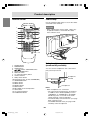
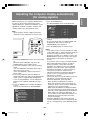
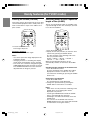
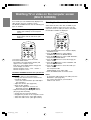
Adjusting the volume
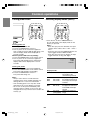
Enjoying surround sound
(Virtual Dolby Surround)
The volume can be set individually for PC mode
and TV/AV mode. Start by switching to the display
mode for which you want to set the volume.
DISPLAY
CC
MTS
The Virtual Dolby Surround function allows you to
enjoy powerful, realistic sound, just like in a movie
theater.
MUTE
VOL
CH
FLASHBACK
Manufactured under license from Dolby
Laboratories.
"Dolby", "Pro Logic" and the double-D symbol
are trademarks of Dolby Laboratories.
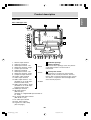
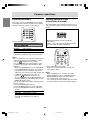
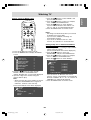
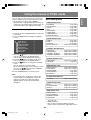
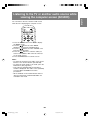
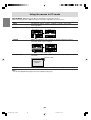
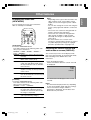
1. Press the VOL +/– buttons to adjust.
< PC >
VOLUME
30
Increase
VOL + button
Decrease
VOL – button
The screen for adjusting the volume will
automatically disappear after several seconds.
POWER
Virtual
PC
TV
AV
HDMI/DVI
FREEZE MULTI VIEW MODE
Notes:
- When headphones are connected, these buttons
automatically become the headphone volume
will appear on the screen.)
control. (
- You can also adjust the following items using
the menus. (See pages E45 and E48, or E52
and E57.)
- When "AV-OUT(AUDIO)" is set to "VARIABLE2"
in the MODE SELECT(2) menu, no sound can
be heard from the TV speakers and you can
adjust only the sound via the audio output and
headphone terminals using the VOL +/–
buttons. (
will appear on the screen.)
- To hear the sound from the DVI equipment, set
"AV-OUT(AUDIO)" to "DVI AUDIO-IN" using the
MODE SELECT(2) menu.
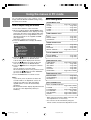
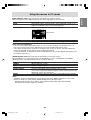
- You can also adjust the volume using the control
buttons on the TV.
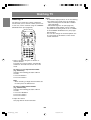
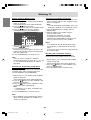
1. Press the VOL/BRIGHT buttons.
2. Press the MENU button to select "VOLUME".
3. Press the VOL/BRIGHT buttons to adjust the
volume.
Increase
VOL/BRIGHT > button
Decrease VOL/BRIGHT < button
The screen for adjusting the volume will
automatically disappear after about 15
seconds.
SLEEP
MENU
ENTER
BRIGHT
MODE
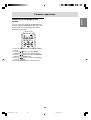
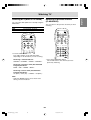
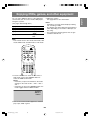
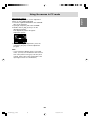
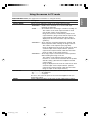
1. Press the Dolby Virtual button.
Each time you press the button, the function
turns "ON" or "OFF".
Notes:
- When headphones are connected or when
"AV-OUT(AUDIO)" is set to "VARIABLE2" in the
MODE SELECT(2) menu, the Virtual Dolby
Surround function cannot be used.
- You cannot get the Virtual Dolby Surround effect
for sound output via the audio output terminals.
E34
LD-26SH1U_gb_01.P65
34
BRIGHT
2005/01/21, 11:20