1
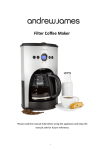
Automatic Coffee Maker Please read the manual fully before using the appliance and keep the manual safe for future reference. Contents Page Safety instructions Page 3 Appliance specific safety instructions Page 4 Appliance components illustration Page 5 Before using the appliance Page 6 Setting the coffee makers clock Page 6 Operating the appliance Page 6 Programming the coffee makers delay timer Page 7 Descaling and cleaning Page 7 Disposal of the appliance Page 8 UK & EU Guarantee Page 9 Electrical information Page 10 Contact details Page 11 Safety instructions When using any electrical appliance, basic safety precautions should always be followed, including: This appliance can be used by children aged from 8 years and above and persons with reduced physical, sensory or mental capabilities or lack of experience and knowledge if they have been given supervision or instruction concerning use of the appliance in a safe way and understand the hazards involved. Children shall not play with the appliance. Cleaning and user maintenance shall not be made by children unless they are older than 8 and supervised. Keep the appliance and its cord out of reach of children less than 8 years old. Always ensure the voltage on the rating label corresponds to the voltage in your home. Check the power cord and plug regularly for any damage. If the cord or the plug is damaged, it must be replaced by a qualified electrician or a service repair centre. If in doubt please contact our customer service team. The appliance is intended for domestic use only. Industrial or commercial use will void the warranty. The supplier cannot be held responsible for injury or damage if the appliance has been used for anything other than its intended use. Incorrect operation and use can damage the appliance and cause injury to the user. Do not use the appliance if it has been dropped or damaged in any way. If the unit has been damaged take the unit for examination and or repair by an authorised service agent. Do not immerse or expose the motor assembly, plug or the power cord in water or any other liquid for any reason. If the supply cord is damaged, it must be replaced by the manufacturer or by someone who is suitably qualified to avoid a potential hazard. Do not let the cord hang over the edge of a table or counter. Ensure that the cord is not in a position where it can be pulled or tripped over accidentally. Do not allow the cord to touch hot surfaces and do not place the cord near hot gas, electric burners or in a heated oven. Use of an extension cord with this appliance is not recommended. However if it is necessary to use an extension cord, ensure that the extension cord is equal to or greater than the power consumption of the appliance to avoid overheating of the appliance and extension cord. Do not use any other appliance on the extension cord. Do not place the extension cord in a position where it can be pulled on by children or animals or be tripped over. Always operate the appliance on a smooth, even and stable surface. Do not place the unit on a hot surface. Always remove the plug of the appliance safely. Do not pull on the appliances cord to remove the appliance plug from the electrical socket. Never handle or operate the appliance with wet hands. Appliance specific safety instructions Do not touch the hot surfaces of the appliance, please use the knobs and handles provided. Always use the appliance on a flat, stable and level surface. It is not recommended to remove the coffee pot during the brewing process as it could scald the user. However the coffee maker does have a built in automatic drip prevention system to prevent coffee from leaving the appliance without the coffee pot on the heating plate. Keep the appliance away from the flammable objects as they may catch fire. Only use products specifically designed to remove lime scale build up when descaling the appliance. Only put ground coffee in the filter holder, always use a filter either paper or permanent, in the appliance. Do not run the coffee machine without water in it, this will significantly damage the coffee maker. Do not heat the coffee jug in a microwave, the coffee maker has a built in keep warm function which will switch on automatically after a cycle has been completed. Appliance components illustration 1. 2. 3. 13. 4. 12. 5. 11. 10. 6. 9. 8. 7. 1. Water reserve lid 8. Digital programmable clock 2. Water reserve with clear window 9. Brew light 3. Cavity for filter holder 10. Programme button 4. Tempered glass carafe 11. On/Off button 5. Hour button 12. Heating plate 6. Minute button 13. Drip mechanism 7. Auto light Before using the appliance Run clean water through the appliance to remove any dirt. This can be done by filling the water reservoir with water, plugging in the appliance to the mains and pressing the on/off button. The red brewing light will now come on. Wait till all the water has passed through the machine and empty the tempered glass bowl. Setting the coffee makers clock Press the Programme button (10) the clock is now displayed on the screen. Press the hour and minute buttons (5-6) until the correct time is reached. Press the programme button (10) twice to exit the clock setting programme. Operating the appliance 1. Open the water reserve lid (1) and pour water into the water reserve. Make sure the water level is above minimum and below maximum, the maximum amount of water is 10 cups (approx.) 2. Place a filter paper or the permanent filter supplied into the cavity of the filter folder (3) . Add the desired amount of coffee using a scoop. 3. Put the tempered glass bowl on the heating plate. 4. Close the lid of the water reserve and plug the appliance into the mains supply. 5. Press the appliances “On/Off button” (11) the red brew light (9) will illuminate, indicating that the appliance is brewing. 6. Allow the coffee to fully drip into the tempered glass bowl. 7. The appliance will automatically keep the coffee warm for 30 minutes, this will be indicated by the brew light remaining on. 8. If you wish to serve the coffee before all the coffee has brewed the automatic drip mechanism (13) will prevent any coffee from being wasted. Just remove the tempered glass bowl (4) and serve. 9. To shut off your coffee maker manually before the 30 minute keep warm function has finished , press the On/Off button twice until both lights are turned off. Programming the coffee makers delay timer 1. Follow steps 1-4 in the section “operating the appliance”. 2. Set the coffee maker timer at the correct time. Refer to section “setting the coffee makers clock” for details of how to set the timer. 3. Press the “programme button” (10) twice, the clock will now display 12.00 with the words timer in the top left hand corner. 4. Set the desired brewing time on the clock using the hour and minute buttons. 5. Press the programme button again to set the time. 6. The coffee will now brew on the set time. 7. The coffee makers keep warm function will now be activated. Descaling and cleaning Switch off the appliance and unplug it from the mains supply. The filter holder, the permanent filter, the tempered glass bowl and the lid of the bowl can all be washed in clean soapy warm water. The coffee maker can be cleaned with a damp non-abrasive cloth. To descale the appliance , run clean water through the appliance at least once a month. Use specific products designed for descaling. Do not use vinegar to descale the appliance. Do not put any part of the appliance in the dishwasher. Clean the appliances bowl with soapy water and clean it with clear water. Disposal of the appliance Please note that this Andrew James product is mark with this Symbol: This means that this product must not be disposed of together with ordinary household waste, as electrical and electronic waste must be disposed of separately. In accordance with the WEEE directive, every member state must ensure correct collection, recovery, handling and recycling of electrical and electronic waste. Private households in the E.U. can take used equipment to special recycling stations free of charge. In certain member states used apparatus can be returned to the dealer where they were bought on the condition you buy new products. Contact your retailer, distributor or the municipal authorities for further information on what you should do with electrical and electronic waste. UK and EU Guarantee Your new Andrew James product comes with a 24 month guarantee and a 2 year fixed warranty, effective from receipt confirmation. Your receipt or order number is required as proof of purchase date so it is imperative that you keep it safe. This guarantee only applies if the item has been used solely for the use intended, and all instructions have been followed accordingly. Please note this product is only for domestic use only and is not for commercial use. Abuse of your product will invalidate the guarantee. Returned goods can only be accepted if repackaged properly within the original colour product box, and presented with the original receipt of sale/order number. This does not affect your statutory rights. Returned products must be cleaned and returned to us in as close to delivery condition as possible. If your product develops a problem within the first 12 months of the fixed warranty, we will pay all shipping costs to have it returned to us. After 12 months the customer will be liable for the cost of returning the product to us. We will then pay to have the repaired/replaced item shipped back to the customer. If you wish to return your item for a full refund, you have the right to do so within the first 7 days. For our returns policy please go to www.andrewjamesworldwide.com Customers are responsible for any taxes applied to our products when they are shipped outside of the EU. All of our prices are inclusive of VAT. Once a product has been returned to us, we will aim to repair or replace it within 30 days of receipt. The guarantee does not cover any defect arising from improper use, damage, build-up of lime scale or repair attempts made by third-parties. Also, the guarantee does not cover normal wear and tear of individual parts. Electrical Information Please note: It is extremely important that the wires or cores in the flex are connected to the correct terminals in the plug. If the colour of the mains lead of the appliance does not correspond with the coloured markings identifying the terminals in your plug proceed as follows: The Live (Brown) wire connects to the right- most live (L) terminal nearest to the fuse. The Neutral (Blue) wire connects to the left-most neutral (N) terminal. The Earth (Green and Yellow) wire connects to the central, top most earthed (E) terminal. Warning: If the appliance is double insulated, indicated by the double insulated symbol: it should not have an earth wire or earth connection. Plug The plug must be protected by the correct AMP fuse; this will be indicated on the case of the plug. Only BSI or ASTA approved fuses should be used. When changing the fuse always replace it with a fuse that is of the same identical rating as the original. If you are unsure about which plug or fuse to use, always refer to a qualified electrician. Please note after replacing the fuse, ensure that the cover is correctly fitted back onto the plug. Never attempt to run the appliance if the plug does not have a cover. If a moulded plug is fitted and has to be removed take great care in disposing of the plug and severed cable, it must be destroyed to prevent it from engaging into a socket. If the supply cord is damaged it must be replaced by a service agent or a similarly qualified person in order to avoid a hazard. All of our electrical appliances conform to pre-existing EC Directives 2006/95/EC (Low Voltage Directive) and 2004/108/EC (EMC Directives). For further information please visit http://www.esc.org.uk/industry/product-safety/ product-testing-screening/kitchen-appliances/ Contact details Andrew James UK LTD Unit 1 P C Henderson Premises Bowburn North Industrial Estate Bowburn Co Durham DH6 5NG Customer Service / Technical Support- Telephone 0844 335 8464 Customer Service/ Technical Support Email: [email protected] Website: www.andrewjamesworldwide.com Copyright Andrew James