1
Watching TV
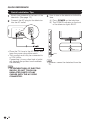
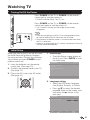
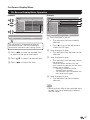
3. Location setting
• Press a/b to select “Home” or
“Store” and press d to the next
step.
Initial Setup
Location
Please select your location:
Home mode is destined for home
Home
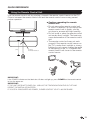
6. Channel scan setting
• Press a/b to select “Scan”
or “Skip Scan” and press d to
continue.
Initial Setup
Channel Scan
First, please connect cable and/or
antenna.
Store
user.
Store mode is designed for retail
store.
Scan
Skip Scan
Start channel scan now ?
If you skip this step, the channel
scan could be performed in Menu.
0%
Back
Select
Next
EXIT Exit
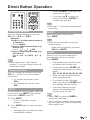
4. Time Zone setting
• Press a/b to select your current
location for time zone.
Initial Setup
Time Zone
Please select your time zone:
Eastem Time
Indiana
Central Time
Mountain Time
Arizona
Pacific Time
Alaska
Hawaii
Back
Select
Next
5. Tuner setting
• Make sure what kind of connection
is made with your TV when
selecting “Air” or “Cable”.
• Press a/b to select “Air” or
“Cable” and press d to the next
step.
Tuner
Please select your tuner mode:
Select
Next
Air
EXIT Exit
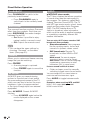
7. Start channel searching
• Wait until the channel scan to
complete.
• If you press EXIT, the process will
return to the previous step.
• If you skip this step, the channel
search can be performed in the TV
Menu. (See page 31.)
Initial Setup
EXIT Exit
Initial Setup
Back
Channel Scan
The channel scan may take a while
to complete.
Status: Scanning..
Analog Channels: 0
Digital Channels: 0
14%
EXIT Cancel
8. Initial setup completed
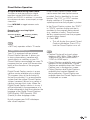
• Press ENTER to exit the setup
wizard.
Initial Setup
Complete
Cable
Congratulations !!
Completed Initial Setup.
Please press [ENTER] to exit the
wizard.
Back
Select
Next
EXIT Exit
Back
•• Auto programming may take 20+
minutes to complete. Please wait
until you see the Auto programming
complete message. The TV will then
switch automatically to the first channel
found.
20