1
OPERATING INSTRUCTIONS
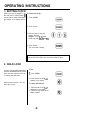
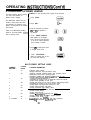
1. SETTING CLOCK
When your oven is plugged in foi
the first time or when power re,
sumes after a power interruption
the numbers in the display reset tc
0.
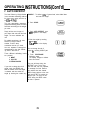
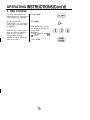
To set the time of day :
1. Touch CLEAR.
2. Touch CLOCK.
3. Enter the time by using the
number key pads.
Example: To set 3:15, touch
number key pads [3],[1] and [5].
4. Touch CLOCK.
The clock starts counting.
0
CLOCK
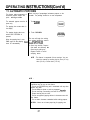
If the clock (or display) shows any abnormality, unplug the oven
from the AC outlet, plug it back in and then reset the clock.
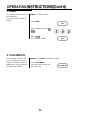
2. CHILD LOCK
This is a unique safety feature that
prevents accidental running of the
oven. Once the child lock-out is set,
no cooking can take place.
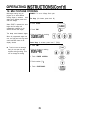
To set:
1. Touch CLEAR
2. Touch and hold 0 until “Lot
appears in the display.
When the child lock-out is set, you
can’t input any key.
To cancel child lock-out :
1. Touch and hold 0 until “Lot”
disappears in the display.
2. The time of day returns to the
display window.
-9-
00
00