1
1
COMPUTER INTERFACE
The 9412/9412A comes standard with an RS232 serial interface. All menu settings can be set
and retrieved over the computer interface using a simple command language.
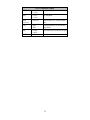
Serial (RS232) Pinout
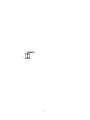
The serial port is located on the back of the 9412/9412A and uses a 9-pin D-type connector
with the following pinout (as viewed from the back of the 9412/9412A):
1.
2.
3.
4.
5.
6.
7.
8.
9.
No connection
Tx - Transmit (to computer)
Rx - Receive (from computer)
DTR - connected to pin 6
Ground
DSR - connected to pin 4
RTS - connected to pin 8
CTS - connected to pin 7
No connection
The voltage level of the Transmit signal is +/-10V, the Receive signal should be at least +/-5V.
Command Language
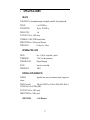
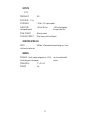
All menu items can be accessed and selected via the computer interface using a simple command language.
Command Protocol
All commands have the following syntax:
$<name> <##>CR
where
P $ indicates a command follows.
P <name> is the command name. No spaces are allowed between the $ and the <name> . The
name is case sensitive.
P <##> is an unsigned, integer associated with the command. A space must be inserted between
<name> and <##>.
21