1
4.1.2 Zoom levels
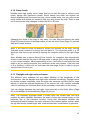
MioMap uses high quality vector maps that let you see the map at various zoom
levels, always with optimized content. Street names and other text objects are
always displayed with the same font size, never upside down, and you only see as
many streets and objects as needed to find your way around the map. Zoom in and
out to see how the map changes in either the 2D or 3D view.
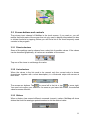
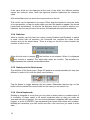
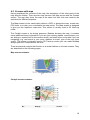
Changing the scale of the map is very easy. You can drag and stretch the scale
(Page 23) at the bottom of the Map screen, or use the zoom icons (Page 21) on both
Map and Cockpit screens.
Note: If you need to zoom out briefly to locate your position on the map, use the
Overview mode instead of zooming out and back in. The Overview mode is a 2D
North-up view that can be started by tapping the compass button on the right (Page
23).
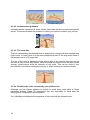
Note: MioMap has a special Smart Zoom function for navigation that automatically
rotates, scales and tilts the map in 3D map mode to always give you the optimal view
in your current situation. When approaching a turn, it will zoom in and raise the view
angle to let you easily recognize your maneuver at the next junction. If the next turn
is at a distance, it will zoom out and lower the view angle to flat in order to let you
see the road in front of you.
4.1.3 Daylight and night color schemes
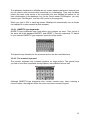
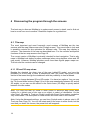
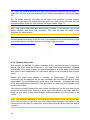
The different color schemes let you adjust MioMap to the brightness of the
environment. Use the daylight and night color schemes accordingly. Daylight colors
are similar to paper roadmaps, while the night color schemes use dark tints for large
objects to keep the average brightness of the screen low, with carefully selected
colors to still keep you informed about all the necessary information on the screen.
You can change between day and night views manually in the Quick Menu (Page
35) or let MioMap do it automatically (Page 64) for you.
Note: The automatic day/night mode is based upon the current date and GPS
position by which MioMap calculates the exact sunrise and sunset times on the
particular day at the particular location. Using that information MioMap can
automatically switch between the color schemes a few minutes before sunrise, when
the sky has already turned bright, and a few minutes after sunset before it gets dark.
15