1
AUTODOME 5000 Analog PTZ Camera
On-Screen Display (OSD) Menu | en
53
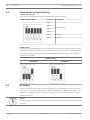
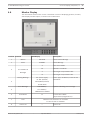
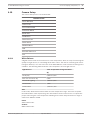
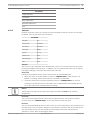
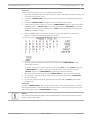
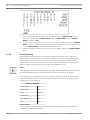
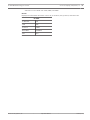
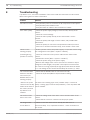
ALARM SETTING
Alarm Pin
01
Alarm Switch
OFF
Alarm Type
NO
Alarm Action
Preset
Preset Point
01
Dwell Time
003 Sec
Alarm Priority
1
Alarm Output
1+2
Exit
Yes
Alarm Pin
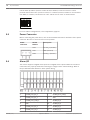
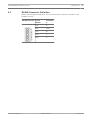
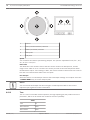
The camera supports up to four sets of alarm inputs. Select an alarm input pin number to
setup its related parameters. For pin definitions of the alarm connector, refer to the section
Alarm Type.
Notice!
If two or more alarm pins are triggered at the same time and their alarm priority numbers are
the same, then the alarm pin with the smaller number will have higher priority to be handled.
For example, if Alarm-1 and Alarm-3 are triggered simultaneously, only Alarm-1 will actually be
handled.
Alarm Switch
Use this option to enable (ON) or disable (OFF) the selected alarm pin.
Alarm Type
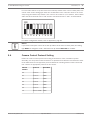
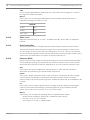
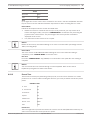
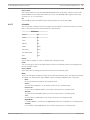
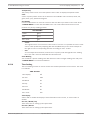
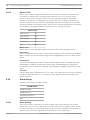
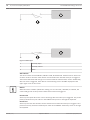
There are two different alarm types: Normally Open and Normally Closed, which are illustrated
below. Select an alarm type that corresponds with the alarm application.
Bosch Security Systems, Inc.
Operations Manual
2013.07 | 1.3 |