1
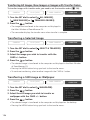
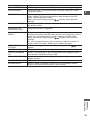
Transferring All Images, New Images or Images with Transfer Orders
To transfer images with transfer order, you need to set the transfer orders (
CAMERA
PLAY (VCR)
CARD CAMERA
138).
CARD PLAY
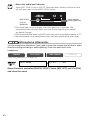
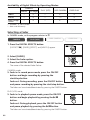
1. Turn the SET dial to select [ ALL IMAGES],
[ NEW IMAGES] or [ TRANSFER ORDERS].
2. Press the
button.
• The images are transferred to the computer and displayed in
the Main Window of ZoomBrowser EX.
• The camcorder displays the transfer menu when transfer is complete.
Transferring a Selected Image
CAMERA
PLAY (VCR)
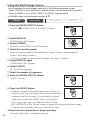
1. Turn the SET dial to select [
2. Press the
CARD CAMERA
CARD PLAY
SELECT & TRANSFER].
button.
3. Select the image you wish to transfer with the
CARD+/– button.
4. Press the
button.
• The selected image is transferred to the computer and displayed in the Main Window
of ZoomBrowser EX.
• Pressing the MENU button brings you back to the transfer menu.
• To continue transferring, select another image with the CARD+/– button.
Transferring a Still Image as Wallpaper
CAMERA
PLAY (VCR)
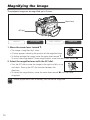
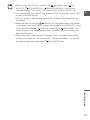
1. Turn the SET dial to select [
2. Press the
CARD CAMERA
CARD PLAY
WALLPAPER].
button.
3. Select the still image you wish to transfer as
wallpaper with the CARD +/– button.
4. Press the
button.
• The selected image is transferred to the computer and displayed on the desktop.
• Pressing the MENU button brings you back to the transfer menu.
136