1
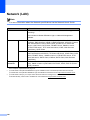
Specifications
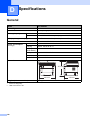
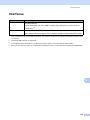
Interfaces
D
Model
DCP-8250DN
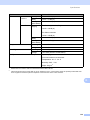
USB
Hi-Speed USB 2.0 1 2
It is recommended you use a USB 2.0 cable (Type A/B) that is no more than 2.0
metres long. 1 2
Ethernet 3
10BASE-T / 100BASE-TX / 1000BASE-T 4
Use a straight-through Category 5e (or greater) Shielded Twisted-Pair (STP) cable.
1
Your machine has a Hi-Speed USB 2.0 interface. The machine can also be connected to a computer that has a USB
1.1 interface.
2
Third-party USB ports are not supported.
3
For detailed network specifications, see Network (LAN) uu page 144 and uu Network User's Guide.
4
When you connect the machine to a Gigabit Ethernet Network, use the network devices complying with 1000BASE-T.
D
139