1
Troubleshooting and routine maintenance
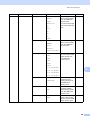
Scanning difficulties
C
Difficulties
Suggestions
TWAIN errors appear while
scanning.
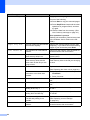
Make sure that the Brother TWAIN driver is chosen as the primary source. In
PaperPort™ 11SE, click File, Scan or Get Photo and choose the
Brother TWAIN driver.
OCR does not work.
Try increasing the scanning resolution.
The machine does not scan all the
pages of your document.
Make sure that the ADF output tray does not contain more than 20 sheets.
Software difficulties
C
Difficulties
Suggestions
Cannot install software or print.
Run the Repair MFL-Pro Suite program on the CD-ROM. This program will repair
and reinstall the software.
Cannot perform ‘2 in 1’ or ‘4 in 1’
printing.
Check that the paper size setting in the application and in the printer driver are the
same.
The machine does not print from
Try to reduce the print resolution. (See Advanced tab in the Software User’s Guide
on the CD-ROM.)
Adobe® Illustrator®.
C
57