1
3.8
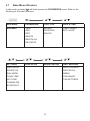
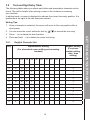
Text and Digit Entry Table
The following tables show you where each letter and punctuation character can be
found. This will be helpful when storing a name in the contacts or renaming
your handset.
In editing mode, a cursor is displayed to indicate the current text entry position. It is
positioned at the right of the last character entered.
Writing Tips:
1. Once a character is selected, the cursor will move to the next position after a
short pause.
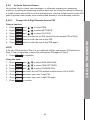
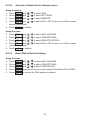
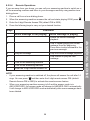
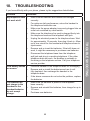
2. You can move the cursor within the text by
3. Press
to amend the text entry.
to delete the entire text string.
English Character Set
Key
Alphanumeric Editing
Number Editing
(For phone
number editing,
date / time
editing)
(For phonebook name editing and renaming
handset)
Key
press
1st
2nd
3rd
4th
5th
6th
7th
8th
9th
10th
1
space
-
1
2
A
B
C
2
2
1
3
D
E
F
3
3
4
G
H
I
4
4
5
J
K
L
5
5
6
M
N
O
6
6
7
P
Q
R
S
8
T
U
V
8
9
W
X
Y
Z
0
0
7
7
8
9
9
0, P (Pause)
*
*
?
/
\
(
)
*
#
#
‘
,
-
.
&
#
14
GET TO KNOW YOUR PHONE
4. Press and hold
3.8.1
/
to delete the last character.