1
User’s Guide
Notations Used in This Guide
• Safety indications
The documentation and the projector use graphical symbols to show how to use the projector safely.
The indications and their meaning are as follows. Make sure you understand them properly before reading the guide.
Warning
This symbol indicates information that, if ignored, could possibly result in personal injury or even death due to incorrect handling.
Caution
This symbol indicates information that, if ignored, could possibly result in personal injury or physical damage due to incorrect handling.
• General information indications
Attention
a
Indicates procedures which may result in damage or injury if sufficient care is not taken.
Indicates additional information and points which may be useful to know regarding a topic.
s
Indicates a page where detailed information regarding a topic can be found.
g
Indicates that an explanation of the underlined word or words in front of this symbol appears in the glossary of terms. See the "Glossary"
section of the "Appendices".
s "Glossary" p.254
[Name]
Menu Name
Indicates the name of the buttons on the remote control or the control panel.
Example: [Esc] button
Indicates Configuration menu items.
Example:
Select Brightness from Image.
Image - Brightness
Contents
3
Notations Used in This Guide . . . . . . . . . . . . . . . . . . . . . . . . 2
Setting Up the Touch Unit (EB-1430Wi only) . . . . . . . . . . . . . . . . . . . . . . . . . 32
Connecting Equipment . . . . . . . . . . . . . . . . . . . . . . . . . . . . . . . . . . . . . 33
Introduction
Projector Features . . . . . . . . . . . . . . . . . . . . . . . . . . . . . . . . . . . . . . . . . . 9
Interactive Features (Easy Interactive Function) . . . . . . . . . . . . . . . . . . . . . . .
Easily Perform Operations from the Control Pad . . . . . . . . . . . . . . . . . . . . . . .
Project Two Images Simultaneously (Split Screen) . . . . . . . . . . . . . . . . . . . . .
Connecting to a Network and Projecting Images from the Computer's Screen . .
.
.
.
.
. . 9
.. 9
. . 9
. 10
Part Names and Functions . . . . . . . . . . . . . . . . . . . . . . . . . . . . . . . . . . 11
Front/Side . . . . . . . . . . . . . . . . . . . . . . . . . . . . . . . . . . . . . . . . . . . . . .
Top/Side . . . . . . . . . . . . . . . . . . . . . . . . . . . . . . . . . . . . . . . . . . . . . . .
Interface . . . . . . . . . . . . . . . . . . . . . . . . . . . . . . . . . . . . . . . . . . . . . . .
Base . . . . . . . . . . . . . . . . . . . . . . . . . . . . . . . . . . . . . . . . . . . . . . . . . .
Attaching the Feet (Only Models with Feet Supplied) . . . . . . . . . . . . . . .
Control Panel . . . . . . . . . . . . . . . . . . . . . . . . . . . . . . . . . . . . . . . . . . . .
Remote Control . . . . . . . . . . . . . . . . . . . . . . . . . . . . . . . . . . . . . . . . . . .
Replacing the Remote Control Batteries . . . . . . . . . . . . . . . . . . . . . . . .
Remote Control Operating Range . . . . . . . . . . . . . . . . . . . . . . . . . . . .
Interactive Pen . . . . . . . . . . . . . . . . . . . . . . . . . . . . . . . . . . . . . . . . . . .
Replacing the Battery for the Interactive Pen . . . . . . . . . . . . . . . . . . . . .
Replacing the Tip of the Interactive Pen . . . . . . . . . . . . . . . . . . . . . . . .
Pen Tray . . . . . . . . . . . . . . . . . . . . . . . . . . . . . . . . . . . . . . . . . . . . . . . .
Control Pad . . . . . . . . . . . . . . . . . . . . . . . . . . . . . . . . . . . . . . . . . . . . .
Replacing the Batteries for the Control Pad . . . . . . . . . . . . . . . . . . . . . .
Touch Unit (EB-1430Wi only) . . . . . . . . . . . . . . . . . . . . . . . . . . . . . . . . . .
Front . . . . . . . . . . . . . . . . . . . . . . . . . . . . . . . . . . . . . . . . . . . . . . . .
Rear . . . . . . . . . . . . . . . . . . . . . . . . . . . . . . . . . . . . . . . . . . . . . . . . .
.
.
.
.
.
.
.
.
.
.
.
.
.
.
.
.
.
.
.
.
.
.
.
.
.
.
.
.
.
.
.
.
.
.
.
.
.
.
.
.
.
.
.
.
.
.
.
.
.
.
.
.
.
.
.
.
.
.
.
.
.
.
.
.
.
.
.
.
.
.
.
.
11
12
13
15
15
16
17
20
21
21
22
23
24
24
25
27
27
27
Preparing the Projector
Installing the Projector . . . . . . . . . . . . . . . . . . . . . . . . . . . . . . . . . . . . . 30
Installation Methods . . . . . . . . . . . . . . . . . . . . . . . . . . . . . . . . . . . . . . . . . . . 30
When Using the Interactive Features . . . . . . . . . . . . . . . . . . . . . . . . . . . . . . 31
Connecting to the Projector . . . . . . . . . . . . . . . . . . . . . . . . . . . . . . . . . . .
Connecting a Computer . . . . . . . . . . . . . . . . . . . . . . . . . . . . . . . . . . . .
Connecting a Smartphone or Tablet Device . . . . . . . . . . . . . . . . . . . . . . .
Connecting Image Sources . . . . . . . . . . . . . . . . . . . . . . . . . . . . . . . . . .
Connecting USB Devices . . . . . . . . . . . . . . . . . . . . . . . . . . . . . . . . . . . .
Connecting External Equipment . . . . . . . . . . . . . . . . . . . . . . . . . . . . . .
Connecting a LAN Cable . . . . . . . . . . . . . . . . . . . . . . . . . . . . . . . . . . . .
Installing the Wireless LAN Unit . . . . . . . . . . . . . . . . . . . . . . . . . . . . . . .
Connecting Multiple Projectors . . . . . . . . . . . . . . . . . . . . . . . . . . . . . . .
Connecting to the Control Pad . . . . . . . . . . . . . . . . . . . . . . . . . . . . . . . . .
Connections when Projecting with USB Display and when Performing Mouse
Operations Using the Interactive Feature . . . . . . . . . . . . . . . . . . . . . . . .
Connecting Using PC Free . . . . . . . . . . . . . . . . . . . . . . . . . . . . . . . . . .
Connecting a Printer . . . . . . . . . . . . . . . . . . . . . . . . . . . . . . . . . . . . . .
.
.
.
.
.
.
.
.
.
.
.
.
.
.
.
.
.
.
.
.
.
.
.
.
.
.
.
.
.
.
35
35
37
38
40
42
44
45
46
48
. . . 48
. . . 50
. . . 51
Basic Projection Methods
Projecting Images . . . . . . . . . . . . . . . . . . . . . . . . . . . . . . . . . . . . . . . . . 53
From Installation to Projection . . . . . . . . . . . . . . . . . . . . . . . . . . . . . . . . . . . . .
Automatically Detect Input Signals and Change the Projected Image (Source Search)
... ....... ......... ... ....... ......... ... ....... ..........
Projecting with USB Display . . . . . . . . . . . . . . . . . . . . . . . . . . . . . . . . . . . . . .
Necessary Settings . . . . . . . . . . . . . . . . . . . . . . . . . . . . . . . . . . . . . . . . . . .
System Requirements . . . . . . . . . . . . . . . . . . . . . . . . . . . . . . . . . . . . . . . .
Connecting for the First Time . . . . . . . . . . . . . . . . . . . . . . . . . . . . . . . . . . .
Uninstalling . . . . . . . . . . . . . . . . . . . . . . . . . . . . . . . . . . . . . . . . . . . . . . .
53
54
55
55
55
56
57
Adjusting Projected Images . . . . . . . . . . . . . . . . . . . . . . . . . . . . . . . . 59
Correcting Keystone Distortion . . . . . . . . . . . . . . . . . . . . . . . . . . . . . . . . . .
H/V-Keystone . . . . . . . . . . . . . . . . . . . . . . . . . . . . . . . . . . . . . . . . . . . .
Quick Corner . . . . . . . . . . . . . . . . . . . . . . . . . . . . . . . . . . . . . . . . . . . . .
Adjusting the Image Size . . . . . . . . . . . . . . . . . . . . . . . . . . . . . . . . . . . . . .
Adjusting the Position of the Image (Image Shift) . . . . . . . . . . . . . . . . . . . . . .
Adjusting the Vertical Position of the Image (Models Supplied with the Feet Only)
... ....... ......... ... ....... ......... ... ....... ........
.
.
.
.
.
.
.
.
.
.
59
59
60
61
62
. . 63
Contents
4
Raising the Height of the Image . . . . . . . . . . . . . . . . . . . . . . . . . . . . . . . . . .
Lowering the Height of the Image . . . . . . . . . . . . . . . . . . . . . . . . . . . . . . . .
Adjusting the Horizontal Position of the Image (Models Supplied with the Feet Only)
........ ......... .......... ......... .......... ......... ...
Correcting the Focus . . . . . . . . . . . . . . . . . . . . . . . . . . . . . . . . . . . . . . . . . . .
Adjusting the Volume . . . . . . . . . . . . . . . . . . . . . . . . . . . . . . . . . . . . . . . . . .
Adjusting the Image . . . . . . . . . . . . . . . . . . . . . . . . . . . . . . . . . . . . . . . . . . .
Hue, Saturation, and Brightness Adjustment . . . . . . . . . . . . . . . . . . . . . . . . .
Gamma Adjustment . . . . . . . . . . . . . . . . . . . . . . . . . . . . . . . . . . . . . . . . . .
Selecting the Projection Quality (Selecting Color Mode) . . . . . . . . . . . . . . . . . . .
Setting Auto Iris . . . . . . . . . . . . . . . . . . . . . . . . . . . . . . . . . . . . . . . . . . . . . .
Changing the Aspect Ratio of the Projected Image . . . . . . . . . . . . . . . . . . . . . . .
Changing Methods . . . . . . . . . . . . . . . . . . . . . . . . . . . . . . . . . . . . . . . . . .
Changing the Aspect Mode . . . . . . . . . . . . . . . . . . . . . . . . . . . . . . . . . . . . .
63
63
63
64
66
66
66
66
67
68
68
69
69
Draw on the Projected Image (Annotation Mode) . . . . . . . . . . . 105
Using the Interactive Features
Interactive Feature Modes . . . . . . . . . . . . . . . . . . . . . . . . . . . . . . . . . . 72
Preparing Before Using Interactive Features . . . . . . . . . . . . . . . . . 74
Safety Instructions for Interactive Features . . . . . . . . . . . . . . . . . . . . . . . . .
Using the Interactive Pens . . . . . . . . . . . . . . . . . . . . . . . . . . . . . . . . . . . .
Pen Calibration . . . . . . . . . . . . . . . . . . . . . . . . . . . . . . . . . . . . . . . . . .
Calibrating Automatically . . . . . . . . . . . . . . . . . . . . . . . . . . . . . . . . . . .
Calibrating Manually . . . . . . . . . . . . . . . . . . . . . . . . . . . . . . . . . . . . . .
Using Interactive Touch Operations with Your Finger (EB-1430Wi) . . . . . . . . .
Calibrating for Touch Operations with Your Finger . . . . . . . . . . . . . . . . . .
Safety Instructions for Interactive Touch Operations . . . . . . . . . . . . . . . . .
Laser Warning Labels . . . . . . . . . . . . . . . . . . . . . . . . . . . . . . . . . . . . . .
.
.
.
.
.
.
.
.
.
.
.
.
.
.
.
.
.
.
.
.
.
.
.
.
.
.
.
74
74
76
76
77
79
81
83
84
Draw on a Whiteboard Screen (Whiteboard Mode) . . . . . . . . . . . . 85
Starting Whiteboard Mode . . . . . . . . . . . . . . . . . . . . . . . . . . . . . . . . . .
Safety Instructions for Whiteboard Mode . . . . . . . . . . . . . . . . . . . . . .
Whiteboard Mode Toolbar . . . . . . . . . . . . . . . . . . . . . . . . . . . . . . . . . .
Whiteboard Mode Bottom Toolbar . . . . . . . . . . . . . . . . . . . . . . . . . . . . .
Projecting Scanned Images in Whiteboard Mode . . . . . . . . . . . . . . . . . . .
Compatible File Types for Opening in Whiteboard Mode . . . . . . . . . . . . . .
Sharing Drawings Created in Whiteboard Mode . . . . . . . . . . . . . . . . . . . . . . . . . 93
Saving Drawing Contents in Whiteboard Mode . . . . . . . . . . . . . . . . . . . . . . . 93
Available File Format in Whiteboard Mode . . . . . . . . . . . . . . . . . . . . . . . . . . 94
Printing Drawing Contents in Whiteboard Mode . . . . . . . . . . . . . . . . . . . . . . 94
Available Printer Control Commands in Whiteboard Mode . . . . . . . . . . . . . . . 95
Sending Emails in Whiteboard Mode . . . . . . . . . . . . . . . . . . . . . . . . . . . . . . 95
Share Drawing Contents with Other Devices . . . . . . . . . . . . . . . . . . . . . . . . . . . 96
Sharing Whiteboard Screen with Other Devices . . . . . . . . . . . . . . . . . . . . . . . 97
Browse the Shared Drawing Contents . . . . . . . . . . . . . . . . . . . . . . . . . . . . . . 98
Connecting to a Whiteboard Screen from Other Projectors . . . . . . . . . . . . . . . 99
Available Features when Connecting to a Whiteboard Screen . . . . . . . . . . . . 100
Connecting to a Whiteboard Screen from a Tablet PC or Computer via a Web
Browser . . . . . . . . . . . . . . . . . . . . . . . . . . . . . . . . . . . . . . . . . . . . . . . . . 101
Connectable Web Browser Requirements for Whiteboard Screen . . . . . . . . . . 101
Toolbar for Whiteboard Screen Connecting via a Web Browser . . . . . . . . . . . . 102
.
.
.
.
.
.
.
.
.
.
.
.
.
.
.
.
.
.
.
.
.
.
.
.
.
.
.
.
.
.
85
86
86
89
91
92
Starting Annotation Mode . . . . . . . . . . . . . . . . . . . . . . . . . . . . . . . . . . . . . .
Annotation Mode Toolbar . . . . . . . . . . . . . . . . . . . . . . . . . . . . . . . . . . . . . . .
Annotation Mode Bottom Toolbar . . . . . . . . . . . . . . . . . . . . . . . . . . . . . . . . .
Using Drawing Contents of Annotation Mode . . . . . . . . . . . . . . . . . . . . . . . . .
Saving Drawing Contents in Annotation Mode . . . . . . . . . . . . . . . . . . . . . . .
Printing Drawing Contents in Annotation Mode . . . . . . . . . . . . . . . . . . . . . .
105
106
108
109
109
109
Control Computer Features from a Projected Screen (Computer
Interactive Mode) . . . . . . . . . . . . . . . . . . . . . . . . . . . . . . . . . . . . . . . . 111
Using Computer Interactive Mode . . . . . . . . . . . . . . . . . . . . . . . . . . . . . . . . .
Adjusting the Pen Operation Area . . . . . . . . . . . . . . . . . . . . . . . . . . . . . . . . .
Easy Interactive Driver System Requirements (OS X only) . . . . . . . . . . . . . . . . . .
Installing Easy Interactive Driver on OS X . . . . . . . . . . . . . . . . . . . . . . . . . . . . .
111
114
115
116
Switching the Interactive Mode . . . . . . . . . . . . . . . . . . . . . . . . . . . . 117
Control the Projector from Projected Screen . . . . . . . . . . . . . . . . 118
Selecting Network Device Display from the Projector Control Toolbar . . . . . . . . . 118
Using the Interactive Features over a Network . . . . . . . . . . . . . . 120
Precautions when Connecting to a Projector on a Different Subnet . . . . . . . . . . . 120
Contents
5
Windows Pen Input and Ink Tools . . . . . . . . . . . . . . . . . . . . . . . . . . 122
Enabling Windows Pen Input and Ink Features . . . . . . . . . . . . . . . . . . . . . . . . . 122
Using Windows Pen Input and Ink Features . . . . . . . . . . . . . . . . . . . . . . . . . . . 123
Use Interactive Features when Projecting Two Images
Simultaneously . . . . . . . . . . . . . . . . . . . . . . . . . . . . . . . . . . . . . . . . . . . 124
Switching Split Screen Projection . . . . . . . . . . . . . . . . . . . . . . . . . . . . . . . . . . 124
Using Computer Interactive Mode on a Split Screen . . . . . . . . . . . . . . . . . . . . . 126
Useful Functions
Projection Functions . . . . . . . . . . . . . . . . . . . . . . . . . . . . . . . . . . . . . . 128
Projecting Two Images Simultaneously (Split Screen) . . . . . . . . . . . . . . . . . . . .
Input Sources for Split Screen Projection . . . . . . . . . . . . . . . . . . . . . . . . . . .
Operating Procedures . . . . . . . . . . . . . . . . . . . . . . . . . . . . . . . . . . . . . . .
Restrictions During Split Screen Projection . . . . . . . . . . . . . . . . . . . . . . . . .
Projecting Images Stored on a USB Storage Device (PC Free) . . . . . . . . . . . . . . .
Specifications for Files that can be Projected Using PC Free . . . . . . . . . . . . . .
PC Free Examples . . . . . . . . . . . . . . . . . . . . . . . . . . . . . . . . . . . . . . . . . .
PC Free Operating Methods . . . . . . . . . . . . . . . . . . . . . . . . . . . . . . . . . . .
Projecting the Selected Images or Movies . . . . . . . . . . . . . . . . . . . . . . . . . .
Projecting PDF Files . . . . . . . . . . . . . . . . . . . . . . . . . . . . . . . . . . . . . . . . .
Projecting Image Files in a Folder in Sequence (Slideshow) . . . . . . . . . . . . . .
Image File Display Settings and Slideshow Operation Settings . . . . . . . . . . . .
Hiding the Image and Sound Temporarily (A/V Mute) . . . . . . . . . . . . . . . . . . . .
Freezing the Image (Freeze) . . . . . . . . . . . . . . . . . . . . . . . . . . . . . . . . . . . . .
Pointer Function (Pointer) . . . . . . . . . . . . . . . . . . . . . . . . . . . . . . . . . . . . . . .
Enlarging Part of the Image (E-Zoom) . . . . . . . . . . . . . . . . . . . . . . . . . . . . . . .
Using the Remote Control to Operate the Mouse Pointer (Wireless Mouse) . . . . . .
Saving a User's Logo . . . . . . . . . . . . . . . . . . . . . . . . . . . . . . . . . . . . . . . . . . .
Saving User Pattern . . . . . . . . . . . . . . . . . . . . . . . . . . . . . . . . . . . . . . . . . . .
128
129
130
132
132
133
134
134
137
137
139
140
141
141
142
143
144
145
147
Security Functions . . . . . . . . . . . . . . . . . . . . . . . . . . . . . . . . . . . . . . . . 149
Managing Users (Password Protection) . . . . . . . . . . . . . . . . . . . . .
Kinds of Password Protection . . . . . . . . . . . . . . . . . . . . . . . . .
Setting Password Protection . . . . . . . . . . . . . . . . . . . . . . . . . .
Entering the Password . . . . . . . . . . . . . . . . . . . . . . . . . . . . . .
.
.
.
.
.
.
.
.
.
.
.
.
.
.
.
.
.
.
.
.
.
.
.
.
.
.
.
.
.
.
.
.
.
.
.
.
149
149
149
150
Restricting Operation (Control Panel Lock) . . . . . . . . . . . . . . . . . . . . . . . . . . . 151
Anti-Theft Lock . . . . . . . . . . . . . . . . . . . . . . . . . . . . . . . . . . . . . . . . . . . . . . 152
Installing the Wire Lock . . . . . . . . . . . . . . . . . . . . . . . . . . . . . . . . . . . . . . . 152
Monitoring and Controlling . . . . . . . . . . . . . . . . . . . . . . . . . . . . . . . 153
About EasyMP Monitor . . . . . . . . . . . . . . . . . . . . . . . . . . . . . . . . . . . . . . . . .
Message Broadcasting . . . . . . . . . . . . . . . . . . . . . . . . . . . . . . . . . . . . . . .
Changing Settings Using a Web Browser (Web Control) . . . . . . . . . . . . . . . . . . .
Projector Setup . . . . . . . . . . . . . . . . . . . . . . . . . . . . . . . . . . . . . . . . . . . .
Displaying the Web Control Screen . . . . . . . . . . . . . . . . . . . . . . . . . . . . . .
Displaying the Web Remote Screen . . . . . . . . . . . . . . . . . . . . . . . . . . . . . .
Setting Certificates . . . . . . . . . . . . . . . . . . . . . . . . . . . . . . . . . . . . . . . . . .
Creating an Address Book . . . . . . . . . . . . . . . . . . . . . . . . . . . . . . . . . . . . .
Secure HTTP Notes . . . . . . . . . . . . . . . . . . . . . . . . . . . . . . . . . . . . . . . . . .
List of Supported Certificates . . . . . . . . . . . . . . . . . . . . . . . . . . . . . . . . . . .
Using the Mail Notification Function to Report Problems . . . . . . . . . . . . . . . . . .
Reading Error Notification Mail . . . . . . . . . . . . . . . . . . . . . . . . . . . . . . . . .
Management Using SNMP . . . . . . . . . . . . . . . . . . . . . . . . . . . . . . . . . . . . . .
ESC/VP21 Commands . . . . . . . . . . . . . . . . . . . . . . . . . . . . . . . . . . . . . . . . . .
Command List . . . . . . . . . . . . . . . . . . . . . . . . . . . . . . . . . . . . . . . . . . . . .
Cable Layouts . . . . . . . . . . . . . . . . . . . . . . . . . . . . . . . . . . . . . . . . . . . . .
About PJLink . . . . . . . . . . . . . . . . . . . . . . . . . . . . . . . . . . . . . . . . . . . . . . . .
About Crestron RoomView . . . . . . . . . . . . . . . . . . . . . . . . . . . . . . . . . . . . .
Operating a Projector from Your Computer . . . . . . . . . . . . . . . . . . . . . . . . .
Setting Schedule . . . . . . . . . . . . . . . . . . . . . . . . . . . . . . . . . . . . . . . . . . . . .
Setting the Time . . . . . . . . . . . . . . . . . . . . . . . . . . . . . . . . . . . . . . . . . . .
Saving a Schedule . . . . . . . . . . . . . . . . . . . . . . . . . . . . . . . . . . . . . . . . . .
Checking Schedule . . . . . . . . . . . . . . . . . . . . . . . . . . . . . . . . . . . . . . . . .
Editing a Schedule . . . . . . . . . . . . . . . . . . . . . . . . . . . . . . . . . . . . . . . . . .
®
153
153
153
153
154
154
156
157
157
157
158
158
159
159
159
160
160
161
161
164
164
166
167
168
Configuration Menu
Using the Configuration Menu . . . . . . . . . . . . . . . . . . . . . . . . . . . . . 172
List of Functions . . . . . . . . . . . . . . . . . . . . . . . . . . . . . . . . . . . . . . . . . . 173
Configuration Menu Table . . . . . . . . . . . . . . . . . . . . . . . . . . . . . . . . . . . . . . 173
Network Menu . . . . . . . . . . . . . . . . . . . . . . . . . . . . . . . . . . . . . . . . . . . . 174
Contents
Image Menu . . . . . . . . . . . . . . . . . . . . . . . . . . . . . . . . . . . . . . . . . . . . . . . .
Signal Menu . . . . . . . . . . . . . . . . . . . . . . . . . . . . . . . . . . . . . . . . . . . . . . . .
Settings Menu . . . . . . . . . . . . . . . . . . . . . . . . . . . . . . . . . . . . . . . . . . . . . . .
Extended Menu . . . . . . . . . . . . . . . . . . . . . . . . . . . . . . . . . . . . . . . . . . . . . .
Easy Interactive Function Setting Items . . . . . . . . . . . . . . . . . . . . . . . . . . . .
Whiteboard Settings Screen . . . . . . . . . . . . . . . . . . . . . . . . . . . . . . . . . . .
Network Menu . . . . . . . . . . . . . . . . . . . . . . . . . . . . . . . . . . . . . . . . . . . . . .
Notes on Operating the Network Menu . . . . . . . . . . . . . . . . . . . . . . . . . . . .
Soft Keyboard Operations . . . . . . . . . . . . . . . . . . . . . . . . . . . . . . . . . . . . .
Basic Menu . . . . . . . . . . . . . . . . . . . . . . . . . . . . . . . . . . . . . . . . . . . . . . .
Wireless LAN Menu . . . . . . . . . . . . . . . . . . . . . . . . . . . . . . . . . . . . . . . . .
Security Menu . . . . . . . . . . . . . . . . . . . . . . . . . . . . . . . . . . . . . . . . . . . .
Wired LAN Menu . . . . . . . . . . . . . . . . . . . . . . . . . . . . . . . . . . . . . . . . . . .
Administrator Settings Menu . . . . . . . . . . . . . . . . . . . . . . . . . . . . . . . . . . .
Reset Menu . . . . . . . . . . . . . . . . . . . . . . . . . . . . . . . . . . . . . . . . . . . . . . .
ECO Menu . . . . . . . . . . . . . . . . . . . . . . . . . . . . . . . . . . . . . . . . . . . . . . . . .
Info Menu (Display only) . . . . . . . . . . . . . . . . . . . . . . . . . . . . . . . . . . . . . . . .
Reset Menu . . . . . . . . . . . . . . . . . . . . . . . . . . . . . . . . . . . . . . . . . . . . . . . . .
6
175
176
178
179
181
183
187
188
188
189
190
192
194
195
198
199
200
201
Performing Batch Setup for Multiple Projectors . . . . . . . . . . . . . 202
Troubleshooting
Using the Help . . . . . . . . . . . . . . . . . . . . . . . . . . . . . . . . . . . . . . . . . . . 204
Problem Solving . . . . . . . . . . . . . . . . . . . . . . . . . . . . . . . . . . . . . . . . . . 205
Reading the Indicators . . . . . . . . . . . . . . . . . . . . . . . . . . . . . . . . . . . . . . . . .
When the Indicators Provide No Help . . . . . . . . . . . . . . . . . . . . . . . . . . . . . . .
Problems Relating to Images . . . . . . . . . . . . . . . . . . . . . . . . . . . . . . . . . . . . .
No Images Appear . . . . . . . . . . . . . . . . . . . . . . . . . . . . . . . . . . . . . . . . . .
Moving Images are Not Displayed (Only the Moving Image Portion Turns Black)
........................................................
Projection Stops Automatically . . . . . . . . . . . . . . . . . . . . . . . . . . . . . . . . .
The Message Not supported is Displayed . . . . . . . . . . . . . . . . . . . . . . . . . .
The Message No Signal is Displayed . . . . . . . . . . . . . . . . . . . . . . . . . . . . . .
Images are Fuzzy, Out of Focus, or Distorted . . . . . . . . . . . . . . . . . . . . . . . .
Interference or Distortion Appear in Images . . . . . . . . . . . . . . . . . . . . . . . . .
The Mouse Cursor Flickers (Only when Projecting USB Display) . . . . . . . . . . . .
205
210
211
211
212
212
212
213
213
214
215
The Image is Truncated (Large) or Small, the Aspect is Not Suitable, or the Image
has been Reversed . . . . . . . . . . . . . . . . . . . . . . . . . . . . . . . . . . . . . . . . . .
Image Colors are Not Right . . . . . . . . . . . . . . . . . . . . . . . . . . . . . . . . . . . .
Images Appear Dark . . . . . . . . . . . . . . . . . . . . . . . . . . . . . . . . . . . . . . . . .
Problems when Projection Starts . . . . . . . . . . . . . . . . . . . . . . . . . . . . . . . . . .
The Projector Does Not Turn On . . . . . . . . . . . . . . . . . . . . . . . . . . . . . . . . .
Problems with the Interactive Features . . . . . . . . . . . . . . . . . . . . . . . . . . . . . .
Cannot Draw on the Projected Screen . . . . . . . . . . . . . . . . . . . . . . . . . . . . .
Cannot Operate a Computer from the Projected Screen After Connecting to the
Computer . . . . . . . . . . . . . . . . . . . . . . . . . . . . . . . . . . . . . . . . . . . . . . . .
The Message An error occurred in the Easy Interactive Function. is Displayed
........................................................
Computer's Mouse Does Not Work Correctly . . . . . . . . . . . . . . . . . . . . . . . .
The Interactive Pen Does Not Work . . . . . . . . . . . . . . . . . . . . . . . . . . . . . . .
The Response Time for the Interactive Pen is Slow (Only when Projecting USB
Display) . . . . . . . . . . . . . . . . . . . . . . . . . . . . . . . . . . . . . . . . . . . . . . . . .
Cannot Perform Touch Operations Correctly (EB-1430Wi only) . . . . . . . . . . . .
The Dot Moves Automatically or Does Not Move to the Next Position During
Manual Calibration . . . . . . . . . . . . . . . . . . . . . . . . . . . . . . . . . . . . . . . . . .
Cannot Connect to the Whiteboard of a Shared Projector . . . . . . . . . . . . . . .
Cannot View the Shared Drawing Contents . . . . . . . . . . . . . . . . . . . . . . . . .
Cannot Save the Screen for a Shared Whiteboard Screen in a Web Browser . . .
Cannot Perform Operations while Capturing, Printing, or Saving . . . . . . . . . . .
Cannot Paste the Capture of the Projected Screen Correctly . . . . . . . . . . . . . .
Cannot Print Normally . . . . . . . . . . . . . . . . . . . . . . . . . . . . . . . . . . . . . . .
Cannot Scan Normally . . . . . . . . . . . . . . . . . . . . . . . . . . . . . . . . . . . . . . .
The Time is Out of Sync, Settings for the Internal Storage are Not Reflected
Correctly . . . . . . . . . . . . . . . . . . . . . . . . . . . . . . . . . . . . . . . . . . . . . . . .
Cannot Change the Source . . . . . . . . . . . . . . . . . . . . . . . . . . . . . . . . . . . .
Other Problems . . . . . . . . . . . . . . . . . . . . . . . . . . . . . . . . . . . . . . . . . . . . . .
No Sound can be Heard or the Sound is Faint . . . . . . . . . . . . . . . . . . . . . . . .
There is Noise in the Audio (Only when Projecting USB Display) . . . . . . . . . . .
The Remote Control Does Not Work . . . . . . . . . . . . . . . . . . . . . . . . . . . . . .
I Want to Change the Language for Messages and Menus . . . . . . . . . . . . . . .
The Authentication Setting of Wireless LAN Fails . . . . . . . . . . . . . . . . . . . . .
Mail is Not Received even if an Error Occurs with the Projector . . . . . . . . . . . .
The Message The battery that saves your clock settings is running low. is Displayed
........................................................
Cannot Change Settings Using a Web Browser . . . . . . . . . . . . . . . . . . . . . . .
215
216
216
217
217
218
218
218
219
219
219
220
220
220
221
221
222
222
222
222
223
223
223
223
223
224
224
225
225
225
226
226
Contents
7
About Event ID . . . . . . . . . . . . . . . . . . . . . . . . . . . . . . . . . . . . . . . . . . . 227
Specifications . . . . . . . . . . . . . . . . . . . . . . . . . . . . . . . . . . . . . . . . . . . . 247
Projector General Specifications . . . . . . . . . . . . . . . . . . . . . . . . . . . . . . . . . . . 247
Appearance . . . . . . . . . . . . . . . . . . . . . . . . . . . . . . . . . . . . . . . . . . . . . . 252
Maintenance
Cleaning . . . . . . . . . . . . . . . . . . . . . . . . . . . . . . . . . . . . . . . . . . . . . . . . . 230
Cleaning the Projector's Surface . . . . . . . . . . . . . . . . . . . . . . . . . . . . . . . . . . .
Cleaning the Projection Window . . . . . . . . . . . . . . . . . . . . . . . . . . . . . . . . . .
Cleaning the Obstacle Sensor . . . . . . . . . . . . . . . . . . . . . . . . . . . . . . . . . . . .
Cleaning the Air Filter . . . . . . . . . . . . . . . . . . . . . . . . . . . . . . . . . . . . . . . . . .
230
230
230
231
Replacing Consumables . . . . . . . . . . . . . . . . . . . . . . . . . . . . . . . . . . . 234
Replacing the Lamp . . . . . . . . . . . . . . . . . . . . . . . . . . . . . . . . . . . . . . . . . . .
Lamp Replacement Period . . . . . . . . . . . . . . . . . . . . . . . . . . . . . . . . . . . .
How to Replace the Lamp . . . . . . . . . . . . . . . . . . . . . . . . . . . . . . . . . . . . .
Resetting the Lamp Hours . . . . . . . . . . . . . . . . . . . . . . . . . . . . . . . . . . . . .
Replacing the Air Filter . . . . . . . . . . . . . . . . . . . . . . . . . . . . . . . . . . . . . . . . .
Air Filter Replacement Period . . . . . . . . . . . . . . . . . . . . . . . . . . . . . . . . . .
How to Replace the Air Filter . . . . . . . . . . . . . . . . . . . . . . . . . . . . . . . . . . .
234
234
235
237
238
238
238
Appendix
Optional Accessories and Consumables . . . . . . . . . . . . . . . . . . . . 242
Optional Accessories . . . . . . . . . . . . . . . . . . . . . . . . . . . . . . . . . . . . . . . . . . 242
Consumables . . . . . . . . . . . . . . . . . . . . . . . . . . . . . . . . . . . . . . . . . . . . . . . 242
Screen Size and Projection Distance . . . . . . . . . . . . . . . . . . . . . . . . 243
Supported Monitor Displays . . . . . . . . . . . . . . . . . . . . . . . . . . . . . . . 245
Supported Resolutions . . . . . . . . . . . . . . . . . . . . . . . . . . . . . . . . . . . . . . . . .
Computer Signals (Analog RGB) . . . . . . . . . . . . . . . . . . . . . . . . . . . . . . . . .
Component Video . . . . . . . . . . . . . . . . . . . . . . . . . . . . . . . . . . . . . . . . . .
Composite Video . . . . . . . . . . . . . . . . . . . . . . . . . . . . . . . . . . . . . . . . . . .
Input Signals from the HDMI Port . . . . . . . . . . . . . . . . . . . . . . . . . . . . . . . .
Input Signals from the MHL Port . . . . . . . . . . . . . . . . . . . . . . . . . . . . . . . .
245
245
245
245
245
246
Glossary . . . . . . . . . . . . . . . . . . . . . . . . . . . . . . . . . . . . . . . . . . . . . . . . . 254
General Notes . . . . . . . . . . . . . . . . . . . . . . . . . . . . . . . . . . . . . . . . . . . . 256
Wireless Telegraphy Act Regulations . . . . . . . . . . . . . . . . . . . . . . . . . . . . . . . 256
About Notations . . . . . . . . . . . . . . . . . . . . . . . . . . . . . . . . . . . . . . . . . . . . . 256
General Notice: . . . . . . . . . . . . . . . . . . . . . . . . . . . . . . . . . . . . . . . . . . . . . . 257
Introduction
This chapter explains the projector's features and the part names.
Projector Features
Interactive Features (Easy Interactive Function)
9
• Perform projector remote control operations from the projected screen
• Select devices on the projected screen that have been connected to the
network using the supplied EasyMP Multi PC Projection
• Operate a computer over a network using the supplied EasyMP
Network Projection or the Quick Wireless
s "Using the Interactive Features" p.71
Easily Perform Operations from the Control Pad
By installing the Control Pad supplied, you can easily perform frequently
used operations such as turning the projector on or off and changing the
source. You can also connect a USB storage or USB cables for a printer and
so on.
s "Control Pad" p.24
s "Connecting to the Control Pad" p.48
You can perform the following operations with the interactive pen.
When the Touch Unit is installed, you can perform the same operation as
the interactive pen with your finger (EB-1430Wi only).
• Whiteboard Mode
• Draw on plain screens such as whiteboards
• Share the whiteboard screen with other devices
• View the whiteboard screen from other projectors
• Read paper documents from a scanner
• Save the projected screen
• Print the projected screen
• Attach the projected screen to an email and send
• Annotation Mode
• Draw on documents being projected
• Save the projected screen
• Print the projected screen
• Perform computer mouse operations on the projected screen
Project Two Images Simultaneously (Split Screen)
This function divides the projected screen in
two and projects two types of image side-byside. By simultaneously projecting images from
two sources on one screen, you can raise the
impact of your message or proposition during
video conferences or presentations.
s "Projecting Two Images Simultaneously
(Split Screen)" p.128
Projector Features
Connecting to a Network and Projecting Images
from the Computer's Screen
You can perform the following operations using EasyMP Network
Projection and EasyMP Multi PC Projection found on the supplied EPSON
Projector Software CD-ROM.
10
• Wirelessly projecting your computer's screen
By installing the supplied wireless LAN unit,
you can project a computer screen over a
network.
s "Installing the Wireless LAN Unit"
p.45
• Sharing the projector over a network
By using EasyMP Network Projection, you
can connect the projector to a network and
share it with multiple computers. This allows
you to project images and documents from
any of the computers without changing
cables. You can also project from one
computer to multiple projectors.
s EasyMP Network Projection Operation
Guide
You can perform the following operations using optional products and
applications.
• Connecting to a computer with Quick Wireless easily
By simply connecting the optional Quick
Wireless Connection USB Key to a computer,
you can automatically perform network
settings for a wireless LAN connection, and
project the computer's screen.
• Projecting multiple computer screens at the same time
By using EasyMP Multi PC Projection, you
can project up to four screens at the same time
from computers on the network, or from
smartphones or tablet devices on which Epson
iProjection is installed.
s EasyMP Multi PC Projection Operation
Guide
• Projecting images from portable devices over a network
If Epson iProjection is installed on your
smartphone or tablet device, you can
wirelessly project data from the device. You
can download Epson iProjection for free from
the App Store or from Google play. Any fees
incurred when communicating with the App
Store or Google play are the responsibility of
the customer.
Part Names and Functions
11
Name
Front/Side
D Air exhaust vent
Function
Exhaust vent for air used to cool the projector internally.
Caution
While projecting, do not put your face or hands
near the air exhaust vent, and do not place objects
that may become warped or damaged by heat near
the vent. Hot air from the air exhaust vent could
cause burns, warping, or accidents to occur.
Name
Function
A Remote receiver
Receives signals from the remote control.
B Lamp cover
Open when replacing the projector's lamp.
s "Replacing the Lamp" p.234
C Lamp cover fixing
screw
Screw to fix the lamp cover in place.
s "Replacing the Lamp" p.234
E Cable cover fixing
screws
Screws to fix the cable cover in place.
F Cable cover
Loosen the two screws and open the cover when
connecting cables for external devices or installing the
wireless LAN unit.
G Control panel
Operates the projector.
s "Control Panel" p.16
H Speaker
Outputs audio.
Part Names and Functions
12
Name
Top/Side
Function
D Obstacle sensor
Detects obstacles that are interfering with the projection
area.
s "Cleaning the Obstacle Sensor" p.230
E Remote receiver
Receives signals from the remote control.
F Projection window
Projects images.
Warning
• Do not look into the projection window while
projecting.
• Do not place any objects or put your hand near
the projection window. It could cause burns,
fire, or the object to warp because this area rea‐
ches a high temperature due to the concentrated
projection light.
Name
Function
A Air filter cover
open/close lever
Opens and closes the air filter cover.
B Wireless LAN indicator
Indicates the access status to the supplied wireless LAN
unit.
C Easy Interactive
Function receiver
Receives signals from the interactive pen.
s "Using the Interactive Features" p.71
G Security slot
The security slot is compatible with the Microsaver
Security System manufactured by Kensington.
s "Anti-Theft Lock" p.152
H Air filter cover
Open when changing the air filter or operating the focus
lever.
I Air intake vent
(air filter)
Takes in air to cool the projector internally.
s "Cleaning the Air Filter" p.231
s "Replacing the Air Filter" p.238
J Focus lever
Adjusts the image focus.
Open the air filter cover to operate.
Part Names and Functions
13
Name
Interface
E USB-B port
• Connects the projector to a computer via the supplied
USB cable, and projects the images on the computer.
s "Projecting with USB Display" p.55
• Connects the projector to a computer via the supplied
USB cable to use the Wireless Mouse function.
s "Using the Remote Control to Operate the
Mouse Pointer (Wireless Mouse)" p.144
• Connects the projector to a computer using the supplied
USB cable to use the interactive pen as a mouse.
s "Control Computer Features from a Projected
Screen (Computer Interactive Mode)" p.111
• Connects the projector to the Control Pad via the
supplied USB cable to use the Control Pad.
s "Connecting to the Control Pad" p.48
F Monitor Out port
Outputs analog RGB signals input from the Computer
port to an external monitor. You cannot output signals
input from other ports or component video signals.
G LAN port
Connects a LAN cable to connect to a network.
H HDMI2 port
Inputs video signals from HDMI compatible video
equipment and computers. This projector is compatible
with HDCPg.
s "Connecting Equipment" p.33
I HDMI1/MHL input
port
• Inputs video signals from HDMI compatible video
equipment and computers. This projector is compatible
with HDCPg.
• Inputs signals from smartphones and tablet devices that
support MHLg (Mobile High-definition Link).
J Audio3 port
In Extended - A/V Settings, set Audio Output, HDMI1
Audio Output, or HDMI2 Audio Output as Audio3 to
input audio to this port.
s Extended - A/V Settings p.179
The following ports are available under the cable cover.
Name
Function
A Wireless LAN unit
installation section
Install the supplied wireless LAN unit here.
s "Installing the Wireless LAN Unit" p.45
B Audio1 port
• Inputs audio from equipment connected to the
Computer port.
• Inputs audio from other devices when projecting
images from the device connected to the USB-A port.
C Computer port
Inputs image signals from a computer and component
video signals from other video sources.
D Audio Out port
Outputs audio from the currently projected image to an
external speaker.
Function
Part Names and Functions
Name
K RS-232C port
14
Function
When controlling the projector from a computer, connect
it to the computer with an RS-232C cable. This port is for
control use and should not normally be used.
s "ESC/VP21 Commands" p.159
L SYNC IN/OUT port
When using the interactive features in the same room as
multiple versions of the same projector, you need to
connect the optional remote control cable set (ELPKC28)
to the projectors. When the cable set is connected, the
interactive pen operates smoothly.
s "Connecting Multiple Projectors" p.46
M Power inlet
Connects the power cord to the projector.
s "From Installation to Projection" p.53
N TCH port (EB-1430Wi
only)
Connects the supplied Touch Unit connection cable to the
Touch Unit.
s Installation Guide
O USB-A port
• Connects a USB memory device or a digital camera and
projects PDFs, movies, or images using PC Free.
s "Projecting Images Stored on a USB Storage
Device (PC Free)" p.132
• By connecting a USB memory, you can store and view
content drawn using the interactive features.
s "Saving Drawing Contents in Whiteboard Mode"
p.93
s "Saving Drawing Contents in Annotation Mode"
p.109
• You can connect USB printers.
• Connects the projector to the Control Pad with the
supplied USB cable when connecting a USB memory or
printer to the Control Pad.
s "Connecting to the Control Pad" p.48
P USB-A port
Projects images from the optional Document Camera.
You cannot project using other devices from this port.
Q Video port
Inputs composite video signals from video sources.
Name
Function
R Audio2 port
Inputs audio from equipment connected to the Video
port.
S Remote port
Connects to the Control Pad with the optional Remote
control cable set.
s "Control Pad" p.24
Part Names and Functions
15
Name
Base
Name
A Ceiling mount fixing
points (five points)
Function
B Security cable
installation point
Pass a commercially available wire lock through here and
lock it in place.
Do not pass drop-prevention wires through here when
mounting the projector on a wall or suspending it from a
ceiling.
s "Installing the Wire Lock" p.152
C Rear foot fixing points
(two points)
Attach the feet when using the projector on a surface such
as a desk. (Only models with feet supplied)
s "Attaching the Feet (Only Models with Feet Supplied)"
p.15
D Wall mount fixing
points (four points)
Attach the supplied or optional setting plate when
mounting on a wall.
s Installation Guide
s "Optional Accessories" p.242
E Illumination sensor
Detects the brightness of the surroundings, and
automatically adjusts the brightness of the screen. Set
Power Consumption to Auto from the Configuration
menu.
s ECO - Power Consumption p.199
F Front foot fixing point
Attach the foot with a spacer when using the projector on a
surface such as a desk. (Only models with feet supplied)
s "Attaching the Feet (Only Models with Feet Supplied)"
p.15
Function
Attach the optional Ceiling mount here when suspending
the projector from a ceiling.
s "Installing the Projector" p.30
s "Optional Accessories" p.242
Attaching the Feet (Only Models with Feet Supplied)
Insert the feet into the foot fixing points.
Part Names and Functions
16
Control Panel
A Insert the foot with the spacer into the front foot fixing point.
B Insert the rear feet (x2) into the foot fixing points.
Name
Function
A Indicators
Indicates the projector's status using color, and by being lit
or flashing.
s "Reading the Indicators" p.205
B [Source Search]
button
Switches to the image from the input port where video
signals are being input.
s "Automatically Detect Input Signals and Change the
Projected Image (Source Search)" p.54
C [Enter] button
[ ]
• When the Configuration menu or the Help screen is
displayed, it accepts and enters the current selection and
moves to the next level.
• If pressed while projecting analog RGB signals from the
Computer port, you can automatically optimize
Tracking, Sync., and Position.
Part Names and Functions
Name
17
Function
D [w][v] button
• Performs keystone correction.
s "H/V-Keystone" p.59
• If pressed when the Configuration menu or the Help
screen is displayed, these buttons select menu items and
setting values.
s "Using the Configuration Menu" p.172
s "Using the Help" p.204
E [Help] button
Displays and closes the help screen which shows you how
to deal with problems if they occur.
s "Using the Help" p.204
F [Esc] button
• Stops the current function.
• If pressed when the Configuration menu is displayed, it
moves to the previous menu level.
s "Using the Configuration Menu" p.172
G [Tele]/[Wide] buttons
• Adjusts the size of the projection screen. Press the [Tele]
button to reduce the size of the projection screen and
press the [Wide] button to increase the size of the
projection screen.
• Corrects keystone distortion in the horizontal direction
when the Keystone screen is displayed.
s "H/V-Keystone" p.59
• If pressed when the Configuration menu or the Help
screen is displayed, these buttons select menu items and
setting values.
s "Using the Configuration Menu" p.172
s "Using the Help" p.204
H [Menu] button
Displays and closes the Configuration menu.
s "Using the Configuration Menu" p.172
I [Power] button
[t]
Turns the projector power on or off.
s "From Installation to Projection" p.53
Remote Control
Part Names and Functions
Name
18
Function
A [Power] button
[t]
Turns the projector power on or off.
s "From Installation to Projection" p.53
B [Capture] button
Takes a snapshot of the projected screen. After taking the
snapshot, the image is pasted onto a new page in
Whiteboard Mode. (This button cannot be used in
Whiteboard Mode.)
s "Whiteboard Mode Toolbar" p.86
s "Annotation Mode Bottom Toolbar" p.108
C [Print] button
Prints the projected screen.
s "Printing Drawing Contents in Whiteboard Mode"
p.94
s "Printing Drawing Contents in Annotation Mode"
p.109
D Numeric buttons
• Enter the Password.
s "Setting Password Protection" p.149
• Use this button to enter numbers in Network settings
from the Configuration menu.
E [Auto] button
If pressed while projecting analog RGB signals from the
Computer port, you can automatically optimize Tracking,
Sync., and Position.
F [Aspect] button
Each time the button is pressed, the aspect mode changes.
s "Changing the Aspect Ratio of the Projected Image"
p.68
G [Num] button
Hold down this button and press the numeric buttons to
enter passwords and numbers.
s "Setting Password Protection" p.149
H [Menu] button
Displays and closes the Configuration menu.
s "Using the Configuration Menu" p.172
Name
I [
][
][ ][ ]
button
Function
• When the Configuration menu or Help screen is
displayed, pressing these buttons selects menu items
and setting values.
s "Using the Configuration Menu" p.172
• When projecting a PC Free, pressing these buttons
displays the previous/next image, rotates the image, and
so on.
s "Projecting Images Stored on a USB Storage
Device (PC Free)" p.132
• During Wireless Mouse function, the mouse pointer
moves in the direction of the button that was pushed.
s "Using the Remote Control to Operate the
Mouse Pointer (Wireless Mouse)" p.144
J [Enter] button
[ ]
• When the Configuration menu or the Help screen is
displayed, it accepts and enters the current selection and
moves to the next level.
s "Using the Configuration Menu" p.172
• Acts as a mouse's left button when using the Wireless
Mouse function.
s "Using the Remote Control to Operate the
Mouse Pointer (Wireless Mouse)" p.144
K [User] button
Select any frequently used item from the seven available
Configuration menu items, and assign it to this button. By
pressing the [User] button, the assigned menu item
selection/adjustment screen is displayed, allowing you to
make one-touch settings/adjustments.
s "Settings Menu" p.178
Auto Calibration is assigned as the default setting.
Part Names and Functions
Name
L [Page] buttons
[[][]]
19
Function
Changes pages in files such as PowerPoint files when using
the following projection methods.
(This button cannot be used in Whiteboard Mode.)
• When using the Wireless Mouse function
s "Using the Remote Control to Operate the
Mouse Pointer (Wireless Mouse)" p.144
• When using USB Display
s "Projecting with USB Display" p.55
• When connecting to a network
Name
R [Freeze] button
Pauses or resumes image playback.
s "Freezing the Image (Freeze)" p.141
S [Volume] buttons
[a][b]
[a] Decreases the volume.
[b] Increases the volume.
s "Adjusting the Volume" p.66
T [Pointer] button
Displays the on-screen pointer.
s "Pointer Function (Pointer)" p.142
U [Esc] button
• Stops the current function.
When projecting images using PC Free, pressing these
buttons displays the previous/next screen.
M [E-Zoom] buttons
[z][x]
Enlarges or reduces the image without changing the
projection size.
(This button cannot be used in Whiteboard Mode.)
s "Enlarging Part of the Image (E-Zoom)" p.143
N [A/V Mute] button
• Turns the video and audio on or off.
s "Hiding the Image and Sound Temporarily (A/V
Mute)" p.141
• You can change the Projection mode as follows by
pressing the button for about five seconds.
FrontWFront/Upside Down
RearWRear/Upside Down
O [Split] button
Each time the button is pressed, the image changes
between projecting two images simultaneously by
splitting the projected screen, or projecting one image as
normal.
s "Projecting Two Images Simultaneously (Split
Screen)" p.128
P Strap attachment hole
Allows you to attach a commercially available strap to the
remote control.
Q [Help] button
Displays and closes the help screen which shows you how
to deal with problems if they occur.
s "Using the Help" p.204
Function
• If pressed when the Configuration menu is displayed, it
moves to the previous level.
s "Using the Configuration Menu" p.172
• Acts as a mouse's right button when using the Wireless
Mouse function.
s "Using the Remote Control to Operate the
Mouse Pointer (Wireless Mouse)" p.144
V [Pen Mode] button
Changes between operating the computer or drawing
using the interactive pen. (This button cannot be used in
Whiteboard Mode.)
s "Interactive Feature Modes" p.72
W [Color Mode] button
Each time the button is pressed, the color mode changes.
s "Selecting the Projection Quality (Selecting Color
Mode)" p.67
X [MHL Menu] button
Displays the settings menu for the device linked to the
projector's MHL port.
Y [Whiteboard] button
• Press this when the projector is off to turn on the
projector and start the interactive features in
Whiteboard Mode.
• Press this when the projector is on to change to
Whiteboard Mode. When pressed during Whiteboard
Mode, it switches to the previous input source.
s "Starting Whiteboard Mode" p.85
Part Names and Functions
Name
20
Function
Z [Save] button
Saves the projected image to USB storage or a network
folder.
s "Saving Drawing Contents in Whiteboard Mode"
p.93
s "Saving Drawing Contents in Annotation Mode"
p.109
a [Source Search]
button
Switches to the image from the input port where video
signals are being input.
s "Automatically Detect Input Signals and Change the
Projected Image (Source Search)" p.54
b Remote control lightemitting area
Replacing the Remote Control Batteries
If the remote control becomes unresponsive or inoperable after it has been
used for some time, the batteries may have reached the end of their service
life. When this happens, replace them with new batteries. Obtain two AA
size manganese or alkaline batteries. You cannot use other batteries except
for the AA size manganese or alkaline.
Attention
Make sure you read the following manual before handling the batteries.
s Safety Instructions
Outputs remote control signals.
a
Remove the battery cover.
b
Replace the old battery with a new battery.
While pushing the battery cover catch, lift the cover up.
Slide the batteries in negative side first.
Part Names and Functions
21
Remote Control Operating Range
Caution
Check the positions of the (+) and (-) marks inside the battery holder to
ensure the battery is inserted the correct way.
If the batteries are not used correctly, they could explode or leak causing
a fire, injury, or damage to the product.
c
Reattach the battery cover.
Press the battery cover until it clicks into place.
Interactive Pen
There are two types of interactive pens with different colored bottom
sections. You cannot use interactive pens with the same colored bottom
sections at the same time.
s "Using the Interactive Pens" p.74
Part Names and Functions
22
Name
Function
• Press the button on the side of the pen to turn on the
interactive pen. When turned on, it takes approximately
one second before the interactive pen is operational.
C Button
• Press the button to switch the tip function between pen
and eraser while drawing. You can change the button
operation settings in Pen Button Function from the
Configuration menu.
s Extended - Easy Interactive Function Advanced - Pen Button Function p.179
• Press the button to perform a right-click operation
while using the pen as a mouse.
Name
A Pen tip
B Battery light
D Attachment for
optional strap or cord
Allows you to attach a commercially available strap.
E Battery cover
Open this cover when replacing the battery.
s "Replacing the Battery for the Interactive Pen" p.22
Function
• Press the pen tip to turn on the interactive pen. When
turned on, it takes approximately one second before the
interactive pen is operational.
• Hold the pen close to the projected screen, and press to
use.
s "Using the Interactive Features" p.71
s "Optional Accessories" p.242
Press the button on the side of the pen to indicate the
remaining battery power.
• When the battery is charged, the light is lit green until
you release the button.
• When the battery is running low, the light flashes green
until you release the button.
• Does not light when the battery is exhausted. Change
the battery.
s "Replacing the Battery for the Interactive Pen" p.22
a
The interactive pen turns off automatically after 20 minutes of
inactivity.
To use the pen again, tap the pen tip or press the button on the side
to turn on the power.
Replacing the Battery for the Interactive Pen
When you press the button, the battery light on the interactive pen lights or
flashes. Does not light or flash when the battery is exhausted. When the
light no longer lights or flashes, replace the battery. Use one of the
following types of battery. Other chargeable batteries cannot be used.
•
•
•
*
AA size manganese battery
AA size alkaline manganese battery
eneloop *(HR-3UTG/HR-3UTGA/HR-3UTGB/BK-3MCC)
eneloop is a registered trademark of the Panasonic Group.
®
®
Part Names and Functions
Attention
Make sure you read the following manual before handling batteries.
23
c
Replace the battery cover.
Press the battery cover until it clicks into place.
s Safety Instructions
a
Remove the battery cover.
While pushing the battery cover catch, lift the cover up.
Replacing the Tip of the Interactive Pen
Replace the tip of the interactive pen when it is worn.
s "Optional Accessories" p.242
b
Replace the old battery with a new battery.
Slide the batteries in negative side first.
Caution
Check the positions of the (+) and (-) marks inside the battery holder to
ensure the battery is inserted the correct way.
If the batteries are not used correctly, they could explode or leak causing
a fire, injury, or damage to the product.
a
Turn the tip of the pen to remove it.
b
Turn the new tip to attach it.
Part Names and Functions
24
Pen Tray
Control Pad
4.253
Name
Name
Attach the pen tray to a whiteboard or wall.
B Security hole
Pass a commercially available lock through here.
a
A [Power] button [t]
Turns the projector power on or off.
s "From Installation to Projection" p.53
B [Whiteboard] button
• Press this when the projector is off to turn on the
projector and start the interactive features in
Whiteboard Mode.
• Press this when the projector is on to change to
Whiteboard Mode. When pressed during Whiteboard
Mode, it switches to the previous input source.
s "Starting Whiteboard Mode" p.85
C [Source Search]
button
Switches to the image from the input port where video
signals are being input.
s "Automatically Detect Input Signals and Change the
Projected Image (Source Search)" p.54
Function
A Fixing points
Function
It is recommended that the pen tray be tightened with two
commercially available M5 bolts.
Part Names and Functions
Name
D [Capture] button
E [Print] button
F [Save] button
25
Function
Takes a snapshot of the projected screen. After taking the
snapshot, the image is pasted onto a new page in
Whiteboard Mode. (This button cannot be used in
Whiteboard Mode.)
s "Using the Interactive Features" p.71
Prints the projected screen.
s "Printing Drawing Contents in Whiteboard Mode"
p.94
s "Printing Drawing Contents in Annotation Mode"
p.109
Saves the projected image to USB storage or a network
folder.
s "Saving Drawing Contents in Whiteboard Mode"
p.93
s "Saving Drawing Contents in Annotation Mode"
p.109
G USB-B port (for
connecting a
computer)
Connects to a computer via a USB cable to use the
interactive features or USB Display.
s "Connecting to the Control Pad" p.48
H USB-A port (for
connecting USB
storage)
Connects a USB storage device.
s "Connecting to the Control Pad" p.48
I USB-A port (for
connecting a printer)
Connects to a printer via a USB cable.
s "Connecting to the Control Pad" p.48
J USB-B port (for
connecting a
projector)
Connects to the projector via a USB cable when a USB
storage device or printer is connected to the Control Pad.
s "Connecting to the Control Pad" p.48
K USB-A port (for
connecting a
projector)
Connects to a projector via a USB cable to use the
interactive features or USB Display.
s "Connecting to the Control Pad" p.48
Name
L Remote port
Function
When the Control Pad is connected to the projector using
the optional remote control cable set, power is supplied
from the projector.
a
When not connected using the remote
control cable set, power is supplied by the
batteries. Projector operations are per‐
formed using infrared signals.
M Remote control lightemitting area
Outputs remote control signals.
N Bottom cover
Open to connect a USB storage device.
O Top cover
Open to connect cables and replace the batteries.
P Cable cover
Open this cover when cables are wired along a wall.
Replacing the Batteries for the Control Pad
If the Control Pad becomes unresponsive or inoperable after it has been
used for some time, the batteries may have reached the end of their service
life. When this happens, replace them with new batteries. Obtain two AA
size manganese or alkaline batteries. We recommend using alkaline batteries
to power the Control Pad. You cannot use other batteries except for the AA
size manganese or alkaline.
Attention
Make sure you read the following manual before handling the batteries.
s Safety Instructions
a
Because power is supplied to the Control Pad when it is connected to
the projector with the remote control cable set, you do not need
batteries.
Part Names and Functions
a
26
Remove the top cover.
Place your finger into the groove on the top cover, and then lift it up
and out.
Caution
Check the positions of the (+) and (-) marks inside the battery holder to
ensure the batteries are inserted the correct way.
b
Replace the old batteries with new batteries.
c
Replace the top cover.
Press the battery cover until it clicks into place.
Part Names and Functions
a
27
Name
See the following for the operating range for the Control Pad.
s Installation Guide
Touch Unit (EB-1430Wi only)
Front
Function
D Adjustment dials
Performs angle adjustments.
E Indicator
Lit when the Touch Unit is turned on.
F Screw holes (for
installation)
The screw holes for securing the Touch Unit with M4
screws (only when installing on a non-magnetic surface).
Rear
When the dial cover is not attached
Name
Name
Function
A Dial cover
Remove to use the adjustment dials.
B TCH port
Connects the projector to the Touch Unit with the Touch
Unit connection cable.
C Security slot
The security slot is compatible with the Microsaver
Security System manufactured by Kensington.
Function
A Laser diffusion port
Diffuses laser light to detect the position of fingers.
B Installation magnet
Magnet used for installation.
C Marker
Place the markers on the screen when performing angle
adjustment.
Part Names and Functions
Warning
• Follow the steps in the Installation Guide to install the Touch Unit. If this is
not installed correctly, it could cause damage to your eyes due to the
powerful light emitted.
• Do not use the Touch Unit near medical equipment such as pace makers.
Furthermore, when using the Touch Unit, make sure there is no medical
equipment such as pace makers, in the surrounding area. Electromagnetic
interference may cause medical equipment to malfunction.
Caution
• Do not use the Touch Unit near magnetic storage media such as magnetic
cards, or precision electronic devices such as computers, digital watches, or
cell phones. Data could be corrupted or a malfunction could occur.
• When installing the Touch Unit on a magnetic surface, be careful not to trap
your fingers or any other part of your body between the magnet and the
installation surface.
Attention
• Do not connect the Touch Unit to any devices except for EB-1430Wi. The
device could malfunction, or laser light could leak beyond the limit.
• Make sure you use the supplied Touch Unit connection cable. Operations are
not possible with a commercially available cable.
• When disposing of the Touch Unit, do not disassemble it. Dispose according
to your local or national laws and regulations.
a
See the Installation Guide for the Touch Unit installation methods and
angle adjustment methods.
s Installation Guide
28
Preparing the Projector
This chapter explains how to install the projector and connect projection sources.
Installing the Projector
Installation Methods
The projector supports the following six different installation methods.
Install the projector according to the installation location.
Turn the projector off when installing the projector or changing the
installation method. Turn the power back on after completing installation.
Warning
• A special method of installation is required when suspending the projector
from a wall or ceiling. If it is not installed correctly, it could fall causing an
accident and injury.
• If you use adhesives on the wall mount plate fixing points or the ceiling
mount fixing points to prevent the screws from loosening, or if you use
things such as lubricants or oils on the projector, the projector case may
crack causing it to fall from its mount. This could cause serious injury to
anyone under the mount and could damage the projector.
When installing or adjusting the mount, do not use adhesives to prevent the
screws from loosening and do not use lubricant or oil and so on.
• Do not cover the projector's air intake vent or air exhaust vent. If either of
the vents are covered, the internal temperature could rise and cause a fire.
• Do not use the projector in a location subject to combustible or explosive gas.
The projector may catch fire because of the high temperature of the lamp
inside the projector.
30
a
• We recommend using a smooth, board type screen without any
unevenness. If the projection screen is uneven, there may be
distortions in the projected image.
• Distortions may occur in the projected image depending on the
material of the screen and the installation method.
• When mounting the projector on a wall or ceiling, or placing the
projector vertically, make sure you use the correct tools for the
installation method.
s "Optional Accessories" p.242
• The default Projection setting is Front/Upside Down. You can
change to other Projection settings from the Configuration menu.
s Extended - Projection p.179
• You can change the Projection setting as follows by pressing down
the [A/V Mute] button on the remote control for about five seconds.
FrontWFront/Upside Down
RearWRear/Upside Down
• Mount the projector on a wall
or ceiling and project images
from in front of a screen.
(Front/Upside Down projection)
• Mount the projector on a wall
or ceiling and project images
from behind a translucent
screen. (Rear/Upside Down pro‐
jection)
Installing the Projector
• Project images from in front of
the screen. (Front projection)
31
• Project images from behind a
translucent screen. (Rear projec‐
tion)
When Using the Interactive Features
Project from in front of the screen when using the interactive features. Set
the projection mode to Front/Upside Down or Front.
Attention
The interactive features operates by infrared communication. Note the
following points when installing the projector.
• Make sure there is no strong light or sunlight shining on the Easy Interactive
Function receiver, the projection screen, the projector itself, or the rear of the
projector.
• Do not install the projector in direct sunlight through a window. This could
cause the interactive features to malfunction.
• Install the projector so that the Easy Interactive Function receiver is not too
close to fluorescent lights. If the surrounding area is too bright, the
interactive features may not operate correctly.
a
Attach the feet when using the projector on a surface such as a desk.
s "Attaching the Feet (Only Models with Feet Supplied)" p.15
• Place the projector vertically and
project images from in front of
the screen. (Front/Upside Down
projection)
• Place the projector vertically and
project images from behind the
screen (Rear/Upside Down pro‐
jection)
• If there is any dust stuck to the Easy Interactive Function receiver, it could
interfere with infrared communication and you may not be able to use the
features normally. Clean the receiver if it is dirty.
s "Cleaning" p.230
• Do not put paint or any stickers on the cover of the Easy Interactive
Function receiver.
• When using the interactive features, do not use an infrared remote control or
microphone in the same room. The interactive pen could malfunction.
• Do not use devices that generate powerful noise, such as rotary devices or
transformers, near the projector. You may not be able to operate the
interactive features.
Installing the Projector
a
• When using the interactive features, install so that the projected
screen is a rectangle without any distortion.
• When using the interactive features in the same room as multiple
projectors, interactive pen operations may become unstable. In this
situation, connect the optional remote control cable set (ELPKC28)
to the projectors, and change Sync of Projectors to Wired from the
Configuration menu.
s Extended - Easy Interactive Function - Advanced - Sync of
Projectors p.179
Setting Up the Touch Unit (EB-1430Wi only)
When using the Touch Unit, install the projector using one of the following
methods. The Touch Unit cannot be used if another installation method is
used.
• Mount the projector on a wall or suspend it from a ceiling and project
images from in front of the screen
• Install vertically on a desk and project from the front of the desk (the
optional interactive table mount (ELPMB29) is required)
s "Optional Accessories" p.242
32
Connecting Equipment
33
This chapter explains how to connect the projector to peripheral devices.
You can connect peripheral devices directly to the projector or through the Control Pad.
When connecting a USB cable or USB storage, you can connect using the Control Pad.
s "Connecting to the Control Pad" p.48
When connecting devices except for USB cables or USB storage devices, connect directly to the projector.
s "Connecting to the Projector" p.35
xxx
xxx
△△△
90000
xxx
80000
8
xxx
▲300
xxx
▲200
xxx
1000
1000
xxx
xxx
90000
xxx
80000
xxx
xxx
xxx
xxx
△△△
90000
18
80
00
00
00
0
▲50
▲150
▲
1000
1000
▲300
90000
80000
▲300
▲300
90000
9
80000
▲300
200000
80000
▲300
▲300
△△△
▲300
▲200
6000
9800
90000
80000
▲100
100000
1000
1000
90000
80000
▲300
△△△
9000
00
0
80000
▲50
▲150
1000
1000
90000
7000
80000
▲700
▲900
0
▲30
8000
△△△
▲300
▲200
6000
9800
90000
80000
▲100
19000
1000
1000
90000
80000
▲300
xxx
xxx
0
▲20
▲30
△△△
0
0
0
▲30
0
8000
9000
1000
1000
0
0
▲30
▲30
0
8000
△△△ 0
9000
0
00
2000
▲30
0
0
▲30
0
8000
▲30
0
8000
0
9000
0
▲30
0
8000
▲30
0
▲90
8000
0 6000
△△△ 0
8000
▲30
0
▲50 9800
△△△ 0 ▲20
0
0
9000
▲15 9000
6000
00
0
△△△ 0
1800
1000 8000
9000
9800
0
▲50
0
1000 ▲10
0
8000
0 9000
0
0
▲15
0 1900
0
▲30
9000
8000
1000
0
7000 1000
0
▲20
▲10
0
1000
8000 1000
00
0 1000
0
0
9000
▲70 9000
xxx
0
9000
1000
xxx
xxx
1000
xxx
xxx
xxx
xxx
xxx
xxx
xxx
xxx
▲30
0
8000
0
Attention
If you use a USB hub, operation may not be performed correctly. Connect directly to the projector or the Control Pad.
Connecting Equipment
a
• You can connect to the network by wired or wireless communication.
To connect to the network using a cable, connect a LAN cable to the projector.
s "Connecting a LAN Cable" p.44
To connect to the network wirelessly, install the wireless LAN unit on the projector.
s "Installing the Wireless LAN Unit" p.45
• The port name, location, and connector orientation differ depending on the source being connected.
34
Connecting Equipment
Connecting to the Projector
This section explains how to connect peripheral devices directly to the projector.
Connecting a Computer
To project images from a computer, connect the computer using one of the following methods.
A When using the optional computer cable
Connect the computer's display output port to the projector's Computer port.
You can output audio from the projector's speaker by connecting the audio output port on the computer to the projector's Audio1 port using a commercially available audio
cable.
B When using the supplied USB cable
Connect the computer's USB port to the projector's USB-B port.
Audio from the computer is output from the projector with the projected image.
C When using a commercially available HDMI cable
Connect the computer's HDMI port to the projector's HDMI1/MHL or HDMI2 port.
Audio from the computer is output from the projector with the projected image.
35
Connecting Equipment
36
Computer
Audio
USB-B
HDMI1/MHL
HDMI2
a
• When connecting to the Audio1, Audio Out, and Computer port, we recommend connecting cables to the ports in the following order: Audio1, Audio Out and
then Computer port.
• You can also set the port used for audio input from the Configuration menu.
s Extended - A/V Settings - Audio Output p.179
• If audio is not output when an HDMI cable is connected, connect a commercially available audio cable to the Audio Input port. After connecting the cable, select
the input port you connected to from HDMI1 Audio Output or HDMI2 Audio Output from the Configuration menu.
s Extended - A/V Settings - HDMI1 Audio Output/HDMI2 Audio Output p.179
• You can use a USB cable to connect the projector to a computer to project images from the computer. This function is called USB Display.
s "Projecting with USB Display" p.55
Connecting Equipment
37
Connecting a Smartphone or Tablet Device
You can connect smartphones and tablet devices. By using a commercially available MHL cable, you can connect the MHL port on your device to the
HDMI1/MHL port on the projector. You can send the audio with the projected image.
HDMI1/MHL
When you connect a smartphone or tablet device to the projector, the device starts charging when images are projected.
Attention
• You may not be able to connect an MHL cable to all devices.
• Make sure the connection cable supports the MHL standards. If you connect a cable that does not support the MHL standards, the smartphone or tablet device may
become hot, leak, or explode.
• If you connect using a commercially available MHL-HDMI conversion adapter, charging the smartphone or tablet device may not work or you may not be able to
perform operations from the projector's remote control.
a
• If images are not projected correctly, disconnect and then reconnect the MHL cable.
• You may not be able to project correctly depending on the model and settings of the smartphone or tablet device.
Connecting Equipment
38
Connecting Image Sources
To project images from DVD players or VHS video and so on, connect to the projector using one of the following methods.
A When using a commercially available video cable
Connect the video output port on the image source to the projector's Video port using a commercially available video cable.
You can output audio from the projector's speaker by connecting the audio output port on the image source to the projector's Audio2 port using a commercially available audio
cable.
B When using the optional component video cable
s "Optional Accessories and Consumables" p.242
Connect the component output port on the image source to the projector's Computer port.
You can output audio from the projector's speaker by connecting the audio output port on the image source to the projector's Audio1 port using a commercially available audio
cable.
C When using a commercially available HDMI cable
Connect the image source's HDMI port to the projector's HDMI1/MHL or HDMI2 port.
Audio from the image source is output from the projector with the projected image.
Video
Audio
Computer
Audio
HDMI1/MHL
HDMI2
Connecting Equipment
39
Attention
• Turn off the equipment you want to connect before connecting. If the input source is on when you connect it to the projector, it could cause a malfunction.
• If the orientation or shape of the plug differs, do not try to force it in. The device could be damaged or could malfunction.
a
• You can also set the port used for audio input from the Configuration menu.
s Extended - A/V Settings - Audio Output p.179
• If audio is not output when an HDMI cable is connected, connect a commercially available audio cable to the Audio Input port. After connecting the cable, select
the input port you connected to from HDMI1 Audio Output or HDMI2 Audio Output from the Configuration menu.
s Extended - A/V Settings - HDMI1 Audio Output/HDMI2 Audio Output p.179
• If the source you want to connect to has an unusually shaped port, use the cable supplied with the device or an optional cable to connect to the projector.
• When using a commercially available 2RCA(L/R)/stereo mini-pin audio cable, make sure it is labeled "No resistance".
Connecting Equipment
40
Connecting USB Devices
You can connect devices such as USB memory, the optional Document Camera, and USB compatible hard disks and digital cameras.
A When using the optional Document Camera
Connect the Document Camera to the projector's
port with the USB cable supplied with the Document Camera.
B When using a USB device such as a USB memory or digital camera
Connect the USB device to the projector's USB-A port.
C When using PC interactive for the interactive features
s "Using the Interactive Features" p.71
Connect the computer's display output port to the projector's Computer port using the computer cable.
Connect the computer's USB port to the projector's USB-B port using a USB cable.
USB-A
Computer
USB-B
When the USB device is connected, you can project image files on the USB memory or digital camera using PC Free.
Connecting Equipment
41
s "Projecting Images Stored on a USB Storage Device (PC Free)" p.132
If the Document Camera is connected while projecting images from another input port, press the [Source Search] button on the remote control, control panel,
or the Control Pad, to switch to images from the Document Camera.
s "Automatically Detect Input Signals and Change the Projected Image (Source Search)" p.54
a
While projecting images from a Document Camera, if you want to connect an audio output device, connect it to the Audio1 port.
Attention
• If you are using a USB hub, operations may not be performed
directly.
• When connecting and using a USB-compatible hard disk, make
• Connect a digital camera or hard disk to the projector using a
• Use a USB cable less than 3 m in length. If the cable exceeds
correctly. Devices such as digital cameras and USB devices should be connected to the projector
sure you connect the AC adaptor supplied with the hard disk.
USB cable supplied with or specified for use with the device.
3 m, PC Free may not function correctly.
Removing USB devices
After finishing projecting, remove USB devices from the projector. For devices such as digital cameras or hard disks, turn off the device and then remove it from
the projector.
Connecting Equipment
42
Connecting External Equipment
You can output images and audio by connecting an external monitor or speaker.
A When outputting images to an external monitor
Connect the external monitor to the projector's Monitor Out port using the cable supplied with the external monitor.
B When outputting audio to an external speaker
Connect the external speaker to the projector's Audio Out port using a commercially available audio cable.
Monitor Out
Audio Out
Connecting Equipment
a
43
• When Standby Mode is set to Communication On, you can perform the following operations even when the projector is off (only when A/V Output is set to
Always On).
- Output images to an external monitor
- Output audio from an external speaker (audio being input from the USB-B and LAN ports cannot be output)
s ECO - Standby Mode p.199
s Extended - A/V Settings - A/V Output p.179
• Only analog RGB signals from the Computer port can be output to an external monitor. You cannot output signals input from other ports or component video
signals.
• Content drawn using the interactive features is not displayed on an external monitor. Content drawn using the supplied Easy Interactive Tools can be displayed
on an external monitor.
• Setting gauges for functions such as Keystone, Configuration menu, or Help screens are not output to the external monitor.
• When the audio cable jack is inserted into the Audio Out port, audio stops being output from the projector's built-in speaker and switches to external
output.
Connecting Equipment
Connecting a LAN Cable
Connect a LAN port on network hubs or other equipment to the projector's LAN port with a commercially available 100BASE-TX or 10BASE-T LAN
cable.
By connecting a computer to the projector over a network, you can project images and check the status of the projector.
a
To prevent malfunctions, use a category 5 shielded LAN cable.
44
Connecting Equipment
Installing the Wireless LAN Unit
a
Remove both of the cable cover fixing screws to open the cable
cover.
45
b
Connect the Wireless LAN unit to the wireless LAN unit installation
section.
Connecting Equipment
46
Connecting Multiple Projectors
When using the interactive features in the same room as multiple versions of the same projector, you need to connect the optional remote control cable set
(ELPKC28) to the SYNC port on each projector. Interactive pen operations are stabilized by linking the projectors using cables.
In
Out
The SYNC port has an IN and OUT socket. When you connect one end of the remote control cable set to an IN socket, connect the other end to an OUT
socket.
After connecting the cables, set Sync of Projectors to Wired from the Configuration menu.
s Extended - Easy Interactive Function - Advanced - Sync of Projectors p.179
Connecting Equipment
a
47
• When connecting three or more projectors, you do not need to connect the first projector to the last projector.
In
Out
In
Out
• When using the projector in the same room as another projector that does not support cable connection, set Wired Sync Mode to Mode 2 from the
Configuration menu.
s Extended - Easy Interactive Function - Advanced - Wired Sync Mode p.179
• If you do not have the optional remote control cable set, change the Distance of Projectors setting from the Configuration menu.
s Extended - Easy Interactive Function - Advanced - Distance of Projectors p.179
Connecting Equipment
48
Connecting to the Control Pad
This section explains how to connect peripheral devices to the projector using the Control Pad.
Connections when Projecting with USB Display and when Performing Mouse Operations Using the Interactive Feature
The USB Type B settings in the Configuration menu differ depending on the functions you want to use. See the following for more information on each
setting.
s "Projecting with USB Display" p.55
s "Control Computer Features from a Projected Screen (Computer Interactive Mode)" p.111
A Connect the projector's USB-B port to the Control Pad's USB-A port using a USB cable.
B Connect the Control Pad's USB-B port to the computer's USB-A port using a USB cable.
A
A
Connecting Equipment
a
49
When performing mouse operations using the interactive feature and projecting using a computer cable, connect the projector to the computer with the optional
computer cable.
s "Connecting a Computer" p.35
Connecting Equipment
Connecting Using PC Free
s "Projecting Images Stored on a USB Storage Device (PC Free)" p.132
A Connect the projector's USB-A port to the Control Pad's USB-B port using a USB cable.
B Connect the USB storage device to the Control Pad's USB-A port (for USB storage).
50
Connecting Equipment
Connecting a Printer
s "Printing Drawing Contents in Whiteboard Mode" p.94
s "Printing Drawing Contents in Annotation Mode" p.109
A Connect the projector's USB-A port to the Control Pad's USB-B port using a USB cable.
B Connect the printer to the Control Pad's USB-A port (for printers) using a USB cable.
a
• You cannot connect a document camera to the Control Pad.
• Stick the supplied port protection stickers on the Control Pad's ports that are not being used.
51
Basic Projection Methods
This chapter explains how to project and adjust images.
Projecting Images
From Installation to Projection
This section explains the procedure for connecting the projector to a
computer via a computer cable and projecting images.
Caution
53
a
b
c
Connect the projector to the computer with the computer cable.
Connect the projector to an electrical outlet with the power cord.
Turn on the projector.
Warning
Be sure to connect the cable of the source to the projector first, and then
connect the power cord to the projector.
When turning on the projector, do not look into the projection lens.
This could cause damage to eyesight due to the powerful light emitted.
When turning on the projector at a distance using the remote control,
make sure there is no one looking into the lens.
Take particular care when there are children present.
d
e
Turn on the computer.
Change the computer's screen output.
When using a laptop computer, you need to change the screen
output from the computer.
Hold down the Fn key (function key), and press the b key.
a
ON
• The method for changing differs depending on the computer
being used. See the documentation supplied with the
computer.
• Press the [t] button twice to turn the projector off.
If no image is projected, press the [Source Search] button on the remote
control, control panel, or the Control Pad. When there is no image signal
input, Whiteboard Mode is displayed.
s "Automatically Detect Input Signals and Change the Projected Image
(Source Search)" p.54
Projecting Images
a
After projecting the image, adjust the image if necessary.
s "Correcting Keystone Distortion" p.59
s "Correcting the Focus" p.64
54
Automatically Detect Input Signals and Change
the Projected Image (Source Search)
Press the [Source Search] button to project images from the port currently
receiving an image.
Using Remote Control
Using the Control Pad
Using the Control Panel
Projecting Images
55
The input source changes in the following order.
Whiteboard
Computer
Video
Projecting with USB Display
HDMI1
HDMI2
You can use the supplied USB cable to connect the projector to a computer
to project images from the computer.
You can send the computer's audio with the projected image.
LAN
USB2
USB1
USB Display
When two or more image sources are connected, press the [Source Search]
button until the target image is projected.
When your video equipment is connected, start playback before beginning
this operation.
a
• You can make settings so that images are projected from the same
input port the next time the projector is turned on.
s Extended - Operation - Startup Source Search p.179
• The following screen is displayed while no image signals are input.
Change to Whiteboard when no image signal is being input.
Necessary Settings
Set USB Type B to USB Display/Easy Interactive Function or Wireless
Mouse/USB Display to use USB Display.
s Extended - USB Type B p.179
System Requirements
For Windows
OS
Windows 2000*1
Windows XP
Professional 32 bit
Home Edition 32 bit
Tablet PC Edition 32 bit
Windows Vista
Ultimate 32 bit
Enterprise 32 bit
Business 32 bit
Home Premium 32 bit
Home Basic 32 bit
Windows 7
Ultimate 32/64 bit
Enterprise 32/64 bit
Professional 32/64 bit
Home Premium 32/64 bit
Home Basic 32 bit
Starter 32 bit
Projecting Images
56
Windows 8
Windows 8.1
Windows 8 32/64 bit
Windows 8 Pro 32/64 bit
Windows 8 Enterprise 32/64 bit
Windows 8.1 32/64 bit
Windows 8.1 Pro 32/64 bit
Windows 8.1 Enterprise 32/64
bit
CPU
Mobile Pentium III 1.2 GHz or faster
Recommended: Pentium M 1.6 GHz or faster
Amount of Mem‐
ory
256 MB or more
Recommended: 512 MB or more
Hard Disk Space
20 MB or more
Display
Resolution of no less than 640x480 and no higher than
1600x1200.
Display color of 16-bit color or greater
Connecting for the First Time
The first time you connect the projector and the computer using the USB
cable, the driver needs to be installed. The procedure is different for
Windows and OS X.
a
• You do not need to install the driver the next time you connect.
• When inputting images from multiple sources, change the input
source to USB Display.
• If you are using a USB hub, operations may not be performed
correctly. Connect directly to the projector or the Control Pad.
• You cannot change option settings while using USB Display.
For Windows
a
*1 Service Pack 4 only
Connect the computer's USB port to the projector's or the Control
Pad's USB-B port using the supplied USB cable.
a
For OS X
For Windows 2000 or Windows XP, a message asking you if
you want to restart your computer may be displayed. Select
No.
Mac OS X 10.5.x 32 bit
Mac OS X 10.6.x 32/64 bit
OS X 10.7.x 32/64 bit
OS X 10.8.x
OS X 10.9.x
Double-click Computer, EPSON PJ_UD, and then
EMP_UDSE.EXE.
CPU
Power PC G4 1GHz or faster
Recommended: Core Duo 1.83GHz or faster
For Windows XP
Amount of Memo‐
ry
512 MB or more
Driver installation starts automatically.
Hard Disk Space
20 MB or more
Display
Resolution of no less than 640x480 and no higher than
1680x1200.
Display color of 16-bit color or greater
OS
For Windows 2000
For Windows Vista/Windows 7/Windows 8/Windows 8.1
When the dialog box is displayed, click Run EMP_UDSE.exe.
b
When the License Agreement screen is displayed, click Agree.
Projecting Images
c
d
Computer images are projected.
It may take a while for computer images to be projected. Until the
computer images are projected, leave the equipment as is and do not
disconnect the USB cable or turn off the power of the projector.
Disconnect the USB cable when you are finished.
When disconnecting the USB cable, there is no need to use Safely
Remove Hardware.
a
• If it is not installed automatically, double-click My Computer
- EPSON_PJ_UD - EMP_UDSE.EXE on your computer.
57
d
When the License Agreement screen is displayed, click Agree.
Enter the administrator authority password and start the installation.
When the installation is complete, the USB Display icon is displayed
in the Dock and menu bar.
e
Computer images are projected.
f
When you have finished, select Disconnect from the menu bar or
from the USB Display icon on the Dock. You can then disconnect
the USB cable.
• If nothing is projected for some reason, click All Programs EPSON Projector - Epson USB Display - Epson USB
Display Vx.xx on your computer.
It may take a while for computer images to be projected. Until the
computer images are projected, leave the equipment as is and do not
disconnect the USB cable or turn off the power of the projector.
a
• When using a computer running Windows 2000 under user
authority, a Windows error message is displayed and you may
not be able to use the software. In this case, try updating
Windows to the latest version, restart, and then try to connect
again.
For more details, contact your local dealer or the nearest
address provided in the following document.
s Epson Projector Contact List
• If the USB Display setup folder is not displayed automatically
in the Finder, double-click EPSON PJ_UD - USB Display
Installer on your computer.
• If nothing is projected for some reason, click the USB
Display icon in the Dock.
• If there is no USB Display icon in the Dock, double-click
USB Display from the Applications folder.
• If you select Exit from the USB Display icon menu on the
Dock, USB Display does not start automatically when you
connect the USB cable.
For OS X
a
b
c
Connect the computer's USB port to the projector's or the Control
Pad's USB-B port using the supplied USB cable.
Uninstalling
The Setup folder of USB Display is displayed in the Finder.
For Windows 2000
Double-click the USB Display Installer icon.
a
b
c
d
Follow the on-screen instructions to install.
Click Start, select Settings, and then click Control Panel.
Double-click Add/Remove Programs.
Click Change or Remove Programs.
Select Epson USB Display and click Change/Remove.
Projecting Images
For Windows XP
a
b
c
Click Start, and then click Control Panel.
Double-click Add or Remove Programs.
Select Epson USB Display and click Remove.
For Windows Vista/Windows 7
a
b
c
Click Start, and then click Control Panel.
Click Uninstall a program under Programs.
Select Epson USB Display and click Uninstall.
For Windows 8/Windows 8.1
a
b
c
d
Open Charms, and then select Search. Right-click (hold down)
Epson USB Display Ver.x.xx.
Select Uninstall from the app bar.
Select Epson USB Display and click Uninstall.
Follow the on-screen instructions to uninstall.
For OS X
a
b
Open the Applications folder, double-click USB Display, and then
double-click Tool.
Run USB Display Uninstaller.
58
Adjusting Projected Images
Correcting Keystone Distortion
You can correct keystone distortion using one of the following methods.
• H/V-Keystone
Manually correct distortion in the horizontal and vertical directions
independently.
59
H/V-Keystone
Manually correct distortion in the horizontal and vertical directions
independently. H/V-Keystone correction is ideal for fine-tuning keystone
distortion.
You can use H/V-Keystone to correct the projected image under the
following conditions.
Correction angle: Approx. 3˚ right and left/Approx. 3˚ up and down
a
Press the [w] or [v] buttons on the control panel during
projection to display the Keystone screen.
b
Press the following buttons to correct keystone distortion.
• Quick Corner
Manually correct the four corners independently.
a
Press the [w] or [v] buttons to correct vertical distortion.
When you correct keystone distortion, the projected image may be
reduced.
Press the [Tele] or [Wide] buttons to correct horizontal distortion.
Adjusting Projected Images
a
60
You can set H/V-Keystone from the Configuration menu.
s Settings - Keystone - H/V-Keystone p.178
c
Select Quick Corner, and then press the [
d
Select the corner to correct using the [
] button.
Quick Corner
This allows you to manually correct each of the four corners of the
projected image separately.
a
Press the [Menu] button while projecting.
s "Using the Configuration Menu" p.172
Using Remote Control
b
Select Keystone from Settings.
Using the Control Panel
], [
], [ ], and [ ]
buttons on the remote control, or the [w], [v], [Wide], and [Tele]
buttons on the control panel, and then press the [ ] button.
Adjusting Projected Images
61
f
Repeat procedures 4 and 5 as needed to adjust any remaining
corners.
g
Press the [Menu] button to finish making corrections.
Because Keystone was changed to Quick Corner, the corner
selection screen shown in step 4 is displayed the next time you press
the [w] or [v] buttons on the control panel. Change Keystone to
H/V-Keystone if you want to perform horizontal and vertical
correction using the [w] and [v] buttons on the control panel.
s Settings - Keystone - H/V-Keystone p.178
e
Correct the position of the corner using the [
], [
], [ ], and
a
If the [Esc] button is held down for about two seconds while
the corner selection screen from step 4 is displayed, the
following screen is displayed.
[ ] buttons on the remote control, or the [w], [v], [Wide],
and [Tele] buttons on the control panel.
When you press the [
displayed.
] button, the screen shown in step 4 is
If the message "Cannot adjust any further." is displayed while
adjusting, you cannot adjust the shape any further in the direction
indicated by the gray triangle.
Reset Quick Corner: Resets the result of Quick Corner
corrections.
Switch to H/V-Keystone: Switches the correction method to
H/V-Keystone.
s "Settings Menu" p.178
Adjusting the Image Size
Press the [Wide] and [Tele] buttons on the control panel to adjust the size
of the projected image.
Adjusting Projected Images
a
62
You can also make adjustments from the Configuration menu.
s Settings - Zoom p.178
Using Remote Control
Using the Control Panel
Adjusting the Position of the Image (Image Shift)
You can fine tune the position of the image without moving the projector.
You can shift the image diagonally by pressing any pair of adjacent
[
], [
], [ ], and [ ] buttons, or a combination
of [w], [v], [Wide], and [Tele] buttons.
a
Perform Adjust Zoom or Keystone.
s "Adjusting the Image Size" p.61
s "Correcting Keystone Distortion" p.59
The Image Shift screen is displayed after you have made adjustments.
b
Adjust the position of the projected image.
c
Press the [Esc] button to close the adjustment screen.
The adjustment screen disappears if no operation is performed after
approximately 10 seconds.
Adjusting Projected Images
a
• You cannot adjust the image position when Zoom is set to the
maximum Wide position.
63
Lowering the Height of the Image
• The Image Shift setting is retained even if the projector is turned off.
You need to re-adjust the position if you change the installation
location or angle of the projector.
• You can also use the Configuration menu to adjust the position of
the image.
s Settings - Image Shift p.178
Adjusting the Vertical Position of the Image
(Models Supplied with the Feet Only)
Extend the feet. You can adjust the vertical position of the image by tilting
the projector up to 1.5˚.
a
The larger the angle of tilt, the harder it becomes to focus. Install the
projector so that it only needs to be tilted at a small angle.
A You can lower the height of the image by extending the front foot.
B Retract the front foot to return the image to its original height.
Adjusting the Horizontal Position of the Image
(Models Supplied with the Feet Only)
Extend and retract the rear feet to adjust the projector's horizontal tilt.
Raising the Height of the Image
A You can raise the height of the image by extending the rear feet.
B Retract the rear feet to return the image to its original height.
A Extend the rear foot.
Adjusting Projected Images
64
B Retract the rear foot.
c
Select Test Pattern, and then press the [Enter] button.
d
Open the air filter cover.
When projecting images on a 4:3 screen, set Pattern Type to Pattern
5, select Pattern Display, and then press the [Enter] button.
Correcting the Focus
Display the test pattern, and then adjust the focus.
a
Press the [Menu] button.
s "Using the Configuration Menu" p.172
Using Remote Control
b
Select Pattern from Settings.
Using the Control Panel
Adjusting Projected Images
e
Focus to the center-bottom (
65
) of the projected screen.
Move the focus lever to adjust the focus.
f
Check that the focus matches the corners (
screen.
) of the projected
If any areas are out of focus, use the focus lever to adjust until the
corners are the same focus.
Adjusting Projected Images
g
To remove the Test Pattern, press the [Esc] button on the remote
control or the control panel.
66
Adjusting the Image
Hue, Saturation, and Brightness Adjustment
Adjusting the Volume
You can adjust the volume using one of the following methods.
• Press the [Volume] buttons on the remote control to adjust the volume.
[a] Decreases the volume.
[b] Increases the volume.
Remote control
You can adjust the Hue, Saturation, and Brightness for each of the R (red),
G (green), B (blue), C (cyan), M (magenta) and Y (yellow) color
components.
This item can only be adjusted when Color Mode is set to Customized.
s "Selecting the Projection Quality (Selecting Color Mode)" p.67
Make settings from the configuration menu.
s Image - Advanced - RGBCMY p.175
• Adjust the volume from the Configuration menu.
s Settings - Volume p.178
Caution
Do not start when the volume is set too high.
A sudden increase in volume may cause loss of hearing. Always lower the
volume before powering off, so that you can power on and then gradually
increase the volume.
Hue
Adjusts the overall hue of the image, bluish - greenish - reddish.
Saturation
Adjusts the overall vividness of the image.
Brightness
Adjusts the overall color brightness of the image.
Gamma Adjustment
You can correct differences in the coloring for the projected image that
occurs depending on the connected device.
This item can only be adjusted when Color Mode is set to DICOM SIM or
Customized.
s "Selecting the Projection Quality (Selecting Color Mode)" p.67
Adjusting Projected Images
67
Make settings from the configuration menu.
s Image - Advanced - Gamma p.175
Mode
Application
Dynamic
Ideal for use in a bright room. This is the brightest
mode.
Presentation
Ideal for making presentations using color materials
in a bright room.
Theatre
Ideal for watching films in a dark room. Gives
images a natural tone.
Photo*1
Ideal for projecting still pictures, such as photos, in
a bright room. The images are vivid and brought
into contrast.
Sports *2
Ideal for watching TV programmes in a bright
room. The images are vivid and brought to life.
When a larger value is selected, the dark areas of images become brighter,
but the color saturation for lighter areas may become weaker. When a
smaller value is selected, you can reduce the overall brightness of the image
to make the image sharper.
sRGB
Ideal for images that conform to the sRGBg color
standard.
Whiteboard
Ideal for making presentations using a whiteboard.
Select the adjustment value according to the projection size.
DICOM SIM *1
Ideal for projecting X-ray photographs and other
medical images. This produces images with clear
shadows. The projector is not a medical device and
cannot be used for medical diagnosis.
Customized
Adjusts the RGBCMY.
s "Adjusting the Image" p.66
• If the projection size is 80 inches or less, select a small value.
• If the projection size is 80 inches or more, select a large value.
a
Medical images may not be reproduced correctly according to your
settings and screen specifications.
Selecting the Projection Quality (Selecting Color
Mode)
You can easily obtain the optimum image quality simply by selecting the
setting that best corresponds to your surroundings when projecting. The
brightness of the image varies depending on the mode selected.
*1 Only available when the input signal is RGB or when the source is USB
Display, USB1, USB2, or LAN.
*2 Only available when the input signal is component video, or when the source
is Video.
Adjusting Projected Images
68
Each time you press the [Color Mode] button, the Color Mode name is
displayed on the screen and the Color Mode changes.
b
Select Auto Iris from Image.
c
Select High Speed.
Remote control
a
You can set Color Mode from the Configuration menu.
s Image - Color Mode p.175
To reduce the operation noise, select Normal.
The setting is stored for each Color Mode.
Setting Auto Iris
By automatically setting the luminance according to the brightness of the
displayed image, it lets you enjoy deep and rich images.
a
Press the [Menu] button.
d
Press the [Menu] button to finish making settings.
a
Auto Iris can only be set when the Color Mode is set to
Dynamic, Theatre, or Customized.
s "Using the Configuration Menu" p.172
Using Remote Control
Using the Control Panel
Changing the Aspect Ratio of the Projected Image
You can change the Aspect Ratiog of the projected image to suit the type,
the ratio of height and width, and the resolution of the input signals.
Available Aspect Modes vary depending on the image signal currently being
projected.
Adjusting Projected Images
69
Changing Methods
Each time you press the [Aspect] button on the remote control, the aspect
mode name is displayed on the screen and the aspect ratio changes.
Remote control
a
You can set the aspect ratio from the Configuration menu.
s Signal - Aspect p.176
Changing the Aspect Mode
Projecting Images from Video Equipment or from the HDMI/MHL Port
Each time the [Aspect] button on the remote control is pressed, the aspect
mode changes in the order Normal or Auto, 16:9, Full, Zoom, and
Native.
A
B
C
D
E
Normal or Auto
16:9
Full
Zoom
Native
Projecting images from a computer
The following shows projection examples for each aspect mode.
Aspect mode
Input Signal
XGA 1024x768(4:3)
Example: 1080p signal input (resolution: 1920x1080, aspect ratio: 16:9)
Normal
WXGA 1280x800(16:10)
Adjusting Projected Images
Aspect mode
70
Input Signal
XGA 1024x768(4:3)
WXGA 1280x800(16:10)
16:9
Full
Zoom
Native
a
If parts of the image are missing, set the Resolution setting to Wide
or Normal from the Configuration menu, according to the size of the
computer panel.
s Signal - Resolution p.176
Using the Interactive Features
Follow the instructions in these sections to use the interactive features.
Interactive Feature Modes
You can perform the following operations with the interactive features:
• In whiteboard mode, you can use interactive pens or your finger
(EB-1430Wi) to write on the projected "whiteboard."
s "Draw on a Whiteboard Screen (Whiteboard Mode)" p.85
You do not need to use a computer or install any additional software to
use the built-in whiteboard drawing feature. This is useful in meetings as
a substitute for a whiteboard.
You can share the drawing contents you create with other projectors or
tablets, save it as a PDF or PNG file, and print it or send it as an
email.
s "Share Drawing Contents with Other Devices" p.96
s "Saving Drawing Contents in Whiteboard Mode" p.93
s "Sending Emails in Whiteboard Mode" p.95
s "Printing Drawing Contents in Whiteboard Mode" p.94
72
• In annotation mode, you can use interactive pens or your finger to add
notes to content projected from a computer, tablet, document camera,
or other source.
s "Draw on the Projected Image (Annotation Mode)" p.105
This helps you emphasize projected information or include additional
notes for more effective lessons or presentations.
s "Saving Drawing Contents in Annotation Mode" p.109
s "Printing Drawing Contents in Annotation Mode" p.109
Interactive Feature Modes
• In computer interactive mode, you can use interactive pens or your
finger as you would use a mouse. This allows you to navigate, select,
and scroll through content projected from your computer.
s "Control Computer Features from a Projected Screen (Computer
Interactive Mode)" p.111
a
You can also use the Easy Interactive Tools software to provide
additional interactive features, such as saving and printing your
annotations. See the Easy Interactive Tools Operation Guide built into
the software for instructions.
73
Preparing Before Using Interactive Features
This section provides safety instructions on setting up and using the
interactive pens or performing touch operations with your finger. Read
these instructions before using the interactive features.
74
Make sure the pen batteries are installed.
Safety Instructions for Interactive Features
The interactive feature operates by infrared communication. Note the
following important points when using this feature.
• Make sure there is no strong light or sunlight shining on the Easy
Interactive Function receiver and the projection screen.
• If there is any dust stuck to the Easy Interactive Function receiver, it
could interfere with infrared communication and you may not be able
to use the features normally. Clean the receiver if it is dirty.
s "Cleaning" p.230
• Do not put paint or any stickers on the cover of the Easy Interactive
Function receiver.
A
B
C
D
E
Pen tip
Battery light
Button
Attachment for optional strap or cord
• When using the interactive features, do not use an infrared remote
control or microphone in the same room. The interactive pen could
malfunction.
To turn on the pen, tap the pen tip or press the button on the side.
• Do not use an infrared remote control or infrared microphone in the
same room because the interactive pen may malfunction.
When you are finished using the pen, leave the pen as it is far from the
projection screen.
• Do not use devices that generate powerful noise, such as rotary devices
or transformers, near the projector. You may not be able to operate the
interactive features.
s "Interactive Pen" p.21
Using the Interactive Pens
Your projector comes with a blue pen and an orange pen, identified by the
color on the end of the pen. You can use either pen, or both at the same
time (one of each color).
Battery cover
Attention
• Do not use interactive pens with wet hands or in locations where the pens
may get wet. The interactive pens are not waterproof. Otherwise, it could
cause an electric shock.
• Keep the projector and projection screen out of direct sunlight, or the
interactive features may not work.
Preparing Before Using Interactive Features
a
• The pens turn off automatically after 20 minutes of inactivity. To
turn a pen back on, tap the pen tip or press the button on the
side.
• For best performance, hold the pen perpendicular to the board, as
shown below. Do not cover the black band near the tip of the
pen.
You can do the following using the pen:
75
• Write or draw on the projection surface in whiteboard mode and
annotation mode.
• To select a projected item, such as an icon, tap the projection
surface with the pen tip.
• To draw on the projected screen, tap the projection surface with
the pen and drag it as necessary.
• To move the projected pointer, hover over the surface without
touching it.
• To switch the pen from a drawing tool to an eraser, press the
button on the side.
• Use the pen as a mouse in computer interactive mode.
•
•
•
•
•
To
To
To
To
To
left-click, tap the board with the pen tip.
double-click, tap twice with the pen tip.
right-click, press the button on the side.
click and drag, tap and drag with the pen.
move the cursor, hover over the board without touching it.
Preparing Before Using Interactive Features
a
• If you do not want to use the hovering feature, you can turn it off
using the Easy Interactive Function setting in the projector's
Extended menu.
s Extended - Easy Interactive Function - Hovering p.181
• To make a long press of the pen act as a right-click, select the
following settings in the Easy Interactive Function setting in the
projector's Extended menu.
- Set the Pen Operation Mode setting to Two Users/Mouse or One
User/Mouse (EB-1420Wi).
- Set the Pen Operation Mode setting to Mode 1 or Mode 3
(EB-1430Wi).
- Set the Enable Right Click setting to On.
76
Calibrating Automatically
You need to calibrate the first time you use your projector, and you do not
need the pens or a computer for Auto Calibration.
a
You can also start Auto Calibration by pressing the Menu button or
User button on the remote control.
a
Press the [Menu] button, select the Extended menu, and press
the [Enter] button.
b
Select the Easy Interactive Function setting and press the [Enter]
button.
Pen Calibration
Calibration coordinates the positioning of the pen with the location of your
cursor. You only need to calibrate the first time you use your projector.
You can use Auto Calibration to calibrate the system, but Manual
Calibration is also available for finer adjustments or if Auto Calibration
failed.
a
• Move any pen you are not using away from the projection screen
while calibrating the system.
• Calibrate the system again if you notice any discrepancy in
positioning after doing any of the following:
- Performing Keystone correction
- Adjusting the image size
- Using the Image Shift feature
- Changing the projector position
• The calibration results remain until you recalibrate.
Preparing Before Using Interactive Features
c
Select Auto Calibration and press the [Enter] button.
77
d
Adjust the focus, if necessary, by opening the air filter cover on
the side of the projector and sliding the focus lever.
e
Select Yes and press the [Enter] button.
A pattern appears then disappears, and the system is calibrated. If
you see a message that calibration failed, you need to calibrate
manually.
The cursor location and pen position should match after calibration. If not,
you may need to calibrate manually.
Calibrating Manually
The following screen appears.
If the cursor location and pen position do not match after auto calibration,
you can calibrate manually.
a
Press the [Menu] button, select the Extended menu, and press
the [Enter] button.
Preparing Before Using Interactive Features
b
Select the Easy Interactive Function setting and press the [Enter]
button.
c
Select Manual Calibration and press the [Enter] button.
78
The following screen appears.
d
Adjust the focus, if necessary, by opening the air filter cover on
the side of the projector and sliding the focus lever.
Preparing Before Using Interactive Features
e
Select Yes and press the [Enter] button.
f
Touch the center of the circle with the tip of the pen.
79
A flashing green circle appears in the upper left corner of your
projected image.
The circle disappears, and you see another circle below the first
one.
a
a
For the most accurate calibration, make sure you touch the
center of the circle.
h
• Make sure you are not blocking the signal between the pen
and the interactive receiver.
• If you make a mistake, press the [Esc] button on the remote
control to go back to the previous circle.
• To cancel the calibration process, press and hold the [Esc]
button for 2 seconds.
Continue until all of the circles disappear.
Using Interactive Touch Operations with Your
Finger (EB-1430Wi)
g
You can use your finger to interact with the projected screen, just as you
would use an interactive pen (EB-1430Wi). You can use either a pen or
your finger, or use both at the same time.
Touch the center of the next circle, then repeat. When you get to
the bottom of the column, the next circle appears at the top of a
new column.
The projector recognizes up to six touch points in computer interactive
mode. When performing touch operations with your finger, you can use
two fingers in annotation and whiteboard modes.
Do the following before using your finger for touch operations:
Preparing Before Using Interactive Features
• Install the Touch Unit
• Calibrate the system manually for the pen
• Perform angle adjustment for the Touch Unit
• Calibrate the system for touch operations
See the Installation Guide for details.
80
You can perform the following touch operations with your finger:
• Use your finger as a mouse in computer interactive mode.
s Installation Guide
The Touch Unit turns on and is ready for touch operation with your finger
when you turn on the projector and the indicator lights up in blue.
• To left-click, tap the board with your finger.
• To double-click, tap twice with your finger.
• To click and drag, press on and drag an item with your finger.
a
• Check the following if the Touch Unit does not turn on.
- The Power setting in the Touch Unit Setup menu is set to
On.
s Extended - Easy Interactive Function - Touch Unit Setup Power p.179
- The Touch Unit is connected to the projector's TCH port with a
Touch Unit connection cable.
• Positioning discrepancies may occur depending on the angle of or
the direction you point your finger.
• Touch operations with your finger may not work properly with long
or artificial nails, or with your fingers wrapped in bandages.
• Touch operations may not be recognized correctly if your fingers or
the pens are too close together or crossed.
• If clothing or another part of your body comes close to or touches
the screen, the touch operations may work incorrectly.
• If you touch the screen with your free hand during touch operations,
the touch operations may work incorrectly.
a
• If your device supports these functions, you can also do the
following:
- To zoom in or out, touch an item using two fingers, and either
move your fingers away from each other (stretch to zoom out) or
toward each other (pinch to zoom in).
- To rotate the image, touch the image using two fingers and then
rotate your hand.
- To scroll up or down the page, or move backward or forward in a
browser window, use gestures such as flicks.
• You can only use one tool with one finger at a time.
• If you use whiteboard mode during split screen projection, you
cannot do the following:
- Draw and write with your fingers.
- Enlarge or reduce the image.
Preparing Before Using Interactive Features
• Write or draw on the projection surface in annotation mode and
whiteboard mode.
81
a
• The positioning of your finger is usually adjusted when the Touch
Unit is installed. See the Installation Guide for details.
s Installation Guide
• Make sure you have calibrated the system for the pen using Auto
Calibration or Manual Calibration before calibrating for touch
operations with your finger.
s "Pen Calibration" p.76
• To select a projected item, such as an icon, tap the projection
surface with your finger.
• To draw on the projected screen for the first time after turning
on the projector, select a pen in the toolbar and tap the
projection surface with your finger. If you do not do this, your
finger works as an eraser the first time you use touch operations.
• To zoom in or out, touch an item using two fingers, and either
move your fingers away from each other (stretch to zoom out) or
toward each other (pinch to zoom in).
Calibrating for Touch Operations with Your Finger
Calibration coordinates the positioning of your finger with the location of
your cursor (EB-1430Wi). If the cursor location and your finger position do
not match, you need to calibrate again.
• Calibrate for touch operations with your finger again if you notice
any discrepancy in positioning after doing any of the following:
- Calibrating the system for use with the pen (automatically or
manually)
- Performing angle adjustments for the Touch Unit
- Performing Keystone correction
- Adjusting the image size
- Using the Image Shift feature
- Changing the projector position
a
Press the [Menu] button, select the Extended menu, and press
the [Enter] button.
Preparing Before Using Interactive Features
b
82
Select the Easy Interactive Function setting and press the [Enter]
button.
The following screen appears.
c
d
Select Touch Unit Setup and press the [Enter] button.
Select Touch Calibration and press the [Enter] button.
e
Adjust the focus, if necessary, by opening the air filter cover on
the side of the projector and sliding the focus lever.
f
Select Yes and press the [Enter] button.
A flashing green circle appears in the upper left corner of your
projected image.
Preparing Before Using Interactive Features
g
83
Touch and hold the center of the circle with your finger.
When the circle disappears and the another circle appears, lift up
your finger.
a
a
• For the most accurate calibration, make sure you touch the
center of the circle.
i
• Make sure you are not blocking the signal between your
finger and the interactive receiver.
• If you touch the wrong position, press the [Esc] button on the
remote control or control panel.
• To cancel touch calibration, hold down the [Esc] button for
two seconds.
Continue until all of the circles disappear.
Safety Instructions for Interactive Touch Operations
• Do not touch the circle with anything except the tip of your
finger.
h
Touch the center of the next circle with your finger, then repeat.
When you get to the bottom of the column, the next circle
appears at the top of a new column.
Touch operation with your finger is enabled by installing the Touch Unit
with a built-in high-power laser (EB-1430Wi).
The laser radiates from the laser diffusion ports on rear of the Touch
Unit:
Preparing Before Using Interactive Features
84
Laser Warning Labels
The Touch Unit is a Class 1 laser product that complies with IEC/
EN60825-1:2007.
The labels indicating the Class 1 laser product and warnings are placed in
the following places on the Touch Unit:
Note the following important points when performing touch operations.
Warning
• Children using touch operations with their fingers should always be
accompanied by an adult.
• Never open any cases on the projector or the Touch Unit. Never attempt to
disassemble or modify the projector or the Touch Unit. Electrical voltages
inside the projector can cause severe injury.
• Do not look into the lens of the projector or the laser-emitting area of the
Touch Unit when they are turned on. The laser can damage your eyes. Give
special attention to small children when using touch operations with their
fingers.
• Do not allow the laser light emitted from the Touch Unit to pass through or
be reflected by any optical object, such as a magnifying glass or mirror.
Continued use of the Touch Unit may result in fire or accidents, and also
cause injury.
• Unplug the projector from the outlet and refer all repairs to qualified service
personnel if any problems occur with the projector or the Touch Unit.
Continued use of the Touch Unit may result in fire or accidents, and can also
damage your eyes.
• Do not look at the laser light using an optical device (for example, eye lope,
magnifying glass, or microscope) within a distance of 70 mm from the laser
diffusion ports of the Touch Unit. This could damage your eyes.
The labels indicate the following:
• CLASS 1 LASER PRODUCT
• WARNING: Never open any covers on this unit. Laser product inside.
• WARNING:
• CAUTION: CLASS 3B INVISIBLE LASER RADIATION WHEN
OPEN
• AVOID EXPOSURE TO THE BEAM
Draw on a Whiteboard Screen (Whiteboard Mode)
85
b
Press the [Whiteboard] button on the Control Pad or the remote
control.
The toolbar and the bottom toolbar are displayed on the projected
screen.
You can use your projector without a whiteboard by using whiteboard
mode to project a whiteboard image onto a plain surface. You can then use
the interactive pens or your finger (EB-1430Wi) to draw letters and shapes
on the image as if it were a whiteboard. This is useful in locations that do
not have a whiteboard.
a
In whiteboard mode, you can also use both pens, or both pens and
your finger (EB-1430Wi), at the same time.
Starting Whiteboard Mode
You can draw on the whiteboard screen using the whiteboard mode toolbar
and bottom toolbar.
a
Tap the pen tip or press the button on the side to turn on the
interactive pen.
A Whiteboard mode toolbar
B Whiteboard mode bottom toolbar
When the toolbars are displayed, you can write on the projected
screen using the interactive pen or your finger (EB-1430Wi).
The toolbar provides drawing tools such as a pen and shapes.
The bottom toolbar provides additional tools, such as tools for
scanning documents and saving the screen.
s "Whiteboard Mode Toolbar" p.86
s "Whiteboard Mode Bottom Toolbar" p.89
Draw on a Whiteboard Screen (Whiteboard Mode)
a
• You can also start Whiteboard Mode using one of the
following methods.
- Click
on the toolbar (only when using Annotation
Mode).
- Click
on the bottom toolbar.
- Select Whiteboard as the Web Remote source setting.
s "Displaying the Web Remote Screen" p.154
• Any drawings that you create in Whiteboard Mode are
retained if you change to Annotation Mode or other image
sources.
• If you press the [Whiteboard] button on the remote control
while using Whiteboard Mode, the image source switches to
the source you last used before starting Whiteboard Mode.
86
• Make sure data stored in the internal storage is not disclosed
accidentally (the data stored is encrypted). If Never is set as the data
backup time, the risk of data being disclosed increases. When the
projector is shared, lent, given to a third party, or disposed of, check
that there is no important data such as personal or confidential
information saved in the internal storage, and if there is, make sure you
delete the information.
• Users are responsible for managing this data. Epson takes no
responsibility for direct or indirect damage caused by loss, damage, or
disclosure of the user's data or data for third parties through the use of
this projector. Make sure you understand these points before use.
Whiteboard Mode Toolbar
The whiteboard mode toolbar lets you draw and write on the projected
screen. The whiteboard mode toolbar is shown in the following illustration.
Safety Instructions for Whiteboard Mode
Note the following important points when using this feature.
• If the power is turned off unexpectedly while drawing, such as when a
blackout occurs or the power cable is accidentally disconnected, the
backup function automatically saves drawings to the internal storage.
However, data saved to the internal storage is automatically deleted
when the specified time has passed after the power was turned off. To
restore the data, you need to turn the power on again before the
specified time has passed.
• You can select 10 minutes, 3 hours, or Never from Whiteboard
Settings as the data backup time. The default is 3 hours. Set the backup
time if necessary.
• On the Whiteboard Settings screen, you can make settings to prevent
data leakage. Make settings if necessary.
s Extended - Whiteboard Settings p.183
Draw on a Whiteboard Screen (Whiteboard Mode)
87
Undoes the previous operation. You can undo up to 15 operations
per page.
Cancels an undo operation and restores the previous status.
• Selects any objects and images in the area indicated by the
selection range. You can drag the selection range anywhere.
• Click an area in which there are no objects or images to cancel
the current selection.
• Click
at the bottom-right of the selected object or image to
perform the following operations:
• Cut
• Copy
• Group/Ungroup (available when selecting multiple objects and
images)
• Auto Crop: Deletes the black frame around the image (available
when selecting a single image)
• Delete
To paste the cut or copied object or image, click the screen, click
Shows or hides the toolbar. The tab can be moved up and down.
Switches to Annotation Mode or computer interactive mode.
Switches to Whiteboard Mode when using Annotation Mode or
computer interactive mode.
, and select Paste. The cut or copied object or image is
pasted in the center of the screen.
• Drag the edge of the area to enlarge or reduce the object or
image.
• Drag the side of the area to crop the selected image (available
when selecting a single image).
• Drag
image.
at the top of the area to rotate the selected object or
Draw on a Whiteboard Screen (Whiteboard Mode)
• Selects all objects and images in the area with the interactive pen.
Tap the projection screen with the pen and select if necessary.
• Click an area in which there are no objects or images to cancel
the current selection.
• Click
at the bottom-right of the selected object or image to
perform the following operations:
• Cut
• Copy
• Group/Ungroup (available when selecting multiple objects and
images)
• Auto Crop: Deletes the black frame around the image (available
when selecting a single image)
• Delete
To paste the cut or copied object or image, click the screen, click
, and select Paste. The cut or copied object or image is
88
You can capture the selected area as an image. Click to select the
area and then click
at the bottom-right of the selected area.
To paste the captured image, click the screen, click
Paste. The captured image is pasted in the center of the screen.
Allows you to select images from the USB storage device or a
network folder.
You can select files that meet the following specifications:
• Format: PNG, JPEG
• Resolution: 2048 × 2048 maximum
• Pixel Count: 2 million or less
Images larger than a page are reduced to fit.
Select shapes from a set of available shapes.
You can select the color of the shape and the thickness of the
lines.
pasted in the center of the screen.
• Drag the edge of the area to enlarge or reduce the object or
image.
Switches to a pen to draw freely.
• Drag the side of the area to crop the selected image (available
when selecting a single image).
the pen line.
• Drag
image.
at the top of the area to rotate the selected object or
Turns the pen into a pointer so you can move a pointer icon on
the projected screen. To control the pointer icon, drag with the
pen.
When sharing the screen across multiple projectors or tablet de‐
vices, the pointer is displayed on all of them. You cannot perform
separate pointer operations at the same time on multiple devices.
s "Share Drawing Contents with Other Devices" p.96
a
The pointer feature differs from the projector's
pointer feature. You cannot change the form of the
pointer or control it with the remote control.
, and select
Click
on the left of the icon to change the color and width of
Switches to a highlighter pen to draw translucent lines.
Click
on the left of the icon to change the color and width of
the highlighter pen.
Switches to a black pen.
Click on the right of the icon to draw thick lines, and click on the
left of the icon to draw fine lines.
Switches to a red pen.
Click on the right of the icon to draw thick lines, and click on the
left of the icon to draw fine lines.
Draw on a Whiteboard Screen (Whiteboard Mode)
89
Switches to a blue pen.
Click on the right of the icon to draw thick lines, and click on the
left of the icon to draw fine lines.
Switches to an eraser.
Click on the right of the icon to erase wider areas, and click on the
left of the icon to erase narrower areas.
a
• If you click a shape when selecting the eraser, the
whole shape is deleted. You cannot delete a
partial shape.
• You cannot clear images and templates.
a
• You can display the following number and size of images on the
whiteboard screen (including images stored on the clipboard).
- Up to 20 files per page and 1280 × 800 × 2 pixels
- Up to 1280 × 800 × 50 pixels for all pages
• To paste an image, you need to use the same pen that you used to
cut or copy the image.
• Drawn objects are displayed at the front of the projected image.
However, you can change the order by using the grouped feature.
• If objects or images are moved out of the projected screen, you may
not be able to select them.
Clears all drawings.
Whiteboard Mode Bottom Toolbar
Displays which tool you are using with your pen
or
(EB-1430Wi).
finger
The whiteboard mode bottom toolbar lets you edit the projected image and
use whiteboard mode features. The whiteboard mode bottom toolbar is
shown in the following illustration.
: Using pen tools. The color of the icon indicates the color of
the pen.
: Using tools to select or capture the object, and a pointer
tool.
: Using a shape tool.
: Using eraser tools.
Hides or shows the toolbar while drawing.
: The toolbar is hidden while drawing.
: The toolbar is always displayed.
Closes the toolbar.
Shares drawing contents across multiple devices and projects the
shared drawing contents from other projectors.
s "Share Drawing Contents with Other Devices" p.96
Draw on a Whiteboard Screen (Whiteboard Mode)
Performs one of the following:
• Save: Saves the current drawing
Whiteboard Mode to its default
• New meeting: Clears the current
Whiteboard Mode to its default
content and returns
status.
drawing content and returns
status.
Opens a file and reads the data into a new page.
s "Compatible File Types for Opening in Whiteboard Mode"
p.92
Captures images from a scanner and pastes them on a new
page.
s "Projecting Scanned Images in Whiteboard Mode" p.91
Selects a background for Whiteboard Mode from a set of
available patterns.
Press the Set button to read or delete the customized templates
that have been registered. You can also set customized templates
using a Web browser.
s "Changing Settings Using a Web Browser (Web Control)"
p.153
a
90
Displays a list of the page thumbnails you are editing.
You can perform the following operations using the interactive
pen.
• Switch the page you want to display by selecting the
thumbnail.
• Change the order of the page by dragging the thumbnail.
• Scroll the display by flicking the thumbnail.
• Click
to move to the previous page. When you press
and hold the icon for a few seconds, the first page in the
projected image is displayed.
• Click
to move to the next page. When you press and
hold the icon for a few seconds, the last page in the projected
image is displayed.
Deletes the current page.
Duplicates the current page, and adds it after the last page.
• You can change the line width by clicking the
ruler icon or the grid lines icon.
• If the Protect User Templates setting is set to
On in the Whiteboard Settings screen, you
cannot read or delete the customized template
on the projected image.
s "Whiteboard Settings Screen" p.183
Adds and opens a new page.
Prints the projected screen.
s "Printing Drawing Contents in Whiteboard Mode" p.94
Saves the projected screen to the connected USB storage device
or network folder.
s "Saving Drawing Contents in Whiteboard Mode" p.93
Draw on a Whiteboard Screen (Whiteboard Mode)
Sends the projected screen by email. You need to select mail
server settings before using this feature.
s "Sending Emails in Whiteboard Mode" p.95
Changes the image source using the displayed list.
91
Projecting Scanned Images in Whiteboard Mode
You can scan paper documents and project the data as an image on a new
page in Whiteboard Mode. This function works for products connected to
your projector by a USB cable or over a network.
s "Connecting a Printer" p.51
Enlarges or reduces the projected image.
Set up your scanning product on a network before scanning an image in
Whiteboard Mode.
s "Whiteboard Settings Screen" p.183
Turns the video and audio off. Click the screen to turn the
video and audio back on.
s "Hiding the Image and Sound Temporarily (A/V Mute)"
p.141
Splits the screen to project two images at once. Press again to
return to projecting one image at a time.
s "Use Interactive Features when Projecting Two Images
Simultaneously" p.124
Displays the help screen for the toolbar and the bottom toolbar
functions. Click anywhere on the projected screen with the
interactive pen to hide the help screen.
Shows or hides the bottom toolbar.
a
• You can select detailed settings for Whiteboard Mode on the
Whiteboard Settings screen using the Configuration menu.
s Extended - Whiteboard Settings p.183
• You cannot use the following functions in Whiteboard Mode.
- E-Zoom
- Page Up/Down
a
Certain products, such as standalone scanners, cannot use this feature.
For a list of supported products, contact Epson as described in the
Epson Projector Contact List.
s Epson Projector Contact List
When scanning using your product, you cannot use the following scanning
functions even if they are available:
• Using the scan button on your product.
• Scanning parts of the document.
• Scanning double-sided originals using an Automatic Document Feeder
(ADF).
a
b
c
Load your original in the product.
Click
on the bottom toolbar.
The Scan screen is displayed.
Select the following scan settings on the Scan screen. (Click
Advanced to open the detailed menu.)
Draw on a Whiteboard Screen (Whiteboard Mode)
92
a
When using a product with a built-in ADF, you can read up to 10
sheets. Repeat the procedure if you need to scan documents of more
than 10 sheets.
Compatible File Types for Opening in Whiteboard
Mode
The following file types can be opened and read into a page in Whiteboard
Mode. Images larger than a page are reduced to fit.
A Select Color or Monochrome.
B Select the orientation of the scanned document.
C Select where you loaded your original. If your product does not include an
ADF, the ADF selection is ignored.
D Select the scanner you want to use.
E Set the scan quality.
d
Click Scan.
The Scan screen is displayed.
After scanning, the image is projected as a new page in Whiteboard
Mode.
Type
File Type (Exten‐
sion)
Notes
Image
.jpg
The following cannot be read.
• Images with a resolution greater than
2048 × 2048
• Files with the extension ".jpeg"
• CMYK color mode formats
• Progressive formats
.png
Cannot read images with a resolution
greater than 2048 × 2048.
PDF
.pdf
You can open PDF files for version 1.7
or earlier.
Specify the page number to open a
PDF file. If the file is password pro‐
tected, enter the password.
EWF
.ewf
Specify the page number to open an
EWF file.
If the file is password protected, enter
the password.
Draw on a Whiteboard Screen (Whiteboard Mode)
93
Sharing Drawings Created in Whiteboard Mode
You can share the contents of drawings you create in Whiteboard mode by
saving or printing them, or sending an email containing the content.
Saving Drawing Contents in Whiteboard Mode
You can save the content you created on the projected screen to a USB
storage device or a network folder.
Caution
If you are using a multi-card reader or USB hub, operations may not be
performed correctly. For best results, connect directly to the projector or the
Control Pad.
a
a
You may not be able to use USB storage devices that incorporate
security functions.
Press the [Save] button on the Control Pad or the
icon on the
bottom toolbar.
a
You can also press the [Save] button on the remote control.
The Save screen is displayed.
b
Select the following save settings on the Save screen.
A Enter the file name. Click the text box to display the soft keyboard, and then
enter the file name.
B When pressed, a dialog box is displayed and you can select the folder in
which to save the image.
C (Only available when sharing a whiteboard screen)
Select the check box to save the file on a Web browser connected to the
projector.
The drawing content is temporarily saved on the projector and it can be
downloaded via a Web browser.
After the drawing content has been downloaded, the temporarily saved data
is deleted from the projector.
a
You can save the file as a PDF or in PNG format.
s "Connecting to a Whiteboard Screen from a Tablet
PC or Computer via a Web Browser" p.101
D Select the save format (PDF, PNG, or EWF). For PDFs or EWFs, you can
encrypt the file. Enter a password when you want to encrypt the file.
Attention
• When you enter the password, it is displayed on the screen.
• When encrypting a file, make sure you do not forget the
password.
Draw on a Whiteboard Screen (Whiteboard Mode)
E Set the range of pages that you want to save. You cannot select All if the
save format is PNG.
c
94
a
Click Save.
a
When Distribute to the participants. is enabled in Step 2, the drawing
content is temporarily saved on the projector and following dialog
boxes are displayed in Web browsers and the projector.
• Web browsers: A dialog box is displayed to save the drawing
content.
• Projector: A dialog box is displayed to check the download status.
All participants finish downloading, and then close the dialog box.
Press the [Print] button on the Control Pad or press
bottom toolbar.
a
b
You can also print from the [Print] button on the remote
control.
Select the following print settings on the Print screen. (Click
Advanced to open the detailed menu.)
Available File Format in Whiteboard Mode
You can save in the following file formats:
• PNG (Resolution: 1280 × 800)
• PDF (set a password if necessary)
• EWF (only available for projectors that support the EWF format; set a
password if necessary)
When saving the file as editable, select the EWF format. The EWF format
file can only be used with the projector.
Printing Drawing Contents in Whiteboard Mode
You can send the projected screen to the printer connected using a USB
cable or over a network and prints the data.
s "Connecting a Printer" p.51
You need to make settings for network printers in advance.
s "Whiteboard Settings Screen" p.183
on the
A Specifies the number of copies. You can specify up to 20 sheets.
B Specifies the print color.
C Set the range of pages that you want to print.
Draw on a Whiteboard Screen (Whiteboard Mode)
D Displays a list of connected printer names. Select the printer you want to
use.
E Set the print paper size.
F Set the print quality.
(Only available when using the printers with a control command of ESC/
P-R.)
G Set the number of pages per sheet.
H Set whether or not to add a border to each page.
I Set whether or not to print a page number on each page.
J Set whether or not to print a date and time on each page.
K Set whether or not to collate pages when printing.
L If your printer supports double-sided printing, select whether to print on
both sides.
(This item cannot be selected when using the printers with a control
command of ESC/P-R.)
c
Click Print.
95
Sending Emails in Whiteboard Mode
You can attach an image of the screen projected in Whiteboard Mode and
send it by email. You can specify up to 10 addresses.
a
a
b
• To send emails, you need to make mail server settings in advance.
• The address set for the sender in Whiteboard settings is used as the
sender's address. If the sender's address has not been set, the address
set for the recipient as displayed as the sender.
• You cannot edit the text in the email.
Click
on the bottom toolbar.
The Mail screen is displayed.
Select the following email settings on the Mail screen.
Available Printer Control Commands in Whiteboard Mode
The following printer* control commands are supported.
Control commands
Connection method
ESC/P-R
USB or over a network
ESC/Page, ESC/Page-Color
Over a network
PCL6
* Not all printers are supported. For more details on supported models,
contact your local dealer or the nearest address provided in the Epson
Projector Contact List.
s Epson Projector Contact List
A Enter the email address for the sender. The email address you set is stored
until you use New meeting.
Draw on a Whiteboard Screen (Whiteboard Mode)
96
B Select the email address for the sender from the registered address book. You
can set the address book using a Web browser.
s "Creating an Address Book" p.157
C Add the destination address. You can specify up to 10 addresses.
D Enter the subject for the email.
E Enter the file name for the attachment.
F Select the format for the attached file (PDF, PNG, or EWF). For PDFs and
EWFs, you can encrypt the file. Enter a password when you want to encrypt
the file.
△△△
▲300
▲200
6000
xxx
1000
xxx
1000
xxx
90000
xxx
90000
80000
△△△
▲300
▲200
▲50
1000
80000
xxx
▲300
xxx
90000
xxx
80000
xxx
△△△
1000
▲300
▲300
90000
9000
0
80000
▲300
200000
80000
▲300
▲300
▲300
80000
90000
1000
8000
1000
▲30
19000
▲900
▲100
▲700
80000
80000
▲300
90000
7000
9800
80000
90000
6000
90000
1000
1000
▲200
1000
1000
▲300
▲300
▲150
▲50
▲300
100000
△△△
▲100
80000
80000
80000
90000
200000
90000
▲300
▲300
9800
80000
▲300
6000
△△△
90000
80000
1000
▲200
90000
1000
▲300
▲300
▲150
80000
▲50
△△△
90000
xxx
xxx
1000
180000
xxx
1000
90000
▲200
xxx
xxx
▲300
△△△
80000
xxx
xxx
90000
xxx
xxx
△△△
xxx
xxx
xxx
xxx
Attention
• When you enter the password, it is displayed on the screen.
• When encrypting a file, make sure you do not forget the
password.
G Set the page that you want to send.
△△△
▲300
▲200
6000
9800
▲150
90000
1000
c
1000
80000
1000
xxx
▲100
90000
19000
7000
1000
80000
xxx
1000
▲700
Click Send.
a
• If there is a lot of content on the projected screen, it may
take a while to send the email.
• You may not be able to send the email depending on the
destination mail server settings. Contact your network
administrator about the mail server settings in advance.
1000
90000
0
900
▲9
▲900
90000
80000
▲30
8000
80000
xxx
▲300
▲300
xxx
xxx
xxx
xxx
▲100
▲1
90000
90000
80000
80000
▲300
▲300
100000
80000
80000
80000
▲300
7000
19000
1000
1000
▲700
1000
90000
▲300
▲300
80000
1000
200000
90000
0
▲900
▲9
▲30
8000
90000
80000
▲300
▲300
▲300
xxx
When sharing a whiteboard, you need to connect the projector to the
network.
To connect to the network using a cable, connect a LAN cable to the
projector.
Share Drawing Contents with Other Devices
You can share the whiteboard screen with other devices that are connected
to the same network. This allows you to view and draw on the whiteboard
screen at the same time from other projectors or tablet devices.
s "Connecting a LAN Cable" p.44
To connect to the network wirelessly, install the supplied wireless LAN unit
on the projector, and then configure the Wireless LAN settings from the
Network menu.
s "Installing the Wireless LAN Unit" p.45
s "Wireless LAN Menu" p.190
Draw on a Whiteboard Screen (Whiteboard Mode)
a
97
You can share the whiteboard screen with projectors that support the
whiteboard sharing feature.
Sharing Whiteboard Screen with Other Devices
You can share your whiteboard screen with up to 15 external devices, such
as other projectors and tablet devices, by using the projector as a Web
server. The content is shared to other external devices where it can be
viewed and saved. You can also draw on the projector's whiteboard screen
from the external devices.
When sharing your whiteboard screen, you need to open the following
network ports.
Port
Protocol
Usage
Communication
80
TCP
Connect/Transfer
images
two-way
443
a
a
b
A PIN code is displayed for connecting to the projector (7-digit
code).
c
two-way (when using
SSL)
The communication bandwidth for sharing the whiteboard screen
differs depending on the amount of drawing content. Also, depending
on the total amount of drawing content, a broad bandwidth is
temporarily required when the connections starts.
Click
Check the PIN code. If necessary, change it.
on the bottom toolbar.
a
d
Once you set the PIN code, you cannot change it until you end
whiteboard sharing.
Click Start.
Whiteboard screen sharing with other devices is now available.
The Shared Whiteboard screen is displayed.
The following information is displayed on the bottom toolbar.
• The number of users connecting to the whiteboard screen.
Click Start sharing with this whiteboard.
• The user control authority you selected in Share Configuration.
Draw on a Whiteboard Screen (Whiteboard Mode)
e
Click
on the bottom toolbar to display the address/PIN code,
and then set the control authority for the devices that connect to
the projector.
98
B Set the control authority for external devices that connect to the projector.
• Presentation: You can view and save projector's whiteboard screen
from external devices. You cannot edit pages or draw content on
the whiteboard screen.
• Discussion: You can draw on the projector's whiteboard screen
from external devices. You cannot edit pages or read templates.
• Collaboration: You can control the projector's features except for
the New meeting features from external devices.
f
g
Click Close.
Enter the projector's address and PIN code on the external device.
The projector's whiteboard screen is displayed on the external device.
a
A Displays the information you need to connect to the projector. To connect
the projector from an external device, enter the following items.
• Address (Wired LAN)/Address (Wireless LAN): Displays the pro‐
jector’s address for connecting.
• PIN Code: Displays the PIN code you set in Step 3 (7-digit code).
Caution
• If the PIN code is not entered correctly in the external
devices, you cannot connect to the projector.
• To avoid the risk of data being disclosed, restrict the PIN
code to the users connecting to the projector.
• When you finish sharing the whiteboard screen, click
on the
bottom toolbar and click Stop sharing the whiteboard on the screen
displayed. When a message is displayed, click OK to finish sharing
the whiteboard screen.
• If there is a lot of drawing content and images pasted on the
whiteboard screen, it may take a while to be reflected on other
projectors and Web browsers.
Browse the Shared Drawing Contents
You can connect to a shared projector and view the whiteboard screen. You
can view and save the whiteboard screen and draw on the screen from
other projectors or tablet devices.
Caution
All drawing content on the projected screen is erased if you connect to another
whiteboard screen.
Draw on a Whiteboard Screen (Whiteboard Mode)
a
99
• When connecting to another projector, you need to enter an address
and PIN code for the connected projector. You can check these in
Network information for the connected projector.
s "Sharing Whiteboard Screen with Other Devices" p.97
• Available features differ depending on the Share Configuration
settings for the connected projector.
If the Share Configuration settings for the connected projector are
changed while connecting to the whiteboard screen, the available
features for the projector are also changed.
• You can connect to up to 15 projectors from one projector.
A Enter the address for the connected projector.
Click
Connection logs are saved even if the projector is turned off.
B Enter the PIN code for the connected projector (7-digit code).
a
Connecting to a Whiteboard Screen from Other Projectors
You can connect to a shared projector from the projector and view the
whiteboard screen.
a
b
Click
on the bottom toolbar.
to display the projector connection logs for up to 5 projectors.
e
If you enter the wrong PIN code 10 times in 10
minutes, you cannot connect to the whiteboard for
three minutes.
Click Connect.
The Shared Whiteboard screen is displayed.
Click Connect to the shared whiteboard.
The following information is displayed on the bottom toolbar.
• The number of users connecting to the whiteboard screen.
• The user control authority you selected in Share Configuration.
a
c
d
Check the displayed message, and then click OK.
Enter the address and PIN code.
• When you finish sharing the whiteboard screen, click
on
the bottom toolbar, and then click Stop sharing the
whiteboard on the screen displayed. When a message is
displayed, click OK to finish sharing the whiteboard screen.
• If there is a lot of drawing content and images pasted on the
whiteboard screen, it may take a while to be reflected on
other projectors and Web browsers.
Draw on a Whiteboard Screen (Whiteboard Mode)
100
Available Features when Connecting to a Whiteboard Screen
Available features differ depending on the Share Configuration settings of
the connected projector.
Available features for all authorities
•
•
•
: Free Select
•
: Capture Image
•
: Read Image
•
: Shapes
•
: Pen
•
: Highlighter Pen
•
: Black Pen
•
: Red Pen
•
: Blue Pen
: Page Thumbnails
: Print
•
: Save
•
: Send E-mails
•
: Zoom
Available features for Discussion and Collaboration
•
: Rectangle Select
: Pointer
•
•
•
: Undo
: Redo
Draw on a Whiteboard Screen (Whiteboard Mode)
•
•
: Eraser
101
a
a
: Clear Screen
Available features for Collaboration
•
: Paste File
b
c
•
: Read from Scanner
d
•
: Template
•
: Delete Page
•
•
: Copy Page
: New Page
Connecting to a Whiteboard Screen from a Tablet PC or Computer
via a Web Browser
You can connect to another whiteboard screen from tablet devices or
computers on the network using a Web browser.
Connect your device to the same network as the connected
projector.
The connection method differs depending on the device. See the
documentation supplied with the device. Check the Wi-Fi
settings when using a tablet device.
Start a Web browser on the device.
Enter the PIN code for the connected projector (7-digit code), and
then click Join.
Enter the address for the connected projector and then connect to
the projector.
The whiteboard screen and toolbar are displayed on the connected
projector.
a
• To finish sharing the whiteboard screen, click
and then click
Disconnect. You can also finish sharing by closing the Web browser.
• If there is a lot of drawing content and images pasted on the
whiteboard screen, it may take a while to be reflected on other
projectors and Web browsers.
• Drawing content is protected by AES encryption. Some Web
browsers use SSL encryption. You can continue to connect to the
Web browser even if a certificate error is displayed.
Connectable Web Browser Requirements for Whiteboard Screen
You can connect the following Web browsers to another whiteboard screen
from tablet devices and computers.
Draw on a Whiteboard Screen (Whiteboard Mode)
OS
Web browser
Windows
Internet Explorer 8*/9*/ Lower than XGA
10/11
OS X
Safari 5/6/7
Lower than 1280 × 800
iOS
iOS 6.0/7.0 or later
Lower than 1024 × 768
Android OS
Android OS 4.0 or later Aspect ratio: 4:3 lower than
(standard browser only) 1024 × 768
Aspect ratio: 16:9 lower than
1280 × 600
Aspect ratio: 16:10 lower than
1280 × 720
102
Screen size
* SSL connection. Some feature are limited.
a
The available drawing range narrows depending on the screen size of
the device.
Toolbar for Whiteboard Screen Connecting via a Web Browser
To control the whiteboard screen from a Web browser, use the toolbar
below. Available features differ depending on the Share Configuration
settings for the connected projector.
s "Sharing Whiteboard Screen with Other Devices" p.97
Available features for all authorities
(Only available when Distribute to the participants. is selected
when saving to the connected projector)
Saves the whiteboard screen as a PDF or in PNG format de‐
pending on the settings for the connected projector.
Displays the Pointer. This is useful for directing attention to
specific parts of the screen. You can move it by dragging. If the
pointer is displayed on one device, it is displayed on all of the
connected devices.
Adjusts the display conditions according to the device.
The following operations are available:
• Fit page
• Fit width
• Fit height
• Enlarge
• Reduce
Draw on a Whiteboard Screen (Whiteboard Mode)
Displays the entire area of the whiteboard screen.
Available features for Discussion and Collaboration
Switches to a pen to draw freely.
Switches to a highlighter pen that can draw translucent lines.
Select shapes from a set of available shapes.
Switches to an eraser. To delete drawing content, click to select the
drawing content, and then click OK on the displayed message.
You cannot delete partial drawing content.
103
Click to select an object or image. When dragging, a frame that
indicates the selection range is displayed. You can select objects
and images within the frame.
You can perform the following operations while an object or an
image is selected:
• When dragging, you can move the objects and images within the
frame.
• When clicking
again, you can perform the following
operations:
• Cut
• Copy
• Paste
• Group
• Ungrouped
• Delete
• When dragging an edge of the frame, you can enlarge or reduce
the objects and images within the frame.
• When dragging
at the top of the frame, you can rotate the
objects and images within the frame.
Select the thickness of the lines for pen or shape selected.
Select the color of the pen and shape selected.
You can also select other colors displayed in the toolbar by
clicking
.
Reads PNG/JPEG file into the whiteboard.
You can select files that meet the following specifications:
• Format: PNG, JPEG
• Resolution: 2048 × 2048 maximum
• Pixel Count: 2 million or less
Images larger than a page are reduced to fit.
Draw on a Whiteboard Screen (Whiteboard Mode)
Available features for Collaboration
Select a background for the whiteboard from a set of available
patterns.
Set a display page.
• Off: Displays a page that differs from the connected projector.
You can only draw on pages displayed on the connected
projector.
• ON: Syncs the page with the connected projector. When you
change pages in your Web browser, the change is reflected on
the connected projector.
Displays a list of the page thumbnails being edited.
• Click
to go to the previous page.
• Click
to go to the next page.
Opens a new page.
104
a
You cannot use the following features:
•
•
•
•
•
•
•
•
•
•
•
•
•
•
Switch to Annotation Mode
Undo/Redo
Clear screen
Select objects freely
Crop selected images
Read customized templates
Read PDF/EWF files
Create new meetings
Scan
Print
Send emails
Delete the page
Projector control tools
Help
Draw on the Projected Image (Annotation Mode)
105
c
Annotation mode lets you project from a computer, tablet, video device, or
other source and add notes to your projected content using the interactive
pens or your finger (EB-1430Wi). You can use both pens at the same time.
You can also use both pens and your finger at the same time
(EB-1430Wi).
Starting Annotation Mode
To draw on the projected screen using annotation mode, you need to
display the annotation mode toolbar and bottom toolbar.
a
Project an image from a connected device.
s "Automatically Detect Input Signals and Change the Projected
Image (Source Search)" p.54
b
Tap the pen tip or press the button on the side to turn on the
interactive pen.
Hold the interactive pen close to the projected screen.
The toolbar and the bottom toolbar are displayed on the projected
screen.
A Annotation mode toolbar
B
Annotation mode bottom toolbar (click
to display)
When the toolbars are displayed, you can write on the projected
screen using the interactive pen.
The toolbar provides drawing tools such as a pen and other tools.
The bottom toolbar provides additional tools, such as tools for saving
the screen.
s "Annotation Mode Toolbar" p.106
s "Annotation Mode Bottom Toolbar" p.108
Draw on the Projected Image (Annotation Mode)
a
106
• To switch the Annotation Mode to Whiteboard Mode, press
the [Whiteboard] button on the Control Pad or the remote
control, or click
on the toolbar.
• You can also switch computer interactive mode to annotation
mode.
s "Using Computer Interactive Mode" p.111
• When projecting from one computer to two projectors
(multiple displays), you cannot write or draw on multiple
screens.
• When using multiple displays with Windows 7 and using
interactive features on the secondary display, make the
following settings:
- Set the Pen Operation Mode setting to One User/Pen in
the Easy Interactive Function setting in the projector's
Extended menu (EB-1420Wi).
- Set the Pen Operation Mode setting to Mode 2 in the Easy
Interactive Function setting in the projector's Extended menu
(EB-1430Wi).
- Go to Control Panel > Hardware and Sound > Table PC
Settings > Setup to launch the setup program and configure
the interactive features.
If you set up a third display, you cannot use interactive
features with that display.
Annotation Mode Toolbar
The annotation mode toolbar lets you draw and write on the projected
screen. The annotation mode toolbar is shown in the following illustration.
Shows or hides the toolbar. The tab can be moved up and
down.
Switches to Annotation Mode when using Whiteboard
Mode.
Draw on the Projected Image (Annotation Mode)
Switches to Whiteboard Mode.
Undoes the previous operation.
107
Clears all drawings.
Displays which tool you are using with your pen
or finger
Cancels an undo operation and restores the previous status.
(EB-1430Wi).
: Using pen tools. The color of the icon indicates the
color of the pen.
: Using eraser tools.
Switches to a pen to draw freely.
Click
on the left of the icon to change the color and
width of the pen line.
Switches to a highlighter pen to draw translucent lines.
Click
on the left of the icon to change the color and
width of the highlighter pen.
Switches to a black pen.
Click on the right of the icon to draw thick lines, and click
on the left of the icon to draw fine lines.
Switches to a red pen.
Click on the right of the icon to draw thick lines, and click
on the left of the icon to draw fine lines.
Switches to a blue pen.
Click on the right of the icon to draw thick lines, and click
on the left of the icon to draw fine lines.
Switches to an eraser.
Click on the right of the icon to erase wider areas, and click
on the left of the icon to erase narrower areas.
Hides or shows the toolbar while drawing.
: The toolbar is hidden while drawing.
: The toolbar is always displayed.
Closes the toolbar.
Draw on the Projected Image (Annotation Mode)
108
Switches from annotation mode to computer interactive
mode if you want to operate the computer while drawing.
• To change from annotation mode to computer interactive
mode, press
icon and then select
icon. After
changing to computer interactive mode, content drawn
using annotation mode is retained.
• To change from computer interactive mode to annotation
mode, press
icon and then select
icon.
s "Using Computer Interactive Mode" p.111
a
• If the
icon is not displayed, set the
Pen Mode Icon setting to On in the
projector's Extended menu.
s Extended - Display - Pen Mode
Icon p.179
• You can also change annotation mode to
computer interactive mode using the fol‐
lowing methods:
- Press the [Pen Mode] button on the
remote control.
- Change Pen Mode settings from the
Configuration menu.
s Extended - Easy Interactive Function
- Pen Mode p.179
Annotation Mode Bottom Toolbar
The annotation mode bottom toolbar lets you control the projector just as
you would using the Control Pad or the remote control. The annotation
mode bottom toolbar is shown in the following illustration.
Takes a snapshot of the projected screen. After taking the snapshot,
the image is pasted onto a new page in Whiteboard Mode.
Sends the projected screen to the printer.
Items that can be set differ from the Whiteboard Mode save
feature.
s "Printing Drawing Contents in Annotation Mode" p.109
Saves the projected screen in PNG format.
Items that can be set differ from the Whiteboard Mode save
feature.
s "Saving Drawing Contents in Annotation Mode" p.109
Changes the image source using the displayed list.
To close the source list, select the
list.
icon at the bottom of the
Draw on the Projected Image (Annotation Mode)
Zooms into and out of the image using the scale or the + and icons in the displayed list. You can do the following:
• The image can be enlarged to between 1 to 4 times. To return to
the original image size, select x1.
• You can expand and reduce quickly by holding down the + or icon.
To close the scale list, select the
icon at the bottom of the
list.
Turns off picture and sound. Tap the projected screen to turn the
video and audio on.
s "Hiding the Image and Sound Temporarily (A/V Mute)"
p.141
Pauses video action.
Splits the screen to project two images at once. Press again to
return to projecting one image at a time.
s "Use Interactive Features when Projecting Two Images Simul‐
taneously" p.124
Shows or hides the bottom toolbar.
109
Saving Drawing Contents in Annotation Mode
You can save drawing content you created on the projected screen to a USB
storage device or a network folder. You can save in PNG format. The file is
saved in the location set in the Save menu in Whiteboard Settings. An
error occurs if you cannot access the set location. The file name is set
automatically.
s "Save Menu" p.185
Press the [Save] button on the Control Pad or
icon on the bottom
toolbar.
a
You can also save using the [Save] button on the remote control.
The file is saved automatically.
Printing Drawing Contents in Annotation Mode
You can print the drawing content you created using the printer settings in
the Print menu in Whiteboard settings. An error occurs if a printer is not
connected.
s "Print Menu" p.185
a
You cannot capture images or print and save content that is protected
by HDCP.
Using Drawing Contents of Annotation Mode
You can share drawing content created in annotation mode by saving and
printing the data.
a
Press the [Print] button on the Control Pad or press
on the
bottom toolbar.
a
You can also print using the [Print] button on the remote
control.
The Print screen is displayed.
Draw on the Projected Image (Annotation Mode)
b
Specify the number of copies on the Print screen (up to 20
sheets).
c
Click Print.
110
Control Computer Features from a Projected Screen (Computer Interactive Mode)
a
111
• When using multiple displays with Windows 7 and using interactive
features on the secondary display, make the following settings:
- Set the Pen Operation Mode setting to One User/Pen in the Easy
Interactive Function setting in the projector's Extended menu
(EB-1420Wi).
- Set the Pen Operation Mode setting to Mode 2 in the Easy
Interactive Function setting in the projector's Extended menu
(EB-1430Wi).
- Go to Control Panel > Hardware and Sound > Table PC Settings
> Setup to launch the setup program and configure the interactive
features.
If you set up a third display, you cannot use interactive features with
that display.
• To use computer interactive mode over a network, you need to
install EasyMP Network Projection version 2.85 or later (for
Windows) or 2.83 or later (for OS X), or Quick Wireless version
1.32 or later.
When the projector is connected to a computer with a USB cable, you can
operate the computer from the projected screen using the interactive pens
or your finger (EB-1430Wi), just as you would with a mouse. You can
navigate, select, and interact with your computer programs from the
projected screen.
• When the source is Video, USB1, or USB2, you cannot use the
computer interactive mode.
Using Computer Interactive Mode
You can control your computer programs from the projected screen using
computer interactive mode.
a
If you are using OS X, install the Easy Interactive Driver on your
computer the first time you use the interactive features.
s "Easy Interactive Driver System Requirements (OS X only)"
p.115
s "Installing Easy Interactive Driver on OS X" p.116
b
Connect the projector to your computer using a USB cable.
Control Computer Features from a Projected Screen (Computer Interactive Mode)
a
112
• When using the Control Pad, you need to connect the
projector, the Control Pad, and your computer using USB
cables.
s "Connections when Projecting with USB Display and
when Performing Mouse Operations Using the Interactive
Feature" p.48
• When using computer interactive mode over a network, you
do not need a USB cable.
s "Using the Interactive Features over a Network" p.120
c
d
e
Turn on the projector.
Project your computer screen.
Press the [Menu] button, select the Extended menu, and then
press the [Enter] button.
g
Select one of the following:
• To use computer interactive mode with a computer cable, an
HDMI cable, or over a network, select Easy Interactive Function.
• To use computer interactive mode and USB Display at the same
time, select USB Display/Easy Interactive Function.
f
Select the USB Type B setting, and then press the [Enter] button.
Control Computer Features from a Projected Screen (Computer Interactive Mode)
a
• When projecting using USB Display, response time may be
slower.
j
• Using two interactive pens at the same time may cause
interference in some applications. Move the unused interactive
pen away from the projection screen.
Hold an interactive pen or your finger close to the projected
screen.
The
a
• Select the Pen Operation Mode setting in the Easy
Interactive Function setting in the Extended menu according
to the operating system of the connected computer
(EB-1430Wi).
113
icon is displayed on the projected screen.
• The
icon is displayed on the right the first time. Next
time, it is displayed on the side from which you last opened
the toolbar.
• If the
icon is not displayed, set the Pen Mode Icon
setting to On in the projector's Extended menu.
s Extended - Display - Pen Mode Icon p.179
k
- Windows XP or earlier: Select Mode 1.
- Windows Vista, Windows 7, Windows 8 and OS X: Select
Mode 2.
- Linux: Select Mode 3.
h
i
Press the [Menu] button to exit the menus.
Make sure you have calibrated the first time you use your
projector.
s "Pen Calibration" p.76
s "Calibrating for Touch Operations with Your Finger" p.81
Select the
icon, and then select the
icon.
Control Computer Features from a Projected Screen (Computer Interactive Mode)
a
114
You can also change to computer interactive mode by doing the
following:
• Pressing the [Pen Mode] button on the remote control.
• Changing the Pen Mode setting on the projector's Extended
menu to PC Interactive.
s Extended - Easy Interactive Function - Pen
Mode p.179
You can now operate the computer using the interactive pen or your finger.
You can also operate the following:
• The Tablet PC input panel in Windows 7 or Windows Vista.
• Ink Tools for annotation in Microsoft Office applications.
s "Windows Pen Input and Ink Tools" p.122
c
Select the Easy Interactive Function setting and press the [Enter]
button.
d
In the PC Interactive section, select Advanced and press
the [Enter] button.
Adjusting the Pen Operation Area
The pen operation area is normally adjusted automatically if you connect a
different computer or adjust the computer's resolution. If you notice that
the pen position is incorrect when you operate your computer from the
projected screen (computer interactive mode), you can adjust the pen area
manually.
a
a
b
Manual adjustment is not available when projecting from a LAN
source.
Switch to computer interactive mode, if necessary.
s "Using Computer Interactive Mode" p.111
Press the [Menu] button, select the Extended menu, and press
the [Enter] button.
Control Computer Features from a Projected Screen (Computer Interactive Mode)
115
The mouse pointer moves toward the top left corner.
g
When the mouse pointer stops at the top left corner of the image,
touch the tip of the pointer with the pen.
The mouse pointer moves toward the bottom right corner.
e
Select Manual Adj. Pen Area and press the [Enter] button.
h
When the mouse pointer stops at the bottom right corner of the
image, touch the tip of the pointer with the pen.
Easy Interactive Driver System Requirements (OS X
only)
To use computer interactive mode, you must install the Easy Interactive
Driver on your computer. Check the system requirements necessary to run
the software.
a
f
Operating system
Mac OS X 10.5.x
Mac OS X 10.6.x
OS X 10.7.x
OS X 10.8.x
OS X 10.9.x
CPU
Power PC G4 1 GHz or faster
CoreDuo 1.83 GHz or faster recommended
Memory
512 MB or more
When Auto Adjust Pen Area is set to ON, change to OFF.
Select Yes and press the [Enter] button.
Control Computer Features from a Projected Screen (Computer Interactive Mode)
Hard disk space
100 MB or more
Display
Resolution between 1024 × 768 (XGA) and 1920 × 1200
(WUXGA)
16-bit color or greater (approximately 32,000 display
colors)
Installing Easy Interactive Driver on OS X
Install Easy Interactive Driver on your computer to use computer
interactive mode.
a
a
b
You may have already installed Easy Interactive Tools using the Easy
Install option, which also installs Easy Interactive Driver. See the Easy
Interactive Tools Operation Guide in the Document CD-ROM for
details.
Turn on your computer.
Insert the EPSON Projector Software for Easy Interactive Function
CD into the computer.
You see the EPSON window.
c
d
e
f
Double-click the Install Navi icon in the EPSON window.
Select Custom Install.
Follow the on-screen instructions to install the software.
Restart your computer.
116
Switching the Interactive Mode
You can easily switch the interactive mode using the icon displayed on the
projected screen.
117
• To switch between annotation mode and whiteboard mode, select the
following icon in the toolbar.
• To switch between computer interactive mode and annotation mode,
select one of the following icons:
• To change from annotation mode to computer interactive mode:
a
• To change from computer interactive mode to annotation mode:
• You can also change the interactive mode by doing the following:
- Pressing the [Pen Mode] button on the remote control.
- Switching to PC Free Annotation or PC Interactive in the Pen
Mode setting on the projector's Extended menu.
s Extended - Easy Interactive Function - Pen Mode p.181
• You can switch to computer interactive mode when the image
source is Computer, HDMI1, HDMI2, USB Display or LAN.
• You cannot switch to computer interactive mode when the USB
Type B setting in the projector's Extended menu is set to Wireless
Mouse/USB Display.
• After changing to computer interactive mode, content drawn using
annotation mode is retained.
Control the Projector from Projected Screen
118
The projector control toolbar lets you control the projector from the
projected screen just as you would using the remote control.
If your network device is connected to the projector using EasyMP Multi
PC Projection, you can also use the toolbar to select the network device
from which you want to project.
b
Select the user name for the device you want to project from.
Available features vary depending on the mode used.
s "Whiteboard Mode Bottom Toolbar" p.89
s "Annotation Mode Bottom Toolbar" p.108
Selecting Network Device Display from the
Projector Control Toolbar
If you have connected devices to the projector via a network, you can select
to project an image from those devices using the projector control toolbar.
You can select the image source from computers that are running EasyMP
Multi PC Projection, and smartphones or tablets that are running Epson
iProjection.
a
a
You can select any connected network device for projection, even if
the user connected using the EasyMP Multi PC Projection software
with the moderator feature enabled. See the EasyMP Multi PC
Projection Operation Guide for details about the moderator feature.
Select the
icon on the projector control toolbar, and then
select Participant List from the image source list.
A Displays the user names for network devices connected to the projector.
The
icon is shown next to the user name of the currently projected
device.
B Closes the user selection screen and returns to the previous screen.
C Refreshes the user list.
When an additional user connects to the projector via a network, select this
button to update the user list.
Control the Projector from Projected Screen
a
• When all user disconnected computer from the projector, the
user selection screen is closed automatically after 20 minutes.
• While the user selection screen is displayed, you cannot do
the following:
- Select a different image source
- Use other interactive features
- Control the projector from the projector control toolbar
- Connect to multiple projectors
- Hear sound from the projector (it is turned off temporarily)
- Change the settings using the projector's Configuration
menu
- Project an image using EasyMP Multi PC Projection or
Epson iProjection
You see the selected user's screen image.
When you change the user, repeat these steps.
a
• You cannot access the user selection screen when connecting to
multiple projectors by using EasyMP Multi PC Projection and
projecting the same image (mirroring).
• If the interactive features do not work, you can return to the
previous screen by pressing the [Esc] button on the remote control
or the control panel.
119
Using the Interactive Features over a Network
You can use your projector in computer interactive mode over a network.
If you want to annotate when using computer interactive mode over a
network, you need to use Easy Interactive Tools (or another annotation
program). Easy Interactive Tools allows you to use various drawing tools,
treat the drawing area as a page, and save your drawings as a file for a later
use. You can install Easy Interactive Tools from the EPSON Projector
Software for Easy Interactive Function CD. You can also download the
software from the Epson website.
• Use one of the following software applications to setup your projector
on a computer network and use computer interactive mode over the
network:
• EasyMP Network Projection version 2.85 or later (for Windows)
or 2.83 or later (for OS X)
See the EasyMP Network Projection Operation Guide for instruc‐
tions.
s EasyMP Network Projection Operation Guide
• Quick Wireless version 1.32 or later (Windows only)
See the instructions included with the optional Quick Wireless
Connection USB Key.
• With either application, select Use Interactive Pen on the General
settings tab and Transfer layered window on the Adjust performance
tab.
120
a
• You can only use one pen or one finger (EB-1430Wi) at a time.
• The response may be slower over the network.
• When using computer interactive mode over a network, you cannot
change the Pen Mode setting using the remote control or from the
projector's Extended menu. The
icon is also not available.
• You cannot use the Ink Tools in Microsoft Office applications.
• You cannot change the Pen Operation Mode setting from the
projector's Extended menu.
• You can connect up to four projectors at one time using EasyMP
Network Projection. When connected to multiple projectors,
computer interactive mode functions for any projector.
• To use annotation mode over the network, clear Use Interactive Pen
on the General settings tab and Transfer layered window on the
Adjust performance tab in EasyMP Network Projection or Quick
Wireless Connection, and then reconnect to the network.
Precautions when Connecting to a Projector on a
Different Subnet
Follow these precautions when you connect to a projector on a different
subnet using EasyMP Network Projection and use interactive features:
• Search for the projector on the network by specifying the projector's IP
address. You cannot search for it by specifying the projector name.
• Make sure that you get an echo reply back from the network projector
when sending an echo request by the ping command. When the
Internet Control Message Protocol (ICMP) option is disabled on the
router, you can connect to the projector at remote locations even if you
cannot get the echo reply back.
Using the Interactive Features over a Network
• Make sure the following ports are opened.
Port
Protocol
Usage
Communication
3620
TCP/UDP
For connection and con‐ Duplex
trol
3621
TCP
For transferring images
3629
TCP
For controlling projector Duplex
Duplex
• Make sure that the MAC address filtering and application filtering
options are disabled on the router.
• Make sure that Network Address Translation (NAT) technology is not
used in your network environment. With Internet VPN and IP-VPN,
you can connect to the network projector remotely when you meet the
above requirements.
• When bandwidth management is applied for communications between
locations, and EasyMP Network Projection goes over the controlled
bandwidth, you may not be able to connect to the projector at remote
locations.
a
Epson does not guarantee the connection to the projector on a
different subnet using EasyMP Network Projection even if you meet
the above requirements. When considering the implementation, be
sure to test the connection in your network environment.
121
Windows Pen Input and Ink Tools
122
If you are using Windows 8.1, Windows 8, Windows 7, or Windows Vista,
you can use the pen input and Ink tools to add handwritten input and
annotations to your work.
Enabling Windows Pen Input and Ink Features
If you want to use the pen input and Ink features in Windows 8.1,
Windows 8, Windows 7, or Windows Vista, you need to adjust the pen
settings in the projector's Extended menu.
a
b
Press the [Menu] button, select the Extended menu, and press
the [Enter] button.
c
Select the Pen Operation Mode setting and press the [Enter]
button.
d
Select one of the following:
Select the Easy Interactive Function setting and press the [Enter]
button.
• Select One User/Pen and press the [Enter] button (EB-1420Wi).
• When using pen input, select Mode 2 and press the [Enter] button
(EB-1430Wi).
Windows Pen Input and Ink Tools
• When using Ink features, select Mode 1 or Mode 2 and press
the [Enter] button (EB-1430Wi).
a
When selecting Mode 1 or Mode 2, you can also use Windows
multi-touch features (EB-1430Wi).
Using Windows Pen Input and Ink Features
If you are using Windows 8.1, Windows 8, Windows 7, or Windows Vista,
you can add handwritten input and convert it to text.
If you have Microsoft Office 2007 or later, you can also use the Ink
function to add handwritten notes to a Word document, Excel spreadsheet,
or PowerPoint presentation.
a
Option names for the annotation functions may vary depending on
your version of Microsoft Office.
• To open the Touch Keyboard in Windows 8, right-click or tap and
hold on the Taskbar, then select Toolbars > Touch Keyboard. Select
the keyboard icon on the screen, then select the pen icon.
• To open the Tablet PC input panel in Windows 7 or Windows Vista,
select
> All Programs > Accessories > Tablet PC > Tablet PC
Input Panel.
You can write in the box using the pen or your finger (EB-1430Wi), then
select from a variety of options to edit and convert the text.
• To add Ink annotations in Microsoft Office applications, select the
Review menu, then select Start Inking.
a
In Microsoft Word or Excel, select the Insert tab and then click on
Start Inking.
123
• To annotate your PowerPoint slides in Slideshow mode, press the
button on the side of the pen or press the projection surface with your
finger for about 3 seconds, then select Pointer Options > Pen from the
pop-up menu.
a
This method for annotating PowerPoint slides in Slideshow mode also
works with Windows XP Tablet PC Edition.
For more information about these features, see your Windows Help.
Use Interactive Features when Projecting Two Images Simultaneously
You can simultaneously project images from two sources on the right and
left of the screen, and use the interactive features.
124
• When using annotation mode on both screens, you can write and draw
across the screens.
s "Projecting Two Images Simultaneously (Split Screen)" p.128
• When one screen is in whiteboard mode, you can only use computer
interactive mode on the other screen.
a
• When using computer interactive mode on one screen, you can only
use the other screen as a whiteboard.
• When using the interactive features over a network, you can use
annotation mode, or computer interactive mode on either screen.
• You can display the area where you can write and draw with a
frame. When projecting two images simultaneously, press
the [Menu] button and set the Display Drawing Area setting to
On.
• The response time may be slower.
Switching Split Screen Projection
You can split the screen to project two images simultaneously using the
toolbar. You can also control the split screen feature using the remote
control.
s "Projecting on a split screen" p.130
a
Select
on the bottom toolbar.
Use Interactive Features when Projecting Two Images Simultaneously
125
The currently selected input source moves to the left of the screen.
b
Select
on the bottom toolbar.
The source select screen is displayed.
c
Select the input sources for the left and right screen.
a
d
e
You can only select input sources that can be combined.
s "Input Sources for Split Screen Projection" p.129
Select Switch Source.
To swap the images projected on the left and right, select
.
Use Interactive Features when Projecting Two Images Simultaneously
Using Computer Interactive Mode on a Split
Screen
You can use the pen or your finger as a mouse on either screen while using
the split screen feature.
a
Press the [Menu] button on the remote control during split screen
projection.
The Split Screen Setup screen is displayed.
b
Select Target Pen Mode, and then press the [Enter] button.
c
Select the screen that you want to use for computer interactive
mode, and then press the [Enter] button.
a
d
When you select Video, USB1, or USB2 as the input source for
the selected screen, you cannot use computer interactive mode.
Press the [Menu] button to exit the screen.
a
126
When projecting the screen selected in Target Pen Mode from a
computer on your network, you can only use computer interactive
mode.
Useful Functions
This chapter explains useful functions for giving presentations and so on, and the security functions.
Projection Functions
Projecting Two Images Simultaneously (Split Screen)
You can simultaneously project images from two sources on the right and left of the screen.
You can also use the interactive feature when using the split screen feature.
s "Use Interactive Features when Projecting Two Images Simultaneously" p.124
128
Projection Functions
129
Input Sources for Split Screen Projection
The combinations of input sources that can be projected on a split screen are listed below.
Left Screen
Right Screen
Computer
HDMI1
HDMI2
HDMI1
-
-
HDMI2
-
-
Computer
Video
Video
USB Display
USB1
USB2
LAN
Whiteboard
-
USB Display
-
-
-
-
-
USB1
-
-
-
-
-
USB2
-
-
-
-
-
LAN
-
-
-
-
-
Whiteboard
-
-
-
-
-
Projection Functions
130
Operating Procedures
Projecting on a split screen
a
Press the [Split] button while projecting.
The currently selected input source is projected on the left of the
screen.
Remote control
a
• When using the interactive feature, you can also perform the
same operations from the bottom toolbar.
s "Whiteboard Mode Bottom Toolbar" p.89
s "Annotation Mode Bottom Toolbar" p.108
• You can perform the same operations from the configuration
menu.
s Settings - Split Screen p.178
b
Press the [Menu] button.
The Split Screen Setup screen is displayed.
c
d
Select the Source, and then press the [
] button.
Select each input source for Left and Right.
Projection Functions
131
Only input sources that can be combined can be selected.
s "Input Sources for Split Screen Projection" p.129
See the following for available combinations when using the
interactive feature on the split screen projection.
s "Use Interactive Features when Projecting Two Images
Simultaneously" p.124
a
e
The Source screen is also displayed when the [Source Search]
button is pressed during split screen projection.
Select Execute, and then press the [
a
b
c
Press the [Menu] button during split screen projection.
Select Screen Size, and then press the [
] button.
Select the screen size you want to display, and then press the [
button.
]
] button.
To switch the source during split screen projection, start the
procedure from step 2.
The projected images will appear as shown below after setting the screen
size.
Switching the left and right screens
Use the following procedure to switch the projected images displayed on
the left and right screens.
a
b
Switching the left and right image sizes
Press the [Menu] button during split screen projection.
Select Swap Screens, and then press the [
] button.
The projected images on the left and right are swapped.
Equal
Larger Left
Projection Functions
Larger Right
a
• You cannot enlarge both the left screen and right screen images at
the same time.
• When one image is enlarged, the other image is reduced.
• Depending on the video signals that are input, the images on the left
and right may not appear to be the same size even if Equal is
set.
Ending the split screen
Press the [Esc] button to end split screen.
The following steps can also be used to end the split screen.
• Press the [Split] button on the remote control.
• Select Exit Split Screen from the configuration menu.
s Settings - Split Screen - Split Screen Setup p.178
Restrictions During Split Screen Projection
Operating restrictions
The following operations cannot be performed during split screen
projection.
• Setting the configuration menu
132
• E-Zoom
• Switching the aspect mode (the aspect mode will be set to Normal.)
• Operations using the [User] button on the remote control
• Auto Iris
• Light Optimizer
• Image Processing
• Freeze (only when one of the screens is set to Whiteboard)
Help can be displayed only when image signals are not input or when an
error or warning notification is displayed.
Restrictions relating to images
• The default values for the Image menu are applied to the image on the
right screen. However, the settings for the image projected on the left
screen are applied to the image on the right screen for Color Mode,
Abs. Color Temp., and Advanced.
• The setting value Off for Progressive and Noise Reduction is applied
to the image on the right screen.
s "Signal Menu" p.176
• When there is no image signal input, the display screen will be the
color that is set in Display Background. When Logo is selected, the
display is Blue.
• When A/V Mute is performed, the display is Black.
Projecting Images Stored on a USB Storage Device
(PC Free)
By connecting a USB storage device such as a USB memory or a USB hard
disk to the projector, you can project the files stored on the device without
using a computer. This function is called PC Free.
Projection Functions
133
See the following for more information on projecting each file type.
Attention
If you are using a multi-card reader or USB hub, operations may not be
performed correctly. Connect the USB storage directly to the projector or the
Control Pad.
a
• You may not be able to use USB storage devices that incorporate
security functions.
• You cannot correct keystone distortion while projecting in PC Free,
even if you press the [w] and [v] buttons on the control panel.
Specifications for Files that can be Projected Using PC Free
Type
File Type (Ex‐
tension)
Notes
Image
.jpg
The following cannot be projected.
• Images with a resolution greater than 8192 x 8192
• Images with a file size greater than 12 MB
• Files with the extension ".jpeg"
• CMYK color mode formats
• Progressive formats
Due to the characteristics of JPEG files, images may
not be projected clearly if the compression ratio is too
high.
PDF
.bmp
Cannot project images with a resolution greater than
2048 x 2048.
.gif
• Cannot project images with a resolution greater
than 2048 x 2048.
• Cannot project animated GIFs.
.png
Cannot project images with a resolution greater than
2048 x 2048.
.pdf
• You can project PDF files version 1.7 or earlier.
• Cannot project encrypted PDFs.
• Projecting image files
s "Projecting the Selected Images or Movies" p.137
• Projecting PDF files
s "Projecting PDF Files" p.137
Supported movie files
File
Type
(Exten‐
sion)
Movie
Codec
Audio Codec
Recording Quality
.mpg*
MPEG-2
MPEG-1 Layer1/2
MPEG contents with no
sound can be played back.
Linear PCM and AC-3
audio cannot be played
back.
Maximum bit rate: 12
Mbps
Maximum resolution:
1280×720
.mp4*
MPEG-4 ASP MPEG-4 AAC-LC
MPEG-4 AVC
.wmv
WMV9
WMA
.avi
Motion JPEG
Linear PCM
ADPCM
*
Files with the extension .mpeg cannot be projected.
See the following for more information on projecting movie files.
s "Projecting the Selected Images or Movies" p.137
Projection Functions
a
134
• When connecting and using a USB-compatible hard disk, make sure
you connect the AC adaptor supplied with the hard disk.
• You may not be able to use USB storage devices that incorporate
security functions.
• Files to which DRM (Digital Rights Management) is applied cannot
be projected.
• If you use a USB storage device with a slow access speed when
playing back movies (when transmitting at higher bit rates), the
movie files may not playback correctly, or the sound may skip or
not be output.
• The projector does not support media formatted on some file
systems. If you have trouble when projecting, use media formatted
under Windows.
• Format the media in FAT16/32.
PC Free Operating Methods
The following steps are explained using the remote control as an example,
when the USB storage device is connected to the Control Pad. USB storage
devices can also be connected directly to the projector. You can also
perform remote control operations from the projector's control panel.
a
You can use the following functions when projecting a file with PC
Free.
• Freeze
s "Freezing the Image (Freeze)" p.141
• A/V Mute
s "Hiding the Image and Sound Temporarily (A/V Mute)"
p.141
• E-Zoom
s "Enlarging Part of the Image (E-Zoom)" p.143
PC Free Examples
• Pointer
s "Pointer Function (Pointer)" p.142
Projecting Images and Movies Stored on a USB Storage Device
Starting PC Free
mpg
mp4
wmv
avi
bmp
gif
jpg
png
pdf
You can use PC Free to project individual movie or image files or to
continuously project Slideshow using more than one file.
s "Projecting the Selected Images or Movies" p.137
s "Projecting Image Files in a Folder in Sequence (Slideshow)" p.139
a
Connect the USB storage device or digital camera to the Control
Pad.
s "Connecting to the Control Pad" p.48
b
Press the [Source Search] button to change the source to USB1.
s "Automatically Detect Input Signals and Change the Projected
Image (Source Search)" p.54
PC Free starts and the file list screen is displayed.
Projection Functions
• The following files are displayed as thumbnails (file contents are
displayed as small images).
- JPEG files
- PDF files (an image of the first page of the PDF)
- MPEG/WMV/AVI files (an image 15 seconds from the start of the
movie)
135
• Other files or folders are displayed as icons as shown in the following
table.
Icon
File
Icon
File
MPEG files
WMV files
JPEG files*
PFX files
(Client Certificate/Web
Server Certificate)
BMP files
P12 files
(Client Certificate/Web
Server Certificate)
GIF files
CER files
(CA certificate)
PNG files
DER files
(CA certificate)
AVI (Motion JPEG) files*
PEM files
(CA certificate)
PDF files*
* When it cannot be displayed as a thumbnail, it is displayed as an icon.
Projection Functions
136
Projecting Images
a
Rotating Images
Use the [
], [
], [ ], and [ ] buttons to select the file or
folder you want to project.
a
You can rotate the image in 90˚ increments when projecting an image file
with PC Free.
a
b
Display images or run PC Free.
While projecting, press the [
] or [
] button.
If not all of the files and folders are displayed on the current
screen, press the []] button on the remote control, or position
the cursor on Next Page at the bottom of the screen and press
the [ ] button.
To return to the previous screen, press the [[] button on the
remote control, or position the cursor on Previous Page at the
top of the screen and press the [ ] button.
Stopping PC Free
b
Press the [
] button.
The selected image is displayed.
When a folder is selected, the files in the selected folder are
displayed. To return to the screen which was displayed before
opening the folder, position the cursor on Back to Top and press the
[ ] button.
To close PC Free, disconnect the USB device from the USB port on the
Control Pad. For devices such as digital cameras or hard disks, turn off the
device and then remove it from the projector.
Projection Functions
137
Projecting the Selected Images or Movies
Attention
Do not disconnect the USB storage device while it is being accessed. PC Free
may not operate correctly.
a
Start PC Free.
a
The file list screen is displayed.
s "Starting PC Free" p.134
b
Press the [
], [
], [ ], and [ ] buttons to select the image file
you want to project.
Press the [ ][ ] buttons to move to the next or previous
image file.
finish projecting, perform one of the following operations.
d •ToProjecting
an image: Press the [Esc] button.
• Projecting a movie: Press the [Esc] button to display the message
screen, select Exit, and then press the [ ] button.
When projection is finished, you are returned to the file list screen.
Projecting PDF Files
You can project PDF files using PC Free. In PDF files, you can move pages
up or down, enlarge, or rotate.
a
Start PC Free.
The file list screen is displayed.
s "Starting PC Free" p.134
c
Press the [
] button.
The image is displayed or the movie is played back.
b
Press the [
], [
want to project.
], [ ], or [ ] button to select the PDF file you
Projection Functions
138
• Page Up/Down
While a page is displayed at full screen size, press the [
button to go to the previous or next page.
] or [
]
• Selecting a page
Press the [Esc] button to display the select page menu.
a
c
If the file extension is not .pdf, the file is not displayed in the
file list.
Press the [
] button.
The first page in the PDF file is displayed at full screen size.
Select the page you want to project using the [ ] or [ ] button, and then
press the [ ] button to display the selected page.
If you press the [Esc] button while the select page menu is displayed, the
menu closes.
• Expanding a page
While a page is displayed at full screen size, press the [ ] button to
expand the image.
Portrait pages are expanded horizontally to fit the width of the screen,
and landscape pages are expanded vertically to fit the height of the
screen.
While a page is displayed at expanded size, press the [ ] button to
return to standard full screen size display.
You can perform the following operations while a PDF file is displayed.
Projection Functions
139
• Scrolling a page
While a page is displayed at expanded size, press the [
button to scroll the page.
][
][ ][ ]
a
• Rotating a page
While a page is displayed at full screen size, press the [ ] or [ ] button
to rotate all pages in the PDF by 90 degrees.
The following operations cannot be performed while viewing a PDF in
PC Free.
-
Releasing a password
Displaying e-signatures
Displaying transparent effects
Playing multi media contents
Displaying 3D artwork
Displaying comments
Closing PDF File Display
a
Press the [Esc] button while a PDF file is being displayed.
b
Press the [
The select page menu is displayed.
] or [
] button, and then select Exit.
Projecting Image Files in a Folder in Sequence (Slideshow)
You can project the image files in a folder in sequence, one at a time. This
function is called Slideshow. Use the following procedure to run
Slideshow.
a
You can set display conditions, such as projecting repeatedly and
adding display effects while switching between files. To change movie
and image files automatically when you run Slideshow, set Screen
Switching Time from the Option screen in PC Free to anything other
than No. The default setting is No.
s "Image File Display Settings and Slideshow Operation Settings"
p.140
a
Start PC Free.
s "Starting PC Free" p.134
The file list screen is displayed.
c
Press the [
] button.
The PDF file being displayed closes and the file select screen is
displayed.
b
Use the [
], [
], [ ], and [ ] buttons to position the cursor
on the folder you want to run the Slideshow, and then press the
[ ] button.
Projection Functions
c
140
Select Slideshow at the bottom of the file list screen, and then
press the [ ] button.
Slideshow starts, and the image and movie files in the folder are
automatically projected in sequence, one at a time.
When the last file is projected, the file list is displayed again
automatically. If you set Continuous Play to On in the Option
screen, projection starts again from the beginning when it reaches
the end.
s "Image File Display Settings and Slideshow Operation Settings"
p.140
You can proceed to the next screen, return to the previous screen, or
stop playback while projecting a Slideshow.
a
Display Order
You can select to display the files in Name Order or Date
Order.
If Screen Switching Time on the Option screen is set to No, files do
not change automatically when you select Play Slideshow. Press the
Sort Order
You can select to sort the files In Ascending or In
Descending order.
[ ] button, the [
Continuous
Play
You can set whether to repeat the Slideshow.
Screen Switch‐
ing Time
You can set the time for a single file to be displayed in Play
Slideshow. You can set a time between No (0) to 60
Seconds. When you set No, auto play is disabled.
Effect
You can set the screen effects when changing slides.
] button, or the []] button to continue to the next
file.
Image File Display Settings and Slideshow Operation Settings
You can set the file display order and Slideshow operations on the Option
screen.
a
Select Option at the bottom of the file list screen, and then press
the [ ] button.
b
When the Option screen is displayed, set each of the items.
Enable the settings by positioning the cursor on the target item and
pressing the [ ] button.
The following table shows the details for each item.
c
Use the [
], [
], [ ], and [ ] buttons to position the cursor
over OK, and then press the [
] button.
The settings are applied.
If you do not want to apply the settings, position the cursor on
Cancel, and then press the [ ] button.
Projection Functions
Hiding the Image and Sound Temporarily (A/V
Mute)
You can switch off the image on the screen when you want to focus the
audience's attention on what you are saying, or when you do not want to
display operations such as changing files.
141
a
• If you use this function when projecting moving images, the images
and sound continue to be played back by the source, and you cannot
return to the point where A/V Mute was activated.
• You can select the screen displayed when the [A/V Mute] button is
pressed from the Configuration menu.
s Extended - Display - A/V Mute p.179
• When A/V Mute is enabled with the [A/V Mute] button, A/V Mute
Timer activates and the power is automatically turned off after
approximately 30 minutes. If you do not want to enable A/V Mute
Timer, set A/V Mute Timer to Off.
s ECO - A/V Mute Timer p.199
• The lamp is still lit during A/V Mute, so the lamp hours continue to
accumulate.
Each time you press the [A/V Mute] button, A/V Mute turns on or off.
Remote control
Freezing the Image (Freeze)
When Freeze is activated on moving images, the frozen image continues to
project on the screen, so you can project a moving image one frame at a
time like a still photo. Also, you can perform operations such as changing
between files during presentations from a computer without projecting any
images if the Freeze function is activated beforehand.
Each time you press the [Freeze] button, Freeze turns on or off.
Remote control
Projection Functions
a
• Audio does not stop.
• For moving images, the images continue to play back while the
screen is frozen, so it is not possible to resume projection from the
point where the screen was frozen.
• If the [Freeze] button is pressed while the Configuration menu or
the Help screen is displayed, the menu or the Help screen that is
displayed is closed.
• Freeze still works while E-Zoom is being used.
Pointer Function (Pointer)
This allows you to move a pointer icon on the projected image, and helps
you draw attention to the area you are talking about.
142
b
Move the Pointer icon (
Remote control
When any pair of adjacent [
Display the Pointer.
Each time you press the [Pointer] button, the pointer appears or
disappears.
Remote control
], [
], [ ], or [ ] buttons are
pressed at the same time, the pointer can be moved diagonally.
a
a
).
You can select the shape of the pointer icon from the
Configuration menu.
s Settings - Pointer Shape p.178
Projection Functions
143
Enlarging Part of the Image (E-Zoom)
b
This is useful when you want to expand images to see them in greater
detail, such as graphs and tables.
a
Remote control
) to the area of the image that you want to
enlarge.
Remote control
When any pair of adjacent [
Start E-Zoom.
Press the [z] button to display the Cross (
Move the Cross (
], [
], [ ], or [ ] buttons are
pressed at the same time, the pointer can be moved diagonally.
).
c
Enlarge.
Remote control
[z] button: Expands the area each time
it is pressed. You can expand quickly by
holding the button down.
[x] button: Reduces images that have
been enlarged.
[Esc] button: Cancels E-Zoom.
a
• The enlargement ratio appears on the screen. The selected
area can be enlarged to between 1 to 4 times in 25
incremental steps.
• During enlarged projection, press the [
[ ] buttons to scroll the image.
], [
], [ ], and
Projection Functions
144
Using the Remote Control to Operate the Mouse
Pointer (Wireless Mouse)
You can control the computer's mouse pointer from the projector's remote
control. This function is called Wireless Mouse.
• HDMI2
s "Automatically Detect Input Signals and Change the Projected
Image (Source Search)" p.54
Once set, the mouse pointer can be controlled as follows.
Moving the mouse pointer
The following operating systems support the wireless mouse function.
Windows
Windows
Windows
Windows
Windows
Windows
Windows
OS
*
[
OS X
2000
XP
Vista
7
8
8.1
Mac OS X 10.3.x
Mac OS X 10.4.x
Mac OS X 10.5.x
Mac OS X 10.6.x
OS X 10.7.x
OS X 10.8.x
OS X 10.9.x
][
][ ][ ] buttons:
Moves the mouse pointer.
Mouse clicks
[Esc] button: Right click.
[ ] button: Left click. Press quickly
twice to double-click.
It may not be possible to use the Wireless Mouse function under some
versions of the operating systems.
Use the following procedure to enable the Wireless Mouse function.
a
Set USB Type B to Wireless Mouse/USB Display from the
Configuration menu.
Drag and drop
While holding down the [
s Extended - USB Type B p.179
b
press the [
Release the [ ] button to drop at the
desired location.
s "Connecting a Computer" p.35
c • USB Display
• Computer
• HDMI1
], [ ], or [ ]
button to drag.
Connect the projector to the computer with the supplied USB
cable.
Change the source to one of the following.
], [
] button,
Page Up/Down
[[] button: Moves to the previous page.
[]] button: Moves to the next page.
Projection Functions
a
• When any pair of adjacent [
145
], [
], [ ], or [ ] buttons are
pressed at the same time, the pointer can be moved diagonally.
• If the mouse button settings are set to reverse on the computer, the
operation of the remote control buttons will also be reversed.
• The Wireless Mouse function does not work under the following
conditions.
- When Extended - USB Type B is set to anything other than
Wireless Mouse/USB Display.
- When projecting images from a device connected to the
HDMI1/MHL port using an MHL cable.
- When displaying the Configuration menu or help.
- When operating functions other than the Wireless Mouse function
(such as adjusting the volume).
However, when using the E-Zoom or Pointer function, the page up
or down function is available.
Saving a User's Logo
You can save the image that is currently being projected as a User's Logo.
You can use the registered user's logo as a display when projection starts or
no image signal is being input.
s Extended - Display p.179
a
a
• Once a User Logo has been saved, the logo cannot be returned to
the factory default.
• If the content of the Configuration menu is set from another
projector using the batch setup function, the registered User's Logo
is set for the other projectors. Do not register confidential
information and so on as the User's Logo.
s "Performing Batch Setup for Multiple Projectors" p.202
Project the image you want to save as the User's Logo, and then
press the [Menu] button.
s "Using the Configuration Menu" p.172
Using Remote Control
b
Select User's Logo from Extended.
Using the Control Panel
Projection Functions
146
d
Move the box to select the part of the image to use as the User's
Logo.
You can perform the same operations from the projector's control
panel.
Remote control
a
• When User's Logo Protection from Password Protection is
set to On, a message is displayed and the User's Logo cannot
be changed. You can make changes after setting User's Logo
Protection to Off.
s "Managing Users (Password Protection)" p.149
• If User's Logo is selected when Keystone, E-Zoom, Aspect, or
Adjust Zoom is being performed, the function currently being
performed is cancelled.
c
When the message "Choose this image as the User's Logo?" is
displayed, select Yes.
a
When you press the [ ] button on the remote control or the
control panel, the screen size may change depending on the
signal to match the actual resolution of the image signal.
a
e
You can save at 400x300 dots in size.
When you press the [ ] button and the message "Select this
image?" is displayed, select Yes.
Projection Functions
f
Select the zoom factor from the zoom setting screen.
147
a
Project the image you want to use as the User Pattern, and then
press the [Menu] button.
s "Using the Configuration Menu" p.172
Using Remote Control
g
When the message "Save this image as the User's Logo?" is
displayed, select Yes.
The image is saved. After the image has been saved, the message
"Completed." is displayed.
a
b
Select Pattern from Settings.
c
Select User Pattern.
When a User's Logo is saved, the previous User's Logo is
erased.
Saving User Pattern
There are five types of patterns registered to the projector, such as ruled
lines and grid patterns.
s Settings - Pattern - Pattern Type p.178
You can also save the image that is currently being projected as a User
Pattern.
a
When a User Pattern is saved, the previous User Pattern is erased.
Using the Control Panel
Projection Functions
a
If User Pattern is selected when Keystone, E-Zoom, Aspect,
Adjust Zoom, or Image Shift are being performed, the function
currently being performed is temporarily canceled.
d
When "Do you want to use the currently projected image as the
User Pattern?" is displayed, select Yes.
e
When you press the [ ] button, the message "Do you save this
image as the User Pattern?" is displayed. Select Yes.
The image is saved. After the image has been saved, the message
"The User Pattern setting is complete." is displayed.
a
Once a User Pattern has been saved, User Pattern cannot be
returned to the factory default.
148
Security Functions
The projector has the following enhanced security functions.
• Password Protection
You can limit who can use the projector.
• Control Panel Lock
You can prevent people changing the settings on the projector without
permission.
s "Restricting Operation (Control Panel Lock)" p.151
• Anti-Theft Lock
The projector is equipped with the following anti-theft security device.
s "Anti-Theft Lock" p.152
Managing Users (Password Protection)
When Password Protection is activated, people who do not know the
password cannot use the projector to project images even if the projector
power is on. Furthermore, the user's logo that is displayed when you turn
on the projector cannot be changed. This acts as an anti-theft device as the
projector cannot be used even if it is stolen. At the time of purchase,
Password Protection is not activated.
Kinds of Password Protection
The following three kinds of Password Protect settings can be made
according to how the projector is being used.
• Power On Protection
When Power On Protection is On, you need to enter a preset password
after the projector is plugged in and turned on (this also applies to Direct
Power On). If the correct password is not entered, projection does not
start.
149
• User's Logo Protection
Even if someone tries to change the User's Logo set by the owner of the
projector, it cannot be changed. When User's Logo Protection is set to
On, the following setting changes for the User's Logo are prohibited.
• Capturing a User's Logo
• Setting Display Background, Startup Screen, or A/V Mute from
Display
s Extended - Display p.179
• Network Protection
When Network Protection is set to On, changing the settings for
Network is prohibited.
s "Network Menu" p.174
• Time/Schedule Protection
When Time/Schedule Protection is set to On, changing settings for the
projector's system time or schedules is prohibited.
Setting Password Protection
Use the following procedure to set Password Protection.
a
During projection, hold down the [Freeze] button for about five
seconds.
The Password Protection setting menu is displayed.
Remote control
Security Functions
a
150
• If Password Protection is already activated, you must enter
the password.
If the password is entered correctly, the Password Protection
setting menu is displayed.
s "Entering the Password" p.150
(3)
While holding down the [Num] button, enter a four digit number using
the numeric buttons. The number entered is displayed as "* * * *". When
you enter the fourth digit, the confirmation screen is displayed.
Remote control
• When the password is set, stick the supplied password protect
sticker in a visible position on the projector as a further theft
deterrent.
s Password Protect Sticker
b
Select the type of Password Protection you want to set, and then
press the [ ] button.
(4)
Re-enter the password.
The message "Password accepted." is displayed.
If you enter the password incorrectly, a message is displayed prompting
you to re-enter the password.
Entering the Password
When the password entry screen is displayed, enter the password using the
remote control.
c
d
Select On, and then press the [
] button.
Press the [Esc] button, the screen displayed in step 2 is displayed
again.
Set the password.
(1)
Select Password, and then press the [
(2)
When the message "Change the password?" is displayed, select Yes and
then press the [ ] button. The default password is set to "0000". Change
this to your own desired password. If you select No, the screen displayed
in step 2 is displayed again.
] button.
While holding down the [Num] button, enter the password by pressing the
numeric buttons.
Security Functions
When you enter the correct password, Password Protection is temporarily
released.
Attention
• If an incorrect password is entered three times in succession, the message
"The projector's operation will be locked." is displayed for approximately five
minutes, and then the projector switches to standby mode. If this happens,
disconnect the power plug from the electrical outlet and then reinsert it and
turn the projector's power back on. The projector displays the password entry
screen again so that you can enter the correct password.
151
This is useful at events or shows when you want to deactivate all buttons
during projection or at schools when you want to limit button operation.
The projector can still be operated using the remote control.
a
Press the [Menu] button while projecting.
s "Using the Configuration Menu" p.172
Using Remote Control
Using the Control Panel
• If you have forgotten the password, make a note of the "Request Code:
xxxxx" number that appears on the screen and contact the nearest address
provided in the Epson Projector Contact List.
s Epson Projector Contact List
• If you continue to repeat the above operation and input the wrong password
thirty times in succession, the following message is displayed and the
projector does not accept any more password entries. "The projector's
operation will be locked. Contact Epson as described in your documentation."
s Epson Projector Contact List
b
Select Control Panel Lock from Settings.
c
Select either Full Lock or Partial Lock according to your purpose.
Restricting Operation (Control Panel Lock)
Do one of the following to lock the operation buttons on the control
panel.
• Full Lock
All of the buttons on the control panel are locked. You cannot perform
any operations from the control panel, including turning the power on or
off.
• Partial Lock
All of the buttons on the control panel, except for the [t] button, are
locked.
Security Functions
152
Anti-Theft Lock
The projector is equipped with the following types of anti-theft security
devices.
d
Select Yes when the confirmation message is displayed.
The control panel buttons are locked according to the setting you
chose.
a
You can release the control panel lock by one of the following
two methods.
• Select Off from Control Panel Lock.
s Settings - Control Panel Lock p.178
• Press and hold down the [ ] button on the control panel for
about seven seconds, a message is displayed and the lock is
released.
• Security slot
The security slot is compatible with the Microsaver Security System
manufactured by Kensington.
See the following for more details on the Microsaver Security System.
s http://www.kensington.com/
• Security cable installation point
A commercially available theft-prevention wire lock can be passed
through the installation point to secure the projector to a desk or pillar.
Do not pass drop-prevention wires through here when mounting the
projector on a wall or suspending it from a ceiling.
Installing the Wire Lock
Pass an anti-theft wire lock through the installation point.
See the documentation supplied with the wire lock for locking instructions.
Monitoring and Controlling
About EasyMP Monitor
EasyMP Monitor lets you carry out operations such as checking the status
of multiple Epson projectors that are connected to a network at a computer
monitor, and controlling the projectors from the computer.
153
This function allows you to perform setup and control operations remotely.
In addition, since you can use the computer's keyboard, entering characters
required for the setup is easier.
Use Microsoft Internet Explorer 8.0 or later as the Web browser. Use Safari
for OS X.
You can download EasyMP Monitor from the following Web site.
a
http://www.epson.com
The following provides brief descriptions of the monitoring and control
functions that can be carried out using EasyMP Monitor.
•
•
•
•
•
•
Registering projectors for monitoring and control
Group registration for registered projectors
Monitoring the status of registered projectors
Controlling registered projectors
Mail Notification settings
Sending messages to registered projectors
Message Broadcasting
Message Broadcasting is plugin software for EasyMP Monitor. Message
Broadcasting can be used to send a message (JPEG file) to project on all
Epson projectors or specified projectors connected on the network.
The data can be sent manually, or sent automatically using Timer Settings
of EasyMP Monitor.
Download the Message Broadcasting software from the following Web site.
http://www.epson.com
Changing Settings Using a Web Browser (Web
Control)
By using the Web browser of a computer connected to the projector on a
network, you can set the projector's functions and control the projector.
If you set Standby Mode to Communication On, you can use a Web
browser to make settings and perform control even if the projector is
in standby mode (when the power is off).
s ECO - Standby Mode p.199
Projector Setup
In a Web browser, you can set items that are usually set in the projector's
Configuration menu. The settings are reflected in the Configuration menu.
There are also items that can only be set in a Web browser.
Items in the Configuration menu that cannot be set by a Web browser
•
•
•
•
•
•
•
•
•
•
•
•
•
Settings menu - Image Shift
Settings menu - Pointer Shape
Settings menu - User Button
Settings menu - Pattern (except Pattern Type)
Extended menu - Easy Interactive Function
Extended menu - Display - Toolbars
Extended menu - Display - Pen Mode Icon
Extended menu - Display - Projector Control
Extended menu - User's Logo
Extended menu - Operation - High Altitude Mode
Extended menu - USB Type B
Extended menu - Language
Reset menu - Reset All and Reset Lamp Hours
Monitoring and Controlling
154
The settings for items on each menu are the same as the projector's
Configuration menu.
s "Configuration Menu" p.171
a
Items that can only be set with a Web browser
Whiteboard Settings menu - Address Book
Use the following procedure to display the Web Control screen.
Make sure the computer and projector are connected to the network. Set
the Connection Mode to Advanced from the Configuration menu.
a
a
b
If your Web browser is set up to connect via a proxy server, the Web
Control screen cannot be displayed. To display Web Control, you need
to make settings so that a proxy server is not used for a connection.
Start a Web browser on the computer.
Enter the IP address of the projector in the address input box of
the Web browser, and press the Enter key on the computer's
keyboard.
• You can change the password in Network menu from the
Configuration menu.
s Network - Administrator Settings - Web Control
Password p.187
• Enter the following when you connect to the Administrator
Settings menu and the Administrator Password is set.
- User ID: EPSONADMIN
- Password: The set administrator password
s Network - Administrator Settings - Administrator
Password p.187
Displaying the Web Control Screen
s Network - Wireless LAN - Connection Mode p.187
• Enter the user ID even if the password setting is disabled. The
user ID cannot be changed.
Displaying the Web Remote Screen
The Web Remote function allows you to perform projector remote control
operations with a Web browser.
a
b
Display the Web Control screen.
c
The Web Remote screen is displayed.
Click Web Remote.
When Web Remote Password is set on the Network menu, enter
"EPSONREMOTE" as the User ID.
The Web Control screen is displayed.
When Web Control Password is set in the Network menu from the
projector's Configuration menu, the password entry screen is
displayed.
c
The user ID and password entry screen is displayed.
Enter "EPSONWEB" as the user ID.
The default password is "admin".
Monitoring and Controlling
155
Name
F [Page] buttons
[Up] [Down]
Function
Changes pages in files such as PowerPoint files when using
the following projection methods.
• When using the Wireless Mouse function
s "Using the Remote Control to Operate the
Mouse Pointer (Wireless Mouse)" p.144
• When using USB Display
s "Projecting with USB Display" p.55
• When connecting to a network
When projecting images using PC Free, pressing these
buttons displays the previous/next screen.
Name
Function
A [t] button
Turns the projector power on or off.
s "From Installation to Projection" p.53
B [Capture] button
Takes a snapshot of the projected screen. After taking the
snapshot, the image is pasted onto a new page in
Whiteboard Mode. (This button cannot be used in
Whiteboard Mode.)
s "Control the Projector from Projected Screen" p.118
C [Print] button
Prints the projected screen.
s "Printing Drawing Contents in Whiteboard Mode"
p.94
s "Printing Drawing Contents in Annotation Mode"
p.109
D [Freeze] button
Pauses or resumes image playback.
s "Freezing the Image (Freeze)" p.141
E [A/V Mute] button
Turns the video and audio on or off.
s "Hiding the Image and Sound Temporarily (A/V
Mute)" p.141
G [Source Search]
button
Switches to the image from the input port where video
signals are being input.
s "Automatically Detect Input Signals and Change the
Projected Image (Source Search)" p.54
H [Whiteboard] button
• Press this when the projector is off to turn on the
projector and start the interactive features in
Whiteboard Mode.
• Press this when the projector is on to change to
Whiteboard Mode. When pressed during Whiteboard
Mode, it switches to the previous input source.
s "Preparing Before Using Interactive Features" p.74
I [Save] button
Saves the projected screen.
s "Saving Drawing Contents in Whiteboard Mode"
p.93
s "Saving Drawing Contents in Annotation Mode"
p.109
J [Volume] buttons
[a][b]
[a] Decreases the volume.
[b] Increases the volume.
s "Adjusting the Volume" p.66
Monitoring and Controlling
156
Setting Certificates
Submenu Name
You can use a Web browser to set the certificate settings used for wireless
LAN authentication.
Web Server Certificate
a
b
Click Administrator Settings - Manage Certificates from
Network.
c
The Manage Certificates screen appears.
s "Displaying the Web Control Screen" p.154
Refresh/Clear
Issued to
Issued by
Install the following certificates in the projector: Client Certificate and CA
certificate for wireless LAN security settings, and Web Server Certificate for
the Secure HTTP function.
Display Web Control.
Items or Setting Values
Validity period
d
When the settings are complete, click Apply.
Make settings according to the certificate installed.
Submenu Name
Client Certificate
Items or Setting Values
Refresh/Clear
Issued to
Issued by
Validity period
CA certificate
Refresh/Clear
Issued to
Issued by
Validity period
Self-signed Certificate
Refresh/Clear
Issued to
Issued by
Validity period
a
• When installing a certificate, make sure the projector supports its
format.
s "List of Supported Certificates" p.157
• You can also install digital certificates on the projector from a USB
storage device. However, if you install a certificate from both a USB
storage device and the network, it may not be installed correctly.
s "Projecting Images Stored on a USB Storage Device (PC Free)"
p.132
Monitoring and Controlling
157
Creating an Address Book
By creating an address book, you can easily select addresses when sending
emails in Whiteboard Mode. Create the address book in the following
format. Addresses are displayed in the order they are entered in the created
file.
When importing an address book into the projector, select Whiteboard
Settings - Administrator Settings - Address Book Setting - Address Book
File on the Web Control screen.
Item
Explanation
Although the security level is decreased when compared to a server
certificate, you can continue to communicate by ignoring the warning.
List of Supported Certificates
Client Certificate (PEAP-TLS/EAP-TLS)
Item
Explanation
Supported format
PKCS#12
File Format
Tab-delimited text
Extension
PKCS, P12
Field
Use tabs to divide information in the order of
Name and Address. Use lines to divide information
if the field only contains Name information.
Encryption
RSA
Hashes
MD5/SHA-1/SHA-256/SHA-384/SHA-512
Key length
512/1024/2048/4096 bit
Password
Required. Up to 32 alphanumeric characters
Maximum number of
addresses
999
Extension
.txt
Character code
Unicode
Server Certificate (PEAP/PEAP-TLS/EAP-TLS/EAP-Fast)
Item
Secure HTTP Notes
When Secure HTTP in Administrator Settings from the Network menu is
set to On, security using HTTPS protocol is automatically applied. You can
use this function to increase security between the projector and a Web
browser.
A certificate is used in communication using HTTPS protocol to certify
reliability of the server. Create a server certificate to verify reliability from a
Web browser, and install it on the projector.
If there is no server certificate, the projector automatically creates a selfsigned certificate and communicates. Because this self-signed certificate
cannot verify reliability from a Web browser, a warning about the server's
reliability is generated when the projector is accessed from a Web browser.
Explanation
Supported format
X509v3
Extension
DER/CER/PEM
Encryption
RSA
Hashes
MD5/SHA-1/SHA-256/SHA-384/SHA-512
Key length
512/1024/2048/4096 bit
Encode
BASE64/Binary
Web Server Certificate (Secure HTTP)
Item
Explanation
Supported format
PKCS#12
Extension
PKCS, P12
Monitoring and Controlling
Item
158
Explanation
Reading Error Notification Mail
Encryption
RSA
Hashes
MD5/SHA-1/SHA-256/SHA-384/SHA-512
When the Mail Notification function is set to On and a problem or warning
occurs in the projector, the following email will be sent.
Key length
512/1024/2048/4096 bit
Sender: Address for Address 1
Common Name
Network Host Name
Subject: EPSON Projector
Organization
Optional
Line 1: The name of the projector where the problem occurred
Password
Required. Up to 32 alphanumeric characters
Using the Mail Notification Function to Report
Problems
Line 2: The IP address set for the projector where the problem has
occurred.
Line 3 and on: Details of the problem
The details of the problem are listed line by line. The main message
contents are listed below.
When you set Mail Notification, notification messages are sent to the preset
email addresses when a problem or warning occurs with a projector. This
will enable the operator to be notified of problems with projectors even at
locations away from the projectors.
• Internal error
s Network - Administrator Settings - Mail Notification p.187
• Lamp timer failure
a
• Up to a maximum of three notification destinations (addresses) can
be registered, and notification messages can be sent to all three
destinations at once.
• Fan related error
• Sensor error
• Lamp out
• Internal temperature error
• If a projector develops a critical problem and suddenly stops
working, it may not be able to send a message notifying an operator
of the problem.
• High-speed cooling in progress
• Controlling is possible if Standby Mode is set to Communication
On, even if the projector is in standby state (when the power is
off).
s ECO - Standby Mode p.199
• No-signal
No Signal is input to the projector. Check the connection status or check
that the power for the signal source is turned on.
• Lamp replacement notification
• Auto Iris Error
• Power Err. (Ballast)
• Interactive Warning
Monitoring and Controlling
• Obstacle Detection Error
See the following to deal with problems or warnings.
s "Reading the Indicators" p.205
159
When a command is input, the projector executes the command and
returns a ":", and then accepts the next command.
If the command being processed terminates abnormally, an error message is
output and a ":" is returned.
The main contents are listed below.
Management Using SNMP
By setting SNMP to On in the Configuration menu, notification messages
are sent to the specified computer when a problem or warning occurs. This
will enable the operator to be notified of problems with projectors even at
locations away from the projectors.
Item
Power ON/OFF
Signal selection
On
PWR ON
Off
PWR OFF
Computer
s Network - Administrator Settings - SNMP p.187
a
• SNMP should be managed by a network administrator or someone
who is familiar with the network.
• To use the SNMP function to monitor the projector, you need to
install the SNMP manager program on your computer.
• The SNMP Agent for this projector complies with version 1
(SNMPv1).
• The managing function using SNMP cannot be used via wireless
LAN in Quick connection mode.
• Up to two destination IP addresses can be saved.
A/V Mute ON/OFF
ESC/VP21 Commands
You can control the projector from an external device using ESC/VP21.
Command List
When the power ON command is transmitted to the projector, the power
turns on and it enters warm-up mode. When the projector's power has
turned on, a colon ":" (3Ah) is returned.
Command
Auto
SOURCE 1F
RGB
SOURCE 11
Component
SOURCE 14
HDMI1/MHL
SOURCE 30
HDMI2
SOURCE A0
Video
SOURCE 41
USB Display
SOURCE 51
USB1
SOURCE 52
LAN
SOURCE 53
USB2
SOURCE 54
Whiteboard
SOURCE 55
On
MUTE ON
Off
MUTE OFF
Add a Carriage Return (CR) code (0Dh) to the end of each command and
transmit.
For more details, contact your local dealer or the nearest address provided
in the Epson Projector Contact List.
s Epson Projector Contact List
Monitoring and Controlling
160
• Parity: None
• Stop-bit: 1 bit
• Flow control: None
Cable Layouts
Serial Connection
• Connector shape: D-Sub 9-pin (male)
• Projector input port name: RS-232C
<At the projector>
<At the computer>
About PJLink
PJLink Class1 was established by the JBMIA (Japan Business Machine and
Information System Industries Association) as a standard protocol for
controlling network-compatible projector's as part of their efforts to
standardize projector control protocols.
The projector complies with the PJLink Class1 standard established by the
JBMIA.
You need to make network settings before you can use PJLink. See the
following for more information on network settings.
s "Network Menu" p.187
<At the projector>
(PC serial cable)
<At the computer>
It complies with all commands except for the following commands defined
by PJLink Class1, and agreement was confirmed by the PJLink standard
adaptability verification.
URL:http://pjlink.jbmia.or.jp/english/
• Non-compatible commands
Function
Signal Name
Function
GND
Signal wire ground
TD
Transmit data
RD
Receive data
Mute settings
PJLink Command
Image muting set
AVMT 11
Audio muting set
AVMT 21
• Input names defined by PJLink and corresponding projector sources
Source
Communications Protocol
• Default baud rate setting: 9600 bps
• Data length: 8 bit
PJLink Command
Computer
INPT 11
Video
INPT 21
Monitoring and Controlling
161
Source
• Remote operation using a Web browser
You can operate a projector from your computer just like using a remote
control.
PJLink Command
HDMI1/MHL
INPT 32
HDMI2
INPT 33
USB1
INPT 41
USB2
INPT 42
LAN
INPT 52
USB Display
INPT 53
Whiteboard
INPT 55
• Monitoring and control with application software
You can use Crestron RoomView Express or Crestron RoomView
Server Edition provided by Crestron to monitor devices in the system,
to communicate with the help desk, and to send emergency messages. See
the following Web site for details.
http://www.crestron.com/getroomview
®
• Manufacturer name displayed for "Manufacture name information query"
®
®
This manual describes how to perform operations on your computer using
a Web browser.
EPSON
a
• Model name displayed for "Product name information query"
EPSON 1420
EPSON 1430
®
About Crestron RoomView
®
Crestron RoomView is an integrated control system provided by
Crestron . It can be used to monitor and control multiple devices
connected on a network.
®
The projector supports the control protocol, and can therefore be used in a
system built with Crestron RoomView .
®
®
®
Visit the Crestron Web site for details on Crestron RoomView . (Only
English-language displays are supported.)
http://www.crestron.com
• You can only enter single-byte alphanumeric characters and symbols.
• The following functions cannot be used while using Crestron
RoomView .
s "Changing Settings Using a Web Browser (Web Control)"
p.153
Message Broadcasting (EasyMP Monitor plug-in)
®
• Controlling is possible if Standby Mode is set to Communication
On, even if the projector is in standby state (when the power is
off).
s ECO - Standby Mode p.199
Operating a Projector from Your Computer
Displaying the Operation Window
Check the following before carrying out any operations.
®
The following provides an overview of Crestron RoomView .
• Make sure the computer and projector are connected to the network.
When communicating with a wireless LAN, connect in Advanced
connection mode.
s "Wireless LAN Menu" p.190
Monitoring and Controlling
162
• Set Crestron RoomView to On from the Network menu.
s Network - Administrator Settings - Crestron RoomView p.187
a
b
Button
Function
Turns the video and audio on or off.
s "Hiding the Image and Sound Temporarily (A/V
Mute)" p.141
A/V Mute
Start a Web browser on the computer.
Enter the IP address of the projector in the address field of the
Web browser, and press the Enter key on the keyboard.
The operation window is displayed.
B Switch to the image from the selected input source. To display input sources that
are not shown on the screen, click (a) or (b) to scroll up or down. The current video
signal input source is displayed in blue.
You can change the source name if necessary.
Using the Operation Window
C You can perform the following operations when you click the buttons. To display
buttons that are not shown on the screen, click (c) or (d) to scroll left or right.
Button
Function
Freeze
Pauses or resumes image playback.
s "Freezing the Image (Freeze)" p.141
Contrast
You can adjust the difference between light and dark in
the images.
Brightness
You can adjust the image brightness.
Color
You can adjust the color saturation for the images.
Sharpness
You can adjust the image sharpness.
Zoom
Click the [z] button to enlarge the image without
changing the projection size. Click the [x] button to
reduce an image that was enlarged with the [z] button.
Click the [ ], [ ], [ ], or [ ] buttons to change the
position of an enlarged image.
s "Enlarging Part of the Image (E-Zoom)" p.143
A You can perform the following operations when you click the buttons.
Button
Function
Power
Turns the projector power on or off.
Vol-/Vol+
Adjusts the volume.
D The [
[
], [
], [
], and [
] buttons perform the same operations as the [
], [ ], and [ ] buttons on the remote control. You can perform the
following operations when you click the other buttons.
],
Monitoring and Controlling
Button
163
Function
OK
Performs the same operation as the [
remote control.
s "Remote Control" p.17
Menu
Displays and closes the Configuration menu.
Auto
If clicked while projecting analog RGB signals from the
Computer port, you can automatically optimize
Tracking, Sync., and Position.
Search
Switches to the image from the input port where video
signals are being input.
s "Automatically Detect Input Signals and Change the
Projected Image (Source Search)" p.54
Esc
Performs the same operation as the [Esc] button on the
remote control.
s "Remote Control" p.17
] button on the
E You can perform the following operations when you click the tabs.
Tab
Contact IT Help
A Crestron Control
Make settings for Crestron central controllers.
®
B Projector
The following items can be set.
Function
Displays the Help Desk window. Used to send messages
to, and receive messages from, the administrator using
Crestron RoomView Express.
Item
Projector Name
Enter a name to differentiate the projector that is
currently connected from other projectors on the
network. (The name can contain up to 15 single-byte
alphanumeric characters.)
Location
Enter an installation location name for the projector
that is currently connected on the network. (The name
can contain up to 32 single-byte alphanumeric
characters and symbols.)
Assigned To
Enter a user name for the projector. (The name can
contain up to 32 single-byte alphanumeric characters
and symbols.)
®
Info
Displays information on the projector that is currently
connected.
Tools
Changes settings in the projector that is currently
connected. See the next section.
Using the Tools Window
The following window is displayed when you click the Tools tab on the
operation window. You can use this window to change settings in the
projector that is currently connected.
Function
Monitoring and Controlling
Item
164
Function
DHCP
Select the Enabled check box to use DHCP. You cannot
enter an IP address if DHCP is enabled.
IP Address
Enter the IP address to assign to the currently connected
projector.
Subnet Mask
Enter a subnet mask for the currently connected
projector.
Default Gateway
Enter the gateway address for the currently connected
projector.
Send
Click this button to confirm the changes made to the
Projector.
Item
Function
New Password
Enter the new password when changing the password to
open the operation window. (Up to 26 single-byte
alphanumerical characters)
Confirm
Enter the same password as you entered in New
Password. If the passwords are not the same, an error is
displayed.
Send
Click this button to confirm the changes made to the
User Password.
Setting Schedule
C Admin Password
Select the Enabled check box to require a password to open the Tools window.
The following items can be set.
Item
You can schedule turning the projector power on/off and switching the
input source, as events in the schedule. Registered events are executed
automatically at the specified time on the specified dates or weekly. You can
register up to 30 events.
Function
New Password
Enter the new password when changing the password to
open the Tools window. (The name can contain up to 26
single-byte alphanumeric characters.)
Confirm
Enter the same password as you entered in New
Password. If the passwords are not the same, an error is
displayed.
Send
Click this button to confirm the changes made to the
Admin Password.
D User Password
Select the Enabled check box to require a password to open the operation window
on the computer.
The following items can be set.
Warning
Do not place flammable objects in front of the lens. If you set the schedule to
turn on the projector automatically, any flammable objects placed in front of
the lens could cause a fire.
Setting the Time
You can set the date and time for the projector. You need to set the time to
use the scheduling function and wireless LAN authentication.
Monitoring and Controlling
a
165
• When you turn on the projector for the first time, the message Do
you want to set the time? is displayed. If you select Yes, go to step
4.
c
Select Date & Time.
d
Select the item you want to set.
• When Time/Schedule Protection is set to On in Password
Protection, settings related to the date and time cannot be changed.
You can make changes after setting Time/Schedule Protection to
Off.
s "Managing Users (Password Protection)" p.149
a
Press the [Menu] button while projecting.
s "Using the Configuration Menu" p.172
Using Remote Control
Using the Control Panel
Use the soft keyboard to enter the date and time.
s "Soft Keyboard Operations" p.188
Submenu Name
b
Select Time/Schedule Settings from Extended.
Function
Date
Set today's date in the projector.
Time
Set the current time in the projector.
Time Difference (UTC)
Set the time difference from Coordinated
Universal Time.
a
When the time difference
has not been set correctly
and you save a screen in
Whiteboard Mode, the
saved date and time may
not be correct.
Change DST Settings
Displays the screen to set the daylight saving time.
Use Internet Time
Set to On to update the time automatically
through an Internet time server.
Monitoring and Controlling
Submenu Name
Internet Time Server
166
Saving a Schedule
Function
Input the IP address for an Internet time server.
Daylight Saving Time screen
After changing the settings, select Save, and then press the [
button.
a
Function
Daylight Saving Time
Set whether or not (On/Off) to activate the
daylight saving time.
DST Start*
Set the date and time to start the daylight
saving time.
DST End*
Set the date and time to end the daylight
saving time.
DST Adjustment (min)
Adjusts the time difference between the
standard time and the daylight saving time.
s "Using the Configuration Menu" p.172
Using Remote Control
]
Submenu Name
Press the [Menu] button while projecting.
b
Select Time/Schedule Settings from Extended.
c
Select Add New from Schedule.
* When setting it for the last Sunday of the month, set the Week to 5.
e
Using the Control Panel
Select Setup complete, and then select Yes to save the date and
time setting.
Monitoring and Controlling
d
Set the Date & Time / Schedule Setting.
Submenu Name
Event Settings
Date / Time Settings
e
f
167
Checking Schedule
Function
Select an operation of the projector when the
event is executed. Select No Change for items that
you do not want to change when the event occurs.
You can set the following item operations.
• Power
• Source
• Power Consumption
• A/V Mute
• Volume
Set the date, day of the week, and time to execute
the event. Use the soft keyboard to enter the date
and time.
s "Soft Keyboard Operations" p.188
Select Save, and then press the [
] button.
To register additional schedules, repeat steps 3 to 5.
Select Setup complete, and then select Yes to finish saving.
a
Press the [Menu] button while projecting.
s "Using the Configuration Menu" p.172
Using Remote Control
b
Using the Control Panel
Select Time/Schedule Settings from Extended.
Monitoring and Controlling
168
d
Use the [ ] [ ] buttons on the remote control or the [Tele]/[Wide]
buttons on the control panel to highlight the date you want to
check.
The details of the events registered that day are displayed.
c
Select Schedule, and then press the [
] button.
The Schedule Settings screen is displayed. The indicator appears at
the time when an event is saved.
•
(Blue): Enabled event
•
(Gray): Disabled event
•
: Regular event
Editing a Schedule
a
Press the [Menu] button while projecting.
s "Using the Configuration Menu" p.172
Using Remote Control
•
(Aqua): Single event
•
(Orange): Regular event
•
(Green): Communication monitoring ON/OFF
•
(Gray): Disabled event
Using the Control Panel
Monitoring and Controlling
169
b
Select Time/Schedule Settings from Extended.
c
d
Select Schedule, and then press the [
e
Use the [
][
] buttons to select the schedule you want to
edit, and then press the [Esc] button.
] button.
Menu is displayed.
Use the [ ][ ] buttons to highlight the date containing the
schedule you want to edit.
f
Select Edit, and then press the [
Submenu Name
On/Disabled
] button.
Function
Enables or disables the selected schedule.
Monitoring and Controlling
Submenu Name
g
170
Function
Edit
Edit the content of the selected schedule. Select
Save, and then press the [ ] button to complete
the editing.
Delete
Deletes the selected schedule.
Select Setup complete, and then select Yes to finish editing.
a
To delete all the registered schedules, select Schedule Reset, and then
select Yes. Select Setup complete, and then select Yes to delete the
schedules.
Configuration Menu
This chapter explains how to use the Configuration menu and its functions.
Using the Configuration Menu
This section explains how to use the Configuration menu.
Although steps are explained using the remote control as an example, you
can perform the same operations from the control panel. Check the guide
under the menu for the available buttons and their operations.
a
b
172
c
Select a submenu item.
d
Change settings.
e
Press the [Menu] button to finish making settings.
Display the Configuration menu screen.
Select a top menu item.
List of Functions
173
Top Menu Name
Configuration Menu Table
Settable items vary depending on the model being used and the image
signal and source being projected.
Top Menu Name
Image menu
s p.175
Signal menu
s p.176
Submenu Name
Color Mode
Items or Setting Values
Dynamic, Presentation, Theatre,
Photo, Sports, sRGB,
Whiteboard, DICOM SIM, and
Customized
Settings menu
s p.178
Submenu Name
Items or Setting Values
Aspect
Normal, Auto, 16:9, Full, Zoom,
and Native
Overscan
Auto, Off, 4%, and 8%
Image Processing
Fine, Fast
Keystone
H/V-Keystone and Quick Corner
Split Screen
-
Zoom
0 (Wide) to 40 (Tele)
Brightness
-24 to 24
Image Shift
-
Contrast
-24 to 24
Control Panel Lock
Full Lock, Partial Lock, and Off
Color Saturation
-32 to 32
Pointer Shape
Pointer 1, Pointer 2, Pointer 3
Tint
-32 to 32
Volume
0 to 20
Sharpness
-5 to 5
Remote Receiver
Front/Rear, Front, Rear and Off
Color Temp.
5000K to 10000K, -3 to 6
User Button
Advanced
Gamma, RGB, and RGBCMY
Auto Iris
Off, Normal, and High Speed
Power Consumption, Info,
Progressive, Test Pattern,
Resolution, Pattern Display,
Auto Calibration
Auto Setup
On and Off
Pattern
Resolution
Auto, Wide, and Normal
Pattern Display, Pattern Type,
User Pattern, and Test Pattern
Tracking
-
Sync.
-
Position
Up, Down, Left, and Right
Progressive
Off, Video, and Film/Auto
Noise Reduction
Off, NR1, and NR2
Easy Interactive Func‐ Items in General
tion
Auto Calibration, Manual
Calibration, Touch Unit Setup,
Pen Mode, Hovering, Advanced
Items in PC Interactive
Pen Operation Mode, Enable
Right Click, Advanced
HDMI Video Range
Auto, Normal, and Expanded
Whiteboard Settings
-
Input Signal
Auto, RGB, and Component
Display
Video Signal
Auto, NTSC, NTSC4.43, PAL,
M-PAL, N-PAL, PAL60, and
SECAM
Messages, Display Background,
Startup Screen, A/V Mute,
Toolbars, Pen Mode Icon,
Projector Control
Extended menu
s p.179
List of Functions
Top Menu Name
174
Submenu Name
Items or Setting Values
User's Logo
-
Projection
Front, Front/Upside Down, Rear,
Rear/Upside Down
Operation
Direct Power On, High Altitude
Mode, Startup Source Search,
Auto Power On
A/V Settings
USB Type B
A/V Output, Audio Output,
HDMI1 Audio Output, HDMI2
Audio Output
Easy Interactive Function, USB
Display/Easy Interactive
Function, Wireless Mouse/USB
Display
Time/Schedule Settings ECO menu
s p.199
Info menu
s p.200
Reset menu
s p.201
Top Menu Name
Submenu Name
Reset Lamp Hours
Items or Setting Values
-
* The number of supported languages differs depending on the region where the
projector is used.
Network Menu
Top Menu Name
Basic menu s p.189
Wireless LAN menu s
p.190
Submenu Name
Items or Setting Values
Projector Name
-
Web Remote Password
-
Projector Keyword
On and Off
Wireless LAN Power
On and Off
Wi-Fi Protected Setup
-
Language
15 or 35 languages*
Connection Mode
Quick and Advanced
Power Consumption
Auto, Normal, ECO
SSID Auto Setting
On and Off
Light Optimizer
On and Off
SSID
-
Sleep Mode
On and Off
Search Access Point
-
Sleep Mode Timer
1 to 30
Channel
1ch, 6ch, and 11ch
A/V Mute Timer
On and Off
SSID Display
On and Off
Standby Mode
Communication On and
Communication Off
DHCP
On and Off
IP Address
-
ECO Display
On and Off
Subnet Mask
-
Projector Info
Lamp Hours, Source, Input
Signal, Resolution, Video Signal,
Refresh Rate, Sync Info, Status,
Serial Number, EventID
Gateway Address
-
WINS server
-
DNS server
-
Version
Main, Main2
IP Address Display
On and Off
Reset All
-
Security
Open, WPA/WPA2-PSK,
WPA/WPA2-EAP
Security menu s p.192
List of Functions
Top Menu Name
Wired LAN menu s
p.194
Administrator Settings
menu s p.195
175
Submenu Name
Items or Setting Values
DHCP
On and Off
IP Address
-
Subnet Mask
-
Gateway Address
-
WINS server
-
DNS server
-
IP Address Display
On and Off
Administrator Password
-
Network Host Name
-
PJLink Password
-
Web Control Password
-
Monitor Password
-
Secure HTTP
On and Off
Mail Notification
-
Manage Certificates
-
SNMP
s "Automatically Detect Input Signals and Change the Projected Image
(Source Search)" p.54
Sub-menu
Function
Color Mode
You can select the quality of the image to suit your surroundings.
s "Selecting the Projection Quality (Selecting Color Mode)"
p.67
-
Brightness
You can adjust the image brightness.
Priority Gateway
Wired, Wireless
Contrast
AMX Device Discovery
On and Off
You can adjust the difference between light and dark in the
images.
Crestron RoomView
On and Off
Color Saturation
Bonjour
On and Off
(Adjustment is only possible when component video or
composite video images are being input.)
You can adjust the color saturation for the images.
EPSON Message
Broadcasting
On and Off
Tint
(Adjustment is possible when component video signals are being
input. If a composite video signal is input, adjustment is only
possible when NTSC signals are being input.)
You can adjust the image tint.
Sharpness
You can adjust the image sharpness.
Image Menu
Settable items vary depending on the image signal and source currently
being projected. Setting details are saved for each image signal.
List of Functions
Sub-menu
Color Temp.
176
Function
You can adjust the overall tint of the image. The image is tinted
blue when a high value is selected and tinted red when a low value
is selected. Values that can be adjusted depend on the Color
Mode settings.
For sRGBg: From 5000 K to 10000 K in 10 steps
For other settings: From -3 to 6 in 10 steps
Advanced
(This item cannot be selected if Color Mode is set to sRGBg.)
You can make adjustments by choosing the following items.
Gamma: You can adjust the coloring by selecting one of the
gamma correction values, or referring to the projected image or a
gamma graph.
RGB: You can adjust the individual R (red), G (green), and B
(blue) components of the offset and gain.
RGBCMY: You can adjust the hue, saturation, and brightness of
each color R (red), G (green), B (blue), C (cyan), M (magenta), Y
(yellow) individually.
Auto Iris
(This item can be set only if Color Mode is set to Dynamic,
Theatre, or Customized.)
Set to Normal or High Speed to adjust the iris to obtain the
optimum light for images being projected. Select High Speed to
make faster iris corrections to match the speed of the scene.
The setting is stored for each Color Mode.
s "Setting Auto Iris" p.68
Reset
You can reset all adjustment values for the Image menu to their
default settings. See the following to return all menu items to
their default settings.
s "Reset Menu" p.201
Signal Menu
Settable items vary depending on the image signal and source currently
being projected. Setting details are saved for each image signal.
You cannot make settings on the Signal menu when the source is
Whiteboard, USB Display, USB1, USB2 or LAN.
s "Automatically Detect Input Signals and Change the Projected Image
(Source Search)" p.54
Sub-menu
Function
Auto Setup
(Only available when analog RGB computer signals are being
input.)
Set to On to automatically adjust Tracking, Sync., and Position to
the optimum state when the input signal changes.
Resolution
(Only available when analog RGB computer signals are being
input.)
Set to Auto to automatically identify the resolution of the input
signal. If images are not projected correctly when set to Auto, for
example if some of the image is missing, adjust to Wide for wide
screens, or set to Normal for 4:3 or 5:4 screens depending on the
connected computer.
List of Functions
Sub-menu
177
Function
Tracking
(Only available when analog RGB computer signals are being
input.)
You can adjust computer images when vertical stripes appear in
the images.
Sync.
(Only available when analog RGB computer signals are being
input.)
You can adjust computer images when flickering, fuzziness, or
interference appear in the images.
Position
(This item cannot be set when the source is HDMI1 or HDMI2.)
You can adjust the display position up, down, left, and right when
a part of the image is missing so that all of the image is projected.
Progressive
Interlaceg (i) signal is converted to Progressiveg (p). (IP
conversion)
Off: Ideal for images with a large amount of movement.
Video: Ideal for general video images.
Film/Auto: This is ideal for movie films, computer graphics, and
animation.
Noise Reduction
(This item cannot be set when Image Processing is set to Fast.)
Smoothes out rough images converted using progressive. There
are two modes. Select your favorite setting. It is recommended
that this is set to Off when viewing image sources in which noise
is very low, such as for DVDs.
HDMI Video
Range
When the projector's HDMI1 or HDMI2 port is connected to a
DVD player, the projector's video range is set according to the
DVD player's video range setting. If you are worried about
floating black spots or washed out parts in the image, set to
Expanded.
Input Signal
You can select input signal from Computer port.
If set to Auto, the input signal is set automatically according to
the connected equipment.
If colors do not appear correctly when set to Auto, select the
appropriate signal according to the connected equipment.
Sub-menu
Function
Video Signal
You can select the input signal from the Video port. If set to Auto,
video signals are recognized automatically. If interference
appears in the image or a problem occurs such as no image is
being projected when set to Auto, select the appropriate signal
according to the connected equipment.
Aspect
You can set the aspect ratiog for projected images.
s "Changing the Aspect Ratio of the Projected Image" p.68
Overscan
(This setting can only be adjusted when a component video
signal is being input.)
Changes the output image ratio (the range of the projected
image). You can set the cropping range to Off, 4%, or 8%. You
can select Auto when the source is HDMI1 or HDMI2. If you
select Auto, this setting is changed automatically depending on
the source.
Image Process‐
ing
(This item cannot be selected if Pen Mode in Easy Interactive
Function is set to PC Interactive.)
When Fine is selected, priority is given to image quality, and the
image is projected.
When Fast is selected, priority is given to processing speed, and
the image is projected. This improves the pen's tracking ability
when using the interactive features.
Reset
You can reset all adjustment values on the Signal menu to their
default settings, except for Input Signal and Image Processing.
See the following to return all menu items to their default
settings.
s "Reset Menu" p.201
List of Functions
178
Sub-menu
Settings Menu
Pointer Shape
Function
You can select the shape of the pointer.
Pointer 1:
Pointer 2:
Pointer 3:
s "Pointer Function (Pointer)" p.142
Sub-menu
Keystone
Volume
(This item cannot be set when the source is Whiteboard.)
You can adjust the volume. Setting values are saved for each
source.
Remote Receiver
You can limit the reception of the operation signal from the
remote control.
When set to Off, you cannot perform any operations from the
remote control. If you want to make operations from the remote
control, hold down the [Menu] button on the remote control for
at least 15 seconds to reset the setting to its default value.
User Button
You can select the item in the Configuration menu to be assigned
to the [User] button on the remote control. By pressing
the [User] button the assigned menu item selection/adjustment
screen is displayed, allowing you to make one-touch settings/
adjustments. You can assign one of the following items to
the [User] button.
Power Consumption, Info, Progressive, Test Pattern,
Resolution, Pattern Display, Auto Calibration
Function
You can correct keystone distortion.
• When H/V-Keystone is selected:
Adjust V-Keystone and H-Keystone to correct horizontal
and vertical keystone distortion.
• When Quick Corner is selected:
Select and correct the four corners of the projected image.
s "Quick Corner" p.60
Split Screen
Changes to split screen projection.
s "Projecting Two Images Simultaneously (Split Screen)"
p.128
Zoom
Adjusts the projected image size.
Image Shift
You can adjust the position of the image without moving the
projector.
s "Adjusting the Position of the Image (Image Shift)" p.62
Control Panel
Lock
You can use this to restrict operation of the projector's control
panel.
s "Restricting Operation (Control Panel Lock)" p.151
List of Functions
179
Sub-menu
Pattern
Function
Pattern Display: Display a pattern.
Pattern Type: You can select from Patterns 1 to 5 or User
Pattern. Patterns 1 to 4 display projection lines such as ruled lines
or a grid. Pattern 5 is a test pattern for performing focus
adjustments for 4:3 screens.
Pattern 1:
Sub-menu
Reset
Function
You can reset all adjustment values in the Settings menu to their
default settings, except for Zoom, Image Shift, and User
Button.
See the following to return all menu items to their default
settings.
s "Reset Menu" p.201
Pattern 2:
Extended Menu
Pattern 3:
Pattern 4:
Pattern 5:
User Pattern: Captures a user pattern.
s "Saving User Pattern" p.147
Test Pattern: When the projector is set up, a test pattern is
displayed so that you can adjust the projection status without
connecting equipment. While the test pattern is displayed, zoom,
focus adjustments, and keystone correction can be performed.
To cancel the Test Pattern, press the [Esc] button on the remote
control or the control panel.
Attention
Sub-menu
Function
Easy Interactive
Function
Allows you to use and set the interactive features.
s "Interactive Feature Modes" p.72
See the following table for more details.
s "Easy Interactive Function Setting Items" p.181
Whiteboard Set‐
tings
Sets Whiteboard Mode.
s "Whiteboard Settings Screen" p.183
If a pattern is displayed for a long time, a residual
image may be visible in projected images.
List of Functions
Sub-menu
Display
User's Logo *1
180
Function
You can make settings related to the projector's display.
Messages: When set to Off, the following items will not be
displayed.
Item names when the Source, Color Mode, or Aspect Ratio
is changed, messages when no signal is being input, and
warnings such as High Temp Warning.
Display Background*1: You can set the screen status for
when no image signal is available to Black, Blue, or
Logo.
Startup Screen*1: Set to On to display the User's Logo
when projection starts.
A/V Mute*1: You can set the screen displayed when the
remote control's [A/V Mute] button is pressed to Black,
Blue, or Logo.
Toolbar: Set whether or not the toolbar tab is always
displayed when using Annotation Mode.
Pen Mode Icon: Set the display position for the pen mode
icon when using the interactive features. The icon is hidden
when set to Off.
Projector Control: Set the display position for the projector
control tools when using the interactive features. The default
value is Bottom. When set to Off, the projector control
tools are hidden.
You can change the user's logo that is displayed as a
background during Display Background, A/V Mute, and so
on.
s "Saving a User's Logo" p.145
Sub-menu
Function
Projection
Select from one of the following projection methods
depending on how the projector is installed.
Front, Front/Upside Down, Rear, and Rear/Upside Down
You can change the Projection setting as follows by holding
down the [A/V Mute] button on the remote control for
about five seconds.
FrontWFront/Upside Down
RearWRear/Upside Down
s "Installation Methods" p.30
Operation
Direct Power On: Set to On to turn on the projector
simply by plugging it in.
When the power cord is plugged in, note that the projector
turns on automatically in cases such as a power outage
being restored.
High Altitude Mode: Set to On when using the projector
above an altitude of 1500 m or higher.
Startup Source Search: Set to Off to project images from
the same source as the last time the projector was used.
Auto Power On: (Only available when Standby Mode is set
to Communication On.) If this is set to Computer, the
projector turns on when signals are received from the
Computer port, even when the projector is in standby
mode. The default value is Off.
List of Functions
181
Sub-menu
A/V Settings
Function
A/V Output: (Only available when Standby Mode is set to
Communication On.)
Set this to Always On to output audio and images to
external devices when the projector is in standby mode.
a
Although the fan may rotate in standby
mode, this is not an abnormality.
Audio Output: Set the audio input port when projecting
images from the Computer, Video, and USB-A ports. When
set to Audio1, Audio2, or Audio3, audio is output from the
selected port regardless of the source.
HDMI1 Audio Output/HDMI2 Audio Output: Set the
input audio when projecting images from the HDMI1 or
HDMI2 port. When set to Audio1, Audio2, or Audio3,
audio is output from the selected audio input port.
USB Type B
Easy Interactive Function: Allows you to use the interactive
features to operate computers (computer interactive mode).
USB Display and Wireless Mouse functions are not
available.
USB Display/Easy Interactive Function: Allows you to use
the interactive features to operate computers (computer
interactive mode) and USB Display. The Wireless Mouse
function is not available.
Wireless Mouse/USB Display: Allows you to use the
Wireless Mouse function and USB Display. You cannot use
the interactive features to operate computers (computer
interactive mode).
s "Projecting with USB Display" p.55
s "Using the Remote Control to Operate the Mouse
Pointer (Wireless Mouse)" p.144
s "Control Computer Features from a Projected Screen
(Computer Interactive Mode)" p.111
Sub-menu
Function
Time/Schedule
Settings
You can set the projector's date and time, and the
projector's schedule so that it performs a specific operation
at a pre-scheduled time.
s "Setting Schedule" p.164
Language
Allows you to set the language for messages and menus.
Reset
You can reset the adjustment values for Display*1,
Operation*2, and A/V Settings*3 from the Extended menu
to their default settings.
See the following to return all menu items to their default
settings.
s "Reset Menu" p.201
*1 Except for Toolbars, Pen Mode Icon, and Projector Control. When User's
Logo Protection is set to On in Password Protection, settings related to user's
logo cannot be changed. You can make changes after setting User's Logo
Protection to Off.
s "Managing Users (Password Protection)" p.149
*2 Except for High Altitude Mode and Startup Source Search.
*3 Except for A/V Output.
Easy Interactive Function Setting Items
General
Sub-menu
Function
Auto Calibration
Starts auto calibration.
s "Calibrating Automatically" p.76
Manual Calibra‐
tion
Starts manual calibration.
s "Calibrating Manually" p.77
List of Functions
Sub-menu
Touch Unit Setup
(EB-1430Wi only)
182
Function
• Installation Pattern: Displays reference points to help you
determine the installation position for the Touch Unit.
• Power: Set to On to turn on the power for the Touch Unit.
• Angle Adjustment: Performs angle adjustment for laser
diffusion.
• Touch Calibration: Performs calibration for the touch
operations.
See the following for the Touch Unit installation methods.
s Installation Guide
Pen Mode
(Only available when the source is Computer, HDMI1, HDMI2,
USB Display, or LAN.)
Changes the function for the interactive pen. When set to PC
Free Annotation (default), you can draw on the projected
screen. When set to PC Interactive, you can operate a computer
from the projected screen. You can change the interactive pen
function with the [Pen Mode] button on the remote control, or
the pen mode icon on the projected screen.
Hovering
When set to On (default), the pointer follows the pen tip as you
hover it over the screen and move it around.
Sub-menu
Advanced
Function
• Distance of Projectors: When using multiple projectors in the
same room, adjust the interactive pen operations according to
the distance between the projectors. If interactive pen
operations are unstable, try another mode. The standard
distance set for Mode 1 is 2 m.
• Sync of Projectors: When using multiple projectors in the
same room, select the method for controlling the interactive
pen interference. When set to Infrared (default), only infrared
is used to synchronize. Set to Wired when connecting the
projectors using cables.
s "Connecting Multiple Projectors" p.46
• Wired Sync Mode: When set to Mode 1 (default), only cable
connections are used to synchronize. When set to Mode 2,
infrared synchronization is also performed at the same time
even if the Sync of Projectors is set to Wired. Set to Mode 2
when using in the same room as projectors that do not support
cable connections.
• Pen Button Function: When set to Eraser (default), the tip
function changes between pen and eraser whenever you press
the button on the side of the interactive pen.
• Confirm Clear Screen: When set to On (default), a
confirmation screen is displayed before clearing all of the
content drawn on the projected screen.
• Color Palette: When set to Palette 2, it changes to a color
palette suitable for people who are color blind. Try Palette 2 if
you find it hard to see the default color palette.
List of Functions
183
PC Interactive
Sub-menu
Set when you want to operate a computer from the projected screen.
Sub-menu
Pen Operation
Mode
Enable Right
Click
Function
For EB-1430Wi
Set the operation modes for the interactive pen or touch
operations depending on the operating system on the connected
computer.
Mode 1 (default): Allows you to perform mouse operations using
the interactive pen or your finger. Select when the connected
computer is running Windows XP or earlier. The multi-touch
and Ink features are available in Windows 8.1, Windows 8,
Windows 7, and Windows Vista. The pen input is unavailable.
Mode 2: Allows you to perform mouse operations using the
interactive pen or your finger. Select when the connected
computer is running Windows Vista or later, or Mac OS X. The
multi-touch, Ink features, and pen input are available in
Windows 8.1, Windows 8, Windows 7, and Windows Vista.
Mode 3: Allows you to perform mouse operations. Select when
the connected computer is running Linux.
For EB-1420Wi
Set the operation mode and the number of users for the
interactive pen.
Two Users/Mouse (default)/One User/Mouse: Allows you to
perform mouse operations using the interactive pen.
One User/Pen: The pen input and Ink feature is available in
Windows 8.1, Windows 8, Windows 7, and Windows Vista.
(Only available when Pen Operation Mode is set to Mode 1/
Mode 3, or Two Users/Mouse or One User/Mouse.)
When this is set to On, a long press of the pen tip acts as a right
click.
Advanced
Function
• Pen Tip Button: Allows you to set operations for the pen tip of
the interactive pen. The default setting is Left Click.
• Auto Adjust Pen Area: When this is set to On (default), the
pen area is automatically adjusted as the resolution for the
connected computer changes. Set to Off if you do not want to
automatically adjust the pen area that has been manually
adjusted.
• Manual Adj. Pen Area: Adjusts the pen area manually.
Whiteboard Settings Screen
The operating cautions and the format for alphanumeric text for the
Whiteboard Settings screen is also the same for the Network menu.
s "Notes on Operating the Network Menu" p.188
s "Soft Keyboard Operations" p.188
List of Functions
184
Basic Menu
Sub-menu
Policy Menu
Function
Sub-menu
Function
Administrator
Settings
Administrator Password: Sets the administrator password. You
can enter up to 16 single-byte alphanumeric characters.
The Administrator Password is also used for the Network menu.
s "Administrator Settings Menu" p.195
Policy Setting
Enables or disables functions such as capture, print, and scan.
Template Set‐
tings
Protect User Templates: When set to On, customized templates
can only be set from a Web browser. When set to Off, they can
also be set from Whiteboard Mode.
Clock Display
Settings
Set the display format of the clock displayed on the bottom
toolbar. Set the date and time in Date & Time from Schedule
Settings.
s "Setting the Time" p.164
Internal Storage
Keyboard Set‐
tings
Set the keyboard layout for the software keyboard used in
Whiteboard. You can select from QWERTY, QWERTZ, and
AZERTY.
Internal Storage
Delete All Internal Data: Deletes all data from the internal
storage. Deleting internal storage data cannot be stopped.
Template information, address book, and whiteboard
connection logs are deleted. Use this function if any problems
occur with the internal storage, or when repairing or disposing of
the projector.
Use the Internal Storage: When set to On, drawing data created
in Whiteboard Mode is saved to the internal storage. When set to
Off, you can only edit one page at a time, and the internal storage
function is limited. Normally, we recommend setting this to
On.
Auto Delete Saved Data: When set to Clear, all drawing data is
deleted from the internal storage when the projector is turned off.
Normally, we recommend setting this to Retain.
Backup Time for Saved Data: Sets the time to store a backup of
drawing data if the power is accidentally turned off. A backup is
performed even when Auto Delete Saved Data is set to Clear.
List of Functions
185
Print Menu
Sub-menu
Function
Get printer infor‐
mation
Communicates with the printer associated with the IP address,
and automatically recognizes the printer type.
Printer Type
Sets the type of connected printer. Normally use the values set
automatically when printer information is acquired.
Test Print
Prints a test page.
Save Menu
Sub-menu
Function
Default Printer
Set the default printer used when printing.
The selected printer is displayed as the default in Whiteboard
Mode.
In Annotation Mode, this printer is used automatically.
Quality
Sets the print quality.
Paper Size
Sets the paper size.
Job username
Set the user name to be used for the print job. If nothing is set, the
projector name is displayed.
When editing, you can enter up to 64 single-byte alphanumeric
characters (you cannot use " *+ , / ; < = > ?[ \ ] ` : | and spaces).
IP Address
Enter the IP address for the network printer.
You can enter a number from 0 to 255 in each field of the address.
However, the following IP addresses cannot be used.
127.x.x.x, 192.0.2.x, 224.0.0.0 to 255.255.255.255 (where x is a
number from 0 to 255)
Sub-menu
Function
Default Save Lo‐
cation
Sets the default save location for drawing data.
This is displayed as the default save location when saving data in
Whiteboard Mode.
In Annotation Mode, this location is used automatically when
saving data.
List of Functions
186
Sub-menu
UNC Address
Function
Mail Menu
Sets the network folder name in UNC "\\host name\share name".
Set an IP address or a NetBIOS name as the host name. You can
enter up to 63 single-byte alphanumeric characters (you cannot
use " * + , :; < = > ? [ ] ` | and spaces).
a
• When an IP address is set as the host name,
CIFS protocol is used to communicate with
the file sharing server. If a routing configura‐
tion is used for TCP protocol on the network,
the subnet is skipped and communication is
performed beyond the subnet.
• When a NetBIOS name is set as the host
name, SMB protocol is used to communicate
with the file sharing server. To connect to the
file sharing server beyond the subnet, you
need to configure a WINS server.
s "Wireless LAN Menu" p.190
s "Wired LAN Menu" p.194
User name
Set the user name that has read/write access authority for the
network folder. You can enter up to 64 single-byte alphanumeric
characters (you cannot use spaces). If you also need to enter a
domain name, add the domain name before the user name
separated by a backslash.
Password
Enter a password for the user name. You can enter up to 64
single-byte alphanumeric characters. When the password is
entered and Setup complete is selected, the value is set and
displayed as an asterisk (*).
Check Connec‐
tion
Performs a connection check.
Sub-menu
Function
SMTP Server
Select the mail server by specifying a host name or IP address.
You can enter up to 63 single-byte alphanumeric characters (you
cannot use " * + , ; < = > ?[ \ ] ` | : and spaces).
When specifying a host name, you need a DNS server on the
network.
s "Wireless LAN Menu" p.190
s "Wired LAN Menu" p.194
When specifying an IP address, you can enter a number from 0 to
255 in each field. However, the following IP addresses cannot be
used.
127.x.x.x, 192.0.2.x, 224.0.0.0 to 255.255.255.255 (where x is a
number from 0 to 255)
Authentication
Set the authentication method for the mail server.
Port Number
You can input the port number for the SMTP server. The default
value is 25. You can input numbers between 1 to 65535.
List of Functions
Sub-menu
187
Function
User name
Enter a user name for mail server authentication. You can enter
up to 64 single-byte alphanumeric characters (spaces cannot be
used).
Password
Enter a password for the user name. You can enter up to 64
single-byte alphanumeric characters (spaces cannot be used).
From
Enter the email address to display as the sender. You can enter up
to 64 single-byte alphanumeric characters for the email address
(you cannot use " ( ) , ; < > [ \ ] : and spaces).
Default e-mail
Address
Enter the default email address used to send emails. You can
enter up to 64 single-byte alphanumeric characters for the email
address (you cannot use " ( ) , ; < > [ \ ] : and spaces).
Send a Test email
Connects to the SMTP server and sends a test email to Default
e-mail Address.
Reset Menu
Returns Whiteboard Settings to the default settings. The following data
saved in the internal storage is deleted.
• Template information
• Address Book
• Shared whiteboard connection logs
Network Menu
When Network Protection is set to On in Password Protection, a message
is displayed and the network settings cannot be changed. Set Network
Protection to Off and then configure the network.
s "Setting Password Protection" p.149
Set the projector's time before configuring the Network menu. If the time is
not set, the wireless LAN may not be configured correctly.
List of Functions
188
s "Setting the Time" p.164
Sub-menu
Network Config‐
uration
Function
The following menus are available for setting network items.
Basic, Wireless LAN, Security, Wired LAN, Administrator
Settings, and Reset
Notes on Operating the Network Menu
Selecting from the top menu and sub menus, and changing selected items is
the same as making operations from the Configuration menu.
When done, make sure you go to the Setup complete menu, and select one
of Yes, No, or Cancel. When you select Yes or No, you are returned to the
Configuration menu.
Sub-menu
Function
Net. Info. - Wire‐
less LAN
Displays the following network setting status information.
• Connection Mode
• Wireless LAN Sys.
• Antenna Level
• Projector Name
• SSID
• DHCP
• IP Address
• Subnet Mask
• Gateway Address
• MAC Address
Net. Info. - Wired
LAN
Displays the following network setting status information.
• Projector Name
• DHCP
• IP Address
• Subnet Mask
• Gateway Address
• MAC Address
Yes: Saves the settings and exits the Network menu.
No: Does not save the settings and exits the Network menu.
Cancel: Continues displaying the Network menu.
Soft Keyboard Operations
The Network menu contains items that require input of alphanumerics
during setup. In this case, the following software keyboard is displayed. Use
List of Functions
the [
], [
189
], [ ], and [ ] buttons on the remote control or the [w],
Basic Menu
[v], [a], and [b] buttons on the control panel to move the cursor to the
desired key, and then press the [ ] button to enter the alphanumeric
character. Enter figures by holding down the [Num] button on the remote
control, and pressing the numeric buttons. After inputting, press Finish on
the keyboard to confirm your input. Press Cancel on the keyboard to cancel
your input.
• Each time the CAPS key is selected and the [ ] button is pressed, it
switches between upper case and lower case.
• Each time the SYM1/2 key is selected and the [ ] button is pressed, it
sets and changes the symbol keys for the section enclosed by the frame.
The following text can be entered.
Numbers
0123456789
Alphabet
ABCDEFGHIJKLMNOPQRSTUVWXYZ
abcdefghijklmnopqrstuvwxyz
Symbols
! # $ % & '() + - . / < = > ? @ ^ _ ` { | } ~
a
• Except for the SSID, colons and spaces cannot be entered on the
Network menu.
• Some symbols (" * , ; [ \ ] ^) cannot be entered using the software
keyboard. Use your Web browser to enter the text.
s "Changing Settings Using a Web Browser (Web Control)" p.153
Sub-menu
Function
Projector Name
Displays the projector's name on the supplied EasyMP Network
Projection and EasyMP Multi PC Projection.
When editing, you can enter up to 16 single-byte alphanumeric
characters (you cannot use " *+ , / ; < = > ? [ \ ] ` |).
Web Remote
Password
Set a password to use Web Remote. You can enter up to 8 singlebyte alphanumeric characters (* cannot be used).
Web Remote is a computer function that allows you to operate
the projector by using the Web browser on a computer
connected on a network.
s "Changing Settings Using a Web Browser (Web Control)"
p.153
Projector Key‐
word
When set to On, you have to enter the keyword when you try to
connect the projector to a computer via a network. As a result,
you can prevent presentations from being interrupted by
connections from other computers.
Normally this should be set to On.
s EasyMP Network Projection Operation Guide
List of Functions
190
Wireless LAN Menu
Sub-menu
To connect the projector to a computer using a wireless LAN, install the
Wireless LAN unit.
Connection
Mode
Set the connection mode to use when connecting the projector
and a computer via a wireless LAN.
If you select Quick, a small network is created automatically by
the projector and computer. This is used with EasyMP Network
Projection. If SSID Auto Setting is set to On, the projector
becomes an easy access point; if it is set to Off, the network is
created in Ad hoc modeg.
If you select Advanced, the connection is established in
infrastructure modeg through the access point installed. Set to
Advanced when monitoring and controlling the projector over a
network.
SSID Auto Set‐
ting
If Connection Mode is set to Quick, when you set this to On, you
can search for the projector more quickly from among multiple
projectors. SSID is set automatically.
When connecting to multiple projectors from 1 computer in
Quick mode, set this to Off, and set the same SSID in all the
projectors you want to connect to.
SSID
Enter an SSID. When an SSID is provided for the wireless LAN
system in which the projector participates, enter the SSID.
You can enter up to 32 single-byte alphanumeric characters (^
can only be entered from the Web browser). Set SSID to blank or
ANY to establish an ANY connection.
Search Access
Point
When Connection Mode is set to Advanced, you can search for
surrounding access points, and set the SSID to be connected from
those access points. Depending on the access point settings, they
may not be displayed in the list. You must set security separately.
s "Search Access Point Screen" p.191
Channel
You can select the channels used to connect in Quick mode. If
interference from other signals occurs, use a different channel.
SSID Display
To prevent the SSID from being displayed on the LAN Standby
screen, set this to Off.
DHCP
You can set whether or not (On/Off) to use DHCPg.
If this is set to On, you cannot set any more addresses.
s "Installing the Wireless LAN Unit" p.45
Sub-menu
Function
Wireless LAN
Power
Set this to On when connecting the projector and a computer via
a wireless LAN. If you do not want to connect via wireless LAN,
turn it Off to prevent unauthorized access by others.
Wi-Fi Protected
Setup
Set this when connecting to a network via a wireless LAN access
point compatible with WPS (Wi-Fi Protected Setup)g. You can
easily connect the projector to the access point and make security
settings. Follow the on-screen instructions.
Function
List of Functions
Sub-menu
IP Address
191
Function
You can input the IP addressg assigned to the projector.
You can enter a number from 0 to 255 in each field of the address.
However, the following IP addresses cannot be used. 0.0.0.0,
127.x.x.x, 192.0.2.x, 224.0.0.0 to 255.255.255.255 (where x is a
number from 0 to 255)
Subnet Mask
You can input the Subnet Maskg for the projector. You can enter
a number from 0 to 255 in each field of the address. However, the
following subnet masks cannot be used.
0.0.0.0, 255.255.255.255
Gateway Ad‐
dress
You can input the IP address for the gateway for the projector.
You can enter a number from 0 to 255 in each field of the address.
However, the following Gateway addressesg cannot be used.
0.0.0.0, 127.x.x.x, 224.0.0.0 to 255.255.255.255 (where x is a
number from 0 to 255)
DNS server
By setting a mail server and host name, the DNS server allows you
to send emails of annotations created using the interactive
feature.
You can enter a number from 0 to 255 in each field of the address.
However, the following IP addresses cannot be used.
127.x.x.x, 192.9.2.x, 224.0.0.0 to 255.255.255.255 (where x is a
number from 0 to 255)
When DHCP is set to On, DNS server information is acquired
using DHCP. At that time, these settings are given priority.
WINS server
By specifying a network folder as a save location, WINS server
allows you to save the annotation content created using the
interactive features. Set this when using WINS server and
specifying a network folder on a different subnet.
You can enter a number from 0 to 255 in each field of the address.
However, the following IP addresses cannot be used.
127.x.x.x, 192.9.2.x, 224.0.0.0 to 255.255.255.255 (where x is a
number from 0 to 255)
If you do not use a WINS server, set 0.0.0.0.
When DHCP is set to On, WINS server information is acquired
using DHCP. At that time, these settings are given priority.
Sub-menu
IP Address Dis‐
play
Function
To prevent the IP address from being displayed on the LAN
Standby screen, set this to Off.
Search Access Point Screen
Detected access points are displayed in a list.
Sub-menu
Refresh
Function
Searches for the access point again.
Indicates an already set access point.
Indicates the access points where security is set.
If you select an access point where security has not been set, the
Wireless LAN menu is displayed.
If you select an access point where security has been set, the
Security menu is displayed. Select a type of security according to
the security settings for the access point.
List of Functions
192
Security Menu
When the Wireless LAN unit is installed, it is strongly recommended that
you set security.
Sub-menu
Security
Function
You can select a type of security.
• When Quick is selected
Open: Security is not set.
WPA2-PSK(AES) (only when SSID Auto Setting is set to
On): Communication is performed using WPA2 security.
Uses AES method for encryption. When establishing a
connection from a computer to the projector, enter the
value set in the passphrase.
• When Advanced is selected
Open: Security is not set.
WPA/WPA2-PSK: Connects in WPA personal mode.
Encryption method is selected automatically according to
the access point settings. Set a passphrase which is the
same for the access point.
WPA/WPA2-EAP: Connects in WPA enterprise mode.
Encryption method is selected automatically according to
the access point settings. Select this item when using
LEAP.
a
You cannot set WEP as an encryption method for this projector.
List of Functions
193
When WPA/WPA2-PSK is Selected
Sub-menu
Passphrase
When WPA/WPA2-EAP is Selected
Function
Enter the passphrase. You can enter at least 8 and up to 63 singlebyte alphanumeric characters. When the passphrase is entered
and the [ ] button is pressed, the value is set and displayed as an
asterisk (*).
When using it with EasyMP Network Projection, you do not
need to input the passphrase in the computer if it is the initial
(default) passphrase.
It is recommended to change the passphrase periodically for the
purpose of security. If the network settings are initialized, it
returns to the initial passphrase.
s "Reset Menu" p.198
You can enter up to 32 characters on the Configuration menu.
When entering more than 32 characters, use your Web browser
to enter the text.
s "Changing Settings Using a Web Browser (Web Control)"
p.153
In Quick mode, the initial passphrase is set. The initial
passphrase is hidden. Change the passphrase to use Epson
iProjection.
Sub-menu
EAP Method
Function
Set the protocol for authentication.
PEAP: Authentication protocol widely used in Windows Server.
PEAP-TLS: Authentication protocol used in Windows Server.
Set when using client certificate.
EAP-TLS: Authentication protocol widely used to use a client
certificate.
EAP-Fast, LEAP: Select this when these authentication
protocols are used.
List of Functions
Sub-menu
User name
194
Function
Enter a user name to be used for authentication. You can enter up
to 64 single-byte alphanumeric characters.
If you select PEAP-TLS or EAP-TLS, the user name obtained
automatically from the client certificate is displayed. You can
change the user name if the authentication server requires
another user name.
You can enter up to 32 characters on the Configuration menu.
When entering more than 32 characters, use your Web browser
to enter the text.
s "Changing Settings Using a Web Browser (Web Control)"
p.153
If you also need to enter a domain name, add the domain name
before the user name separated by a backslash.
Password
Enter a password to be used for authentication. You can enter up
to 64 single-byte alphanumeric characters. When the password is
entered and Finish is selected, the value is set and displayed as an
asterisk (*).
You can enter up to 32 characters on the Configuration menu.
When entering more than 32 characters, use your Web browser
to enter the text.
s "Changing Settings Using a Web Browser (Web Control)"
p.153
Client Certificate
Displays the Issued to, Issued by, and Validity period
information set in the stored client certificate. It is blank if the
certificate is not set.
Verify Server
Certificate
Set to On to perform verification for the authentication server
certificate. To verify a server certificate, you need to set CA
certificate.
s "Setting Certificates" p.156
CA certificate
Displays the Issued to, Issued by, and Validity period
information set in the stored CA certificate. It is blank if the
certificate is not set.
Sub-menu
Function
Setting RADIUS
Server Name
Set to On to perform authentication of the server name during
server certificate verification. By specifying the server name, you
can reduce the risk of connecting to an invalid authentication
server.
RADIUS Server
Name
Specify the authentication server name.
You can enter up to 32 single-byte alphanumeric characters (^
cannot be used).
Verify Exp. date
of Server Cert.
Set to On to perform verification of the certificate's validity
period during server certificate verification.
Wired LAN Menu
Sub-menu
Function
DHCP
You can set whether or not (On/Off) to use DHCPg.
If this is set to On, you cannot set any more addresses.
IP Address
You can input the IP addressg assigned to the projector.
You can enter a number from 0 to 255 in each field of the address.
However, the following IP addresses cannot be used.
0.0.0.0, 127.x.x.x, 192.0.2.x, 224.0.0.0 to 255.255.255.255 (where
x is a number from 0 to 255)
List of Functions
Sub-menu
195
Function
Subnet Mask
You can input the Subnet Maskg for the projector. You can enter
a number from 0 to 255 in each field of the address. However, the
following subnet masks cannot be used.
0.0.0.0, 255.255.255.255
Gateway Ad‐
dress
You can input the IP address for the gateway for the projector.
You can enter a number from 0 to 255 in each field of the address.
However, the following Gateway addressesg cannot be used.
0.0.0.0, 127.x.x.x, 224.0.0.0 to 255.255.255.255 (where x is a
number from 0 to 255)
DNS server
By setting a mail server and host name, the DNS server allows you
to send emails of annotations created using the interactive
feature.
You can enter a number from 0 to 255 in each field of the address.
However, the following IP addresses cannot be used.
127.x.x.x, 192.9.2.x, 224.0.0.0 to 255.255.255.255 (where x is a
number from 0 to 255)
When DHCP is set to On, DNS server information is acquired
using DHCP. At that time, these settings are given priority.
WINS server
IP Address Dis‐
play
By specifying a network folder as a save location, WINS server
allows you to save the annotation content created using the
interactive features. Set this when using WINS server and
specifying a network folder on a different subnet.
You can enter a number from 0 to 255 in each field of the address.
However, the following IP addresses cannot be used.
127.x.x.x, 192.9.2.x, 224.0.0.0 to 255.255.255.255 (where x is a
number from 0 to 255)
If you are not setting a WINS server, set 0.0.0.0.
When DHCP is set to On, WINS server information is acquired
using DHCP. At that time, these settings are given priority.
To prevent the IP address from being displayed on the LAN
Standby screen, set this to Off.
Administrator Settings Menu
Sub-menu
Function
Administrator
Password
Enter the password for the Administrator Settings menu for
network settings.
You can enter up to 16 single-byte alphanumeric characters (*
cannot be used).
If the administrator password is not set, click OK with an empty
password box.
The Administrator Password is also used for Whiteboard
Settings.
s "Basic Menu" p.184
Network Host
Name
This name is used to identify the projector in Web Control. You
can enter up to 15 single-byte alphanumeric characters. The only
symbols you can use are - (hyphen) and _ (underscore).
(However, the first character should be an alphabetical character,
and the last character should be an alphanumeric character.)
PJLink Password
Set a password to use when you access the projector using
compatible PJLink software.
You can enter up to 32 single-byte alphanumeric characters
(symbols cannot be used).
s "About PJLink" p.160
List of Functions
Sub-menu
Web Control
Password
Monitor Pass‐
word
196
Function
Sub-menu
Set a password to use when making settings and controlling the
projector using Web Control. You can enter up to 8 single-byte
alphanumeric characters (* cannot be used). Web Control is a
computer function that allows you to set up and control the
projector by using the Web browser on a computer connected on
a network.
s "Changing Settings Using a Web Browser (Web Control)"
p.153
Set a password to use EasyMP Monitor.
You can enter up to 16 single-byte alphanumeric characters (*
cannot be used).
Secure HTTP
To strengthen security, communication between the projector
and computer in Web control is encrypted. When setting
security with Web control, it is recommended to set this to On.
Mail Notification
Goes to the Mail Notification setting menu.
s "Mail Notification menu" p.196
Manage Certifi‐
cates
Goes to the Manage Certificates settings menu.
s "Manage Certificates menu" p.197
SNMP
Goes to the SNMP settings menu.
s "SNMP menu" p.198
Priority Gateway
For the priority gateway, select either Wired or Wireless.
AMX Device Dis‐
covery
When you want to allow the projector to be detected by AMX
Device Discoveryg, set this to On. Set this to Off if you are not
connected to an environment controlled by a controller from
AMX or AMX Device Discovery.
Crestron Room‐
View
Set this to On only when monitoring or controlling the projector
over the network using Crestron RoomView . Otherwise, set
this to Off.
s "About Crestron RoomView " p.161
Changes in projector settings take effect upon restarting.
When this is set to On, the following functions are not available.
• Web control
• Message Broadcasting (EasyMP Monitor plugin)
®
®
Function
Bonjour
Set this to On when connecting to the network using Bonjour.
See Apple's Web site for more information on Bonjour.
http://www.apple.com/
EPSON Message
Broadcasting
You can switch the EPSON Message Broadcasting function to
enable or disable.
You can download Message Broadcasting and its Operation
Guide from the following Web site.
http://www.epson.com
Mail Notification menu
When this is set, you receive an email notification if a problem or warning
occurs in the projector.
s "Reading Error Notification Mail" p.158
Sub-menu
Function
Mail Notification
Set to On to send an email to the preset addresses when a problem
or warning occurs with a projector.
List of Functions
Sub-menu
197
Function
SMTP Server
You can input the IP addressg for the SMTP server for the
projector.
You can enter a number from 0 to 255 in each field of the address.
However, the following IP addresses cannot be used.
127.x.x.x, 192.0.2.x, 224.0.0.0 to 255.255.255.255 (where x is a
number from 0 to 255)
Port Number
You can input the port number for the SMTP server. The default
value is 25. You can input numbers between 1 to 65535.
Email Address 1/
Email Address 2/
Email Address 3
You can input the email address of the destination to send the
notification email to. You can register up to three destinations.
You can enter up to 64 single-byte alphanumeric characters for
the email address (you cannot use " ( ) , ; < > [ \ ]).
You can enter up to 32 characters on the Configuration menu.
When entering more than 32 characters, use your Web browser
to enter the text.
s "Changing Settings Using a Web Browser (Web Control)"
p.153
The address for destination 1 is the mail notification sender's
address.
Setting a Notifi‐
cation Event
You can select the problems or warnings to be notified about by
email. When the selected problem or warning occurs in the
projector, an email is sent to the specified Email Address
notifying that a problem or warning has occurred. You can select
multiple items from the displayed items.
Manage Certificates menu
Sub-menu
Function
Client Certificate
Displays the Issued to, Issued by, and Validity period
information set in the stored client certificate. It is blank if the
certificate is not set. You need to set Client Certificate when
WPA/WPA2-EAP is selected in Security, and PEAP-TLS or
EAP-TLS are selected in EAP Method.
Select Clear to delete the stored certificate.
CA certificate
Displays the Issued to, Issued by, and Validity period
information set in the stored CA certificate. It is blank if the
certificate is not set. You need to set CA certificate when
WPA/WPA2-EAP is selected in Security, when verifying the
authentication server certificate.
Select Clear to delete the stored certificate.
Self-signed Cer‐
tificate
(This item can only be set when Secure HTTP is set to On.)
The Issued to, Issued by, and Validity period information for
the certificate maintained by the server function in the projector
is displayed. This information is not displayed if Web Server
Certificate is set.
Select Refresh to update the self-signed certificate.
List of Functions
198
Sub-menu
Function
Web Server Cer‐
tificate
(This item can only be set when Secure HTTP is set to On.)
The Issued to, Issued by, and Validity period information on
the certificate set in the projector is displayed. This information
is not displayed when a Self-signed Certificate is set.
Select Clear to delete the stored certificate.
a
• Web Control is used to set certificates.
s "Setting Certificates" p.156
• You can also install digital certificates on the projector from a USB
storage device. However, if you install a certificate from both a USB
storage device and the network, it may not be installed correctly.
Sub-menu
Function
Trap IP Address
1/Trap IP Ad‐
dress 2
You can register up to two IP addresses for the SNMP trap
notification destination.
You can enter a number from 0 to 255 in each field of the address.
However, the following IP addresses cannot be used.
127.x.x.x, 192.0.2.x, 224.0.0.0 to 255.255.255.255 (where x is a
number from 0 to 255)
Community
Name
Set the community name of SNMP. You can enter up to 32 singlebyte alphanumeric characters (you can only use the @ symbol).
Reset Menu
Resets all of the network settings.
SNMP menu
Sub-menu
Sub-menu
SNMP
Function
Set to On to monitor the projector using SNMPg. To monitor
the projector, you need to install the SNMP manager program on
your computer. SNMP should be managed by a network
administrator. The default value is Off.
Reset network
settings.
Function
To reset all of the Network settings, select Yes.
When you reset the network settings , the Passphrase,
Administrator Password and Manage Certificates menu settings
change back to their default values, and the certificates are
deleted.
After you reset all the settings, the Basic menu appears.
List of Functions
199
Sub-menu
ECO Menu
Light Optimizer
(This item can only be set when Power Consumption is set to
Normal or Auto.)
When set to On, the lamp brightness is adjusted according to the
image being projected. This helps to reduce the amount of
electricity being used by lowering the lamp's brightness
according to the scene being projected.
The setting is stored for each Color Mode.
Sleep Mode
When set to On, this automatically stops projection when no
image signal is being input and no operations are carried out for a
specified length of time. Also, if no image signal is input for a
specified length of time, the lamp dims until the power turns off.
When an image signal is input, the projector returns to normal
operating status.
Sleep Mode Tim‐
er
When Sleep Mode is set to On, you can set the time before the
projector automatically turns off within a range of 1 to 30
minutes.
A/V Mute Timer
When set to On, this turns off the power automatically 30
minutes after A/V mute is enabled. Also, if A/V mute is enabled
and a specified length of time has passed, the lamp dims until the
power turns off. When A/V mute is disabled, the projector
returns to normal operating status.
Standby Mode
If you set Communication On, you can perform the following
operations even if the projector is in standby mode.
• Monitor and control the projector from a computer over the
network
• Output audio and images to an external device (only when
A/V Output is set to Always On)
When you make ECO menu settings, the projector performs functions to
save power. When power saving settings have been enabled, a leaf icon is
displayed next to each submenu.
Sub-menu
Function
Power Consump‐
tion
You can set the lamp brightness to one of two settings. Select
ECO if the images being projected are too bright, such as when
projecting images in a dark room or onto a small screen. When
ECO is selected, power consumption during projection
decreases, and fan rotation noise is reduced.
When Auto is set, the surrounding brightness is detected by the
illumination sensor, and the lamp's brightness is automatically
adjusted.
When using at high altitude or in locations subject to high
temperatures, you may not be able to change settings.
Function
a
Set Connection Mode to Advanced when
monitoring and controlling the projector over
wireless LAN.
s Network - Wireless LAN - Connection
Mode p.190
List of Functions
200
Sub-menu
Function
ECO Display
When set to On, when the lamp brightness changes from normal
to low or low to normal, leaf icons are displayed at the bottomleft of the projected screen to indicate the power-saving status.
Reset
You can reset all adjustment values on the ECO menu to their
default settings, except for Standby Mode. See the following to
return all menu items to their default settings.
s "Reset Menu" p.187
Sub-menu
Projector Info
Function
• Lamp Hours: Displays the cumulative lamp operating
time *. When it reaches the lamp warning time, the
characters are displayed in yellow.
• Source: Displays the source name for the connected
equipment currently being projected.
• Input Signal: Displays the setting for Input Signal in the
Signal menu according to the source.
• Resolution: Displays the resolution.
• Video Signal: Displays the settings for Video Signal in
the Signal menu.
Info Menu (Display only)
• Refresh Rate: Displays the refresh rateg.
Lets you check the status of the image signals being projected and the status
of the projector. Items that can be displayed vary depending on the source
currently being projected. Depending on the model used, some input
sources are not supported.
• Sync Info: Displays the image signal information. It may
be needed if service is required.
• Status: Displays the information about errors that have
occurred in the projector. It may be needed if service is
required.
s "Automatically Detect Input Signals and Change the Projected Image
(Source Search)" p.54
• Serial Number: Displays the projector's serial number.
• Event ID: Displays the problems occurred in the projector
using the Event IDs, when the projector and the
computer are connected through the network. See the
following page for the detailed information on the Event
ID.
s "About Event ID" p.227
Version
Main/Main2: Displays the projector's firmware version.
* The cumulative use time is displayed as "0H" for the first 10 hours. 10 hours and
above is displayed as "10H", "11H", and so on.
List of Functions
201
Reset Menu
Sub-menu
Function
Reset All
You can reset all items in the Configuration menu to their default
settings.
The following items are not reset to their defaults: Input Signal,
Zoom, Image Shift, User's Logo, all items in the Network menu,
Lamp Hours, Language, and Password.
Reset Lamp
Hours
Clears the cumulative lamp hours use time. Reset this when you
replace the lamp.
Performing Batch Setup for Multiple Projectors
Once the Configuration menu content has been set for one projector, you
can use it to perform batch setup for multiple projectors (batch setup
function).
Use one of the following methods.
• Setup using a USB memory.
• Setup using EasyMP Network Updater.
For more details, see the Installation Guide.
s Installation Guide
202
Troubleshooting
This chapter describes how to identify problems and what to do if a problem is found.
Using the Help
204
If a problem occurs with the projector, the Help screen is displayed to assist
you by pressing the Help button. You can solve problems by answering the
questions.
a
c
Confirm the selection.
Using Remote Control
Using the Control Panel
Press the [Help] button.
The Help screen is displayed.
Using Remote Control
Using the Control Panel
Questions and solutions are displayed as shown on the screen below.
Press the [Help] button to exit the Help.
b
Select a menu item.
a
Using Remote Control
Using the Control Panel
See the following if the Help function does not provide a
solution to the problem.
s "Problem Solving" p.205
Problem Solving
205
If you are having a problem with the projector, first check the projector's indicators and see "Reading the Indicators".
See the following if the indicators do not show clearly what the problem might be.
s "When the Indicators Provide No Help" p.210
Reading the Indicators
The projector is provided with the following four indicators. The color and lit status of the indicators shows the status of the projector.
A Power indicator
B Status indicator
C Lamp indicator
Indicates the projector's status.
Indicates the projector's status.
Indicates the projection lamp status.
Problem Solving
206
D Temp indicator
Indicates the internal temperature status.
Indicators
Power supply
Status
Explanation
Status
Blue - Lit
Off
Standby condition
Power is being supplied to the projector. When the [t] power button is pressed in this condition, projection
starts.
Network monitoring
status
The projector is being monitored and controlled over a network (when Standby Mode is set to
Communication On). If the power cord is disconnected and then reconnected in this status, the power
indicator flashes blue.
Blue - Flashing Warm-up status
Blue - Lit
Blue - Lit
Blue - Lit
This is the status immediately after turning on the projector. Warm-up takes approximately 30 seconds after
the lamp turns on. In this status you cannot turn off the projector, even if you press the [t] power button.
Cool down status
This is the status immediately after turning off the projector. In this status, all buttons are disabled.
Normal status
The projector is projecting.
See the following table for the status of indicators and how to resolve the problems.
If all indicators are off, check that the power cord is connected correctly and that the power is being supplied normally.
Sometimes, when the power cord is unplugged, the [t] power indicator remains lit for a short period, but this is not a fault.
Indicators
Power sup‐
ply
Off
Off
Status
Blue - Flash‐
ing
Blue - Flash‐
ing
Cause
Lamp
Orange Flashing
Off
Remedy or Status
Temp
Internal Error
Stop using the projector, remove the power plug from the electrical outlet, and contact your local
dealer or the nearest address provided in the Epson Projector Contact List.
s Epson Projector Contact List
Fan Error
Sensor Error
Stop using the projector, remove the power plug from the electrical outlet, and contact your local
dealer or the nearest address provided in the Epson Projector Contact List.
s Epson Projector Contact List
Off
Orange Flashing
Problem Solving
207
Indicators
Power sup‐
ply
Off
Status
Blue - Flash‐
ing
Lamp
Off
Cause
Remedy or Status
High Temp Error
(Overheating)
The lamp turns off automatically and projection stops. Wait for approximately five minutes. After
approximately five minutes the projector switches to standby mode, so check the following two
points.
• Check that the air filter and air exhaust vent are not blocked, and that the projector is not positioned
against a wall.
Temp
Orange - Lit
• If the air filter is clogged, clean or replace it.
s "Cleaning the Air Filter" p.231, "Replacing the Air Filter" p.238
If the error continues after checking the points above, stop using the projector, remove the power
plug from the electrical outlet, and contact your local dealer or the nearest address provided in the
Epson Projector Contact List.
s Epson Projector Contact List
When using at an altitude of 1500 m or more, set High Altitude Mode to On.
sExtended - Operation - High Altitude Mode p.179
Off
Blue - Flash‐
ing
Orange - Lit
Off
Lamp Error
Lamp Failure
Check the following two points.
• Take out the lamp and check whether it is cracked.
s "Replacing the Lamp" p.234
• Clean the air filter.
s "Cleaning the Air Filter" p.231
If the lamp is not cracked: Reinstall the lamp and plug in the power cord.
If the error continues: Stop using the projector, remove the power plug from the electrical outlet, and
contact your local dealer or the nearest address provided in the Epson Projector Contact List.
s Epson Projector Contact List
If it is cracked: Contact your local dealer or the nearest address provided in the Epson Projector
Contact List. (Images cannot be projected until the lamp is replaced.)
s Epson Projector Contact List
When using at an altitude of 1500 m or more, set High Altitude Mode to On.
sExtended - Operation - High Altitude Mode p.179
Lamp Cover Open
Check that the lamp and lamp cover are securely installed.
If the lamp or the lamp cover are not installed correctly, the lamp does not turn on.
s "Replacing the Lamp" p.234
Problem Solving
208
Indicators
Power sup‐
ply
Status
Lamp
Cause
Temp
Auto Iris Error
Off
Blue - Flash‐
ing
Orange Flashing
Remedy or Status
Orange Flashing
Stop using the projector, remove the power plug from the electrical outlet, and contact your local
dealer or the nearest address provided in the Epson Projector Contact List.
s Epson Projector Contact List
Power Err.
Off
Blue - Flash‐
ing
Blue - Flash‐
ing
Off
Blue - Flash‐
ing
State de‐
pendent in‐
dication
State de‐
pendent in‐
dication
Blue - Flash‐
ing
Orange - Lit
State de‐
pendent in‐
dication
Orange Flashing
Orange - Lit
Orange - Lit
Orange Flashing
High Temp Warn‐
ing
(This is not an abnormality. However, if the temperature rises too high again, projection stops
automatically.)
• Check that the air filter and air exhaust vent are not blocked, and that the projector is not positioned
against a wall.
• If the air filter is clogged, clean or replace it.
s "Cleaning the Air Filter" p.231, "Replacing the Air Filter" p.238
Replace Lamp
Replace it with a new lamp.
s "Replacing the Lamp" p.234
If you continue to use the lamp after the replacement period has passed, the possibility that the lamp
may blow increases. Replace it with a new lamp as soon as possible.
Obstacle Detection
Error
A beep sounds, and the message "For safety purposes remove any obstacles blocking the lens." is
displayed. The projector will turns off automatically if no action is taken. Check the following two
points.
• Check that there are no obstacles interfering with the projection window. Remove any obstacles.
State de‐
pendent in‐
dication
Orange - Lit
• Clean the obstacle sensor if there is no obstacle.
s "Cleaning the Obstacle Sensor" p.230
If the error continues: Stop using the projector, remove the power plug from the electrical outlet, and
contact your local dealer or the nearest address provided in the Epson Projector Contact List.
s Epson Projector Contact List
Problem Solving
a
209
• See the following if the projector is not operating properly, even though the indicators are all showing normal.
s "When the Indicators Provide No Help" p.210
• If the indicators are in a state not shown in this table, stop using the projector, remove the power plug from the electrical outlet, and contact your local dealer or
the nearest address provided in the Epson Projector Contact List.
s Epson Projector Contact List
Problem Solving
210
Problems with the Interactive Features
When the Indicators Provide No Help
• Cannot Draw on the Projected Screen
s p.218
If any of the following problems occur and the indicators do not offer a
solution, refer to the pages given for each problem.
• Cannot Operate a Computer from the Projected Screen After
Connecting to the Computer
s p.218
Problems Relating to Images
• The message "An error occurred in the Easy Interactive Function." s p.219
is Displayed
• No Images Appear
s p.211
Projection does not start, the projection area is completely black
s p.212
• Moving Images Are Not Displayed (Only the Moving Image
Portion Turns Black)
Moving images played back from a computer appear black and
the images are not projected
• Computer's Mouse Does Not Work Correctly
s p.219
• The Interactive Pen Does Not Work
s p.219
• The Response Time for the Interactive Pen is Slow (Only when
Projecting USB Display)
s p.220
• Cannot Perform Touch Operations Correctly (EB-1430Wi only)
s p.220
• The Dot Moves Automatically or Does Not Move to the Next
Position During Manual Calibration
s p.220
• Projection Stops Automatically
s p.212
• The Message "Not supported" is Displayed
s p.212
• The Message "No Signal" is Displayed
s p.213
• Images are Fuzzy, Out of Focus, or Distorted
• Cannot Connect to the Whiteboard of a Shared Projector
s p.221
s p.213
• Interference or Distortion Appear in Images
• Cannot View the Shared Drawing Contents
s p.221
s p.214
• The Mouse Cursor Flickers (Only when Projecting USB Display)
• Cannot Save the Screen for a Shared Whiteboard in a Web Browser s p.222
s p.215
• Cannot Perform Operations while Capturing, Printing, or Saving s p.222
• The Image is Truncated (Large) or Small, the Aspect Ratio is Not s p.215
Suitable, or the Image has been Reversed
Only part of the image is displayed, or the height and width
ratios of the image are not correct
s p.216
• Image Colors are Not Right
The whole image appears purplish or greenish, images are black
& white, or colors appear dull
• Images Appear Dark
s p.216
s p.222
• Cannot Print Normally
s p.222
• Cannot Scan Normally
s p.223
• The Time is Out of Sync, Settings for the Internal Storage are Not s p.223
Reflected Correctly
• Cannot Change the Source
s p.223
Other Problems
Problems when Projection Starts
• The Projector Does Not Turn On
• Cannot Paste the Capture of the Projected Screen Correctly
s p.217
• No Sound can be Heard or the Sound is Faint
s p.223
• There is Noise in the Audio (Only when Projecting USB Display)
s p.224
• The Remote Control Does Not Work
s p.224
• I Want to Change the Language for Messages and Menus
s p.225
Problem Solving
211
• The Authentication Setting of Wireless LAN Fails
s p.225
• Mail is Not Received even if an Error Occurs with the Projector
s p.225
• Cannot Change Settings Using a Web Browser
s p.226
• The Message "The battery that saves your clock settings is running s p.226
low." is Displayed
Problems Relating to Images
No Images Appear
Check
Remedy
Did you press the [t] power button?
Press the [t] power button to turn the power on.
Are all of the indicators off?
The power cord is not connected correctly or power is not being supplied.
Connect the projector's power cord correctly.
s "From Installation to Projection" p.53
Check the breaker and so on to ensure power is being supplied.
Is A/V Mute active?
Press the [A/V Mute] button on the remote control to cancel A/V Mute.
s "Hiding the Image and Sound Temporarily (A/V Mute)" p.141
Are the Configuration menu settings correct?
Reset all of the settings.
s Reset - Reset All p.201
Is the image to be projected completely black?
(Only when projecting computer images)
Some input images, such as screen savers, may be completely black.
Is the image signal format setting correct?
(Only when projecting images from a video source)
Change the setting according to the signal for the connected equipment.
s Signal - Video Signal p.176
Is the USB cable connected correctly?
(Only when projecting USB Display)
Check that the USB cable is connected correctly. Reconnect it if it is not connected or not connected properly.
Is Windows Media Center displayed in full screen?
When Windows Media Center is displayed at full screen, you cannot project using USB Display or network connection.
(Only when projecting using USB Display or network connection) Reduce the screen size.
Is an application using the Windows DirectX function displayed? Applications using the Windows DirectX function may not display images correctly.
(Only when projecting using USB Display or network connection)
Problem Solving
212
Moving Images are Not Displayed (Only the Moving Image Portion Turns Black)
Check
Remedy
Is the computer's image signal being output to the LCD and the
monitor?
(Only when projecting images from a laptop computer or a
computer with a built-in LCD screen)
Change the image signal from the computer to external output only. Check your computer's documentation, or contact
the computer's manufacturer.
Are the contents of the moving image you are trying to project
copyright protected?
The projector may not be able to project copyright protected moving images that are being played back on a computer.
For more details, see the user's guide supplied with the player.
Projection Stops Automatically
Check
Remedy
Are Sleep Mode or A/V Mute Timer set to On?
If any of these are set to On, the power turns off automatically in the following situations.
• When Sleep Mode is set to On: If no operations are performed for a specified length of time while no image signal is
being input.
• When A/V Mute Timer is set to On: If approximately 30 minutes has passed since the A/V mute was enabled.
To prevent the projector from switching off automatically, make sure each setting is set to Off.
s ECO - Sleep Mode, A/V Mute Timer p.199
Is the computer in power-saving mode?
If the computer is in power-saving mode and no operations are performed for a specified period of time, the image may
disappear. Perform an operation on the computer to display the image again.
The Message "Not supported" is Displayed
Check
Remedy
Is the image signal format setting correct?
(Only when projecting images from a video source)
Change the setting according to the signal for the connected equipment.
s Signal - Video Signal p.176
Do the image signal resolution and refresh rate correspond to the
mode?
(Only when projecting computer images)
See the documentation supplied with the computer for how to change the image signal resolution and refresh rate output
from the computer.
s "Supported Monitor Displays" p.245
Problem Solving
213
The Message "No Signal" is Displayed
Check
Remedy
Are the cables connected correctly?
Check that all the cables required for projection are securely connected.
s "From Installation to Projection" p.53
Is the correct port selected?
Change the image by pressing the [Source Search] button on the remote control, control panel, or the Control Pad.
s "Automatically Detect Input Signals and Change the Projected Image (Source Search)" p.54
Is the power of the connected computer or video equipment turned Turn the power on for the equipment.
on?
Are the image signals being output to the projector?
(Only when projecting images from a laptop computer or a
computer with a built-in LCD screen)
If the image signals are only being output to the computer's LCD monitor or accessory monitor, change the output so
that the image signals are also output externally. For some computer models, when the image signals are output
externally, they no longer appear on the LCD monitor or accessory monitor.
If the connection is made while the power of the projector or computer is already turned on, the Fn key (Function key)
that changes the computer's image signal to external output may not work. Turn the projector and computer off and then
back on again.
s "From Installation to Projection" p.53
s Computer's documentation
Is the computer in power-saving mode?
If the computer is in power-saving mode and no operations are performed for a specified period of time, the image may
disappear. Perform an operation on the computer to display the image again.
Images are Fuzzy, Out of Focus, or Distorted
Check
Remedy
Is the focus adjusted correctly?
Move the focus lever to adjust the focus.
s "Correcting the Focus" p.64
Is the projector at the correct distance?
Is it projecting outside of the recommended projection distance range?
Setup within the recommended range.
s "Screen Size and Projection Distance" p.243
Is the Keystone adjustment value too large?
Lower the projection angle to reduce the amount of Keystone correction.
s "Adjusting the Vertical Position of the Image (Models Supplied with the Feet Only)" p.63
Problem Solving
214
Check
Remedy
Is the Aspect Ratiog set correctly?
You can change the Aspect Ratio of the projected image to suit the type, the ratio of height and width, and the resolution
of the input signals.
s "Changing the Aspect Ratio of the Projected Image" p.68
Has condensation formed on the lens?
If the projector is suddenly taken from a cold environment to a warm environment, or if sudden ambient temperature
changes occur, condensation may form on the surface of the lens, and this may cause the images to appear fuzzy. Set the
projector up in the room about one hour before it is used. If condensation forms on the lens, turn the projector off and
wait for the condensation to disappear.
Interference or Distortion Appear in Images
Check
Remedy
Is the image signal format setting correct?
(Only when projecting images from a video source)
Change the setting according to the signal for the connected equipment.
s Signal - Video Signal p.176
Are the cables connected correctly?
Check that all the cables required for projection are securely connected.
s "Connecting Equipment" p.33
Is an extension cable being used?
If an extension cable is used, electrical interference may affect the signals. Use the cables supplied with the projector to
check if the cables you are using may be causing the problem.
Is the correct resolution selected?
(Only when projecting computer images)
Set the computer so that the signals being output are compatible with the projector.
s "Supported Monitor Displays" p.245
s Computer's documentation
Are the Sync.g and Trackingg settings adjusted correctly?
(Only when projecting computer images)
Press the [Auto] button on the remote control or the [ ] button on the control panel to perform automatic adjustment.
If the images are not adjusted correctly even after performing automatic adjustment, you can also make adjustments
from the Configuration menu.
s Signal - Tracking, Sync. p.176
Is the Resolution set to anything other than Auto?
(Only when projecting on a split screen)
The image may be collapsed if the Resolution on the Configuration menu and the resolution of the projected image are
not the same.
If the image is collapsed, set the Resolution to Auto.
s Signal - Resolution p.176
Is Transfer layered window selected?
(Only when projecting USB Display)
Click All Programs - EPSON Projector - Epson USB Display - Epson USB Display Vx.xx Settings, and then clear the
Transfer layered window checkbox.
Problem Solving
215
The Mouse Cursor Flickers (Only when Projecting USB Display)
Check
Remedy
Is Make the movement of the mouse pointer smooth. selected?
Click All Programs - EPSON Projector - Epson USB Display - Epson USB Display Vx.xx Settings, and then select
Make the movement of the mouse pointer smooth.(Windows 2000 does not support this function.)
Windows Aero becomes unavailable if this is selected in Windows Vista/7.
The Image is Truncated (Large) or Small, the Aspect is Not Suitable, or the Image has been Reversed
Check
Remedy
Is a wide-panel computer image being projected?
(Only when projecting computer images)
Change the setting according to the signal for the connected equipment.
s Signal - Resolution p.176
Is the image still being enlarged by E-Zoom?
Press the [Esc] button on the remote control to cancel E-Zoom.
s "Enlarging Part of the Image (E-Zoom)" p.143
Is the display position adjusted correctly?
(Only when projecting analog RGB signals input from the Computer port)
Press the [Auto] button on the remote control or the [
] button on the control panel to adjust the position.
You can also adjust the position from the Configuration menu.
s Signal - Position p.176
Is the computer set for dual display?
(Only when projecting computer images)
If dual display is activated in the Display Properties of the computer's Control Panel, only about half of the image on the
computer screen is projected. To display the entire image on the computer screen, turn off the dual display setting.
s Computer video driver documentation
Is the correct resolution selected?
(Only when projecting computer images)
Set the computer so that the signals being output are compatible with the projector.
s "Supported Monitor Displays" p.245
s Computer's documentation
Did you adjust the image position after performing Adjust Zoom or Perform Image Shift to adjust the image position after performing Adjust Zoom or Keystone.
Keystone?
s "Adjusting the Position of the Image (Image Shift)" p.62
Is the projection mode correct?
Depending on how the projector is installed, set the projection mode from one of the following: Front, Front/Upside
Down, Rear, Rear/Upside Down.
s Extended - Projection p.179
s "Installation Methods" p.30
Problem Solving
216
Image Colors are Not Right
Check
Remedy
Do the input signal settings match the signals from the connected
device?
Change the following settings according to the signal for the connected equipment.
• When the image is from a device connected to the Computer port
s Signal - Input Signal p.176
• When the image is from a device connected to the Video port
s Signal - Video Signal p.176
Is the image Brightness adjusted correctly?
Adjust the Brightness setting from the Configuration menu.
s Image - Brightness p.175
Are the cables connected correctly?
Check that all the cables required for projection are securely connected.
s "Connecting Equipment" p.33
Is the contrastg adjusted correctly?
Adjust the Contrast setting from the Configuration menu.
s Image - Contrast p.175
Is color adjustment set to an appropriate value?
Adjust the Gamma, RGB, or RGBCMY setting from the Configuration menu.
s Image - Advanced p.175
s "Adjusting the Image" p.66
Are the color saturation and tint adjusted correctly?
(Only when projecting images from a video source)
Adjust the Color Saturation and Tint settings from the Configuration menu.
s Image - Color Saturation, Tint p.175
Images Appear Dark
Check
Remedy
Is the image brightness set correctly?
Adjust the Brightness and Power Consumption settings from the Configuration menu.
s Image - Brightness p.175
s ECO - Power Consumption p.199
Is the contrastg adjusted correctly?
Adjust the Contrast setting from the Configuration menu.
s Image - Contrast p.175
Is it time to replace the lamp?
When the lamp is nearly ready for replacement, the images become darker and the color quality declines. Replace the
lamp with a new one.
s "Replacing the Lamp" p.234
Problem Solving
217
Check
Remedy
Are you using the projector at a high altitude or in a location subject The screen may become dark when using at high altitude or in a location subject to high temperatures. Although you
to high temperatures?
cannot make Power Consumption settings at this time, you can continue to use the projector.
Problems when Projection Starts
The Projector Does Not Turn On
Check
Remedy
Did you press the [t] power button?
Press the [t] power button to turn the power on.
Are all of the indicators off?
The power cord is not connected correctly or power is not being supplied.
Disconnect and then reconnect the power cord.
s "From Installation to Projection" p.53
Check the breaker and so on to ensure power is being supplied.
Do the indicators turn on and off when the power cord is touched? There is probably a poor contact in the power cord, or the power cord may be defective. Reinsert the power cord. If this
does not solve the problem, stop using the projector, disconnect the power cord from the electrical outlet, and contact
your local dealer or the nearest address provided in the Epson Projector Contact List.
s Epson Projector Contact List
Is the Control Panel Lock set to Full Lock?
Press the [t] button on the remote control. If you do not want to use Control Panel Lock, change the setting to Off.
s Settings - Control Panel Lock p.178
Is the remote receiver set correctly?
Check the Remote Receiver from the Configuration menu.
s Settings - Remote Receiver p.178
Problem Solving
218
Problems with the Interactive Features
Cannot Draw on the Projected Screen
Check
Remedy
Has pen calibration been performed correctly?
Make sure you perform pen calibration when using the interactive pen for the first time so that the projector recognizes
the position of the pen correctly.
Also, calibrate the pen again if you notice any discrepancy in positioning.
s "Calibrating Automatically" p.76
Is Pen Mode set to PC Interactive?
Set Pen Mode to PC Free Annotation from the Configuration menu.
s Extended - Easy Interactive Function - Pen Mode p.179
Cannot Operate a Computer from the Projected Screen After Connecting to the Computer
Check
Remedy
Is Extended set correctly?
Make the following settings:
• Set Pen Mode to PC Interactive from the Configuration menu.
• Set Extended - USB Type B to Easy Interactive Function or USB Display/Easy Interactive Function from the
configuration menu. When using USB Display, set to USB Display/Easy Interactive Function.
s Extended - USB Type B p.179
Is the Pen Operation Mode set correctly?
For EB-1420Wi: When using the interactive pens as you would use a mouse, set the Pen Operation Mode to Two
Users/Mouse or One User/Mouse from the Configuration menu.
For EB-1430Wi: When using the interactive pens or your finger as you would use a mouse, set the Pen Operation Mode
from the Configuration menu according to the operating system of the connected computer.
s Extended - Easy Interactive Function - Pen Operation Mode p.179
Is the USB cable connected correctly?
Check the USB cable connections. You may be able to resolve the problem by disconnecting and then reconnecting the
USB cable.
Connect the computer to a power source.
If you are using a notebook computer when the battery power is
running low, the USB port may stop working and you might not be
able to use USB devices.
Problem Solving
219
The Message "An error occurred in the Easy Interactive Function." is Displayed
Check
An error has occurred in the interactive features.
Remedy
Contact the nearest address provided in the Epson Projector Contact List.
s Epson Projector Contact List
Computer's Mouse Does Not Work Correctly
Check
Is the interactive pen placed on the projection screen?
Remedy
Remove the interactive pen from the projection screen, or turn it off.
The Interactive Pen Does Not Work
Check
Remedy
There is an obstacle in the signal route between the interactive pen Remove the obstacle. Also, do not block the signal route when standing in front of the projection screen.
and the projector.
The signal is interfering with other things such as a light source that Do not use an infrared remote control or infrared microphone in the same room because the interactive pen may
is emitting infrared rays.
malfunction. Switch off the interfering device such as a light source that is emitting infrared rays.
The battery is low.
Replace the battery.
The surrounding area is too bright.
Do not allow strong light to shine on the projected screen or the projector's Easy Interactive Function receiver.
Has pen calibration been performed correctly?
Make sure you perform pen calibration when using the interactive pen for the first time so that the projector recognizes
the position of the pen correctly.
Also, calibrate the pen again if you notice any discrepancy in positioning.
s "Calibrating Automatically" p.76
Are multiple projectors being used in the same room?
When using the interactive pen in the same room as multiple projectors, interference may cause pen operations to
become unstable. Connect the optional remote control cable set (ELPKC28). If you do not have a remote control cable
set, change the Distance of Projectors setting from the Configuration menu.
s "Connecting Multiple Projectors" p.46
s Extended - Easy Interactive Function - Distance of Projectors p.179
Problem Solving
220
The Response Time for the Interactive Pen is Slow (Only when Projecting USB Display)
Check
Is Windows Aero enabled?
(Windows Vista/7 only)
Remedy
Interactive pen operations may be slow when Windows Aero is enabled. Disable Windows Aero on the computer being
used.
Click All Programs - EPSON Projector - Epson USB Display - Epson USB Display Ver.x.xx Settings, and then select
the Disable Windows Aero and improve the tracking of the interactive pen. checkbox.
Cannot Perform Touch Operations Correctly (EB-1430Wi only)
Check
Remedy
Is the Touch Unit installed correctly?
The Touch Unit may not be installed correctly. For more details, see the supplied Installation Guide.
s Installation Guide
Is the Touch Unit turned on?
Check that the indicator on the Touch Unit lights up in blue. If the indicator on the Touch Unit is not on, check that
Touch Unit Setup - Power is set to On from the Configuration menu.
s Extended - Easy Interactive Function - Touch Unit Setup - Power p.179
s Installation Guide
Has angle adjustment been performed for the Touch Unit?
Perform angle adjustment for the Touch Unit from the Configuration menu. For more details, see the supplied
Installation Guide.
s Extended - Easy Interactive Function - Touch Unit Setup - Angle Adjustment p.179
s Installation Guide
Has the system been calibrated for touch operations?
If the position you touch and the position touched on the screen do not match, perform Touch Calibration from the
Configuration menu.
s "Calibrating for Touch Operations with Your Finger" p.81
Are there any obstacles such as cables interfering with the
surroundings of the Touch Unit or screen?
If there are any obstacles interfering with the Touch Unit's laser diffusion ports or the screen, the projector cannot
recognize touch commands correctly. Remove any obstacles near the Touch Unit or the screen.
The Dot Moves Automatically or Does Not Move to the Next Position During Manual Calibration
Check
Remedy
Information from the projection screen is not correctly received due Move the device, such as a light source that is emitting infrared rays, away from the projector, or move the projector away
to other things, such as a light source that is emitting infrared rays. from the device.
Problem Solving
221
Check
Remedy
Information from the projection screen may not be received
correctly if the projector is too close to the screen.
Setup within the recommended projection distance.
s "Screen Size and Projection Distance" p.243
The interactive pen is disabled due to unstable conditions in the
surrounding area, such as a light source that is emitting infrared
rays.
Move the projector or turn off the interfering device, such as a light source that is emitting infrared rays.
Cannot Connect to the Whiteboard of a Shared Projector
Check
Remedy
Is the projector connected to the network?
To share a whiteboard, you need to connect the projector to the same network as the target projector.
s "Connecting a LAN Cable" p.44
s "Installing the Wireless LAN Unit" p.45
Did you enter the correct PIN code?
If you enter the wrong PIN code 10 times in 10 minutes, you cannot connect to the whiteboard for three minutes. Try
again after three minutes.
Cannot View the Shared Drawing Contents
Check
Is the projector connected to the network?
Has the network connection to the shared whiteboard been
disconnected?
Remedy
To share a whiteboard, you need to connect this projector to the same network as the target projector.
s "Connecting a LAN Cable" p.44
s "Installing the Wireless LAN Unit" p.45
Click [
] on the bottom toolbar. If you are connected to the whiteboard correctly, the address for the connection and
the Stop sharing the whiteboard button are displayed. If the Start sharing with this whiteboard button and the
Connect to the shared whiteboard button are displayed, the whiteboard has been disconnected. Connect again.
s "Share Drawing Contents with Other Devices" p.96
Problem Solving
222
Cannot Save the Screen for a Shared Whiteboard Screen in a Web Browser
Check
Is the shared whiteboard allowed to save to the specified location?
Remedy
The shared whiteboard screen can only be saved by a Web browser if Distribute to the participants. is set for the
connected projector when saving whiteboard screens.
s "Saving Drawing Contents in Whiteboard Mode" p.93
Cannot Perform Operations while Capturing, Printing, or Saving
Check
Remedy
Did you change to operations using the remote control, or Control If you start operations using the interactive pen, make all operations using the interactive pen.
Pad while making operations using the interactive pen or vice-versa? If you start operations using the remote control or the Control Pad, make all operations using the remote control or the
Control Pad.
Cannot Paste the Capture of the Projected Screen Correctly
Check
Is the projected image protected?
Remedy
Protected content cannot be captured.
Cannot Print Normally
Check
Remedy
Is the printer connected correctly?
For USB connections, check that the projector's USB-A port is connected to the Control Pad's USB-A port (for printers).
For network connections, check the current setting on the Whiteboard settings screen. Next, perform Test Print to
check that you can print normally.
Are two USB printers connected?
Only connect one USB printer.
Has an error occurred in the printer?
Operate the printer and release the error.
Problem Solving
223
Cannot Scan Normally
Check
Remedy
Is the printer connected correctly?
If the printer is not connected correctly, the scanner function does not work. Also, stand-alone scanner are not
supported.
Has an error occurred in the printer?
Operate the printer and release the error.
If an error has occurred in the printer, the printer's scanner function does not work.
Is paper loaded in the ADF when scanning from the ADF?
When scanning from the ADF, make sure you load paper in advance.
The Time is Out of Sync, Settings for the Internal Storage are Not Reflected Correctly
Check
Is the time set correctly?
Remedy
The time needs to be set to correctly reflect clock and internal storage settings for Whiteboard Mode.
s "Setting Schedule" p.164
Cannot Change the Source
Check
Are the functions Open, Scan, Save, or Print being performed?
Remedy
Processing may take some time. You cannot change the source during processing. If you want to change the source
during processing, cancel the operation that is being processed.
Other Problems
No Sound can be Heard or the Sound is Faint
Check
Check that the audio/video cable is securely attached to both the
projector and audio source.
Remedy
Disconnect the cable from the audio input port, and then reconnect the cable.
Problem Solving
224
Check
Is the projector volume set to the minimum?
Remedy
Adjust the volume so that sound can be heard.
s Settings - Volume p.178
s "Adjusting the Volume" p.66
Is the volume for the computer or from the image source set to the Adjust the volume so that sound can be heard.
minimum?
Is A/V Mute active?
Press the [A/V Mute] button on the remote control to cancel A/V Mute.
s "Hiding the Image and Sound Temporarily (A/V Mute)" p.141
Is the audio cable's specification "No resistance"?
When using a commercially available audio cable, make sure it is labeled "No resistance".
Is it connected with an HDMI cable?
If no audio is output when connecting via an HDMI cable, set the connected equipment to PCM output.
Is Output audio from the projector selected?
(Only when projecting USB Display)
Click All Programs - EPSON Projector - Epson USB Display - Epson USB Display Vx.xx Settings, and then select
Output audio from the projector.
Is the correct audio input selected?
Check the Audio Output, HDMI1 Audio Output, and HDMI2 Audio Output settings from the Configuration menu.
s Extended - A/V Settings p.179
There is Noise in the Audio (Only when Projecting USB Display)
Check
Remedy
Is the volume for the computer set to minimum while the projector's The audio may contain noise if the volume for the computer is set to minimum while the projector's volume is set to
volume is set to maximum?
maximum. Increase the volume for the computer, and decrease the volume for the projector.
s Settings - Volume p.178
The Remote Control Does Not Work
Check
Remedy
Is the remote control light-emitting area pointing towards the
remote receiver on the projector during operation?
Point the remote control towards the remote receiver during operation.
s "Remote Control Operating Range" p.21
Is the remote control too far from the projector?
The operating range for the remote control is about 6 m.
s "Remote Control Operating Range" p.21
Problem Solving
225
Check
Remedy
Is direct sunlight or strong light from fluorescent lamps shining onto Set the projector up in a location where strong light does not shine onto the remote receiver. Or set the remote receiver to
the remote receiver?
Off from Remote Receiver in the Configuration menu.
s Settings - Remote Receiver p.178
Is the correct setting for the Remote Receiver selected?
Check the Remote Receiver from the Configuration menu.
s Settings - Remote Receiver p.178
Are the batteries dead or have the batteries been inserted in the
wrong direction?
Insert new batteries in the correct direction.
s "Replacing the Remote Control Batteries" p.20
I Want to Change the Language for Messages and Menus
Check
Change the language setting.
Remedy
Adjust the Language setting from the Configuration menu.
s Extended - Language p.179
The Authentication Setting of Wireless LAN Fails
Check
Is the time set correctly?
Remedy
If the wireless LAN is set correctly but the authentication setting fails, the time may not be set correctly. Check
if it is set correctly.
s Extended - Time/Schedule Settings p.179
Mail is Not Received even if an Error Occurs with the Projector
Check
Is Standby Mode set to Communication On?
Remedy
To use the Mail Notification function when the projector is in standby, set Communication On in Standby Mode from
the Configuration menu.
s ECO - Standby Mode p.199
Problem Solving
226
Check
Remedy
Did a fatal abnormality occur and the projector come to a sudden
stop?
When the projector comes to a sudden stop, email cannot be sent.
If the abnormal state continues, contact your local dealer or the nearest address provided in the Epson Projector Contact
List.
s Epson Projector Contact List
Is power being supplied to the projector?
Check that your electrical outlet or power source is functioning correctly.
Is the Mail Notification function set correctly in the Configuration An error notification email is sent according to the Mail Notification settings in the Configuration menu. Check if it is
menu?
set correctly.
s "Administrator Settings Menu" p.195
The Message "The battery that saves your clock settings is running low." is Displayed
Check
The internal power supply that saves your clock settings is
running low.
Remedy
Contact your local dealer or the nearest address provided in the Epson Projector Contact List.
s Epson Projector Contact List
Cannot Change Settings Using a Web Browser
Check
Are the user ID and password correct?
Remedy
Enter "EPSONWEB" as the user ID. This cannot be changed. Enter the user ID even if the password setting is
disabled.
Enter the password you set in Web Control Password. The default password is "admin".
Enter the following when you connect to the Administrator Settings menu and the Administrator Password is
set.
• User ID: EPSONADMIN
• Password: The set Administrator Password
About Event ID
227
Check the numbers and then apply the following countermeasures. If you cannot resolve the problem, contact your network administrator, or contact your local
dealer or the nearest address provided in the Epson Projector Contact List.
s Epson Projector Contact List
Event ID
Cause
Remedy
0432
0435
Failed to startup EasyMP Network Projection.
Restart the projector.
0434
0482
0484
0485
Network communication is unstable.
Check the network communication status, and reconnect after waiting for a
while.
0433
Cannot play transferred images.
Restart EasyMP Network Projection.
0481
Communication was disconnected from the computer.
0483
04FE
EasyMP Network Projection ended unexpectedly.
Check the network communication status, and then restart the projector.
0479
04FF
A system error occurred in the projector.
Restart the projector.
0891
Cannot find an access point with the same SSID.
Set the computer, the access point, and the projector to the same SSID.
0892
The WPA/WPA2 authentication type does not match.
0893
The WEP/TKIP/AES encryption type does not match.
Check that the wireless LAN security settings are correct.
s "Security Menu " p.192
0894
Communication was disconnected because the projector connected to an
unauthorized access point.
Contact your network administrator for more information.
0898
Failed to acquire DHCP.
Check that the DHCP server is operating correctly. If you are not using DHCP,
turn off the DHCP setting.
s "Network Menu" p.187
0899
Other communication errors
If restarting the projector or EasyMP Network Projection does not solve the
problem, contact your local dealer or the nearest address provided in the Epson
Projector Contact List.
s Epson Projector Contact List
089A
The EAP authentication type is not the same.
Check that the wireless LAN security settings are correct. Also, check if the
certificate is installed correctly.
About Event ID
228
Event ID
Cause
Remedy
s "Security Menu " p.192
089B
EAP server authentication failed.
089C
EAP client authentication failed.
089D
Key exchange failed.
0B01
The built-in storage could not be detected correctly.
Perform Delete All Internal Data. When the internal storage is deleted
correctly, plugin the power cord for the projector and turn it on. If it is not
deleted correctly, contact your local dealer or the nearest address provided in
the Epson Projector Contact List.
s Epson Projector Contact List
0BFF
An error has occurred in the Whiteboard function.
Restart the projector.
Maintenance
This chapter provides information on maintenance procedures to ensure the best level of performance from the projector for a long time to come.
Cleaning
You should clean the projector if it becomes dirty or if the quality of
projected images starts to deteriorate.
Caution
Before cleaning, turn off the projector's power and unplug the power cable.
Otherwise, it could cause an electric shock.
Cleaning the Projector's Surface
Clean the projector's surface by wiping it gently with a soft cloth.
230
Attention
Do not rub the lens with harsh materials or subject the lens to shocks, as it
can easily become damaged.
Cleaning the Obstacle Sensor
Clean the obstacle sensor when the message "For safety purposes remove
any obstacles blocking the lens." is displayed along with a warning sound.
Use a commercially available cloth for cleaning glasses to gently wipe the
obstacle sensor.
If the projector is particularly dirty, moisten the cloth with water containing
a small amount of neutral detergent, and then firmly wring the cloth dry
before using it to wipe the projector's surface.
Attention
Do not use volatile substances such as wax, alcohol, or thinner to clean the
projector's surface. The quality of the case may change or become discolored.
Cleaning the Projection Window
Use a commercially available cloth for cleaning glasses to gently wipe the
projection window.
Warning
Do not use sprays that contain flammable gas to remove dirt and dust from the
lens. The projector may catch fire because of the high temperature of the lamp
inside the projector.
Warning
Do not use sprays that contain flammable gas to remove dirt and dust from the
obstacle sensor. The projector may catch fire because of the high temperature
of the lamp inside the projector.
Cleaning
Attention
Do not rub the obstacle sensor with harsh materials or subject the sensor to
shocks.
Damage on the surface of the sensor may cause malfunctions.
Cleaning the Air Filter
Clean the air filter and the air intake vent when the following message is
displayed.
"The projector is overheating. Make sure nothing is blocking the air vent,
and clean or replace the air filter."
Attention
• Dust collecting on the air filter may cause the internal temperature of the
projector to rise, leading to a malfunction or early deterioration of optical
parts. Clean the air filter immediately when the message is displayed.
• Do not rinse the air filter in water. Do not use detergents or solvents.
• When using a brush for cleaning, use one with long soft bristles, and brush it
lightly. If it is brushed too strongly, dust will be ground into the air filter and
cannot be removed.
a
After you turn off the projector's power and the confirmation
buzzer beeps twice, disconnect the power cord.
231
b
Open the air filter cover.
Press the tabs on the air filter cover and open the cover.
Cleaning
c
Remove the air filter.
d
Remove any dust remaining on the air filter by using a vacuum
cleaner from the front.
Grip the tab in the center of the air filter, and pull the air filter
straight out.
232
e
Replace the air filter.
Cleaning
f
Close the air filter cover.
233
a
• If a message is frequently displayed, even after cleaning, it is time to
replace the air filter. Replace it with a new air filter.
s "Replacing the Air Filter" p.238
• It is recommended that you clean these parts at least once every
three months. Clean them more often than this if using the projector
in a particularly dusty environment.
Replacing Consumables
This section explains how to replace the lamp and the air filter.
234
• The power indicator is flashing blue, and the lamp indicator is flashing
orange.
Replacing the Lamp
Lamp Replacement Period
It is time to replace the lamp when:
• The following message is displayed.
"It is time to replace your lamp. Please contact your Epson projector
reseller or visit www.epson.com to purchase."
• The projected image gets darker or starts to deteriorate.
The message is displayed for 30 seconds.
Replacing Consumables
235
Attention
• The lamp replacement message is set to appear after the following time
periods in order to maintain the initial brightness and quality of the projected
images.
When Power Consumption is set to Normal: About 3900 (TBD) hours
When Power Consumption is set to ECO: About 5900 (TBD) hours
s ECO - Power Consumption p.199
• If you continue to use the lamp after the replacement period has passed, the
possibility that the lamp may blow increases. When the lamp replacement
message is displayed, replace the lamp with a new one as soon as possible,
even if it is still working.
Warning
• When replacing the lamp because it has stopped working, there is a
possibility that the lamp may be cracked. When replacing the lamp of a
projector that has been installed on a wall or ceiling, assume that the lamp is
cracked and stand to the side of the lamp cover, not underneath it. Also,
remove the lamp cover gently. Be careful when removing the lamp cover as
shards of glass may fall out and could cause an injury. If any shards of glass
get into your eyes or mouth, contact your local physician immediately.
• Never disassemble or modify a lamp. If a modified or disassembled lamp is
installed in the projector and used, it could cause a fire, electric shock, or an
accident.
• Do not repeatedly turn off the power and immediately back on. Turning the
power on and off frequently may shorten the lamp's operating life.
• Depending on the individual characteristics of the lamp and the way it has
been used, the lamp may become darker or stop working before the message
is displayed. You should always have a spare lamp unit ready in case it is
needed.
• We recommend the use of genuine Epson option lamps. The use of nongenuine lamps may affect projection quality and safety. Any damage or
malfunction caused by the use of non-genuine lamps may not be covered by
Epson's warranty.
a
We recommend that you clean the air filter whenever you replace the
lamp.
s "Cleaning the Air Filter" p.231
How to Replace the Lamp
The lamp can be replaced even when the projector is suspended from a wall
or ceiling.
Caution
Wait until the lamp has cooled down sufficiently before removing the lamp
cover. If the lamp is still hot, burns or other injuries may result. It takes
approximately one hour after the power has been turned off for the lamp to
sufficiently cool down.
a
After you turn off the projector's power and the confirmation
buzzer beeps twice, disconnect the power cord.
b
Wait until the lamp has sufficiently cooled down, and then remove
the lamp cover at the top of the projector.
Loosen the lamp cover fixing screw with the screwdriver supplied
with the new lamp unit or a cross-head screwdriver. Then slide the
lamp cover straight forward and lift to remove it.
Replacing Consumables
236
d
Remove the old lamp by pulling the handle.
If the lamp is cracked, replace it with a new lamp, or contact your
local dealer for further advice.
s Epson Projector Contact List
①
a
c
When the projector is mounted on a wall or suspended from a
ceiling and you need to replace the lamp, remove the lamp
cover carefully and support it with your hand to prevent it from
falling.
Loosen the two lamp fixing screws.
②
Replacing Consumables
e
237
Install the new lamp.
Insert the new lamp along the guide rail in the correct direction so
that it fits in place, push in firmly, and then press the handle down.
Tighten the two lamp fixing screws.
②
①
Attention
• Make sure you install the lamp securely. If the lamp cover is removed, the
power turns off automatically as a safety precaution. If the lamp or the lamp
cover is not installed correctly, the power does not turn on.
• This product includes a lamp component that contains mercury (Hg). Please
consult your local regulations regarding disposal or recycling. Do not dispose
of it with normal waste.
Resetting the Lamp Hours
The projector records how long the lamp is on and a message and indicator
notify you when it is time to replace the lamp. After replacing the lamp,
make sure you reset the lamp hours from the Configuration menu.
s "Reset Menu" p.201
f
Attach the lamp cover.
Replacing Consumables
a
238
Only reset the lamp hours after the lamp has been replaced. Otherwise,
the lamp replacement period will not be indicated correctly.
Replacing the Air Filter
Air Filter Replacement Period
If the message is displayed frequently even though the air filter has been
cleaned, replace the air filter.
How to Replace the Air Filter
The air filter can be replaced even when the projector is suspended from a
wall or ceiling.
a
After you turn off the projector's power and the confirmation
buzzer beeps twice, disconnect the power cord.
b
Open the air filter cover.
Press the tabs on the air filter cover and open the cover.
c
Remove the air filter.
Grip the tab in the center of the air filter, and pull the air filter
straight out.
Replacing Consumables
239
e
d
Install the new air filter.
Close the air filter cover.
Replacing Consumables
a
Dispose of used air filters properly in accordance with your local
regulations.
Material of the frame part: Polypropylene
Material of the filter part: Polypropylene
240
Appendix
Optional Accessories and Consumables
The following optional accessories and consumables are available. Please
purchase these products as and when needed. The following list of optional
accessories and consumables is current as of: 2014.04. Details of accessories
are subject to change without notice.
242
Ceiling pipe (450 mm) * ELPFP13
Ceiling pipe (700 mm) * ELPFP14
Use when installing the projector on a high ceiling.
Easy Interactive Pen ELPPN04A/ELPPN04B
Optional Accessories
Pens for the interactive features. You cannot use interactive pens with the same
model number at the same time.
Interactive Pen Extension ELPPE01
Document Camera ELPDC11/ELPDC12/ELPDC20
Attach to the interactive pen to extend the pen and use it as a pointer.
Use when projecting images such as books, OHP documents, or slides.
Replacement Pen Tips ELPPS02
Computer cable ELPKC02
(1.8 m - for mini D-Sub15-pin/mini D-Sub 15pin)
Computer cable ELPKC09
(3 m - for mini D-Sub15-pin/mini D-Sub 15pin)
Computer cable ELPKC10
(20 m - for mini D-Sub15-pin/mini D-Sub 15pin)
Replacement pen tips for the interactive pen.
D port cable ELPKC22
(Mini D-Sub 15-pin/3 m for D port)
Remote control cable set ELPKC28
Use in the following situations.
• When connecting the projector to the Control Pad
• When connecting multiple projectors that support the interactive feature
* Special expertise is required to suspend the projector. Contact your local dealer
or the nearest address provided in the Epson Projector Contact List.
s Epson Projector Contact List
Use when connecting to the D port on an image source.
Component video cable ELPKC19
(3 m - for mini D-Sub 15-pin/RCA male^3)
Consumables
Use to connect a Component Videog source.
Lamp unit ELPLP80
Quick Wireless Connection USB Key ELPAP09
Use as a replacement for a used lamp.
Use when you want to quickly establish one-to-one connection between the
projector and a computer with Windows installed.
Air Filter ELPAF40
Wireless LAN unit ELPAP07
Use when connecting to a wireless LAN network. This is the same product as
the wireless LAN unit supplied with the projector.
Interactive Table Mount ELPMB29
Use when installing the projector on a table.
Ceiling mount * ELPMB23
Use when installing the projector on a ceiling.
Use as a replacement for a used air filter.
Screen Size and Projection Distance
243
Unit: cm
16:10 Screen Size
A
B
C
Minimum (Wide) to
Maximum (Tele)
Minimum
(Wide)
Minimum
(Wide)
60"
129x81
35 - 48
9
90
70"
151x94
41 - 56
12
106
80"
172x108
47 - 60
14
122
90"
194x121
53 - 60
17
138
100"
215x135
60*
20
154
* Project using Wide (maximum zoom).
Unit: cm
4:3 Screen Size
A
B
C
Minimum (Wide) to
Maximum (Tele)
Minimum
(Wide)
Minimum
(Wide)
53"
108x81
35 - 48
9
90
60"
122x91
40 - 55
11
103
70"
142x107
47 - 60
14
121
80"
163x122
54 - 60
17
139
88"
179x134
59 - 60
20
154
A Projection distance
Unit: cm
B The distance between the projector and the top of the screen (when
mounting on a wall or ceiling, or installing vertically)
The distance between the projector and the bottom of the screen (when
placing on a surface such as a desk)
C The distance between the projector and the bottom of the screen (when
mounting on a wall or ceiling, or installing vertically)
The distance between the projector and the top of the screen (when placing
on a surface such as a desk)
16:9 Screen Size
A
B
C
Minimum (Wide) to
Maximum (Tele)
Minimum
(Wide)
Minimum
(Wide)
59"
131x74
35 - 48
13
87
60"
133x75
36 - 49
14
88
70"
155x87
42 - 58
17
104
80"
177x100
49 - 60
21
120
Screen Size and Projection Distance
16:9 Screen Size
244
A
B
C
Minimum (Wide) to
Maximum (Tele)
Minimum
(Wide)
Minimum
(Wide)
90"
199x112
55 - 60
24
136
97"
215x121
60*
26
147
* Project using Wide (maximum zoom).
Supported Monitor Displays
245
Component Video
Supported Resolutions
Computer Signals (Analog RGB)
Signal
Refresh Rate (Hz)
Resolution (dots)
SDTV (480i)
60
720x480
Signal
Refresh Rate (Hz)
Resolution (dots)
SDTV (576i)
50
720x576
VGA
60/72/75/85
640x480
SDTV (480p)
60
720x480
SVGA
56/60/72/75/85
800x600
SDTV (576p)
50
720x576
XGA
60/70/75/85
1024x768
HDTV (720p)
50/60
1280x720
WXGA
60
1280x768
HDTV (1080i)
50/60
1920x1080
60
1366x768
60/75/85
1280x800
WXGA+
60/75/85
1440x900
WXGA++
60
1600x900
Signal
Refresh Rate (Hz)
Resolution (dots)
SXGA
70/75/85
1152x864
TV (NTSC)
60
720x480
60/75/85
1280x960
TV (SECAM)
50
720x576
60/75/85
1280x1024
TV (PAL)
50/60
720x576
SXGA+
60/75
1400x1050
WSXGA+*1
60
1680x1050
UXGA
60
1600x1200
MAC13”
67
640x480
MAC16”
75
832x624
MAC19”
75
1024x768
59
1024x768
75
1152x870
MAC21”
*1 Only compatible when Wide is selected as the Resolution from the
Configuration menu.
Images may also be projected when signals other than the above are input.
However, some functions may be limited.
Composite Video
Input Signals from the HDMI Port
Signal
Refresh Rate (Hz)
Resolution (dots)
VGA
60
640x480
SVGA
60
800x600
XGA
60
1024x768
WXGA
60
1280x800
60
1366x768
WXGA+
60
1440x900
WXGA++
60
1600x900
WSXGA+
60
1680x1050
Supported Monitor Displays
Signal
246
Refresh Rate (Hz)
Resolution (dots)
60
1280x960
60
1280x1024
SXGA+
60
1400x1050
UXGA
60
1600x1200
SDTV (480i/480p)
60
720x480
SDTV (576i/576p)
50
720x576
HDTV (720p)
50/60
1280x720
HDTV (1080i)
50/60
1920x1080
HDTV (1080p)
24/30/50/60
1920x1080
SXGA
Input Signals from the MHL Port
Signal
Refresh Rate (Hz)
Resolution (dots)
VGA
60
640x480
SDTV (480i/480p)
60
720x480
SDTV (576i/576p)
50
720x576
HDTV (720p)
50/60
1280x720
HDTV (1080i)
50/60
1920x1080
HDTV (1080p)
24/30
1920x1080
Specifications
247
Projector General Specifications
EB-1430Wi
Product name
EB-1420Wi
367 (W) x 155 (H) x 375 (D) mm (not including raised section)
Dimensions
0.59" Wide
LCD panel size
Polysilicon TFT active matrix
Display method
1,024,000
WXGA (1280 (W) x 800 (H) dots)x 3
Resolution
Focus adjustment
Manual
Zoom adjustment
Digital (1-1.35)
UHE lamp, 245 W Model No.: ELPLP80
Lamp
16 W
Max. audio output
1
Speaker
100-240 V AC ±10% 50/60 Hz 3.8-1.7 A
Power supply
Power consumption
Operating altitude
Operating temperature
Storage temperature
Mass
100 to 120 V area
Operating: 384 W
Standby power consumption (Communication On): 2.4 W
Standby power consumption (Communication Off): 0.31 W
220 to 240 V area
Operating: 365 W
Standby power consumption (Communication On): 2.5 W
Standby power consumption (Communication Off): 0.42 W
Altitude 0 to 3000 m
+5 to +35°C (No condensation) (Altitude 0 to 2286 m)
+5 to +30°C (No condensation) (Altitude 2287 to 3000 m)
-10 to +60°C (No condensation)
Approx. 5.6 kg
Specifications
Connectors
248
Computer port
1
Mini D-Sub15-pin (female)
Video port
1
RCA pin jack
Audio1 port
1
Stereo mini pin jack
Audio2 port
1
Stereo mini pin jack
Audio3 port
1
Stereo mini pin jack
Audio Out port
1
Stereo mini pin jack
Remote port
1
Stereo mini pin jack
Monitor Out port
1
Mini D-Sub15-pin (female)
HDMI1/MHL input port
1
HDMI (Audio is only supported by PCM)
HDMI2 port
1
HDMI (Audio is only supported by PCM)
USB-A port *
2
USB connector (Type A)
USB-B port *
1
USB connector (Type B)
USB port
(for Wireless LAN unit)
1
USB connector (Type A)
LAN port
1
RJ-45
RS-232C port
1
Mini D-Sub 9-pin (male)
SYNC port
2
Stereo mini pin jack
TCH port (EB-1430Wi only)
1
Mini DIN 8-pin
* Supports USB 2.0. However, the operation of all USB compatible devices is not guaranteed.
Specifications
This product is also designed for IT power distribution system with phase-to-phase voltage 230V.
Angle of tilt
If you use the projector tilted at an angle of more than 3˚, it could be damaged and cause an accident.
249
Specifications
250
DECLARATION of CONFORMITY
According to 47CFR, Part 2 and 15
Class B Personal Computers and Peripherals; and/or
CPU Boards and Power Supplies used with Class B Personal Computers
We:
Located at:
Tel:
Epson America, Inc.
3840 Kilroy Airport Way
MS: 3-13
Long Beach, CA 90806
562-981-3840
Declare under sole responsibility that the product identified herein,
complies with 47CFR Part 2 and 15 of the FCC rules as a Class B digital
device. Each product marketed, is identical to the representative unit tested
and found to be compliant with the standards. Records maintained continue
to reflect the equipment being produced can be expected to be within the
variation accepted, due to quantity production and testing on a statistical
basis as required by 47CFR 2.909. Operation is subject to the following two
conditions : (1) this device may not cause harmful interference, and (2) this
device must accept any interference received, including interference that
may cause undesired operation.
Trade Name:
EPSON
Type of Product:
LCD Projector
Model:
H612/H665
FCC Compliance Statement
For United States Users
This equipment has been tested and found to comply with the limits for a
Class B digital device, pursuant to Part 15 of the FCC Rules. These limits
are designed to provide reasonable protection against harmful interference
in a residential installation. This equipment generates, uses, and can radiate
radio frequency energy and, if not installed and used in accordance with the
instructions, may cause harmful interference to radio communications.
However, there is no guarantee that interference will not occur in a
particular installation. If this equipment does cause interference to radio
and television reception, which can be determined by turning the
equipment off and on, the user is encouraged to try to correct the
interference by one or more of the following measures.
• Reorient or relocate the receiving antenna.
• Increase the separation between the equipment and receiver.
• Connect the equipment into an outlet on a circuit different from that to
which the receiver is connected.
• Consult the dealer or an experienced radio/TV technician for help.
WARNING
The connection of a non-shielded equipment interface cable to this
equipment will invalidate the FCC Certification or Declaration of this
device and may cause interference levels which exceed the limits established
by the FCC for this equipment. It is the responsibility of the user to obtain
and use a shielded equipment interface cable with this device. If this
equipment has more than one interface connector, do not leave cables
connected to unused interfaces. Changes or modifications not expressly
approved by the manufacturer could void the user's authority to operate the
equipment.
Specifications
251
FCC Statement for Verification
This device complies with Part 15 of the FCC Rules. Operation is subject to
the following two conditions:(1) this device may not cause harmful
interference, and (2) this device must accept any interference received,
including interference that may cause undesired operation.
Appearance
252
Units: mm
Appearance
253
Without feet
With feet
Units: mm
Glossary
254
This section briefly explains the difficult terms that are not explained in the text of this guide. For details, refer to other commercially available publications.
Ad hoc mode
A method of wireless LAN connection that communicates with wireless LAN clients without using an access point.
AMX Device Discovery
AMX Device Discovery is a technology developed by AMX to facilitate AMX control systems for easy operation of the target equipment.
Epson have implemented this protocol technology, and have provided a setting to enable the protocol function (ON).
See the AMX Web site for more details.
URL http://www.amx.com/
Aspect Ratio
The ratio between an image's length and its height. Screens with a horizontal:vertical ratio of 16:9, such as HDTV screens, are known as wide screens.
SDTV and general computer displays have an aspect ratio of 4:3.
Component Video
A method that separates the video signal into a luminance component (Y), and a blue minus luminance (Cb or Pb) and a red minus luminance (Cr or
Pr).
Composite video
A method that combines the video signal into a luminance component and a color component for transmission down a single cable.
Contrast
The relative brightness of the light and dark areas of an image can be increased or decreased to make text and graphics stand out more clearly, or to
make them appear softer. Adjusting this particular property of an image is called "contrast adjustment".
DHCP
An abbreviation of Dynamic Host Configuration Protocol, this protocol automatically assigns an IP addressg to equipment connected to a network.
DICOM
An acronym for Digital Imaging and Communications in Medicine. An international standard that defines image standards and a communications
protocol for medical images.
Gateway Address
This is a server (router) for communicating across a network (subnet) divided according to subnet maskg.
HDCP
HDCP is an abbreviation for High-bandwidth Digital Content Protection. It is used to prevent illegal copying and protect copyrights by encrypting
digital signals sent over DVI and HDMI ports. Because the HDMI port on this projector supports HDCP, it can project digital images protected by
HDCP technology. However, the projector may not be able to project images protected with updated or revised versions of HDCP encryption.
HDTV
An abbreviation for High-Definition Television that refers to high-definition systems which satisfy the following conditions.
• Vertical resolution of 720p or 1080i or greater (p = Progressiveg, i = Interlaceg)
• Screen aspect ratiog of 16:9
Infrastructure mode
A method for wireless LAN connection in which devices communicate through access points.
Interlace
Transmits information needed to create one screen by sending every other line, starting from the top of the image and working down to the bottom.
Images are more likely to flicker because one frame is displayed every other line.
IP Address
A number to identify a computer connected to a network.
MHL
An abbreviation for Mobile High-definition Link, a standard for connection interfaces aimed at mobile devices such as smartphones and tablets.
Images can be transferred at high quality and at high speeds without compressing the digital signal, and also charges connected devices.
Progressive
Projects information to create one screen at a time, displaying the image for one frame. Even though the number of scan lines is the same, the amount
of flicker in images decreases because the volume of information has doubled compared with an interlace system.
Glossary
255
Refresh Rate
The light-emitting element of a display maintains the same luminosity and color for an extremely short time. Because of this, the image must be
scanned many times per second to refresh the light-emitting element. The number of refresh operations per second is called the Refresh rate and is
expressed in hertz (Hz).
SDTV
An abbreviation for Standard Definition Television that refers to standard television systems which do not satisfy the conditions for HDTVg HighDefinition Television.
SNMP
An abbreviation for Simple Network Management Protocol, which is the protocol for monitoring and controlling devices such as routers and
computers connected to a TCP/IP network.
sRGB
An international standard for color intervals that was formulated so that colors that are reproduced by video equipment can be handled easily by
computer operating systems (OS) and the Internet. If the connected source has an sRGB mode, set both the projector and the connected signal source
to sRGB.
SSID
SSID is identification data for connecting to another device on a wireless LAN. Wireless communication is possible between devices with the same
SSID.
Subnet Mask
This is a numerical value that defines the number of bits used for the network address on a divided network (subnet) from the IP address.
SVGA
A screen size standard with a resolution of 800 (horizontal) x 600 (vertical) dots.
SXGA
A screen size standard with a resolution of 1,280 (horizontal) x 1,024 (vertical) dots.
Sync.
The signals output from computers have a specific frequency. If the projector frequency does not match this frequency, the resulting images are not of
a good quality. The process of matching the phases of these signals (the relative position of the crests and the troughs in the signal) is called
Synchronization. If the signals are not synchronized, flickering, blurriness, and horizontal interference occur.
Tracking
The signals output from computers have a specific frequency. If the projector frequency does not match this frequency, the resulting images are not of
a good quality. The process of matching the frequency of these signals (the number of crests in the signal) is called Tracking. If tracking is not carried
out correctly, wide vertical stripes appear in the signal.
Trap IP Address
This is the IP addressg for the destination computer used for error notification in SNMP.
VGA
A screen size standard with a resolution of 640 (horizontal) x 480 (vertical) dots.
WPS (Wi-Fi Protected Setup)
Wi-Fi Protected Setup has been devised by the Wi-Fi Alliance as a means of easily setting up and securing a wireless LAN.
XGA
A screen size standard with a resolution of 1,024 (horizontal) x 768 (vertical) dots.
General Notes
All rights reserved. No part of this publication may be reproduced, stored in a retrieval
system, or transmitted in any form or by any means, electronic, mechanical,
photocopying, recording, or otherwise, without the prior written permission of Seiko
Epson Corporation. No patent liability is assumed with respect to the use of the
information contained herein. Neither is any liability assumed for damages resulting
from the use of the information contained herein.
Neither Seiko Epson Corporation nor its affiliates shall be liable to the purchaser of this
product or third parties for damages, losses, costs, or expenses incurred by the
purchaser or third parties as a result of: accident, misuse, or abuse of this product or
unauthorized modifications, repairs, or alterations to this product, or (excluding the
U.S.) failure to strictly comply with Seiko Epson Corporation's operating and
maintenance instructions.
Seiko Epson Corporation shall not be liable against any damages or problems arising
from the use of any options or any consumable products other than those designated as
Original Epson Products or Epson Approved Products by Seiko Epson Corporation.
The contents of this guide may be changed or updated without further notice.
Illustrations in this guide and the actual projector may differ.
Restriction of Use
When this product is used for applications requiring high reliability/safety such as
transportation devices related to aviation, rail, marine, automotive etc.; disaster
prevention devices; various safety devices etc; or functional/precision devices etc, you
should use this product only after giving consideration to including fail-safes and
redundancies into your design to maintain safety and total system reliability. Because
this product was not intended for use in applications requiring extremely high
reliability/safety such as aerospace equipment, main communication equipment,
nuclear power control equipment, or medical equipment related to direct medical care
etc, please make your own judgment on this product’s suitability after a full evaluation.
256
Wireless Telegraphy Act Regulations
The following acts are prohibited by the Wireless Telegraphy Act.
• Modifying and disassembling (including the antenna)
• Removing the label of conformance
About Notations
Microsoft
Microsoft
Microsoft
Microsoft
Microsoft
Microsoft
® Windows
® 2000 operating system
Windows XP operating system
® Windows®Vista operating system
® Windows 7 operating
®
® Windows® 8 operating system
® Windows® 8.1 operatingsystem
system
®
®
In this guide, the operating systems above are referred to as "Windows
2000", "Windows XP", "Windows Vista", "Windows 7", "Windows 8", and
"Windows 8.1". Furthermore, the collective term Windows may be used to
refer to Windows 2000, Windows XP, Windows Vista, Windows 7,
Windows 8, and Windows 8.1, and multiple versions of Windows may be
referred to as, for example, Windows 2000/XP/Vista/7/8/8.1, with the
Windows notation omitted.
Mac OS X 10.3.x
Mac OS X 10.4.x
Mac OS X 10.5.x
Mac OS X 10.6.x
OS X 10.7.x
OS X 10.8.x
OS X 10.9.x
In this
10.3.x",
10.7.x",
"OS X"
guide, the operating systems above are referred to as "Mac OS X
"Mac OS X 10.4.x", "Mac OS X 10.5.x", "Mac OS X 10.6.x", "OS X
"OS X 10.8.x", and "OS X 10.9.x". Furthermore, the collective term
is used to refer to them all.
General Notes
257
General Notice:
EPSON and ELPLP are trademarks or registered trademarks of the SEIKO EPSON
CORPORATION.
Mac, Mac OS, and OS X, are trademarks of Apple Inc.
Microsoft, Windows, Windows Vista, PowerPoint, and the Windows logo are
trademarks or registered trademarks of Microsoft Corporation in the United States
and/or other countries.
eneloop is a registered trademark of the Panasonic Group.
WPA , WPA2 , and Wi-Fi Protected Setup are registered trademarks of the Wi-Fi
Alliance.
App Store is a service mark of Apple Inc.
Google play is a trademark of Google Inc.
This product includes RSA BSAFE software from RSA Security Inc. RSA is a
registered trademark of RSA Security Inc. BSAFE is a registered trademark of RSA
Security Inc. in the United States and/or other countries.
HDMI and High-Definition Multimedia Interface are the trademarks or registered
™
®
™
™
™
trademarks of HDMI Licensing LLC.
MHL, the MHL logo, and Mobile High-Definition Link are the trademarks or registered
trademarks of MHL and LLC in the United States and/or other countries.
PJLink trademark is a trademark applied for registration or is already registered in
Japan, the United States of America and other countries and areas.
Foxit PDF SDK Copyright ©2011, Foxit Software Company www.foxitsoftware.com,
All rights reserved.
Crestron and Crestron RoomView are registered trademarks of Crestron Electronics,
Inc.
Other product names used herein are also for identification purposes only and may be
trademarks of their respective owners. Epson disclaims any and all rights in those
marks.
©SEIKO EPSON CORPORATION 2014. All rights reserved.
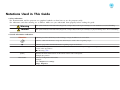


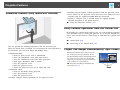

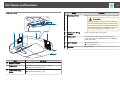
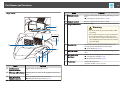
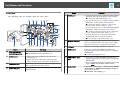
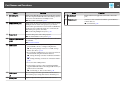
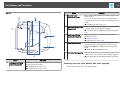


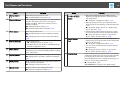
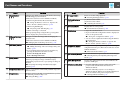
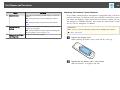
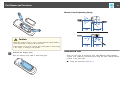
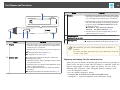
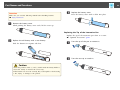
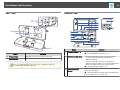
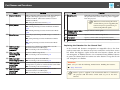


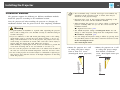


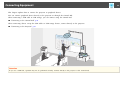
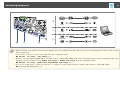
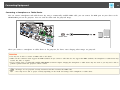
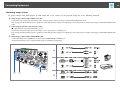
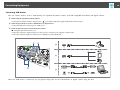


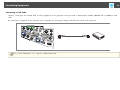
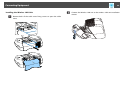


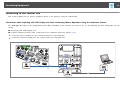

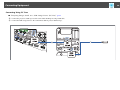
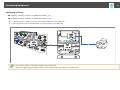


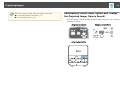
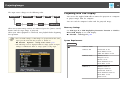
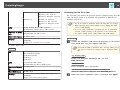
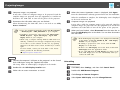
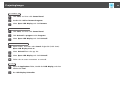
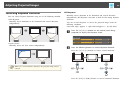
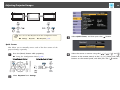
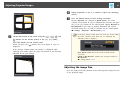

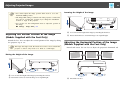
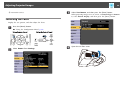
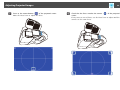

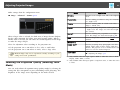
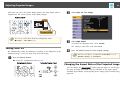



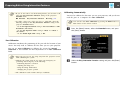

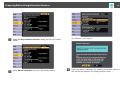


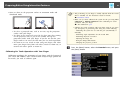
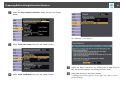

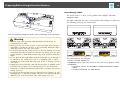
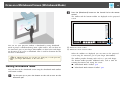

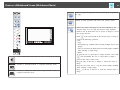
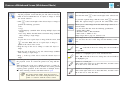

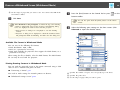
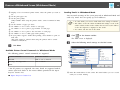
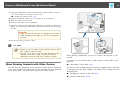

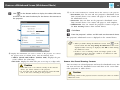
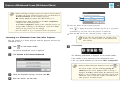
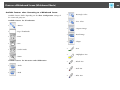
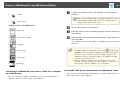


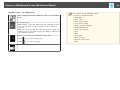
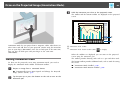

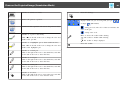
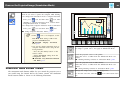

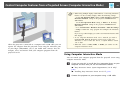
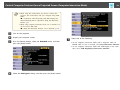

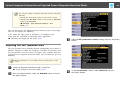
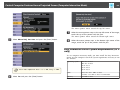
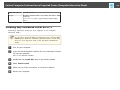
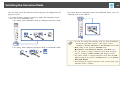
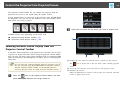
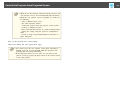
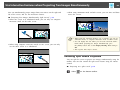
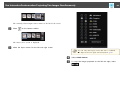


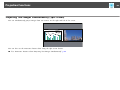
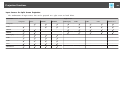
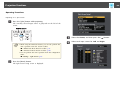


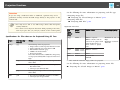
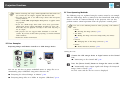
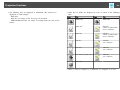
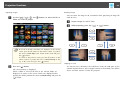
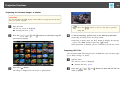
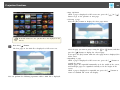
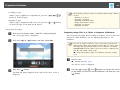





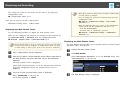
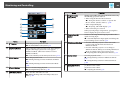
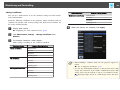
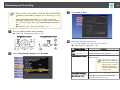
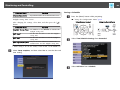
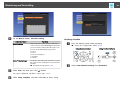
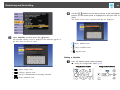










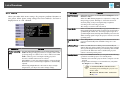

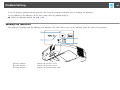
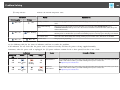
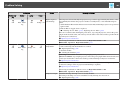






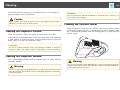
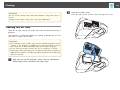

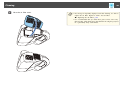
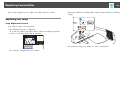
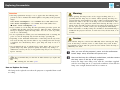
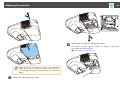
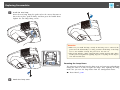
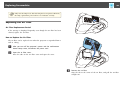


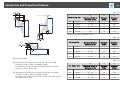


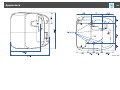

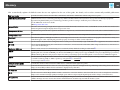


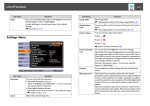

![Epson EB-460 [240v] Enhanced Warranty Education](http://vs1.manualzilla.com/store/data/007232844_1-494e9cd377264c6fcf7922b0cc777270-150x150.png)