1
8
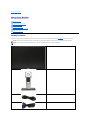
Cable management slot
Use to organize cables by placing them through the slot.
Side View
Left view
Right view
Bottom View
Bottom view
Bottom view with monitor stand
Label
Description
Use
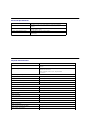
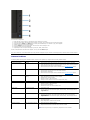
1
AC power cord connector
Connect the power cable
2
DC power connector for Dell Soundbar.
Connect the power cord for the soundbar (optional)
3
DVI connector
Connect your computer DVI cable
4
VGA connector
Connect your computer VGA cable
5
USB upstream port
Connect the USB cable that came with your monitor to the monitor and the
computer. Once this cable is connected, you can use the USB connectors on
the side and bottom of the monitor.
6
Stand lock feature
To lock the Stand to the Monitor
Monitor Specifications
Flat Panel Specifications
Model
P2011H
Screen type
Active matrix - TFT LCD
Panel type
TN