1
Technical Description
SIMpad SL4
Version V2.0
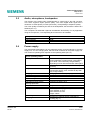
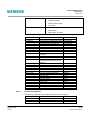
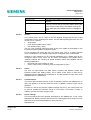
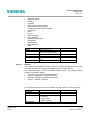
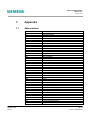
Operating system
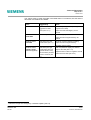
Internet Explorer
Pocket Outlook®
Version 3.0
Version 4.01
Version 3.1
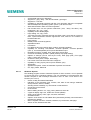
Microsoft® Pocket Word
Microsoft® Pocket Excel
Microsoft® Pocket Powerpoint®
Microsoft® Pocket Access
Version 3.01
Version 3.01
Version 3.01
Version 3.01
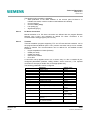
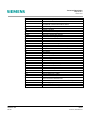
Applications
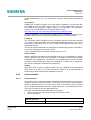
The last tab contains the registration information for the Microsoft software.
5.4.13.16
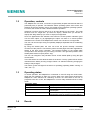
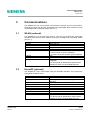
Input panel
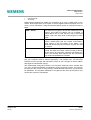
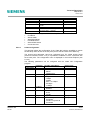
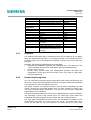
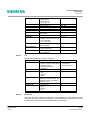
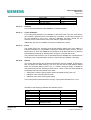
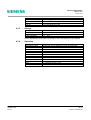
This control panel handles the parameters for the input speed with the key board:
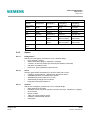
Parameter
Default value
Character repetition
Delay (continuously from short to
long)
Repetition rate (continuously
from slow to fast)
Activated
Medium position
Repetition
5.4.13.17
Medium position
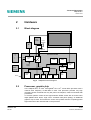
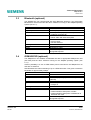
Dialling-in
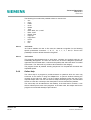
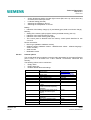
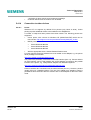
This control panel simplifies the use of dial-in numbers, particularly the digits of the
prefix code. The user can choose pre-defined profiles for various locations. The
locations can created, edited or deleted. They contain the following settings:
• Local area code
• Country code
• Choice of pulse or tone dialling
• Suspend waiting calls: dialling code to be automatically dialled
• Choice of dial-in profiles (use of prefix codes for the three situations: local call,
trunk call, international connection)
5.4.13.18
Siemens AG
ICM CP
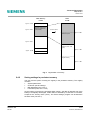
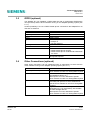
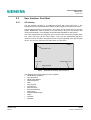
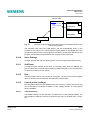
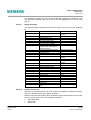
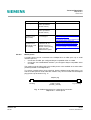
World Watch
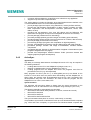
•
Display of date with monthly calendar
•
Display of two time zones (local and Seattle, WA)
•
Choice and display of the actual time zone
•
List of world cities to choose the two time zones
•
Display of local information:
• Day, date, time and time shift with GMT
• Country code
• Airport code
• Calculated sunrise and sunset time
• Distance between the two chosen cities
• Indication on the world map and highlight of the time zone
•
Definition of 5 different alarms (can be activated individually):
• Alarm description (message)
• Alarm time
• Alarm sound (list of sounds)
55/74
20.08.01, David Brunner