1
Troubleshooting
Introduction
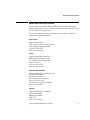
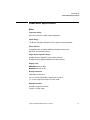
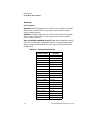
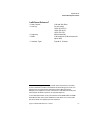
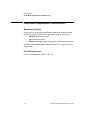
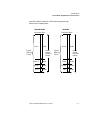
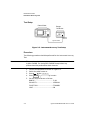
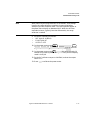
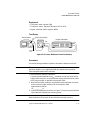
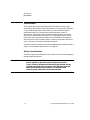
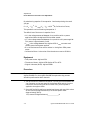
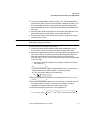
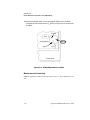
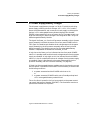
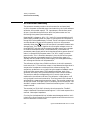
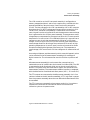
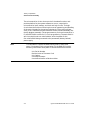
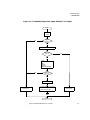
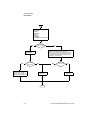
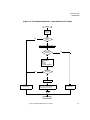
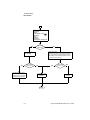
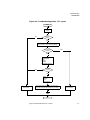
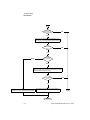
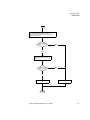
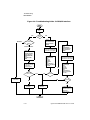
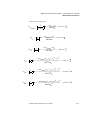
Figure 6-4: Troubleshooting Guide - RS232/422 Interface
Start
Power up
meter
POST
Pass?
No
All/Other
Yes
Select
System/Inputs
Remote Interface
Select Interface
RS422
Which POST Test
failed?
Select
Done
System/Inputs
Remote Interface
Select Interface
RS232
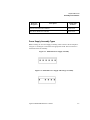
Serial Interface
Connect RS422 Self Test
Connector to RS232/422
Connector on rear panel
Select
System/Inputs
Remote Interface
Select Interface
GPIB (IEEE 488)
Prev
Command Set
SCPI
Select
System/Inputs
More
Service
Self Test
Individual
More
Serial Interface
RS422 Loop Back
Run Test
Connect power meter
to a GP-IB controller
and send the
command “*RST”
Did power
meter reset?
Investigate power
meter failure
Connect RS232 Self Test
Connector to RS232/422
Connector on rear panel
Yes
Yes
No
Test Pass?
No
No
Select
System/Inputs
More
Service
Self Test
Individual
More
Serial Interface
RS232 Loop Back
Run Test
Test Pass?
Yes
A2 Processor assy
defective
A4 Comms assy
defective
No fault found with
RS232/422 serial
interface check user
application/
implementation
End
6-10
Agilent E4418B/E4419B Service Guide