1
The Setup Menu
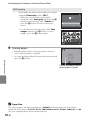
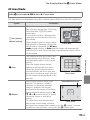
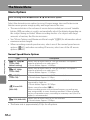
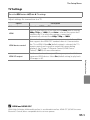
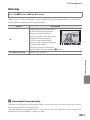
TV Settings
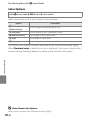
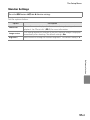
Press the d button M z tab M TV settings
Adjust settings for connection to a TV.
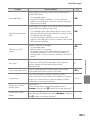
Option
Description
Video mode
Select from NTSC and PAL.
HDMI
Select a resolution for HDMI output from Auto (default setting),
480p, 720p, or 1080i. When Auto is selected, the option best
suited to the TV to which the camera is connected is
automatically selected from 480p, 720p, or 1080i.
HDMI device control
Select whether or not the camera can receive signals from a TV
that supports the HDMI-CEC standard when it is connected to
the TV via HDMI. When On (default setting) is selected, the TV’s
remote control can be used to control the camera during
playback. See “Using a TV Remote Control (HDMI Device
Control)” (E24) for more information.
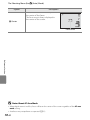
HDMI 3D output
Set the method used to output 3D images captured with this
camera to HDMI devices. Select On (default setting) to play back
3D images in 3D.
Reference Section
C
HDMI and HDMI-CEC
HDMI (High-Definition Multimedia Interface) is a multimedia interface. HDMI-CEC (HDMI-Consumer
Electronics Control) allows compatible devices to inter-operate.
E79