1
sp4800Guide.book Page 114 Tuesday, March 7, 2006 3:49 PM
114 | Maintaining and Transporting the Printer
If MNT TNK FULL appears on the LCD, you need to replace the
maintenance tank. See page 121.
Draining the Old Ink
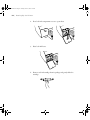
1. Make sure that READY appears on the LCD panel.
2. Press the Menu
3. Press the
Menu
4. Press the
Menu
button.
button until you see MAINTENANCE, and then press the
button.
button until you see BK INK CHANGE, and then press the
button.
5. Press the Menu
button again.
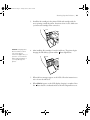
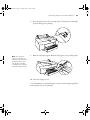
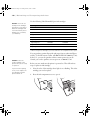
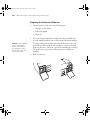
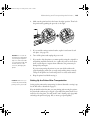
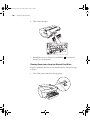
6. When RAISE THE RIGHT INK LEVER appears on the LCD, raise the
ink lever on the right ink compartment.
7. When RAISE THE LEFT INK LEVER appears on the LCD, raise the ink
lever on the left ink compartment.
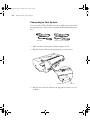
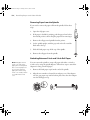
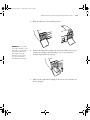
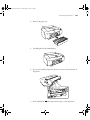
8. When REMOVE INK CRTG appears, remove all four ink cartridges
from the left ink compartment.
Note: If REPLACE
CNVRSION CRTG
appears, press the Pause
button. Remove the old
conversion cartridge(s)
from the left ink
compartment, and then
insert the new
conversion cartridge(s).
Go to step 4 to start
again.
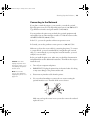
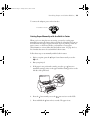
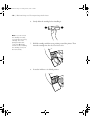
9. When INSTALL CNVRSION CRTG appears, insert the three
conversion cartridges in the slots on the left ink compartment.
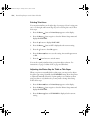
10. When LOWER THE LEFT INK LEVER appears on the LCD, lower the
ink lever on the left ink compartment.
The printer starts draining ink and DRAINING XX% appears on the
LCD. Wait until draining is complete.
5-114