1
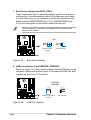
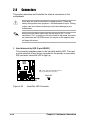
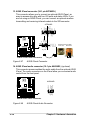
9. RAID selection (3-pin RAID_SEL) (on RAID models only)
This jumper selects either RAID 0/RAID 1 capability or ATA100 IDE
capability on the motherboard. Keep the default setting (pins 1-2) to
use the RAID feature. Set to pins 2-3 to use the ATA100 IDE feature.
If you select the RAID feature, make sure that the RAID_EN jumper is
enabled (see next item). Otherwise, the RAID capability is disabled.
RAID_SEL
P4B-E
1 2
2 3
®
RAID0,1
P4B-E RAID Selection
Figure 2-30
ATA100IDE
(Default)
RAID Selection
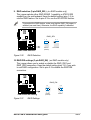
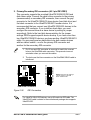
10. RAID IDE settings (3-pin RAID_EN) (on RAID models only)
This jumper allows you to enable or disable the RAID_IDE1 and
RAID_IDE2 connectors. Keep the default setting (pins 1-2) if you wish
to use RAID configuration. Set to pins 2-3 to disable the RAID IDE
connectors.
RAID_EN
P4B-E
1 2
2 3
®
P4B-E RAID IDE Setting
Figure 2-31
Enable
(Default)
Disable
RAID Settings
ASUS P4B-E motherboard user guide
2-23