1
II. System Components
CD-ROM Disk Drive
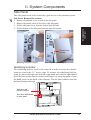
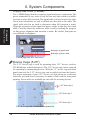
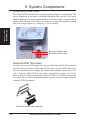
The CD-ROM disk drive mounts only in the 5.25” device cage and requires
signal and power connections like that of IDE hard disk drives. The power
and signal cable is straightforward with connectors designed to only fit correctly. The red stripe of the signal and power cables should face each other.
CD audio
output
II. Components
CD-ROM / Expansion
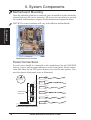
NOTE: A CD-ROM audio cable is
also provided in case you install an audio card. The only function of the audio
cable is to allow you to direct the CD
audio out signal to your audio card. Data
signals travel through the IDE cable.
Red stripe of signal cable
Red stripe of power cable
CD-ROM drive connections
Expansion Cards
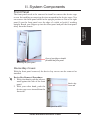
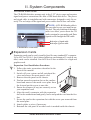
Expansion cards can be easily installed just like any standard PC computer.
Up to 4 PCI or 2 ISA (1 slot is shared allowing a maximum of 5 cards at one
time) cards can be installed. One AGP slot is also available for a high-end
graphics card.
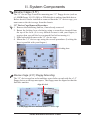
Expansion Card Installation Procedure:
1. Follow the static precautions described in the
front of this manual.
2. Switch off your system and all peripheral devices and remove the main power cord.
3. Remove the side panel to the chassis.
4. Find an unused expansion slot on the motherboard and unscrew the metal cover plate from
the slot and put the screw to one side.
5. Ensure the jumpers (if any) are correctly set on
your expansion card
6. Align the card’s connector with the expansion
slot on the motherboard and gently lower and push the card into the free
slot.
7. Secure the card to the expansion slot with the screw you removed from
the metal plate.
8. Attach cables or wires if necessary.
9. Reinstall the side panel if no other work is needed inside the chassis.
AP100 Hardware Reference Guide
21