1
VEC1093DBD ENGLISH
10/2/08
9:45 AM
Page 8
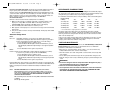
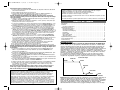
BATTERY RECONDITION MODE should only be used with 10 Amp Hour (Ah) or
larger capacity lead-acid batteries. Charge the battery to be treated for 20
minutes, before using RECONDITION Mode. Observe the Digital Display for any
codes. This initial charge will check the battery for shorted cells (F01), open cells
(F03) or battery too low to accept a charge (F02), and to ensure the battery can
take a charge. If code (F03) is displayed, change to the BATTERY
RECONDITION MODE.
Remove or disconnect the vehicle’s battery when reconditioning.
1. Make sure the charger is in initiation state with a circulating pattern on the
display or in charge OFF mode with “000” on the display. If not, press
4/10/20/40 AMP button repeatedly until “000” shows on the display.
2. Press the Battery Recondition button to start the process.
3. DES appears on the display for 3 seconds, then it changes to three horizontal
moving bars.
4. The process takes 24 hours and stops automatically. The display shows “000”
when complete.
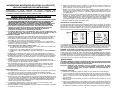
Alternator Voltage Check
Part 1
No Load
(Turn OFF all vehicle’s accessories): The battery must be fully
charged before testing the alternator. Run the engine long enough to
achieve normal idle speed and verify there is a no-load voltage.
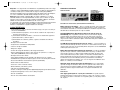
1. Press Alternator Check to start the check.
2. Alternator Good LED will light to indicate the alternator is good, or
F07 will display if alternator output voltage is out of typical operation
range.
3. Press Alternator Check again to stop the test.
Part 2
Under Load (Accessories ON): Next, load the alternator by turning on as many
accessories as possible (except for A/C and DEFROST)
1. Press Alternator Check to start the check.
2. Alternator Good LED will light to indicate the alternator is good, or
F07 will display if alternator output voltage is out of typical operation
range.
3. Press Alternator Check again to stop the test.
If the first alternator check indicates a good alternator and the second indicates the
alternator is bad, the problem could stem from: loose fan belts, an intermittent diode
failure or possibly bad connections between the battery and alternator and/or
ground.
Notes:
BATTERY VOLTAGE button is disabled in Alternator Check mode.
F07 may display because someone has added a number of accessory
loads on the charging system, thereby increasing current demand from
the alternator. MAKE SURE THAT THE ALTERNATOR IS RATED TO
SUPPORT THE APPLICATION.
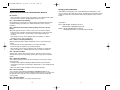
APPROXIMATE CHARGING TIMES
The 4/10/20/40 Amp 12 Volt Smart Battery Charger will automatically adjust
the charge rate as the battery becomes charged and stop when the battery is fully
charged. Deep cycle batteries may require longer charging time.
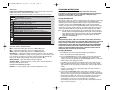
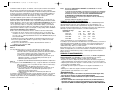
For estimates of the time it takes to charge a battery, refer to the following table.
Percent of charge
in battery
75%
50%
0%
3.5 HRS
7 HRS
10.5 HRS
14 HRS
at 10 amp rate
1.4 HRS
2.8 HRS
4.2 HRS
5.5 HRS
at 20 Amp rate
1 HR
1.5 HRS
2.1 HRS
2.8 HRS
at 40 Amp rate
1 HR*
1 HR*
1 HR*
1-2 HRS*
* Not recommended for charging batteries less than 80 Ah
The times shown in the table above are approximate and refer to a 50 Ah
automotive battery. For example, a 50 Ah (12 volt) battery is discharged (50%).
How long should it be charged at the 10 amp rate? See the chart above under
“50%” and “at 10 amp rate.”
In most cases, battery charging times will vary depending on the size, age and
condition of the battery. Smaller batteries should be charged at a lower rate
(4 amps) and an extra hour added to charge time.
CARE AND MAINTENANCE
With proper care and minimal maintenance, the 4/10/20/40 Amp 12 Volt Smart
Battery Charger will provide years of dependable service. For maximum
performance, manufacturer recommends:
• After each use, clean the battery charger clamps — be sure to remove any
battery fluid that will cause corrosion of the clamps.
• Clean the outside case of the charger with a soft cloth and, if necessary, mild
soap solution.
• Do not allow liquid to enter the charger. Do not operate when charger is wet.
• Keep the charger cords loosely coiled during storage to prevent damage to the
cords.
WARNINGS
• Do not use charger if cords or clamps have been damaged in any way —
call Technical Support toll-free at 1 800 544-6986.
• There are no user-serviceable parts in this unit.
• Do not open the unit. In the event of malfunction, it must be returned to
manufacturer for professional testing and repair. OPENING THE UNIT
WILL VOID THE MANUFACTURER’S WARRANTY.
This check may not be accurate for every make, manufacturer and model
of vehicle.
Check only 12 volt systems.
8
25%
at 4 Amp rate
9