1
System Administration Guide
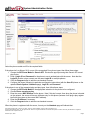
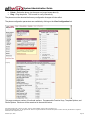
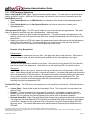
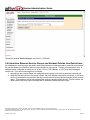
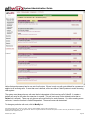
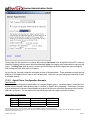
When you click the Save button, a pop-up window prompts you to enter the description for the new
configuration. After clicking OK in the pop-up window, the template is saved and will now appear in the list of
Handset Configuration Templates.
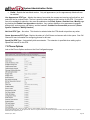
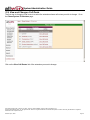
7.4.4 Applying a Template to a Phone’s Configuration
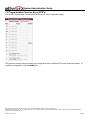
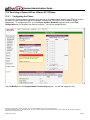
To apply a template to a phone’s configuration, follow these steps:
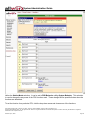
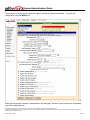
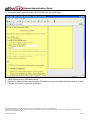
1. Click View Configuration on the phone to be changed.
2. Using the Template Options section, select the template to be applied from the drop down list.
3. Click the Apply button.
7.4.5 Editing a Template’s Configuration
To edit a template’s configuration, a phone’s configuration must be edited and then re-saved to the template
that you want to change. There is no way to edit the template configuration directly.
7.4.6 Deleting a New Template
The factory provided templates cannot be deleted. To delete an administrator created template, click its
Delete link in the Handset Configuration Templates section of the Phone System / Handsets page.
635 Crosskeys Office Park • Fairport, NY 14450 • Toll Free 1-866-ALLWORX • 585-421-3850 • www.allworx.com
© 2005 InSciTek Microsystems, Inc. All rights reserved. Allworx is a registered trademark of InSciTek Microsystems. All other names may be trademarks or registered
trademarks of their respective owners.
Revised: April 7, 2005
Page 22