1
Control Panel
Configuration | en
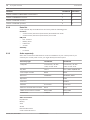
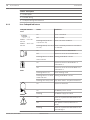
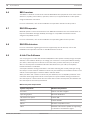
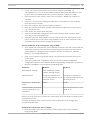
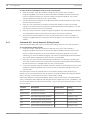
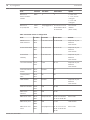
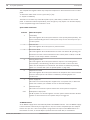
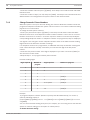
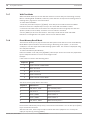
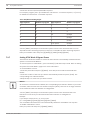
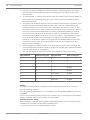
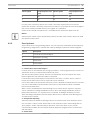
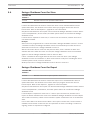
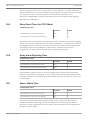
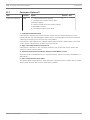
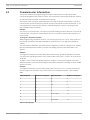
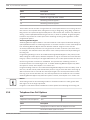
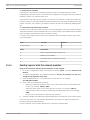
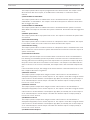
Item
Set Value
Remark
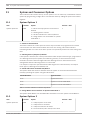
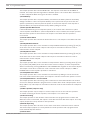
Panel Programming
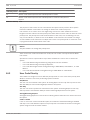
Disable
Need to set in Web interface.
51
If set to enable, B450 can be set via the
control panel, the configure method is
same as table 2 or table 3.
If set to disable, B450 cannot be set via
the control panel, only can be set via USB
menu.
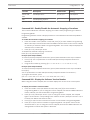
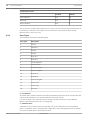
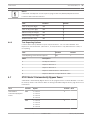
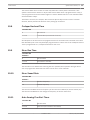
Email Server Name
smtp.126.com
Mail server name
ASCII Code
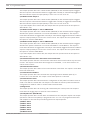
Email Server Port
465
Mail server port
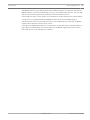
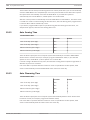
Encryption
0 = Basic
Number
Email Server
Authentication/
1 = Authenticate
Encryption
2 = Encrypted
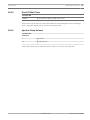
Authentication User
[email protected]
User Name of Sending Mailbox
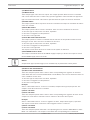
Solution3000
Password of Sending Mailbox
Name
Authentication
Password
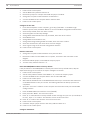
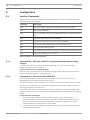
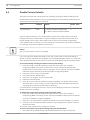
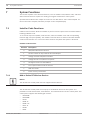
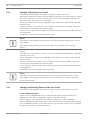
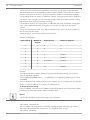
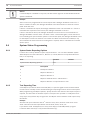
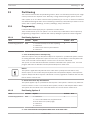
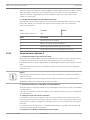
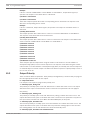
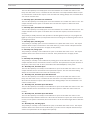
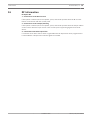
Configuration steps:
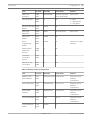
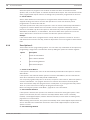
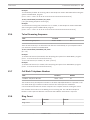
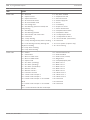
Set the receiver parameters according to Table 1.
If the network module is a B426, log into the B426 Configuration Page, set Panel Programming
to Enable.
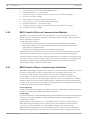
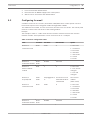
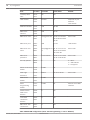
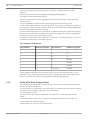
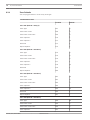
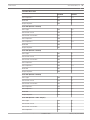
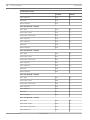
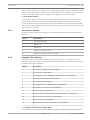
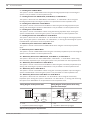
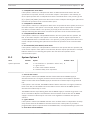
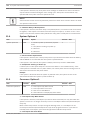
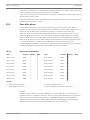
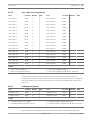
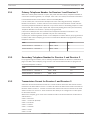
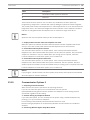
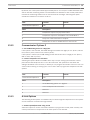
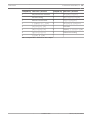
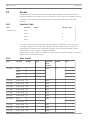
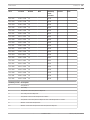
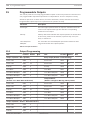
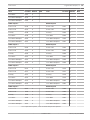
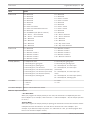
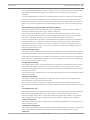
Set the network module parameters according to Table 2 and Table 3. The two tables contain
parameters of the outgoing mailboxes.
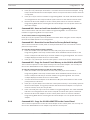
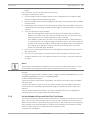
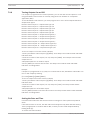
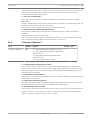
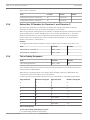
If the network module is a B450, there are two configuration methods:
–
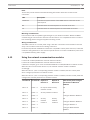
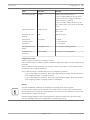
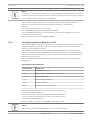
Log in to the B450 menu interface. Set Panel Programming to Disable. Set the parameters
of the outgoing mailbox according to Table 4.
–
Log in to the B450 menu interface. Set Panel Programming to Enable. Set the parameters
of the outgoing mailbox according to Table 2 and Table 3.
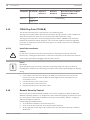
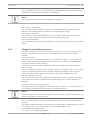
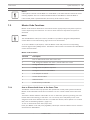
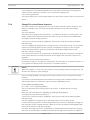
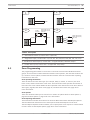
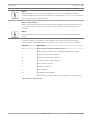
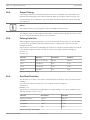
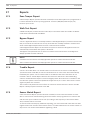
Notice!
Use well established mailboxes for sending and receiving email (such as gmail).
Do not send more than 6 Emails per hour. The mailbox cannot send or receive Email reports
too frequently since all mailboxes have limitations for the amount of emails they can send and
receive within a certain span of time.
Add the sending mailbox to the receiving mailbox’s approved sender list to prevent emails
from the sending mailbox from being treated as advertising or spam.
Installation Guide
2014.07 | 00n | F01U298026