1
Contents
3.7.4
ACPI APIC Support [Enabled].................................................... 3-28
3.7.6
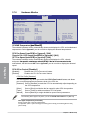
Hardware Monitor...................................................................... 3-30
3.7.5
3.8
3.7.7
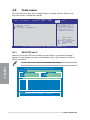
Boot menu................................................................................................. 3-32
Boot Device Priority................................................................... 3-32
3.8.3
Security...................................................................................... 3-34
3.9.1
ASUS EZ Flash 2....................................................................... 3-36
3.9.3
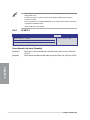
AI NET 2..................................................................................... 3-38
3.9.4
4.2
4.3
4.2.2
Running the support DVD............................................................ 4-1
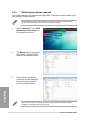
Obtaining the software manuals.................................................. 4-2
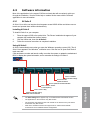
Software information.................................................................................. 4-3
4.3.1
AI Suite II..................................................................................... 4-3
4.3.3
BT GO!......................................................................................... 4-5
4.3.5
4.3.6
4.3.7
4.3.8
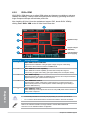
DIGI+ VRM................................................................................... 4-4
TurboV EVO................................................................................. 4-6
EPU.............................................................................................. 4-9
FAN Xpert.................................................................................. 4-10
Probe II...................................................................................... 4-11
Audio configurations.................................................................. 4-12
RAID configurations................................................................................. 4-13
4.4.1
RAID definitions......................................................................... 4-13
4.4.3
Setting the RAID item in BIOS................................................... 4-14
4.4.2
4.4.4
Installing Serial ATA hard disks.................................................. 4-14
Intel® Rapid Storage Technology Option ROM utility................. 4-15
Creating a RAID driver disk..................................................................... 4-19
4.5.1
Creating a RAID driver disk without entering the OS................. 4-19
4.5.3
Installing the RAID driver during Windows® OS installation....... 4-19
4.5.2
4.5.4
vi
Software support
Support DVD information........................................................................... 4-1
4.2.1
4.3.4
4.5
Drive Xpert Configuration........................................................... 3-39
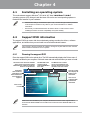
Installing an operating system.................................................................. 4-1
4.3.2
4.4
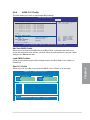
ASUS O.C. Profile...................................................................... 3-37
Exit menu................................................................................................... 3-40
Chapter 4:
4.1
Boot Settings Configuration....................................................... 3-33
Tools menu................................................................................................ 3-36
3.9.2
3.10
EuP Ready [Disabled]................................................................ 3-31
3.8.1
3.8.2
3.9
APM Configuration..................................................................... 3-29
Creating a RAID driver disk in Windows®.................................. 4-19
Using a USB floppy disk drive.................................................... 4-20