1
Mounting
Desktop Placement
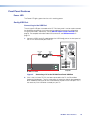
Attach the four provided rubber feet to the bottom of the unit and place it in any
convenient location.
Rack Mounting
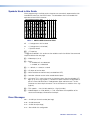
UL Guidelines for Rack Mounting
The following Underwriters Laboratories (UL) guidelines are relevant to the safe installation
of these products in a rack:
1. Elevated operating ambient temperature — If the unit is installed in a closed or
multi-unit rack assembly, the operating ambient temperature of the rack environment
may be greater than room ambient temperature. Therefore, install the equipment in
an environment compatible with the maximum ambient temperature (Tma: +122 °F,
+50 °C) specified by Extron.
2. Reduced air flow — Install the equipment in the rack so that the equipment gets
adequate air flow for safe operation.
3. Mechanical loading — Mount the equipment in the rack so that uneven mechanical
loading does not create a hazardous condition.
4. Circuit overloading — Connect the equipment to the supply circuit and consider the
effect that circuit overloading might have on overcurrent protection and supply wiring.
Consider the equipment nameplate ratings when addressing this concern.
5. Reliable earthing (grounding) — Maintain reliable grounding of rack-mounted
equipment. Pay particular attention to supply connections other than direct
connections to the branch circuit (such as the use of power strips).
Rack Mounting Procedure
The unit can be mounted on any optional rack mounting system (see
www.extron.com for a list of suitable mounting kits). To mount the scaler on a rack shelf,
follow the instructions provided with the shelf accessories.
DP DA2 • Mounting
24