1
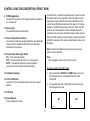
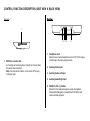
CONTROL FUNCTION DESCRIPTION (FRONT VIEW)
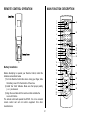
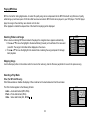
The ADV35 has an option that allows the user to select from two
IR transmit and receive codes (M1 or M2). This feature can be
used when using two ADV35s in the same installation or if the
vehicle has an RSA (Rear Seat Audio) that uses an “A” channel
headset. The ADV35 comes factory set to M1. When in the M1
mode the unit will respond to remote commands when M1 is
selected on the remote and will transmit audio on the A channel.
When in the M2 mode the unit will respond to remote commands
when M2 is selected on the remote and will transmit audio on the
B channel.
9. POWER ( ) Button
Used to turn the system on/off. Bright red when the system is
on, dim when off.
10. Dome Lights
Provide additional interior illumination.
11. Infrared Transmitter and Sensor
Use to transmit audio the wireless headphone. Also allows the
remote control to operate the ADV35 and to control other
accessories in the system.
Note: 2-channel IR headphones will need to be used when
monitor is set to M2 mode.
12. Three Position Dome Light Switch
ON – Turns on the dome lights.
OFF – The dome lights will not turn on in this position.
AUTO – Automatically switches on the dome lights in
conjunction with the vehicle's interior illumination.
Note:
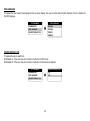
OSD will appear on the screen for 4~5 seconds
Selecting a Monitor Code (M1 or M2)
13. Ventilation Openings
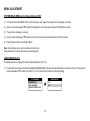
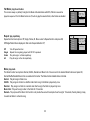
1. Press and hold the SOURCE and FMM buttons on the unit
for 3 seconds and the unit will switch from M1 to M2
or M2 to M1.
14. LCD Cut Off Switch
Used to turn off the LCD panel monitor when in the closed
position.
2. The selected mode (M1 or M2) will be retained in memory
until changed by the user.
15. LCD Panel
FMM 88.3MHz
16. Screen Release
Press to release the screen.
AUX/GAME
FMM OFF
M1
IRT ON
6
DVD
M2
IRT OFF