1
Table of Contents
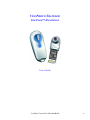
Introducing the Veo Photo Traveler for Palm handheld
Photo Traveler Kit Contents
Minimum System Requirements
Specifications
Platform Support
Installing the Photo Traveler Drivers and Software
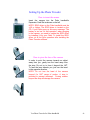
Setting up the Photo Traveler
How to insert the Photo Traveler
How to pivot the lens of the Photo Traveler
Getting Started
Capture an Image with your Photo Traveler
Viewing Images in different Modes
Preview Mode
Thumbnail Mode
Slideshow Mode
Setting the Preferences
Basic Preferences
Advanced Preferences
Beaming Files and Photos
Notes
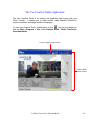
The Veo Creative Studio Application
Photo Sync – Transferring files between Palm Handheld and
your PC
Viewing Pictures in the Gallery
Recording an Audio Clip
Importing Pictures from Another Source
Importing Files to a Folder in the Creative Studio
E-card Creator – Creating an E-card
Movie Maker – Making or Editing a Movie
Homepage Designer – Designing a Homepage
Applying Text, Images, Videos, and Animated Characters
Troubleshooting
Additional Help and Resources
Statement of Limited Warranty
Veo Photo Traveler for Palm handhelds
3
3
4
5
5
6-7
8
8
8
9
10
11
11-12
12-13
13
14
14
15
16
17
18
19
20
21
21
21
22-23
24-26
27-31
32-34
35
35
36-37
-2-