1
Printing Images
You can easily print the images you have taken if you connect the camera to
a PictBridg compliant printer (sold separately).
Items to Prepare
• Camera and PictBridge compliant printer (sold separately)
• Interface cable supplied with the camera
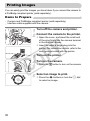
Turn off the camera and printer.
Connect the camera to the printer.
● Open the cover, and insert the small end
of the plug firmly into the camera terminal
in the direction shown.
● Insert the cable’s larger plug into the
printer. For connection details, refer to the
user guide provided with the printer.
Y
P
O
Turn on the printer.
C
Turn on the camera.
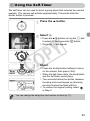
● Press the 1 button to turn on the camera.
Select an image to print.
● Press the qr buttons or turn the  dial
to select an image.
30