1
Installing and Connecting the LCR Meter
Installing and Connecting the LCR Meter
NOTE
You are recommended to disconnect the U5481A IR-USB cable before
installing the software.
1 Download the Agilent GUI Data Logger for Agilent
Handheld LCR Meter (U1730C) application software from
www.agilent.com/find/hhTechLib.
2 Click
to begin the installation. The required drivers
and Microsoft .NET Framework are automatically installed
if they are not detected on your PC.
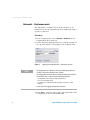
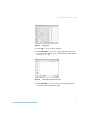
Figure 1
Agilent GUI Data Logger InstallShield Wizard
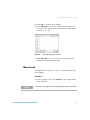
3 Click Start > All Programs > Agilent > Data Logger for Agilent
Handheld LCR Meter (U1730C) to run the Agilent GUI Data
Logger. Or alternatively, you can click the Agilent GUI
Data Logger shortcut icon on your desktop.
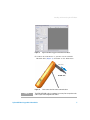
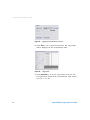
Figure 2
2
Agilent GUI Data Logger shortcut icon
Agilent GUI Data Logger Quick Start Guide