1
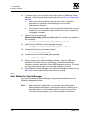
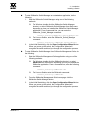
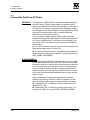
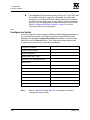
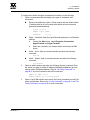
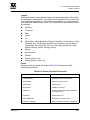
0 5 – Diagnostics/Troubleshooting Power-On Self Test Diagnostics 4. Display the active zone set on each switch using the Zoning Active command or the Active Zoneset tab of the SANsurfer Switch Manager topology display. Compare the zone membership between the two active zone sets. Are they the same? Yes - Contact your authorized maintenance provider. No - Deactivate one of the active zone sets or edit the conflicting zones so that their membership is the same. Reset the port. If the condition remains, contact your authorized maintenance provider. Note: This can be caused by merging two fabrics whose active zone sets have two zones with the same name, but different membership. 5.2.2.2 Excessive Port Errors The switch can monitor a set of port errors and generates alarms based on user-defined sample windows and thresholds. These port errors include the following: CRC errors Decode errors ISL connection count Login errors Logout errors Loss-of-signal errors Port threshold alarm monitoring is disabled by default. Refer to the SANbox 5602 Switch Management User’s Guide for information about managing port threshold alarms. If the count for any of these errors exceeds the rising trigger for three consecutive sample windows, the switch generates an alarm and disables the affected port, changing its operational state to “down”. Port errors can be caused by the following: 59096-00 A Triggers are too low or the sample window is too small Faulty Fibre Channel port cable Faulty SFP Faulty port Fault device or HBA 5-9