1
Options
E
Select options
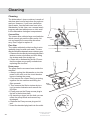
To select an option, press one of the
option buttons.
Temperature selection
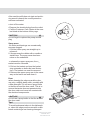
With the temperature option button you
can select the wash temperature yourself.
You can vary the temperatures as follows:
Normal
Economy
Auto
Heavy:
160°F (70°C) 130°F (55°C)
Normal:
150°F (65°C) 130°F (55°C)
Quick:
120°F (50°C) 85°F (30°C)
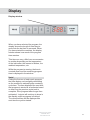
The temperature symbol will light up if you
have chosen the high temperature. This selection will remain in force until a change is made.
Drying options
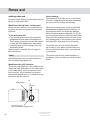
If you desire a better drying result, press
the Drying options button (Normal) and a
symbol showing three wavy lines will light. If
you want a program without Drying options
(Economy), press the button again and the
symbol will go out.
Delayed Start
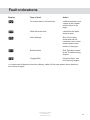
• If you want the machine to start up later,
press the ‘Delayed start’ option button, you
can delay the start 0.5-9 h. A clock symbol
and the number of hours until start will appear in the display window.
• The ninth time you press the button the selection will be aborted: the clock symbol will
disappear and the display window will return
to displaying expected program duration.
• Press the Start/Stop button or make a further selection.
The machine will now count down the time
each hour until the machine starts, and then
show the remaining wash time in the display
window.
• To cancel Delayed start, press and hold
the Start/Stop button for 3 seconds.
Express
By selecting the Express option, the
washing time is reduced and the wash
temperature lowered by 10°C. Cannot be
used in the Quick wash or Rinse & Hold
programs.
1/2 load
Upper basket wash
If you only have cups and glasses in the upper basket which require washing, you can
use this program.
Lower basket wash
When you only want to wash plates and
cutlery in the lower basket you can use the
lower basket wash.
Changing program
If you want to change program after having
started the machine, press the Start/Stop
button for three seconds. Then select a new
program and press the Start/Stop button.
Do you want to load more dishes?
Open the door; the machine stops automatically, put in the dishes, close the door and
the dishwasher will continue from where it
left off.
If the machine is shut down with the main
power switch (or due to power outage)
before the program is finished, the interrupted program will continue once power is
restored to the machine.
Note!
If the power is switched off, or if the door is
open for more than 2 minutes during drying,
the program is interrupted.
Customer Care Center
1-800-898-1879
www.askousa.com
13