1
Getting Started
Zoom
Zoom
Making Cursor Measurements
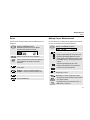
Use the zoom function to obtain a more detailed view of a
waveform.
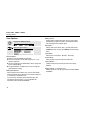
Cursors allow you to make precise digital measurements
on live, on recorded, and on saved waveforms.
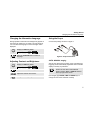
Display the ZOOM key labels.
Observe that the trace is frozen (HOLD
appears at the top of the screen).
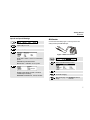
Display the CURSOR key labels.
Select cursor measurement type:
measure signal height at one point of time.
Zoom in or zoom out on the waveform.
Scroll. A position bar indicates the position of
the zoomed part in relation to the total
waveform.
Inactive key. The key label indicates the
zoom factor.
measure signal height difference of two
points of time, and measure the time or the
trace RMS value (C versions) between the
cursors.
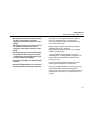
measure signal height at the cursor
positions and between cursor positions.
measure rise time and fall time.
VIEW ALL : view the complete waveform.
ZOOMED : view the zoomed waveform part.
Select the cursor to be moved. Use the blue
arrow keys to move.
Inactive key.
Depending on cursor measurement type:
Exit the ZOOM mode.
Automatic or manual risetime measurement
on a single channel.
Reading 2 is time (T), frequency (1/T) , or
RMS value (C versions).
9