1
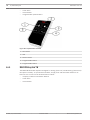
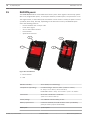
RADION receiver OP
RADION smoke | en
33
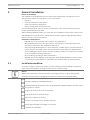
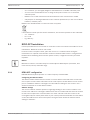
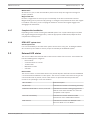
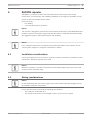
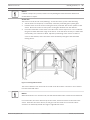
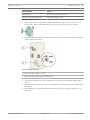
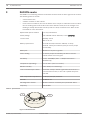
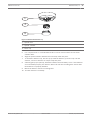
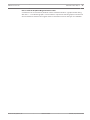
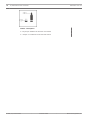
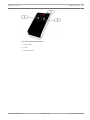
1 ᅳ High intensity LED
2 ᅳ Test/Silence button
9.1
Battery replacement
Under normal conditions, the LED normally flashes every 8 sec to indicate normal operating
conditions. Replace the battery when the LED stops flashing, and the sensor chirps every 45
sec.
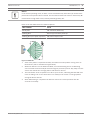
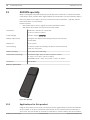
Silence the low battery trouble chirps for 24 hr by pushing the Test/Silence button. Refer to
the Smoke detector illustration for locating the Test/Silence button.
9.2
Smoke test
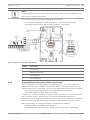
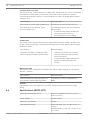
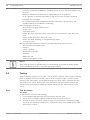
Test smoke detectors annually by using a listed aerosol smoke tester to simulate an alarm.
Follow the instructions on the can.
The LED should remain ON while the detector provides a continuous tone. The detector
automatically resets when smoke is no longer present. A detector that fails to activate with
the smoke test might require cleaning or replacement.
Notice!
To avoid a fire department dispatch, contact central monitoring station, or put the system
into Test mode before activating the detector using this method.
9.3
Sensitivity test
Notice!
The control panel recognizes Test Mode as a test. It does not send an alarm.
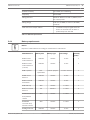
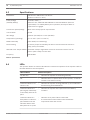
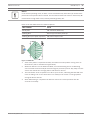
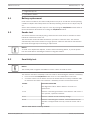
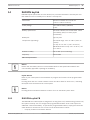
The detector includes a Sensitivity Level Test mode for determining the detector’s sensitivity:
1.
Press and hold the Test/Silence button for 4 sec. The LED flashes 1 to 9 times.
2.
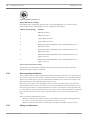
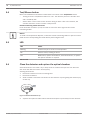
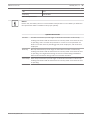
Count the number of LED flashes and use the Smoke detector sensitivity conditions table
to determine the status of the detector’s sensitivity and the recommended action.
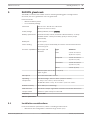
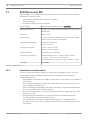
Flashes
Action Recommended
1
Self-diagnostics failure. Return detector for service or
replacement.
2 to 3
Detector is becoming insensitive. Clean detector and re-test. If
error persists, replace the detector.
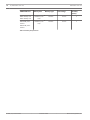
4 to 7
8 to 9
Detector is within normal sensitivity settings.
Detector is becoming too sensitive. Confirm that the smoke
chamber is snapped down securely. Clean the sensor and retest.
Table 9.2: Smoke detector sensitivity conditions
Bosch Security Systems, Inc
Reference Guide
02.2014 | 01 | F.01U.261.835